 ▶
▶
 ▶
▶Christmas Budget & Gift Command Center
December, handled.
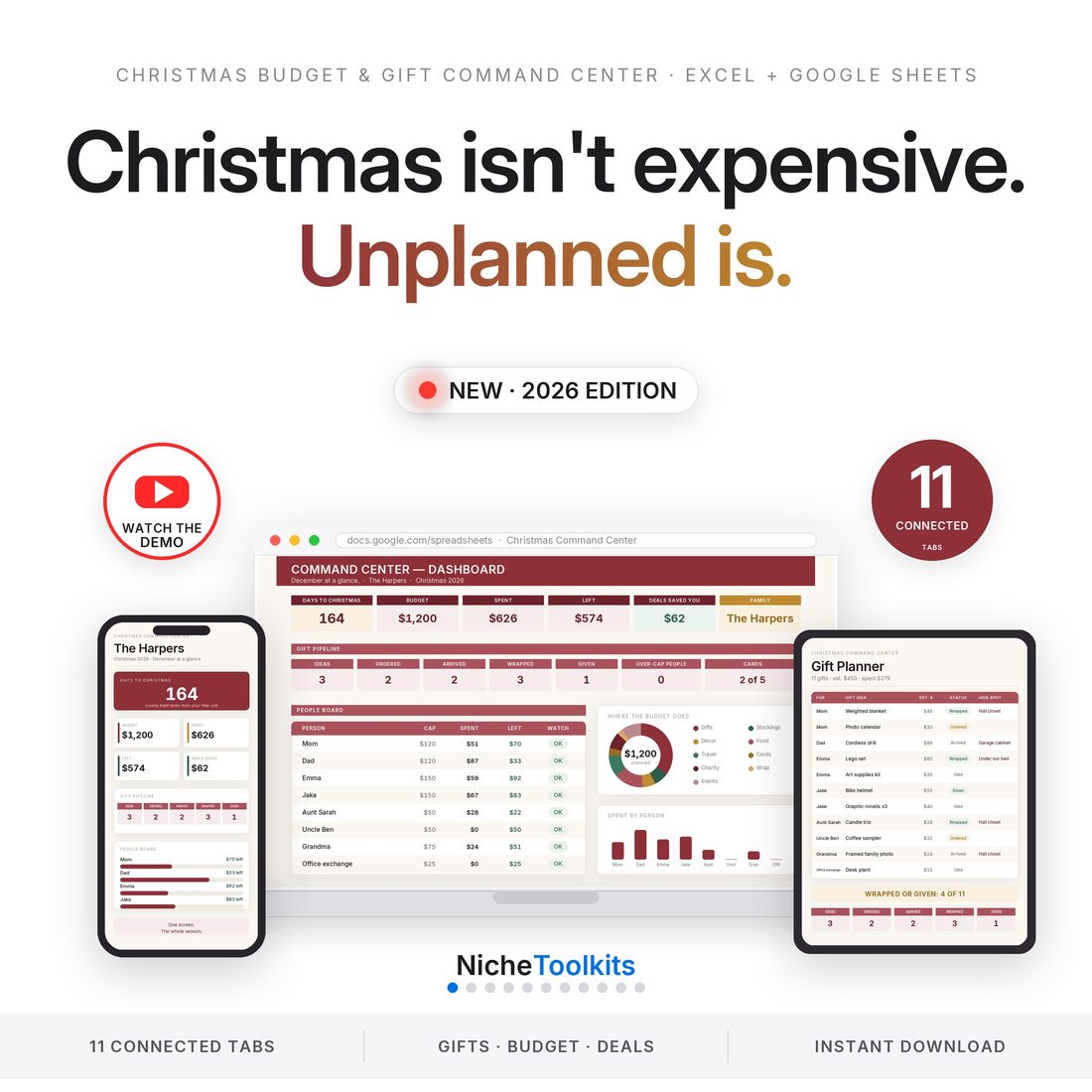
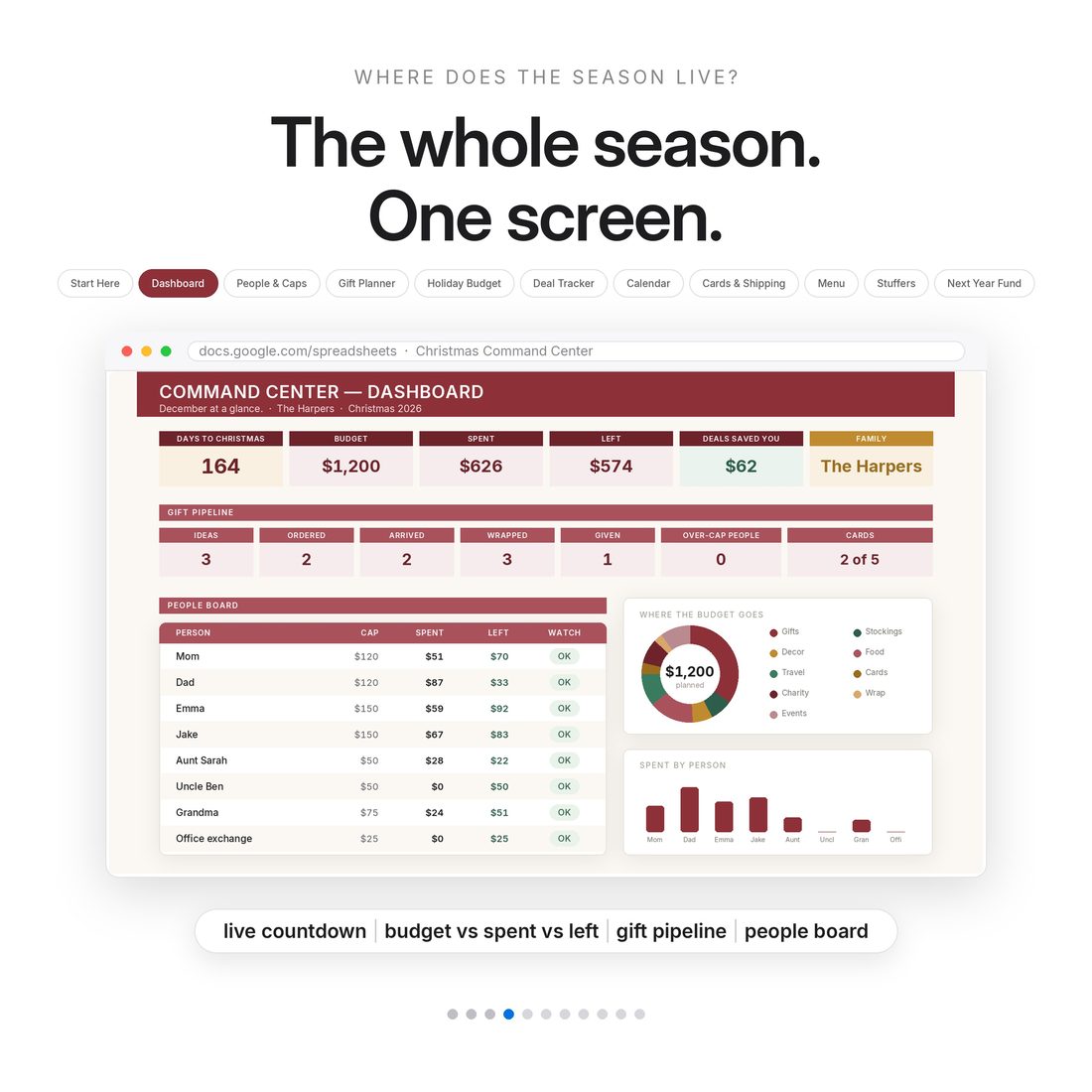
5.0shop rating · 6 Etsy reviewsDecember, handled. The gift trackers everyone sells are one page; this is the whole holiday — gifts, budget, deals, cards, menus, events — in 11 connected tabs with a live countdown and math that does itself. Next November, change one Year cell and the whole file rolls forward: buy once, use every Christmas.
- The whole holiday in 11 connected tabs — not a one-page gift list
- Gift pipeline: Idea → Ordered → Arrived → Wrapped → Given (with hide spots)
- Per-person spending caps that watch themselves
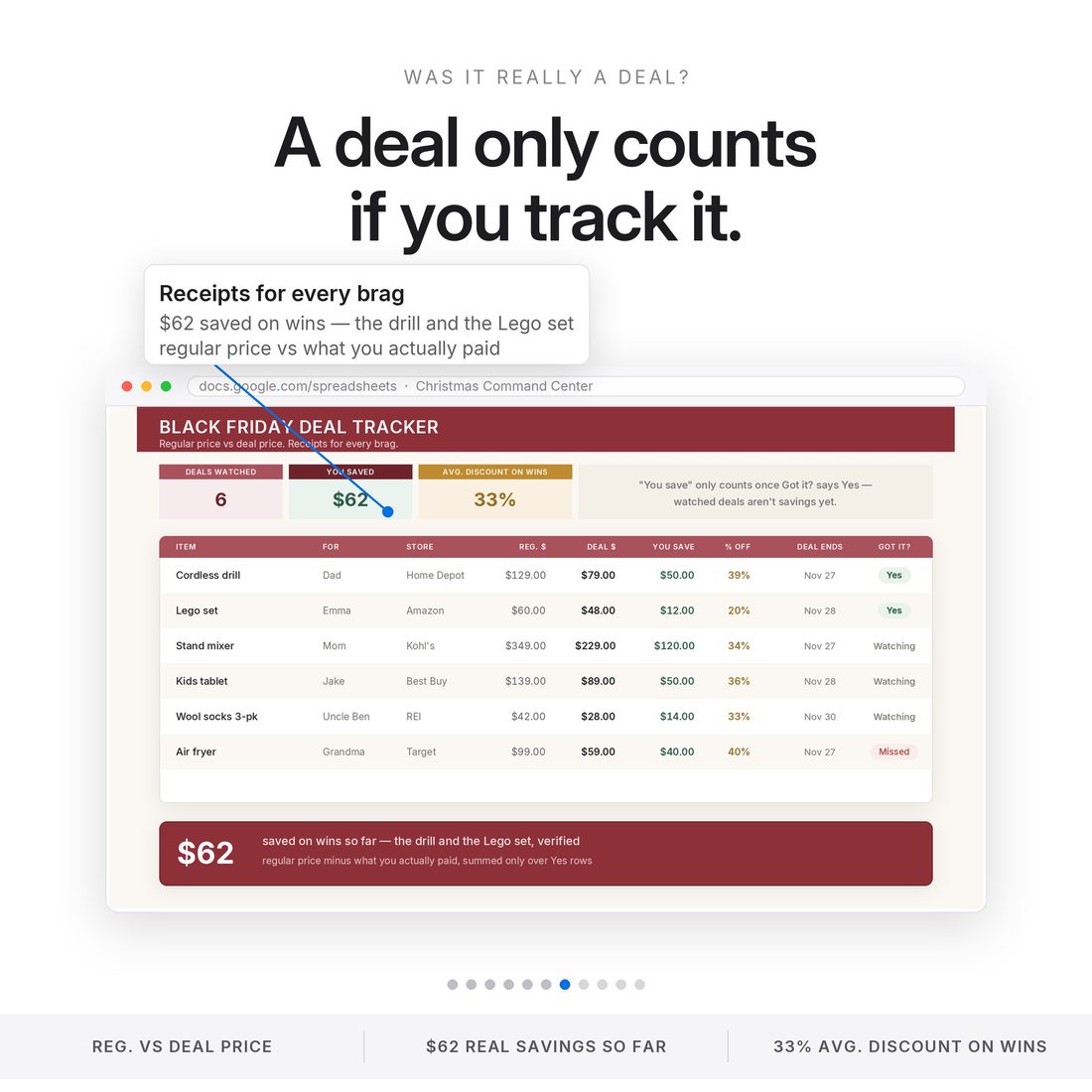
- Black Friday Deal Tracker: regular vs deal price = receipts for real savings
- No annual reset — change the Year cell and everything rolls forward
Overview
December, handled.
December, handled. The gift trackers everyone sells are one page; this is the whole holiday — gifts, budget, deals, cards, menus, events — in 11 connected tabs with a live countdown and math that does itself. Next November, change one Year cell and the whole file rolls forward: buy once, use every Christmas.
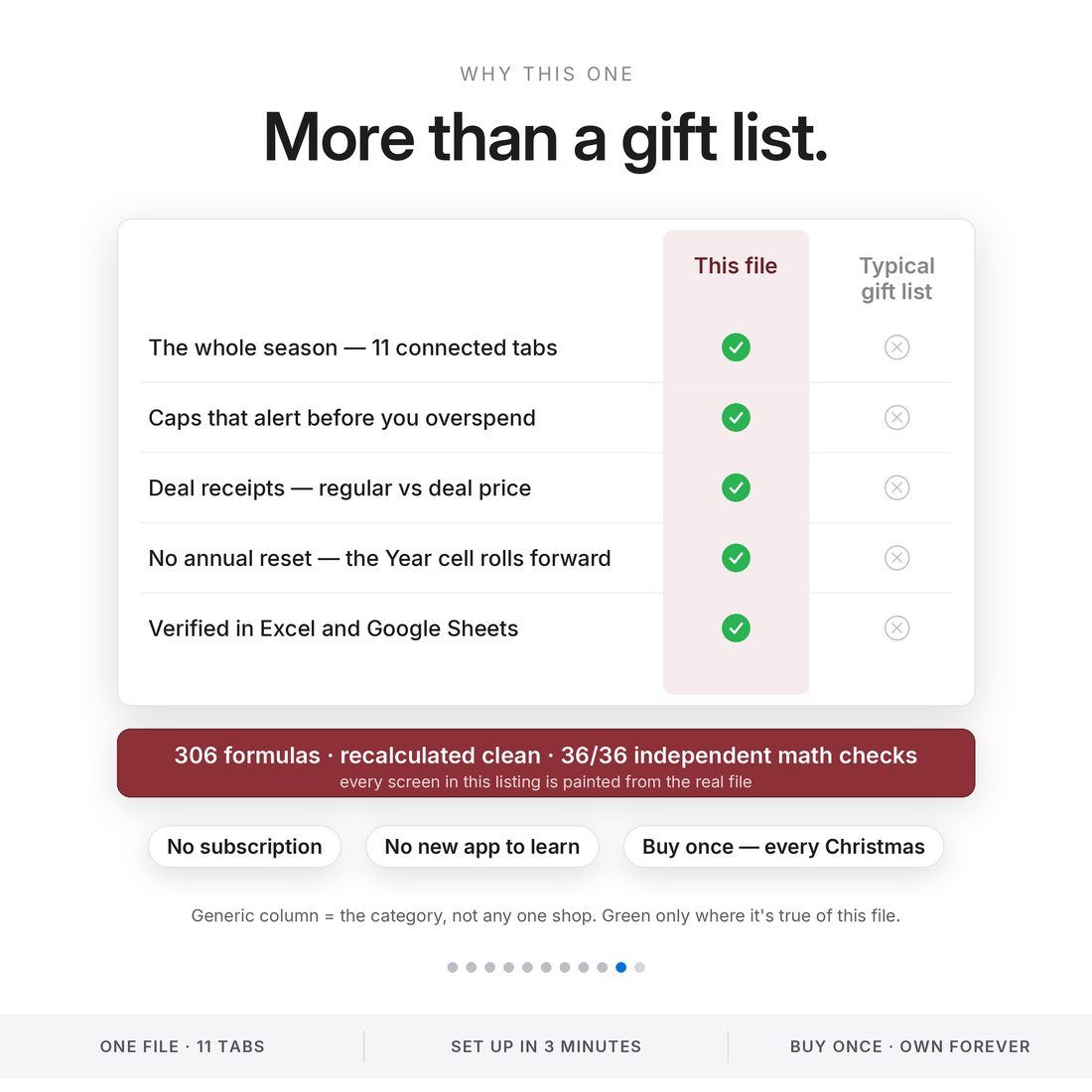
Most Christmas planners are a one-page gift list.
What's Included
Inside the toolkit
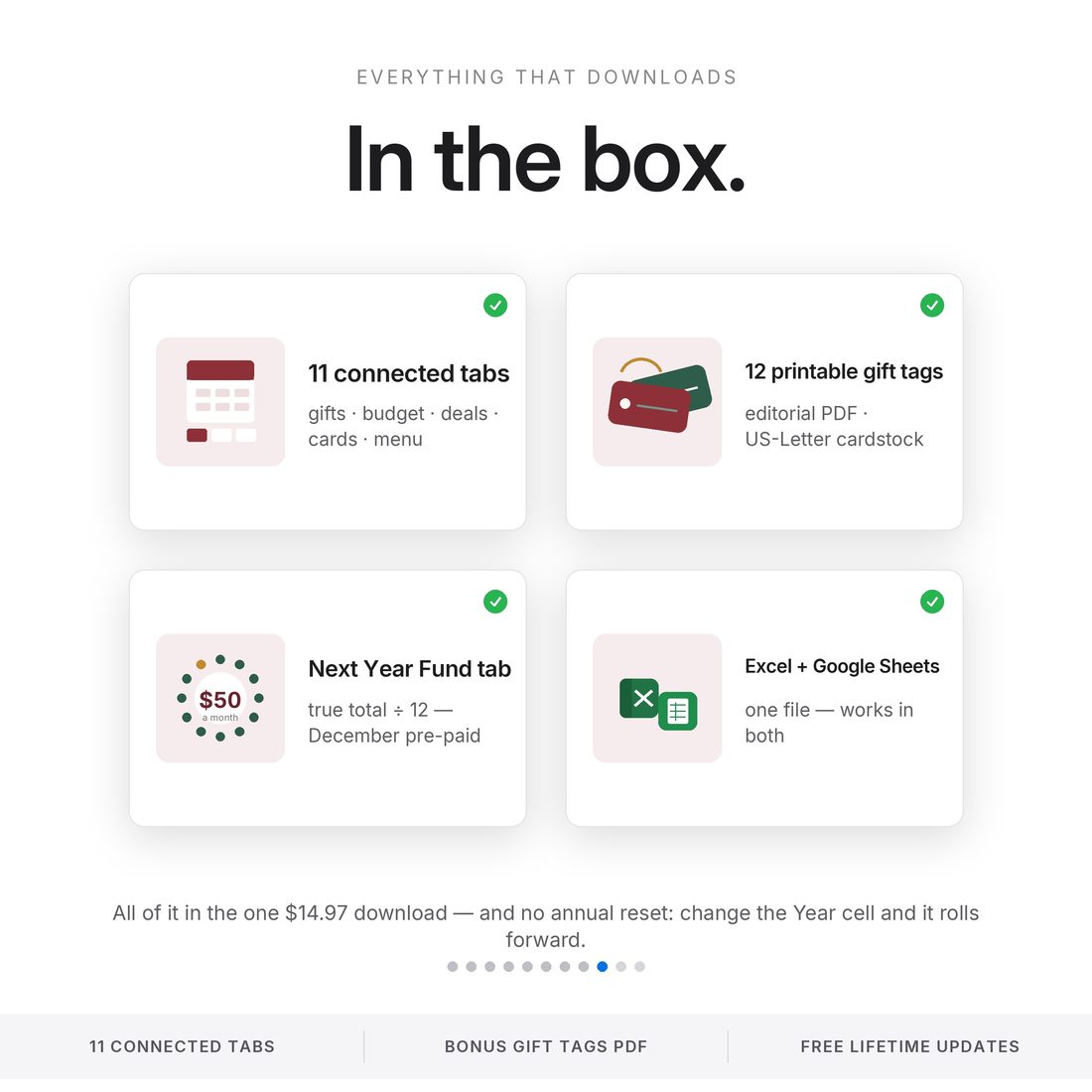
- Christmas-Budget-Command-Center-NicheToolkits.xlsx in all three colors (Colorful, Light & Dark) — the 11-tab command center (Excel + Google Sheets)
- Printable-Gift-Tags.pdf — 12 bonus editorial gift tags for US-Letter cardstock
- README.txt + LICENSE.txt
- Delivered as one ZIP — instant download
Key Benefits
Why this one
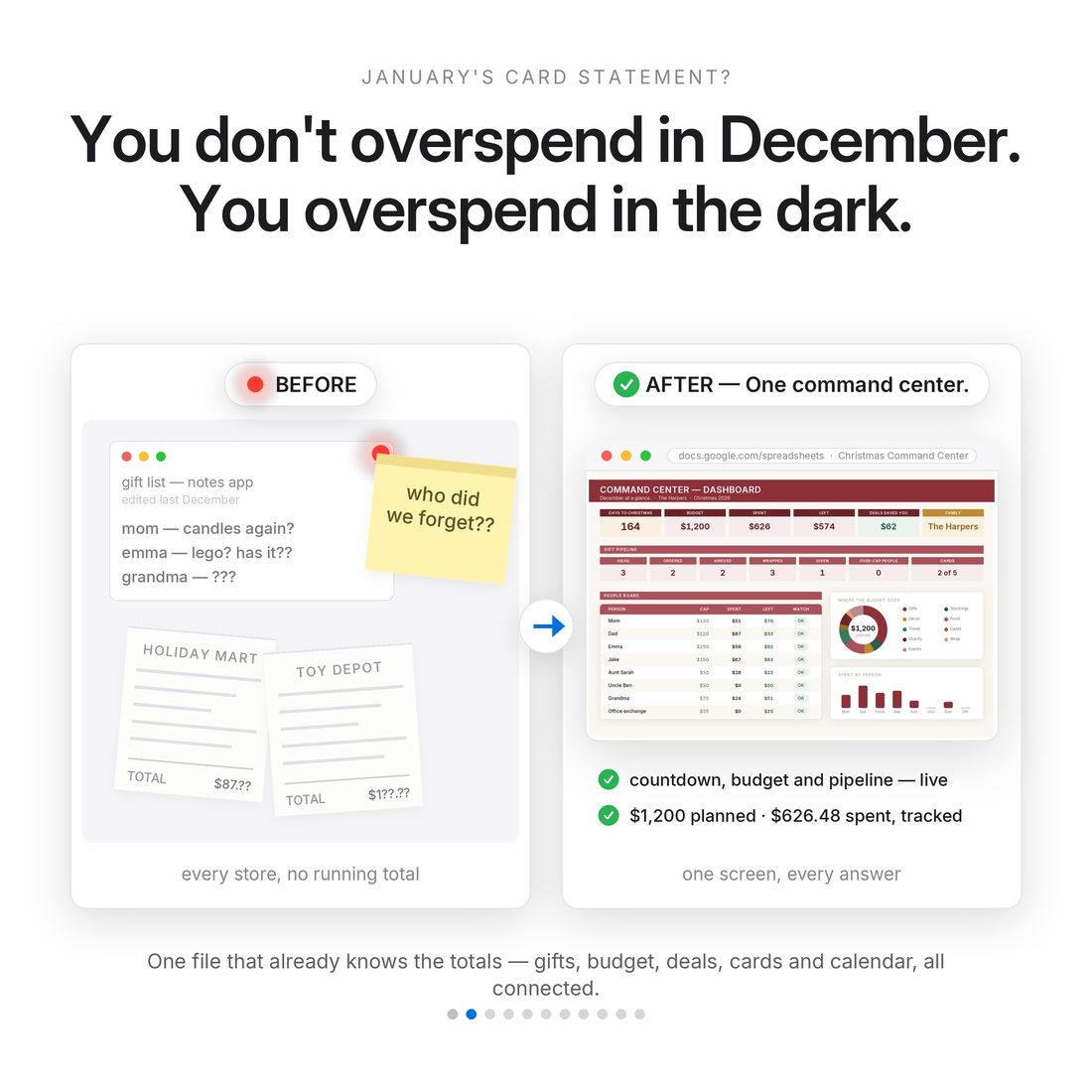
Gifts, budget, deals, cards, menus and events stop living in six different apps and lists.
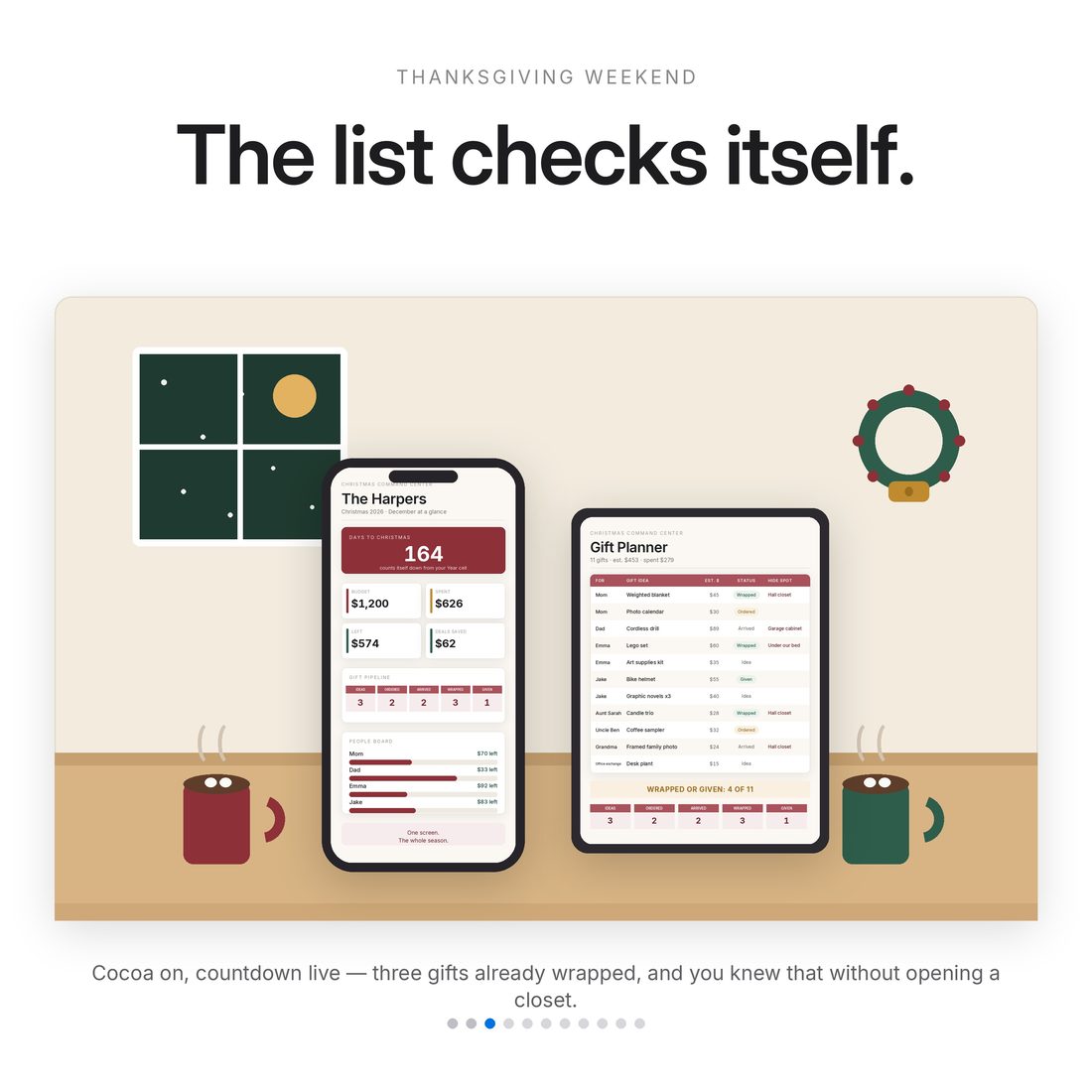
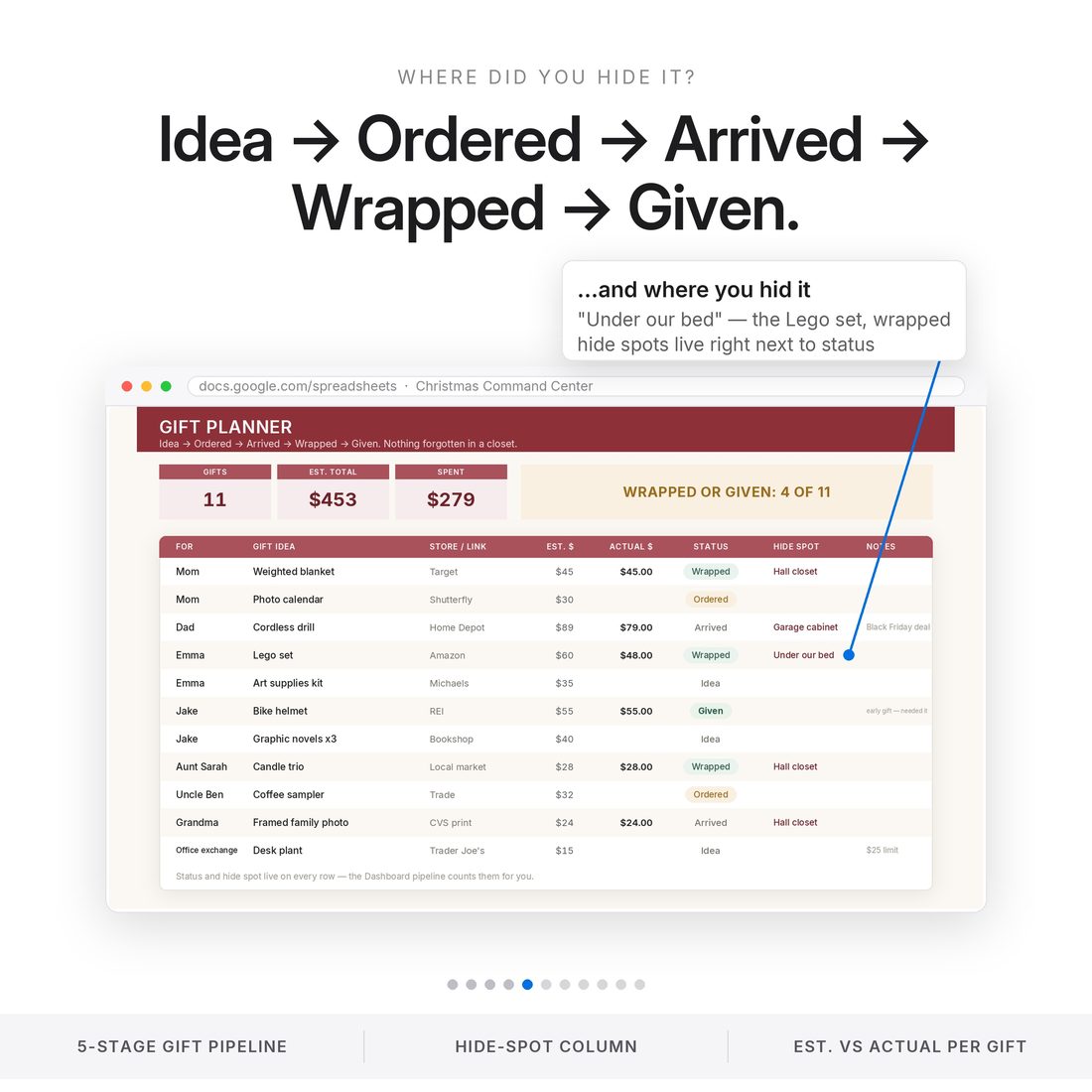
Idea → Ordered → Arrived → Wrapped → Given — and it remembers where you hid it.
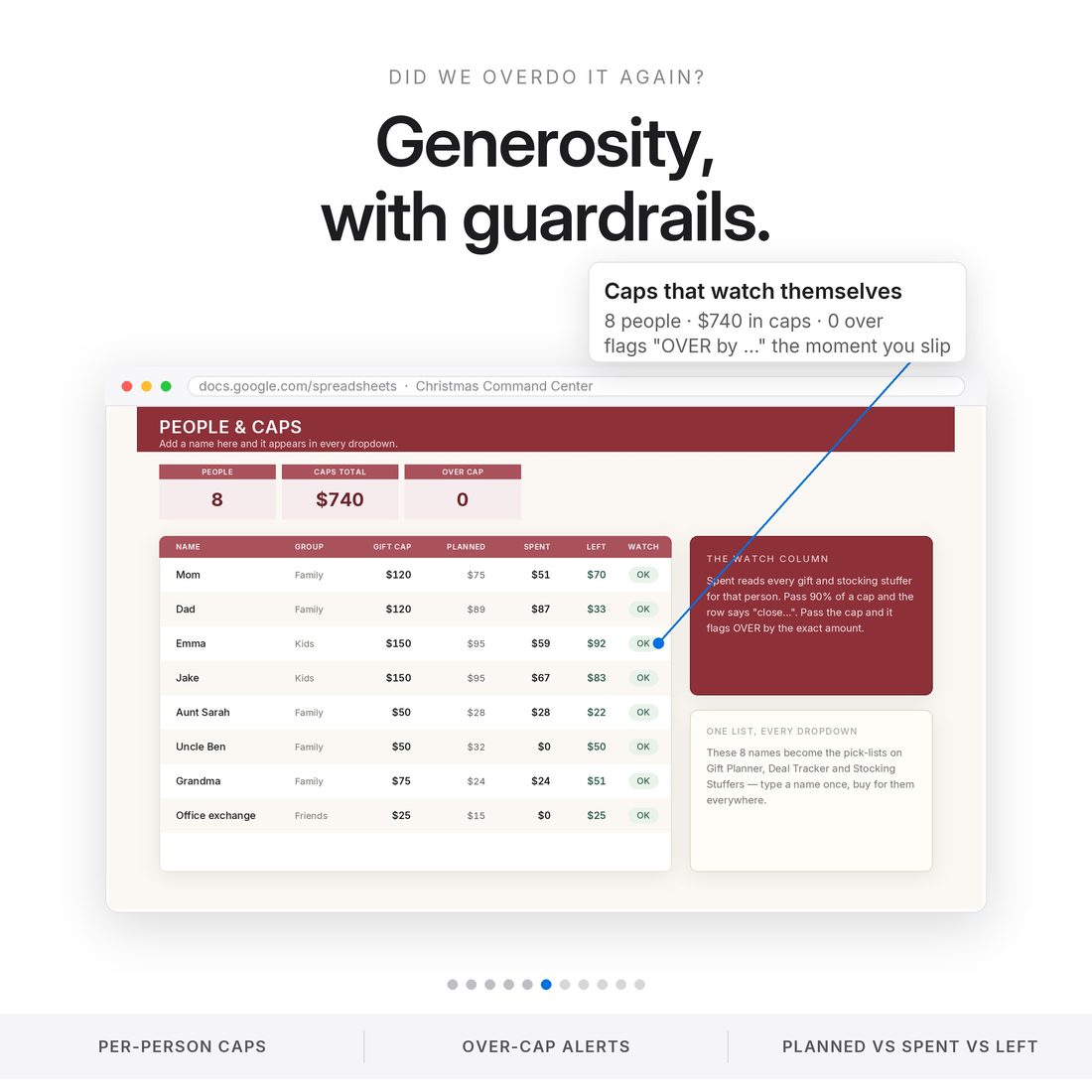
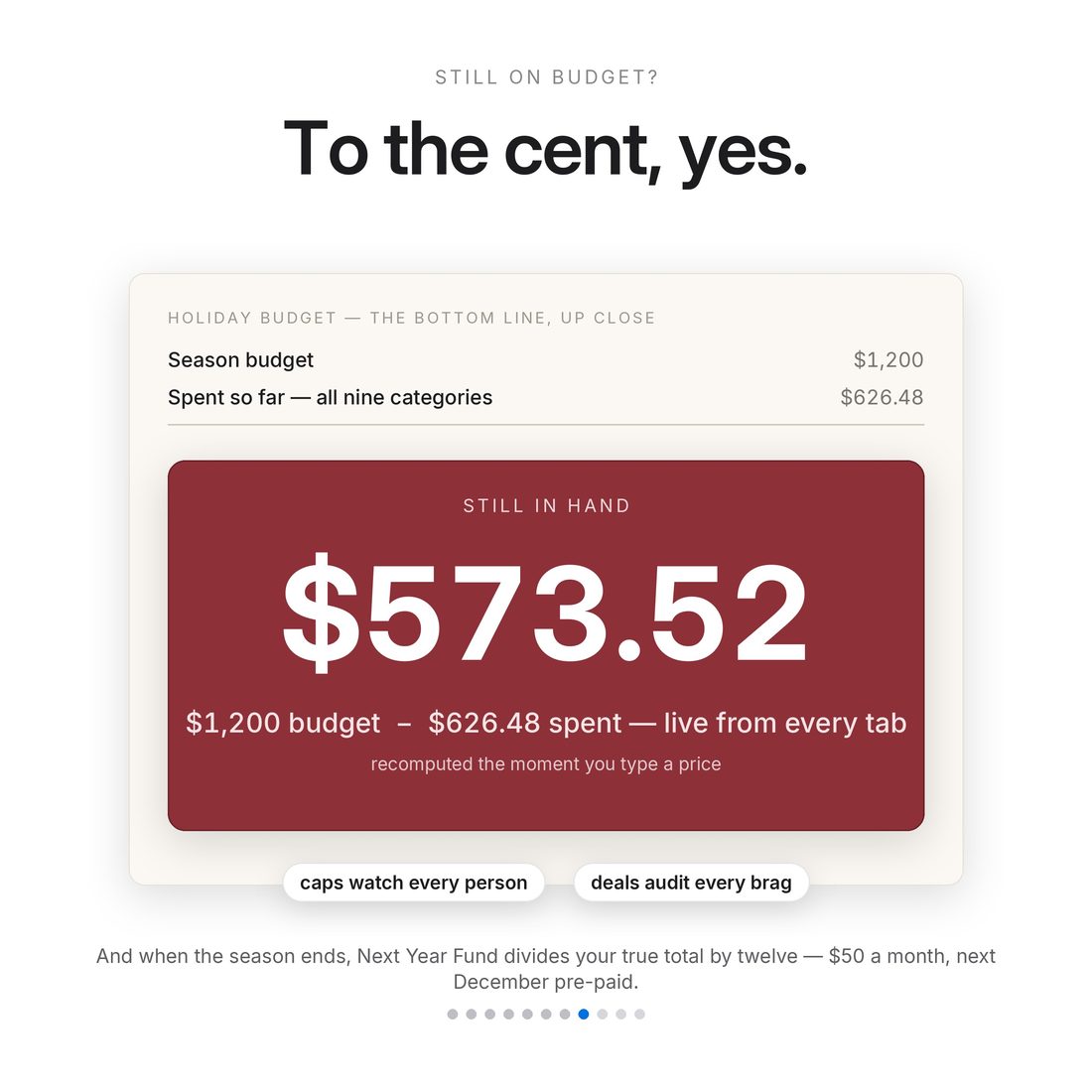
Set a cap per person; the people board flags overruns before they happen.
Log regular vs deal price and see what the deals actually saved you.
The Next Year Fund divides this year's true cost by 12 so next Christmas is already funded.
Change the Year cell and the countdown, calendar and budget roll forward.
Who It's For
Built for
- The person who runs Christmas for the whole family
- Budgeters who dread the January credit-card statement
- Black Friday and deal-season shoppers
- Anyone juggling gifts for a long list of people
How It Works
Up and running in minutes
Open the spreadsheet in Excel, or import it into Google Sheets (README steps included)
Start Here: family name, which Christmas, total budget — 3 steps, about 3 minutes
Add your people and gift caps on People & Caps; their names become the dropdowns everywhere
Plan gifts, log deals, fill the calendar — the Dashboard runs the rest
Print the 12 bonus gift tags on cardstock when wrapping starts
Why It's Different
Not another template
Most Christmas planners are a one-page gift list. This is a command center: eleven tabs that read each other, a Dashboard with a live countdown, caps that flag overspending before it happens, and a Next Year Fund that turns this year's total into next year's plan. One rule: you only type in the warm near-white cells — everything else calculates itself.
Delivery & Compatibility
Instant, and works with what you use
As soon as your order is complete you get instant access to download your files. Prefer Google Sheets for real-time updates and dropdowns? It's fully optimized. More comfortable in Excel? It works just as well.
Built and tested in the latest Excel (Office 365). On Mac we recommend the Google Sheets version — the template is not compatible with Apple Numbers. Available in English. The template is delivered blank; the images and video show sample data to demonstrate how it looks once filled in.
FAQ
Questions, answered
Does it work in Google Sheets?
Yes — Excel and Google Sheets both. Upload the .xlsx to Drive, open with Google Sheets, and everything works; the README has the exact steps.
Does it come in different colors?
Yes — every purchase includes three color versions of the spreadsheet: Colorful, Light and Dark. Preview them with the color switch near the top of the page; you receive all three in your download (each works in both Excel and Google Sheets).
Can I reuse it next Christmas?
Yes — that's the design. Change the Year cell on Start Here, clear the near-white cells (keep your People!), and the countdown, calendar and budget all roll forward.
Is anything pre-loaded?
A sample family's Christmas is pre-loaded so every formula is visibly alive on day one. Clear the near-white cells whenever you're ready.
How do the gift tags work?
A bonus PDF with 12 editorial gift tags, laid out for US-Letter cardstock — print at home and cut.
Can I get a refund on a digital download?
Because delivery is instant, all sales are final — but message us with any issue and we'll make it right.
For personal use only. © 2026 NicheToolkitHub — no resale or redistribution.