 ▶
▶



 ▶
▶Debt Payoff Calculator + Tracker
Type the extra you can find each month and the debt-free date moves while you watch. Five payoff orders, fifty debts, a 180 month plan, and what to send on Friday.
5.0shop rating · 6 Etsy reviewsYou know the total. What you do not know is whether the extra $250 you could scrape together each month is worth it, or which balance it should go to first.
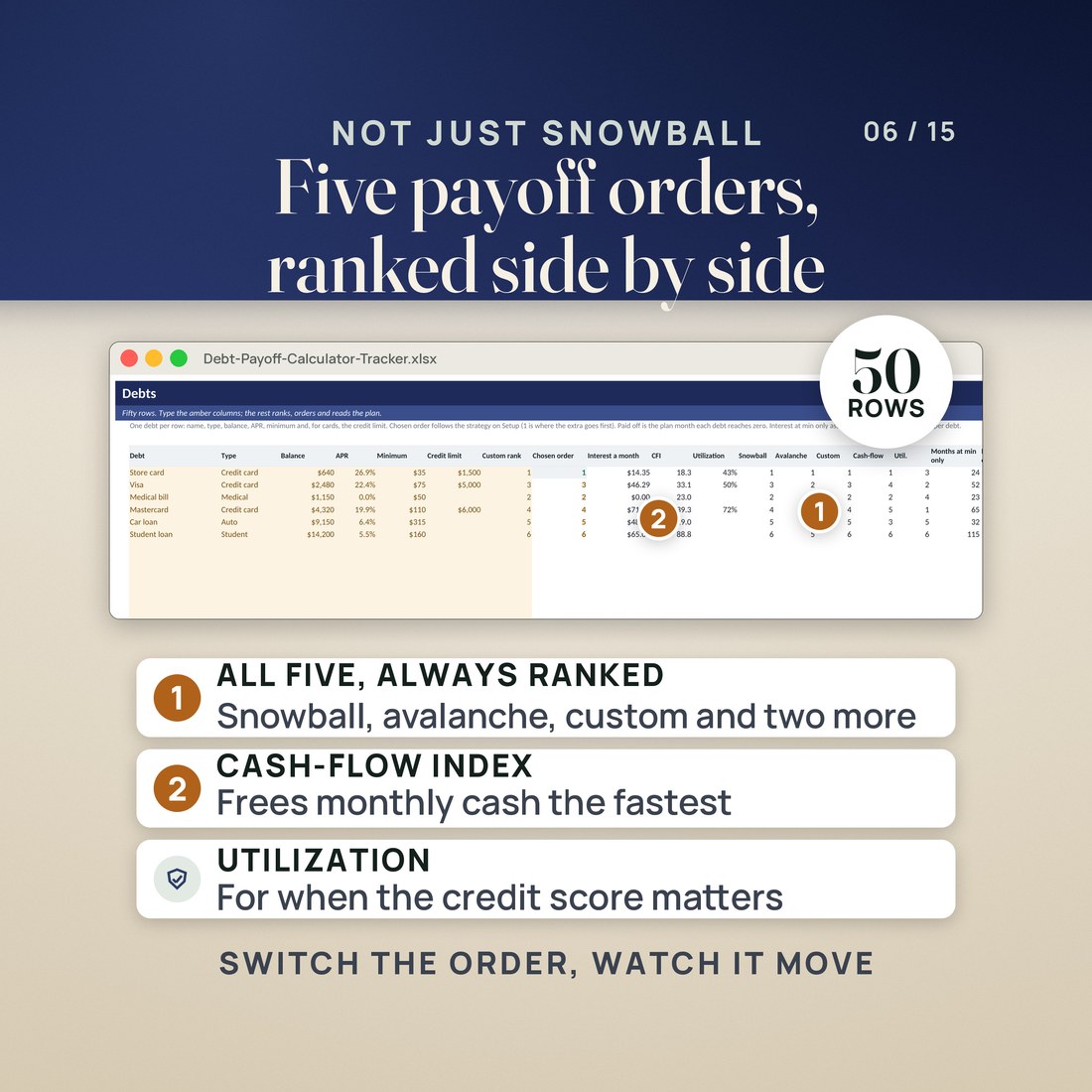
- Five payoff orders, not two: snowball by smallest balance, avalanche by highest APR, a custom rank you type, cash-flow index (balance divided by minimum) and utilization (balance divided by credit limit). Pick one from the dropdown and the whole plan re-runs
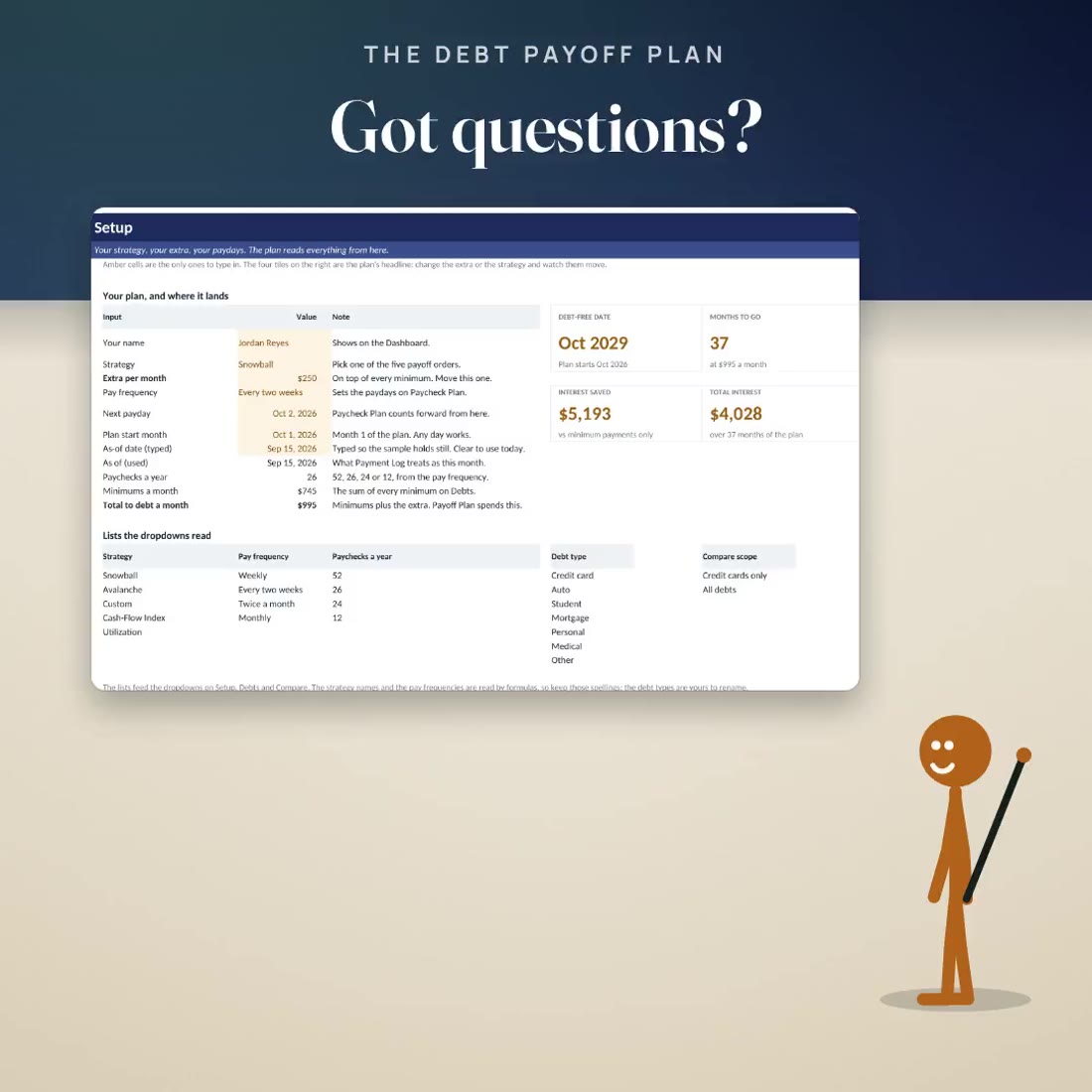
- Four tiles on Setup that move while you type: DEBT-FREE DATE, MONTHS TO GO, INTEREST SAVED and TOTAL INTEREST
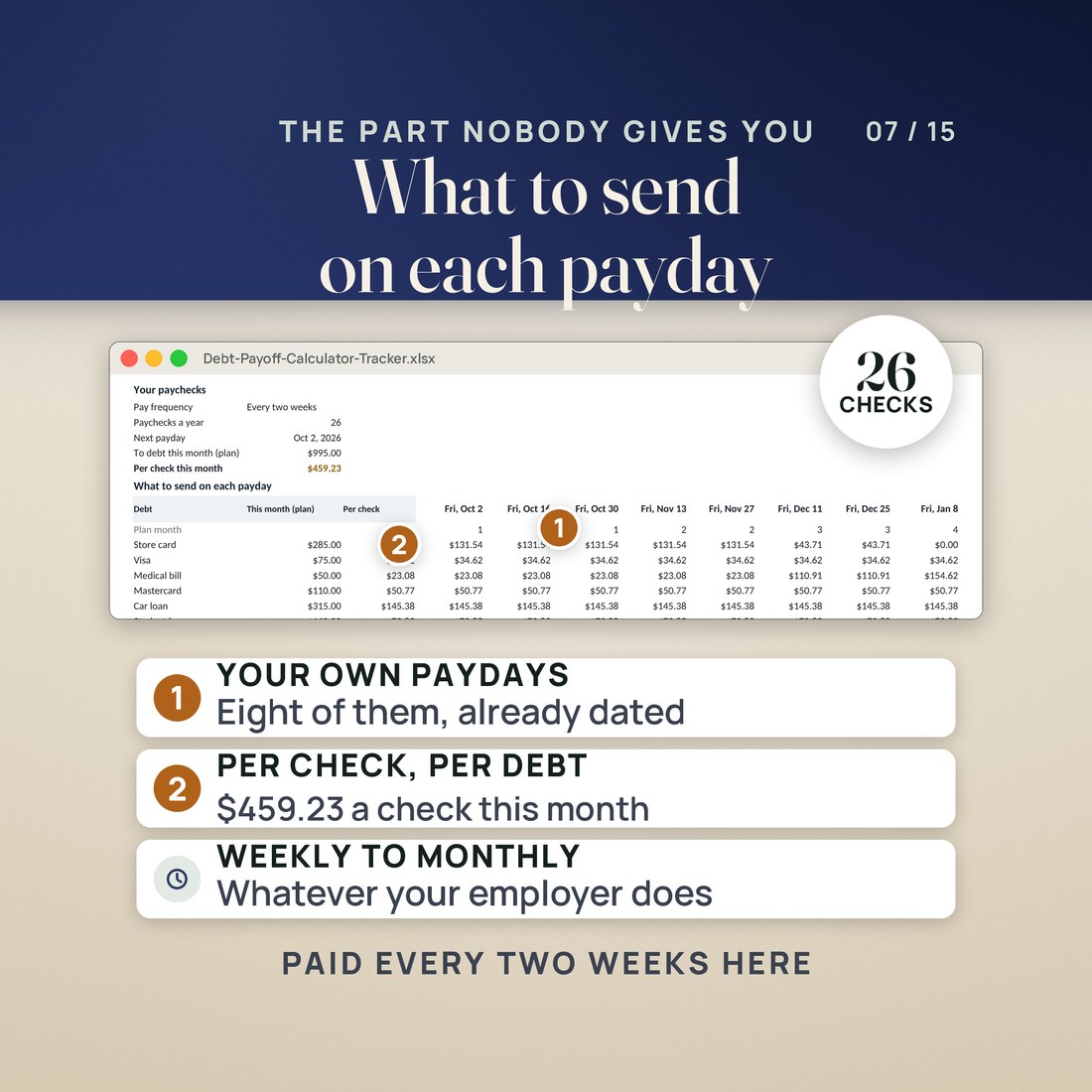
- A plan that matches how you are paid: the month split per check for weekly (52 checks a year), every two weeks (26), twice a month (24) or monthly (12), with the next eight paydays dated. The sample sends $459.23 a check
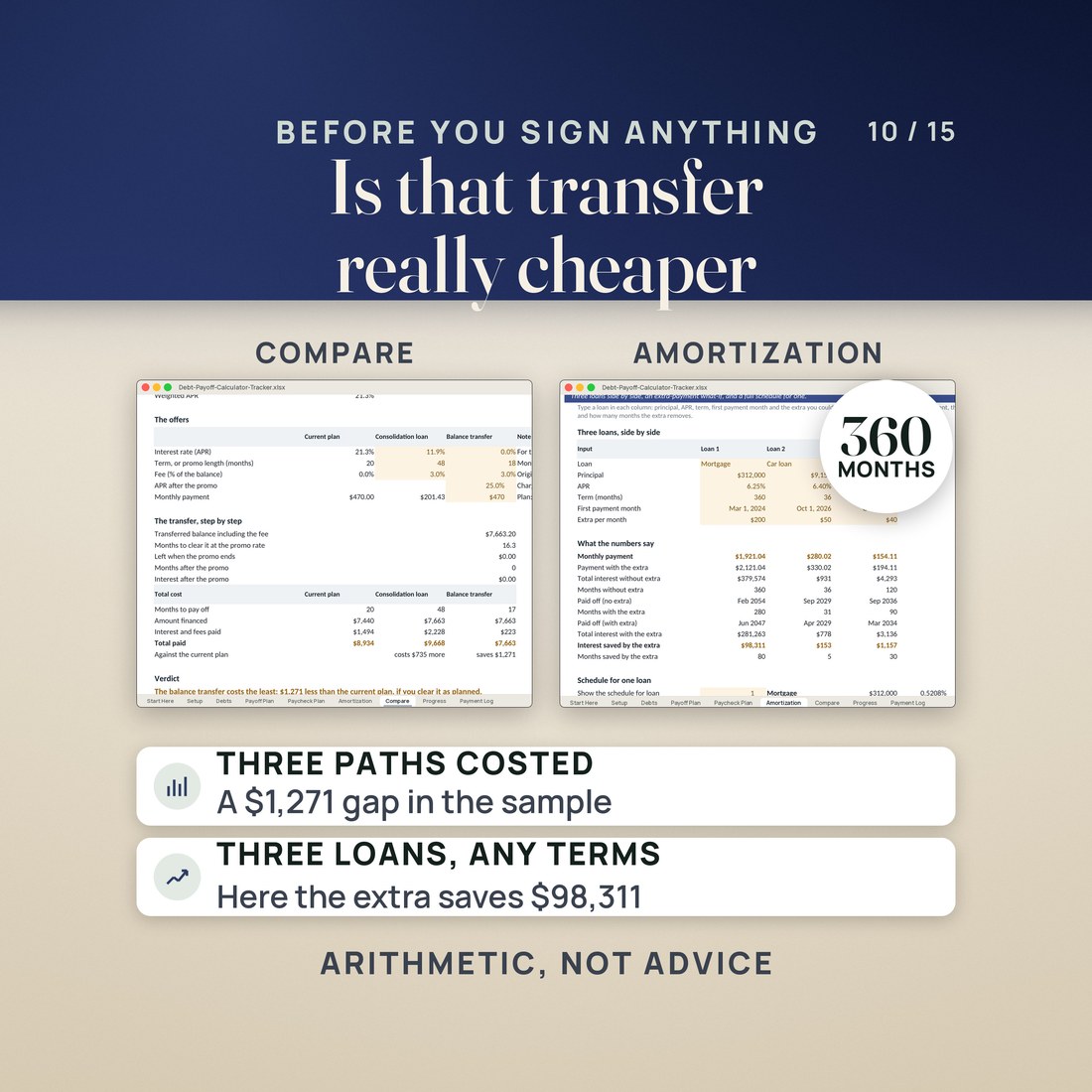
- Per-loan amortization for a mortgage, an auto loan and a student loan with an extra-payment what-if: $200 a month extra on the sample $312,000 mortgage at 6.25% saves $98,310.59 of interest and 80 months, over a 360 month schedule
- Consolidation and balance transfer costed against your current plan: on the sample $7,440 of cards it is $9,668.42 for the loan, $8,933.81 for the plan as it stands and $7,663.20 for the transfer, with the reason written out
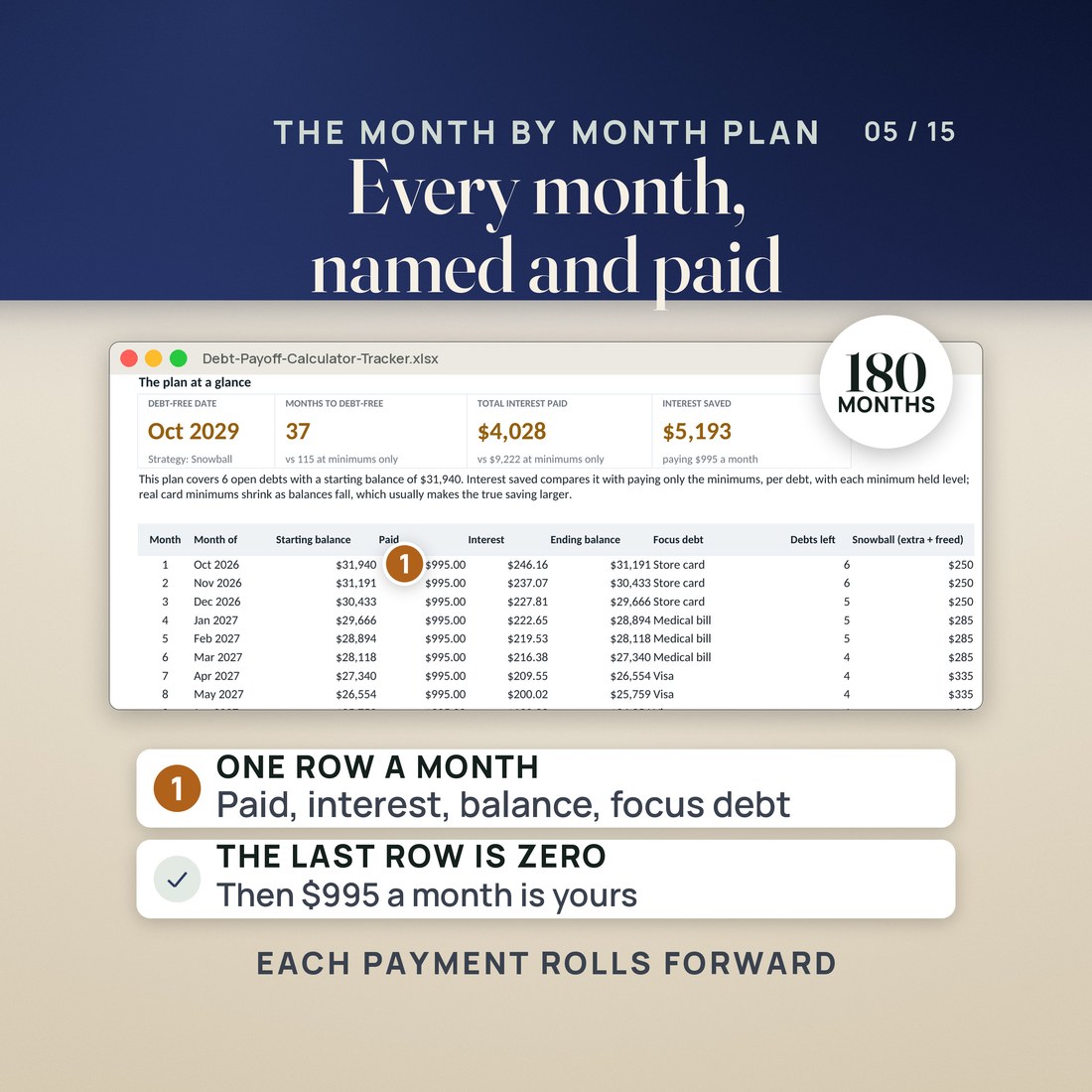
- Fifty debt rows across seven debt types, and a 180 month engine that names the focus debt in every single month
- 35,106 formulas in every edition, recalculated with zero errors, working in both Excel and Google Sheets. No macros, no add-ons, no account, nothing to install
- Four color editions of the same workbook: Colorful, Editorial, Light and Dark
Overview
Type the extra you can find each month and the debt-free date moves while you watch. Five payoff orders, fifty debts, a 180 month plan, and what to send on Friday.
You know the total. What you do not know is whether the extra $250 you could scrape together each month is worth it, or which balance it should go to first.
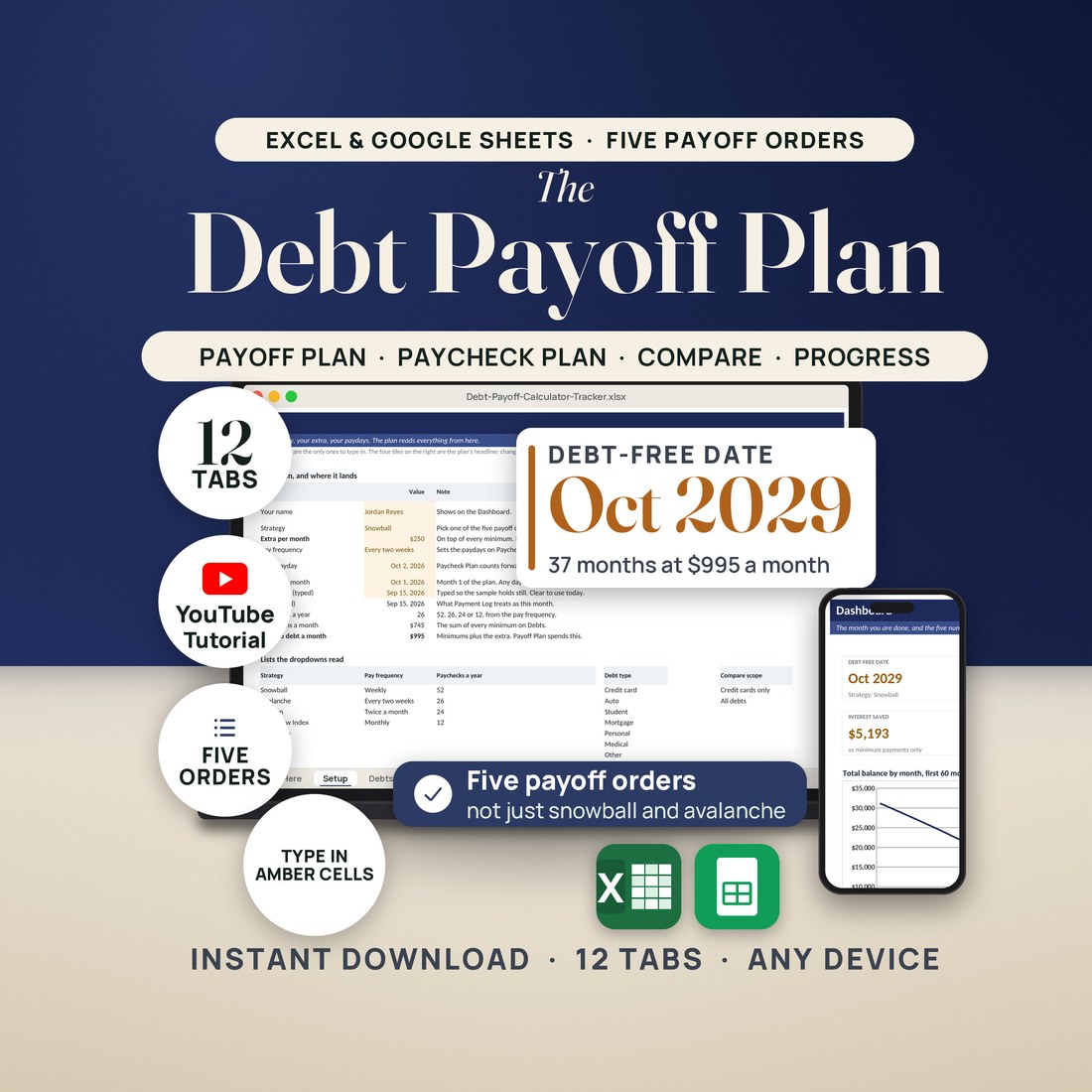
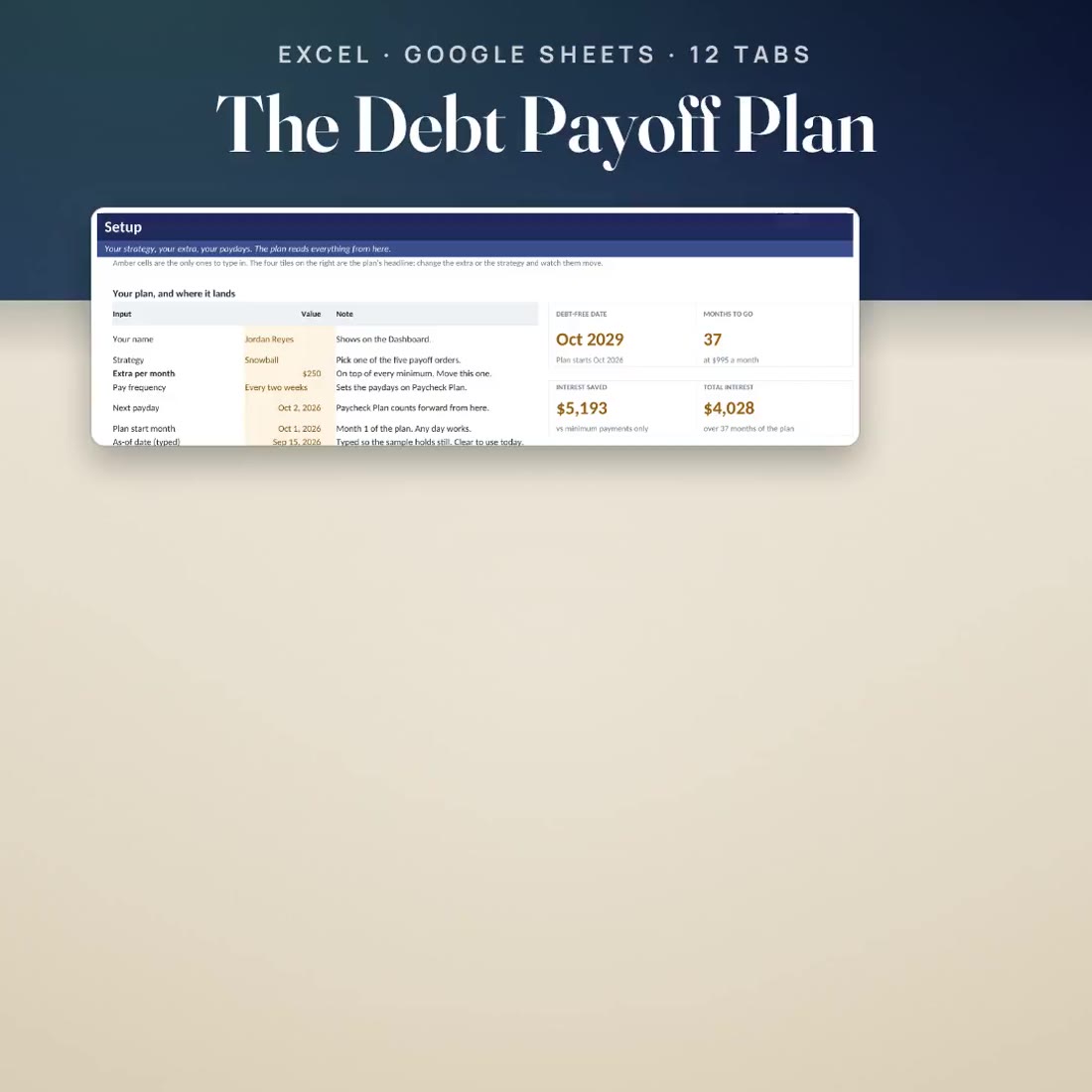
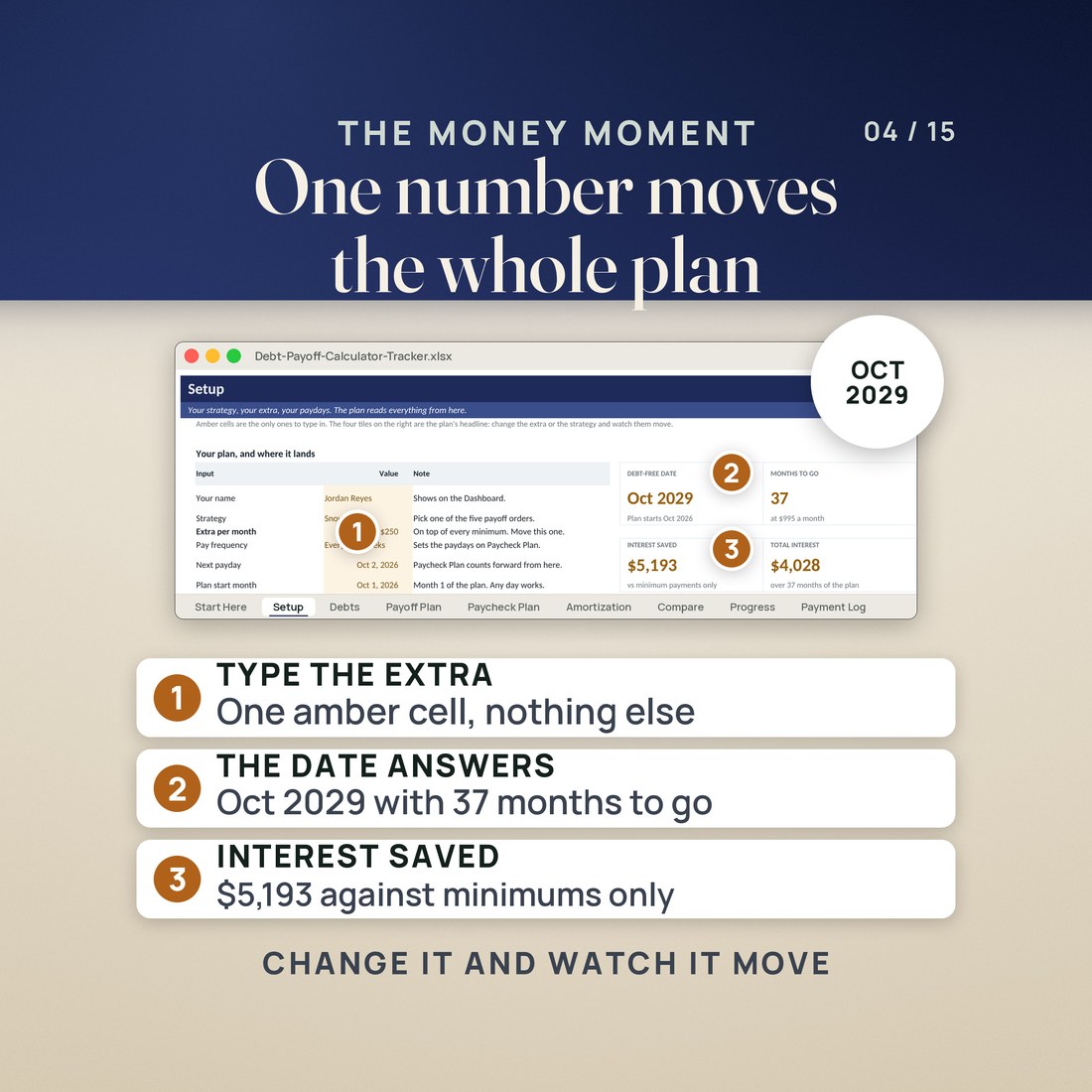
The sample this file opens with is six debts at $31,940 with $745 a month of minimums. Add $250 on top and the plan finishes in 37 months, debt free Oct 2029, with $4,028.50 of interest paid instead of the $9,221.78 the minimums alone would cost. That is $5,193.29 that stays with you, and it is one cell to change. Type $350 instead and the date moves to Jun 2029, four months earlier, with $5,698.47 saved.
What's Included
One ZIP, 6 files:
- One ZIP holding the Debt Payoff Calculator and Tracker as a single .xlsx workbook in four color editions: Colorful and Editorial loose, Light and Dark inside a small 3color zip beside them
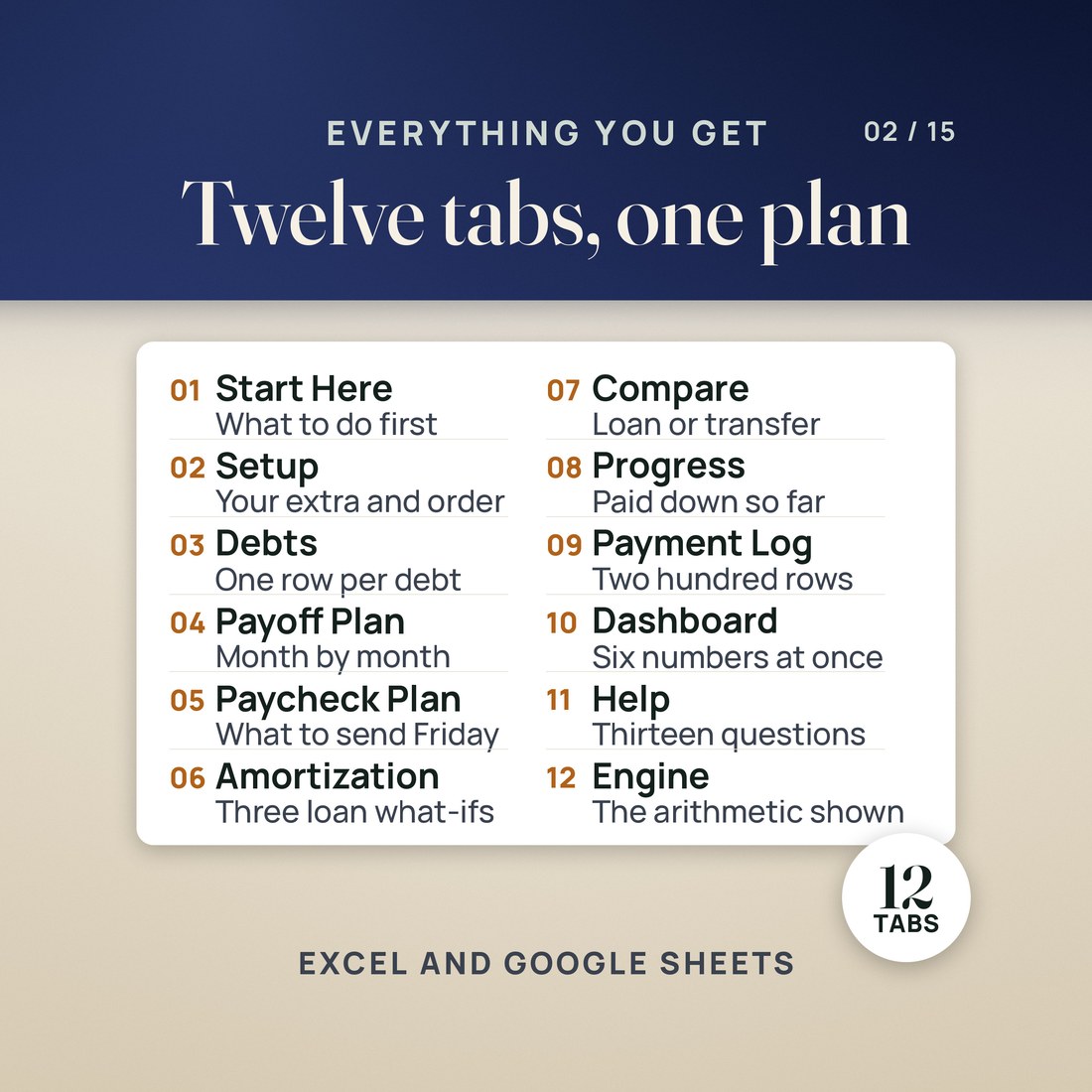
- Twelve tabs: Start Here, Setup, Debts, Payoff Plan, Paycheck Plan, Amortization, Compare, Progress, Payment Log, Dashboard, Help and Engine
- A worked sample of six debts at $31,940 already typed in, so nothing opens blank, with every figure invented for the example
- A two page Quick-Start PDF and a START-HERE file that say what to do in the first ten seconds
Key Benefits
Why this one
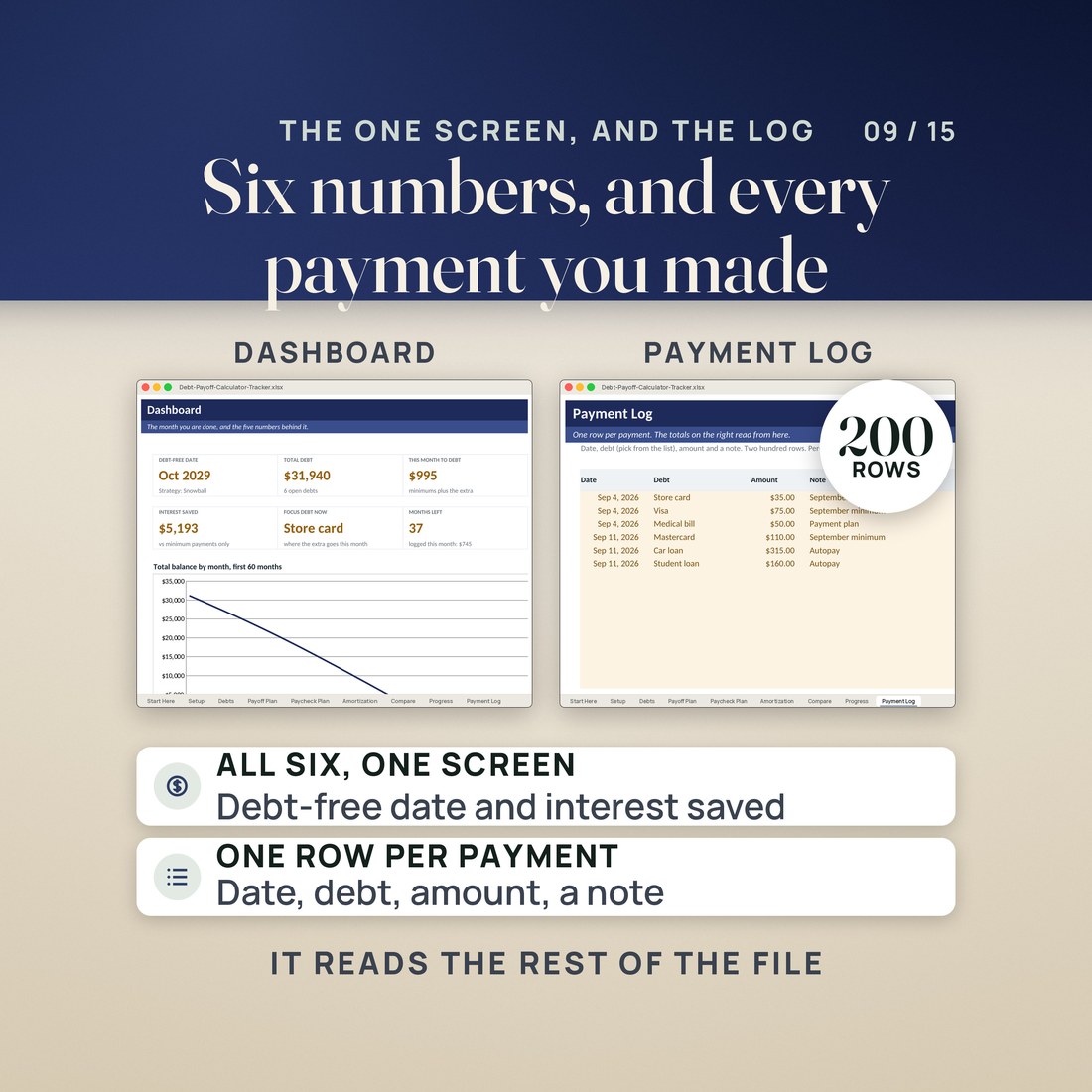
Setup answers in one line: debt free Oct 2029, 37 months, $4,028.50 of interest, $5,193.29 saved against paying the minimums only. Change the extra per month and all four tiles move while you type.
Everyone ships snowball and avalanche. This also ranks by cash-flow index, which is the balance divided by the minimum and tells you which payoff frees the most monthly cash, and by utilization, which is what a credit score actually reads. A custom rank column lets you overrule all four.
A monthly figure is not a plan when you are paid every two weeks. Paycheck Plan splits the month per check, per debt and in total, and dates the next eight paydays. The sample sends $459.23 on each of 26 checks a year.
A consolidation loan and a 0% balance transfer are both worked step by step against the plan you already have, with the fee added to the balance and a verdict line that says which costs least and by how much. Read it before you sign anything.
It is not advice and it does not link to a bank. The five orders are ways of sorting your own debts, not a recommendation about which debt to pay or whether to borrow, and every name, balance and rate in the sample was invented for the example.
Who It's For
Built for
- Someone with four, five or six balances and a real payment to make who wants a date and an order: what to pay first, what to send on Friday, and when this ends
- Someone with a consolidation offer or a 0% balance transfer on the table who wants both costed against the plan they already have, before signing anything
- Someone carrying a mortgage, a car loan or student loans who wants to see what a couple of hundred dollars extra a month does to the payoff date and to the interest
- Anyone who has tried the snowball and wants to see, in figures, what the other four orders would have done instead
How It Works
Up and running in minutes
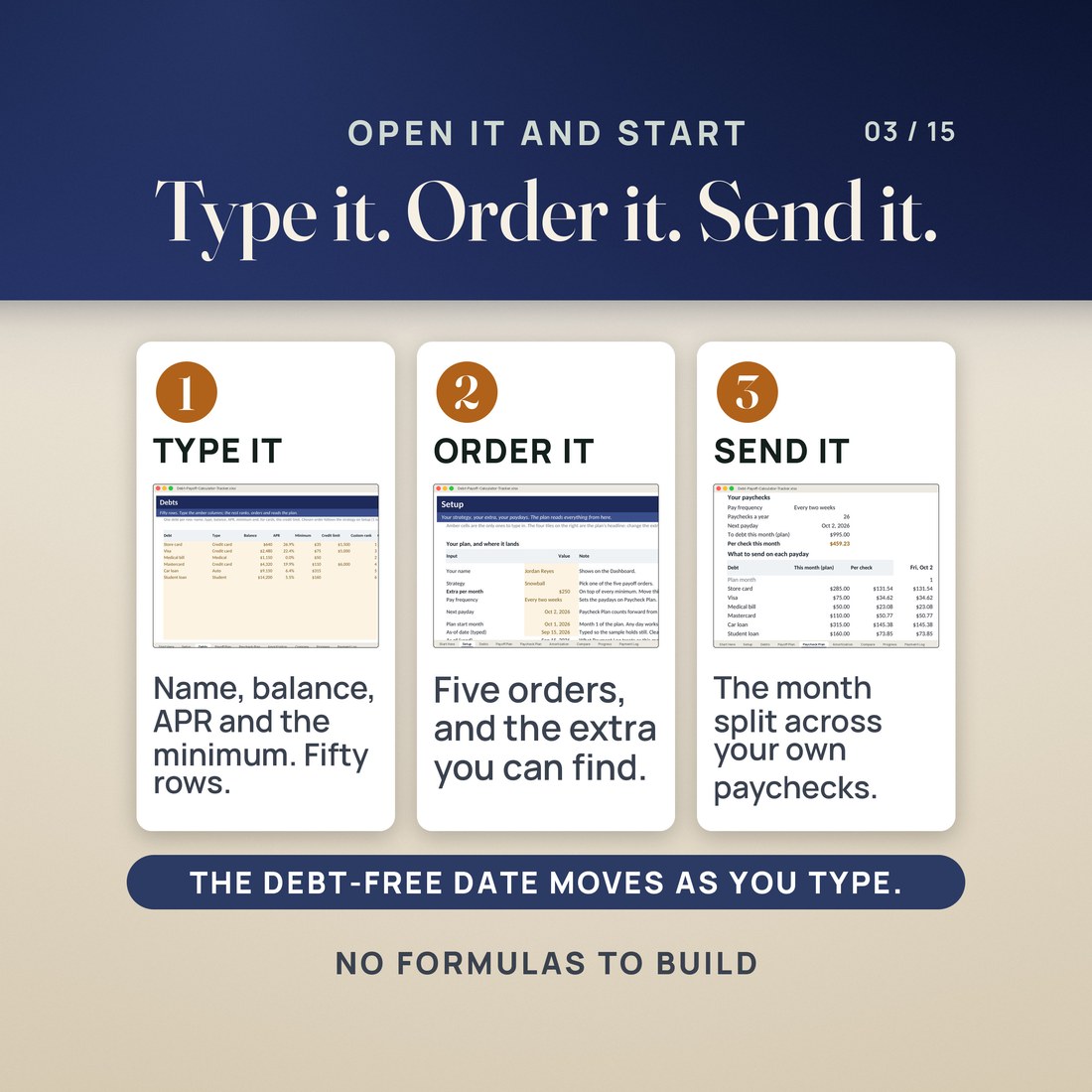
Open Debts and type your own over the six samples: name, type, balance, APR, minimum payment, and the credit limit if it is a card. There are fifty rows.
On Setup choose a payoff order and type the extra you can find each month, your pay frequency and your next payday. The four tiles answer while you type.
Payoff Plan names the focus debt in every one of 180 months. Paycheck Plan says what to send on each of the next eight paydays. Compare costs a consolidation loan and a balance transfer against it.
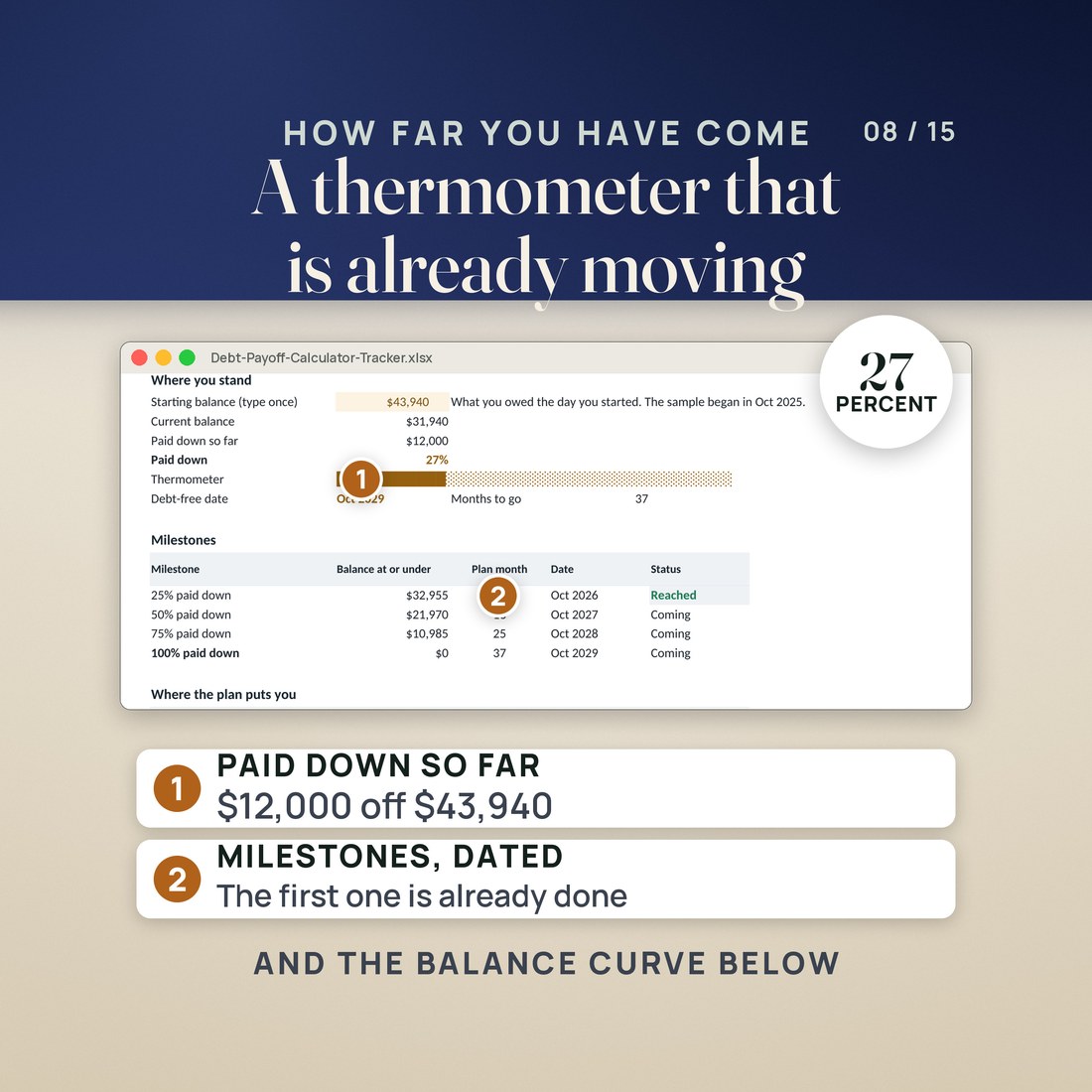
Payment Log keeps the receipts, and Progress fills the thermometer and dates the 25, 50, 75 and 100 percent milestones as you retype the balances on Debts.
Why It's Different
Not another template
The shelf sells snowball spreadsheets. This one ranks five ways rather than two, and two of the five are orders no competitor in this lane ships: cash-flow index, which finds the payoff that frees the most monthly cash, and utilization, which is what a credit score reads. It also does the two things a payoff tracker usually leaves out. It turns the month into what to send on each payday, dated. And it costs the consolidation loan and the 0% balance transfer against the plan you already have, step by step, with the fee folded in, so the offer in your inbox gets an answer instead of a shrug.
Delivery & Compatibility
Instant, and it opens in what you already use
As soon as your order is complete you get instant access to download the ZIP: the workbook in four color editions, a two page Quick-Start PDF and a START-HERE file. Nothing ships and nothing installs.
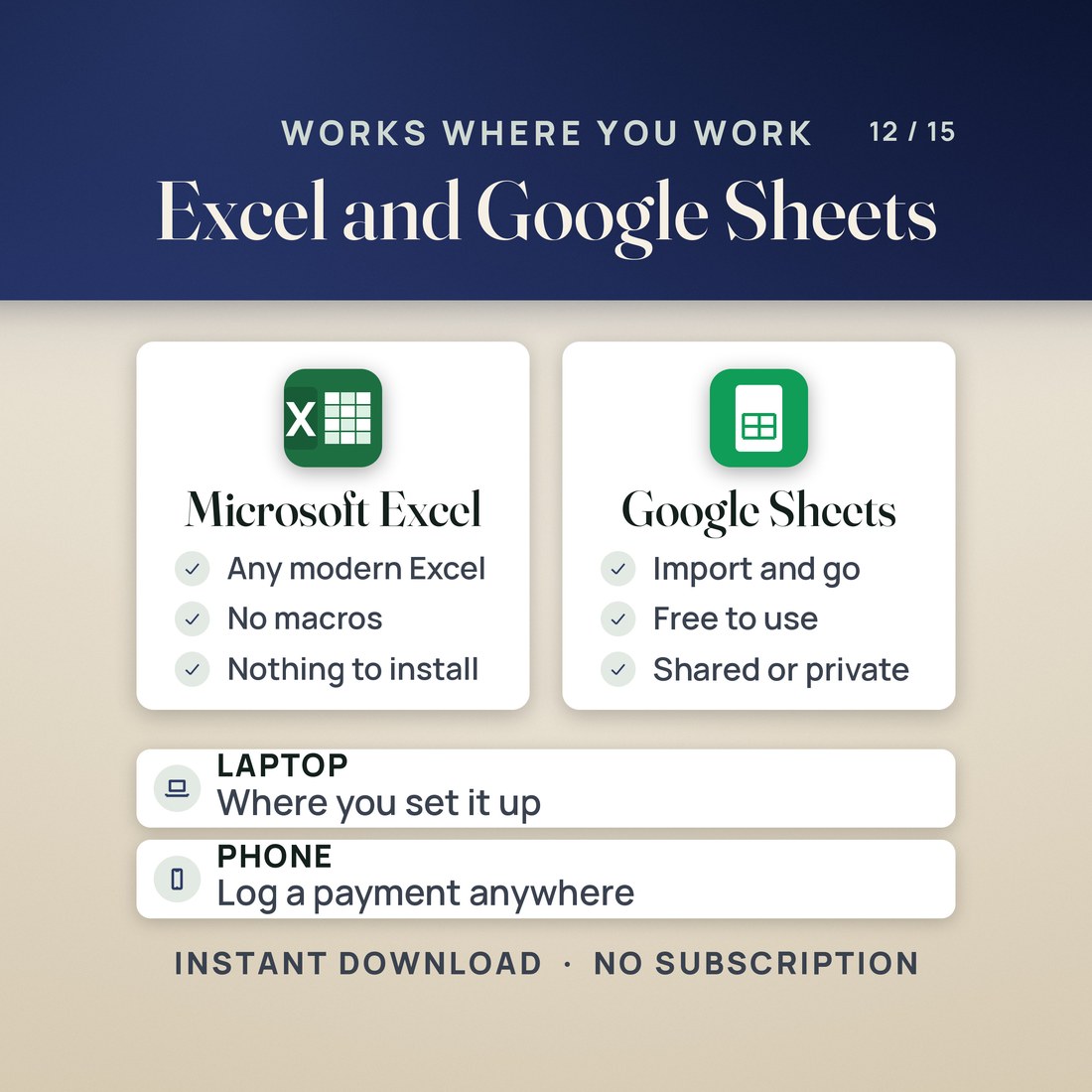
One ZIP, instant download. Built for Excel 2016 or later and tested in LibreOffice Calc; for Google Sheets choose File, Import, Upload, then Replace spreadsheet. Every formula ships with its value saved, so the sample shows up in protected view, in the Sheets preview and on a phone instead of blanks. Apple Numbers opens the file but drops some formatting. No macros, no add-ons, no account and no subscription.
FAQ
Questions, answered
What format is this?
One workbook (.xlsx) in four color editions, Colorful, Editorial, Light and Dark, plus a two page Quick-Start PDF and a plain text START-HERE file. You get a ZIP to download the moment payment clears.
What do I need to open it?
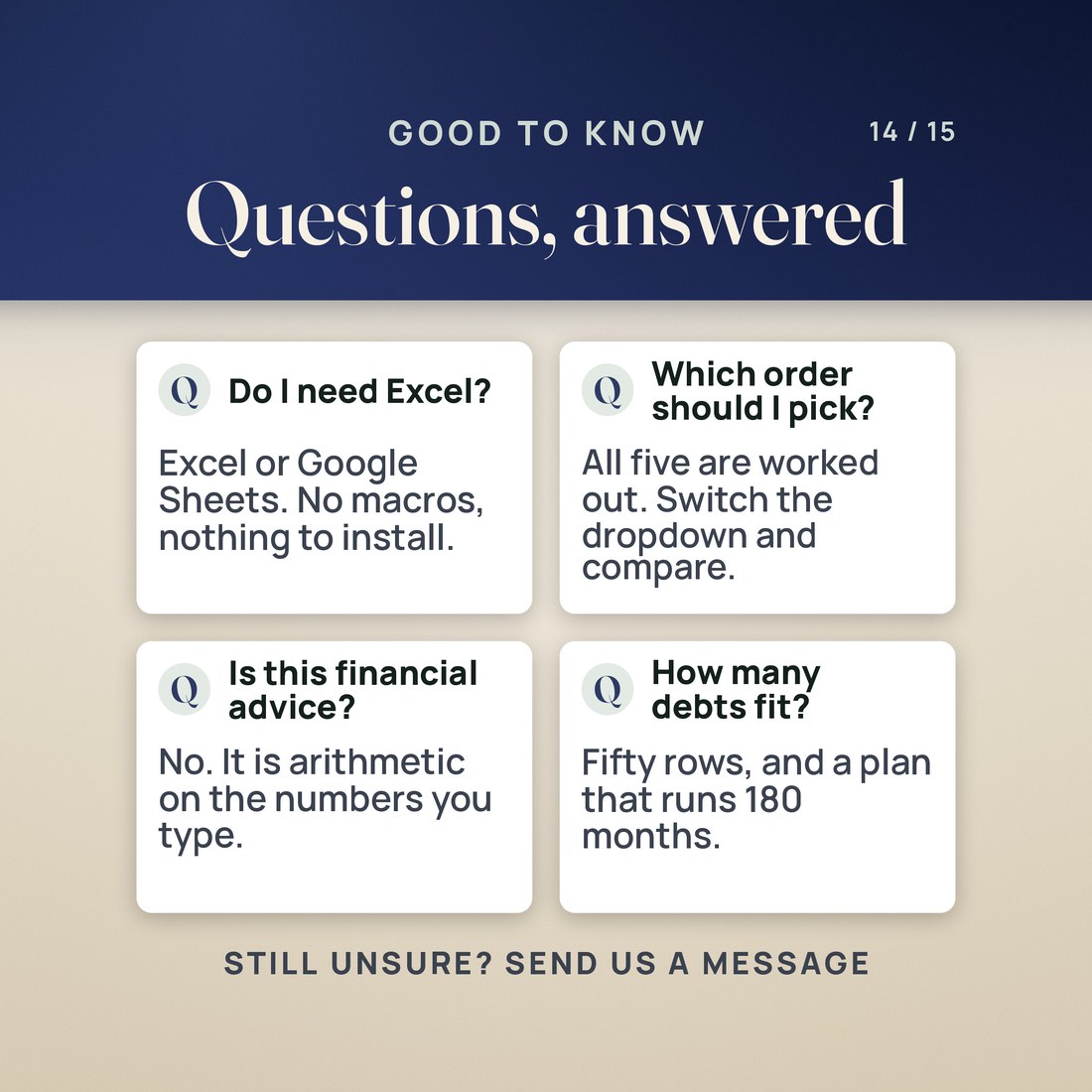
Excel 2016 or later, or Google Sheets (File, Import, Upload, then Replace spreadsheet), on a computer or through the Excel or Sheets app on a phone or tablet. It was tested in LibreOffice Calc as well. There are no macros and nothing to install.
What does it compute?
Your debt-free date, months to go, total interest and interest saved against minimums only; the focus debt in every one of 180 months; the interest each debt costs you and the month it clears; what to send per paycheck and on the next eight paydays; the months and interest saved when you add extra to a mortgage, auto or student loan; the total cost of a consolidation loan and of a balance transfer against your current plan; and the 25, 50, 75 and 100 percent milestone dates.
How is interest saved measured?
Against paying the minimums with each minimum held level. Card issuers usually shrink the minimum as the balance falls, which stretches the payoff and raises the interest, so a real saving is normally larger than the figure shown, not smaller.
Is this financial advice?
No. It is a spreadsheet doing arithmetic on the numbers you type. The five payoff orders are ways of sorting your own debts, not a recommendation about which one to pay or whether to borrow, and every name and figure in the sample was invented.
Is there a video?
Yes. A narrated walkthrough is on the NicheToolkits channel at https://youtu.be/5M48IoeHeDs, and it goes through the tabs on the sample file. The Quick-Start PDF and the START-HERE file cover the same four first steps.
Nothing here is financial advice. The plan runs 180 months; past that it reads Beyond 15 years, which happens when a minimum is smaller than that debt's interest for the month, and Help names the fix. Compare assumes the offers hold, that a promotional rate survives and the payment you type is made every month. The Amortization loans are stand-alone what-ifs with round terms, not your rows from Debts. Fifty debts is the limit, and the four color editions are separate files, so a balance typed into Light does not appear in Dark. The Engine tab is visible and plain and the rest of the file reads from it; deleting it breaks the file. Every name, balance and rate in the sample was invented for the example. Digital product; because the files are delivered instantly, all sales are final.