 ▶
▶

 ▶
▶Home Maintenance Binder + Tracker
Everything about the house in one binder, and a tracker that knows what is due this month and what the next five years will cost.
The renovation is done. Where does everything it left behind go?
- A 50 page fillable binder on US Letter and on A4, the same pages and the same 3,738 fields on both, with a 1 in hole-punch margin and no full-page color
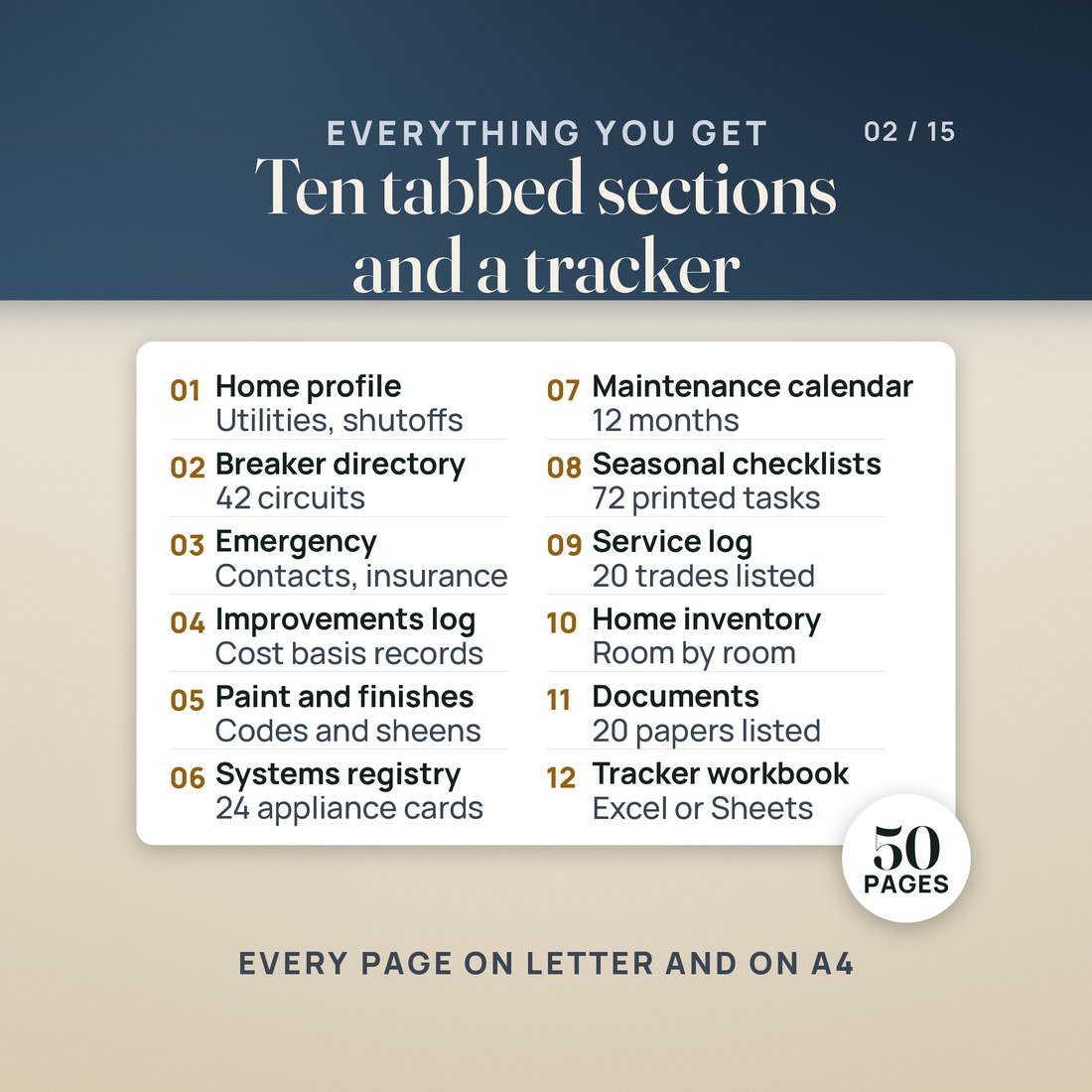
- Ten tabbed sections behind a cover, a how-to page and The House at a Glance, each opening with a divider that lists what to keep behind the tab
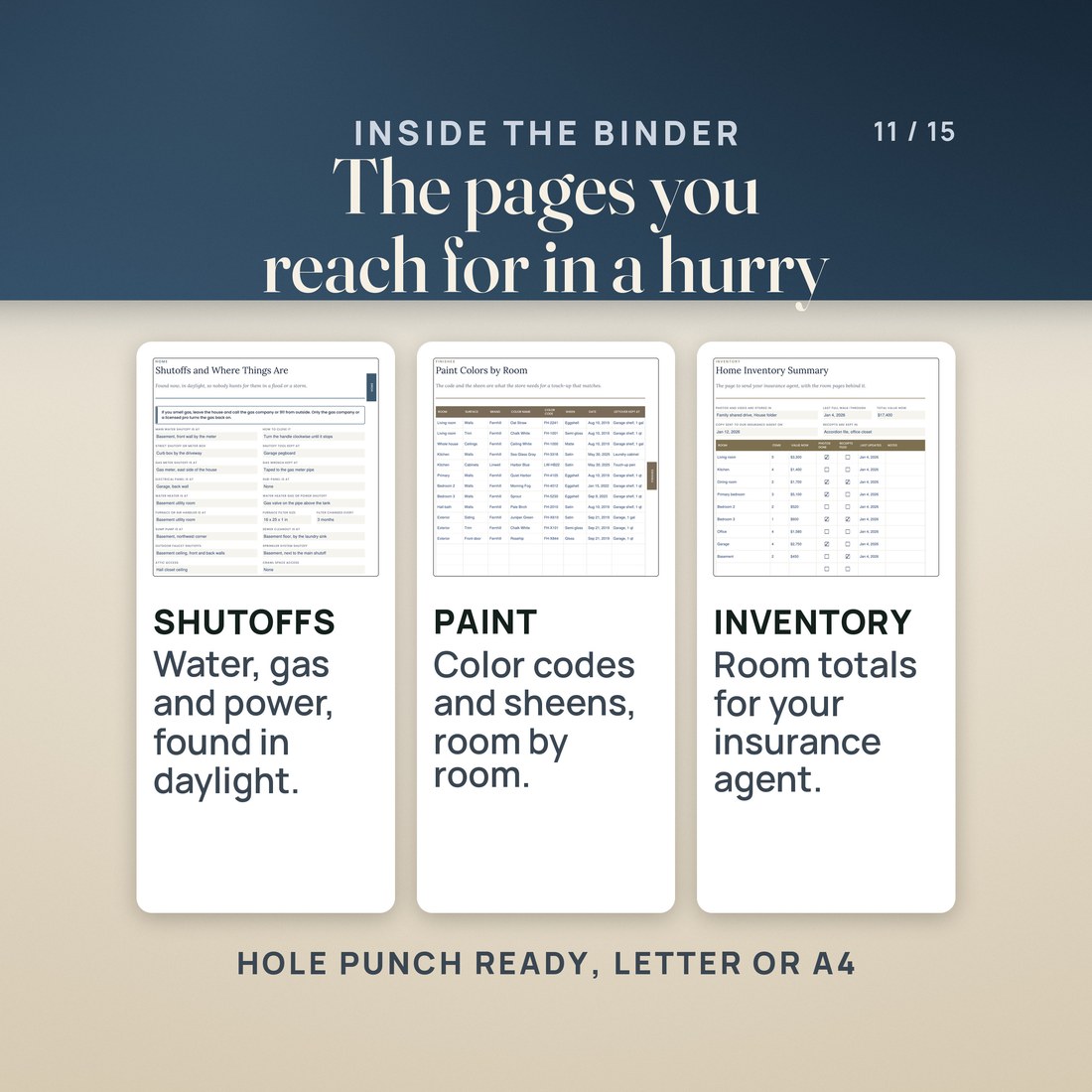
- Shutoffs and where things are, a 42 circuit breaker panel directory, emergency contacts, insurance policies and a claim log
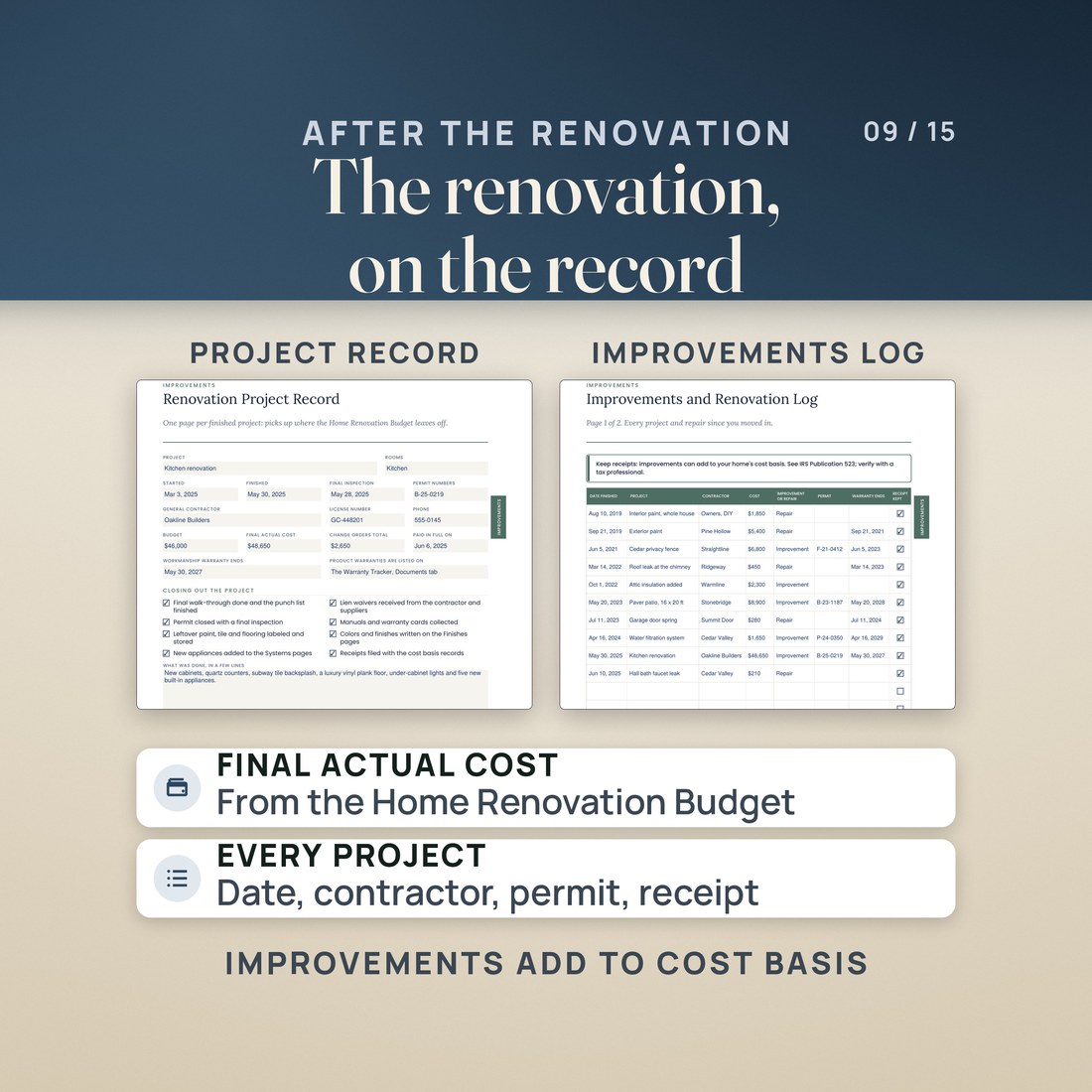
- The improvements and renovation log and a renovation project record, with the IRS Publication 523 line on keeping receipts
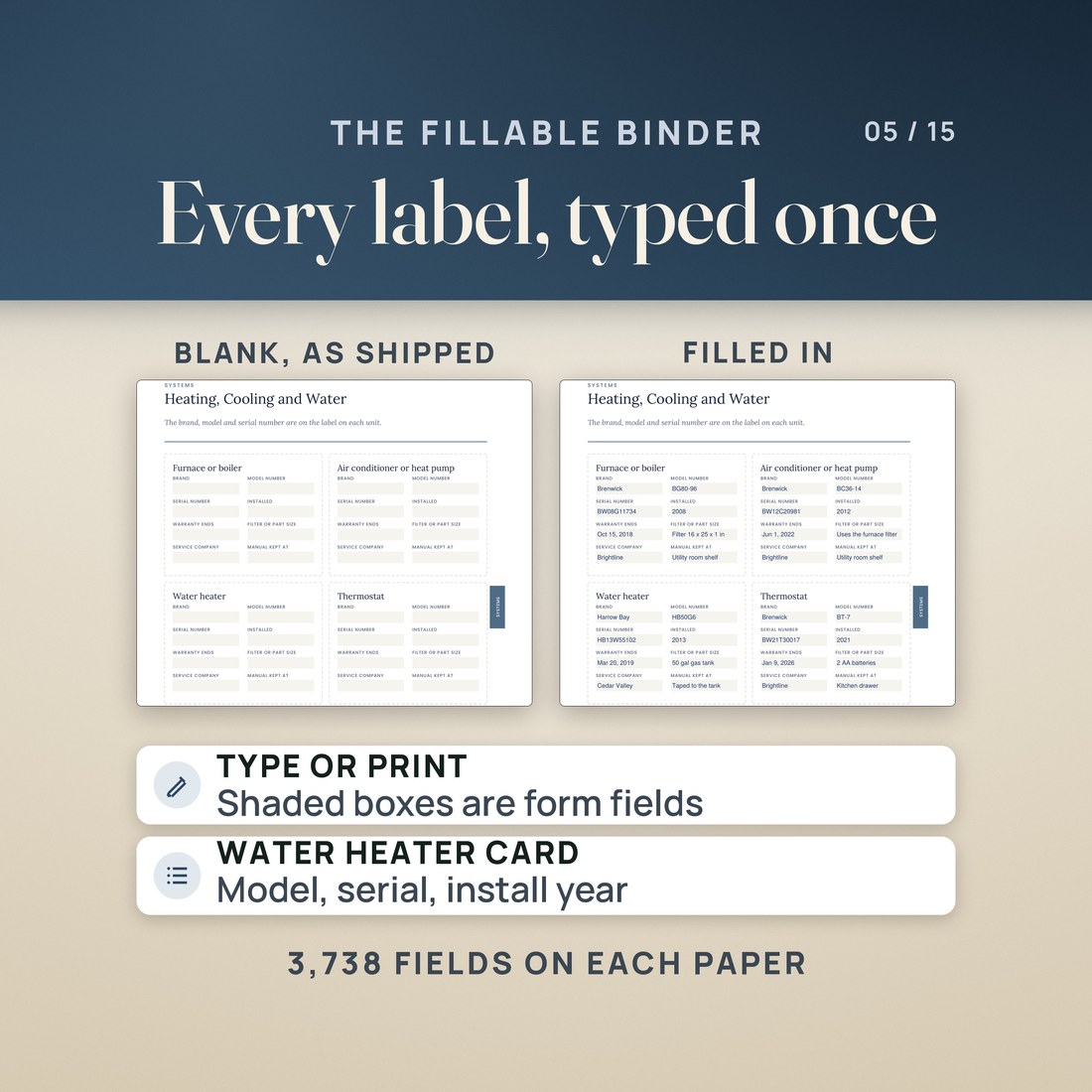
- 24 system and appliance cards with brand, model, serial number, install date, warranty end, filter or part size and where the manual is kept, plus paint colors by room and flooring, tile and fixtures
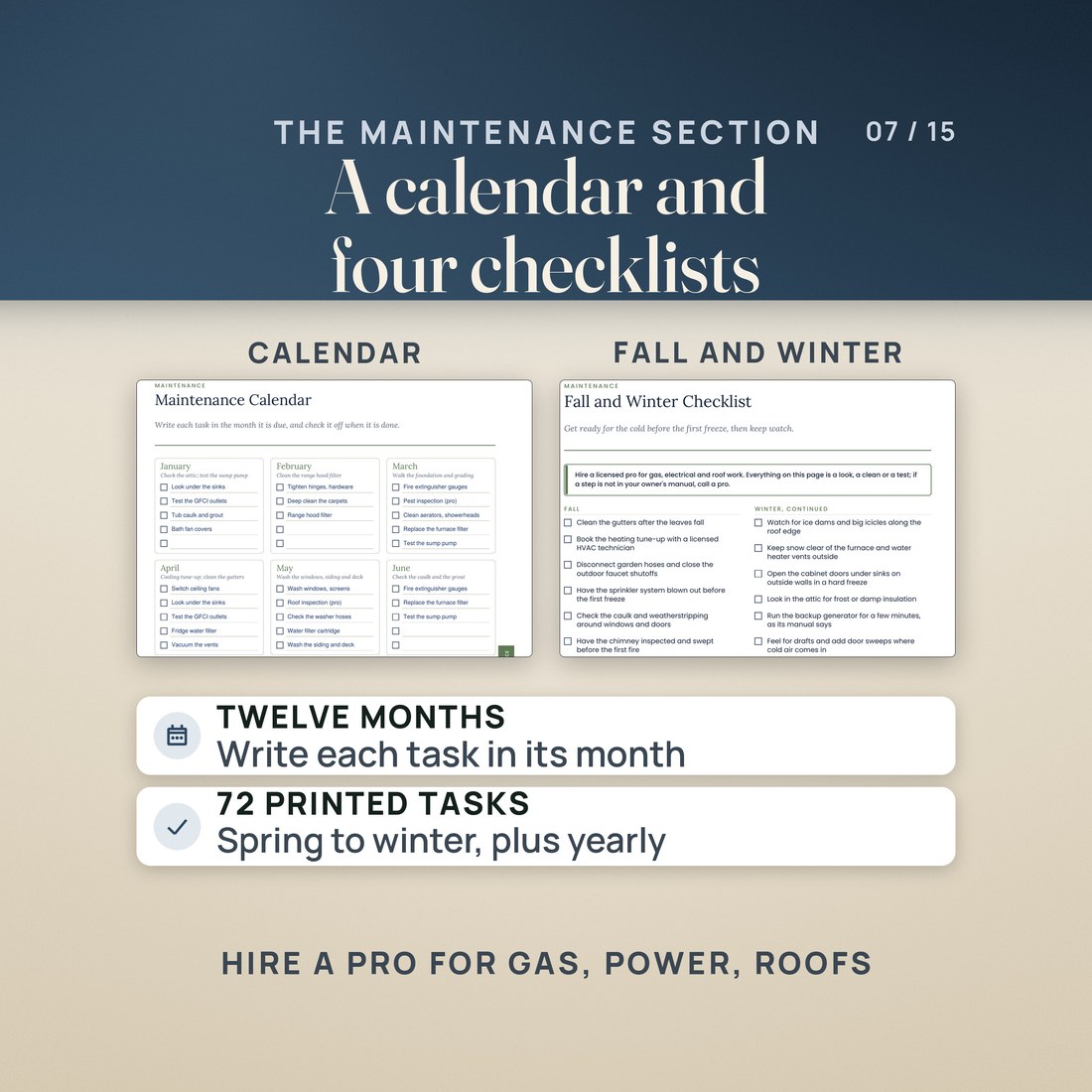
- A 12 month maintenance calendar and 72 checklist items from every month to every few years, plus a service log, a contractor directory, a room by room home inventory and a warranty tracker
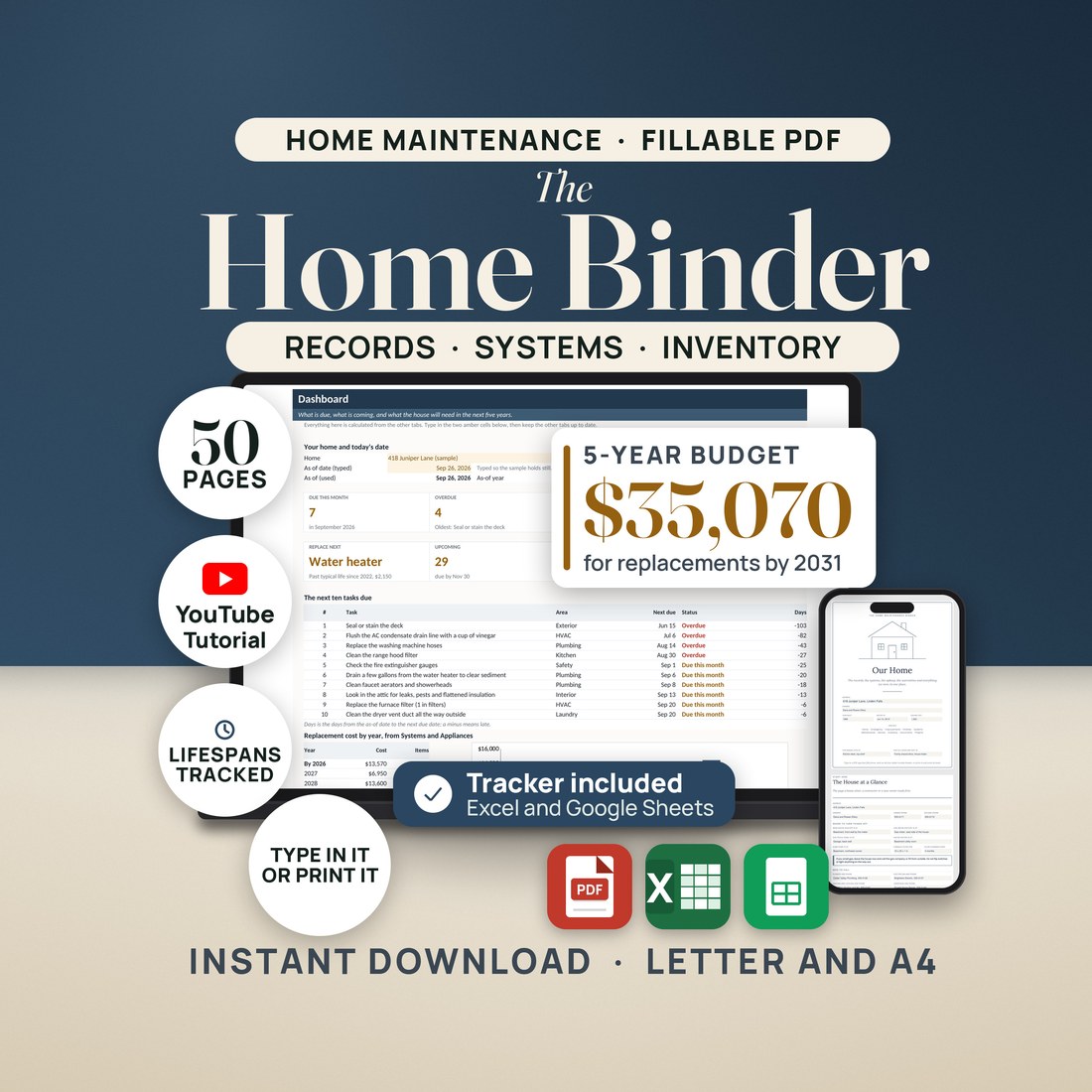
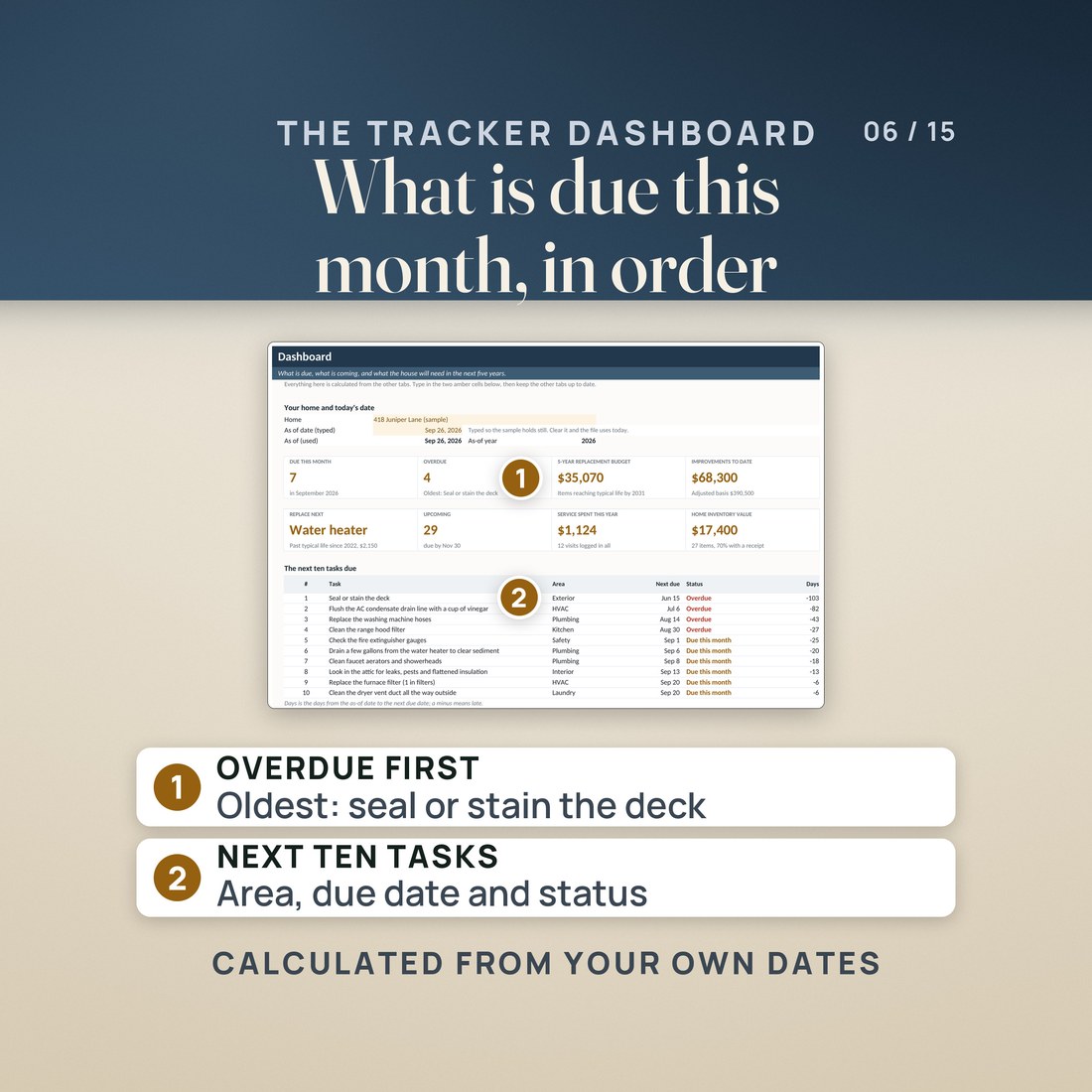
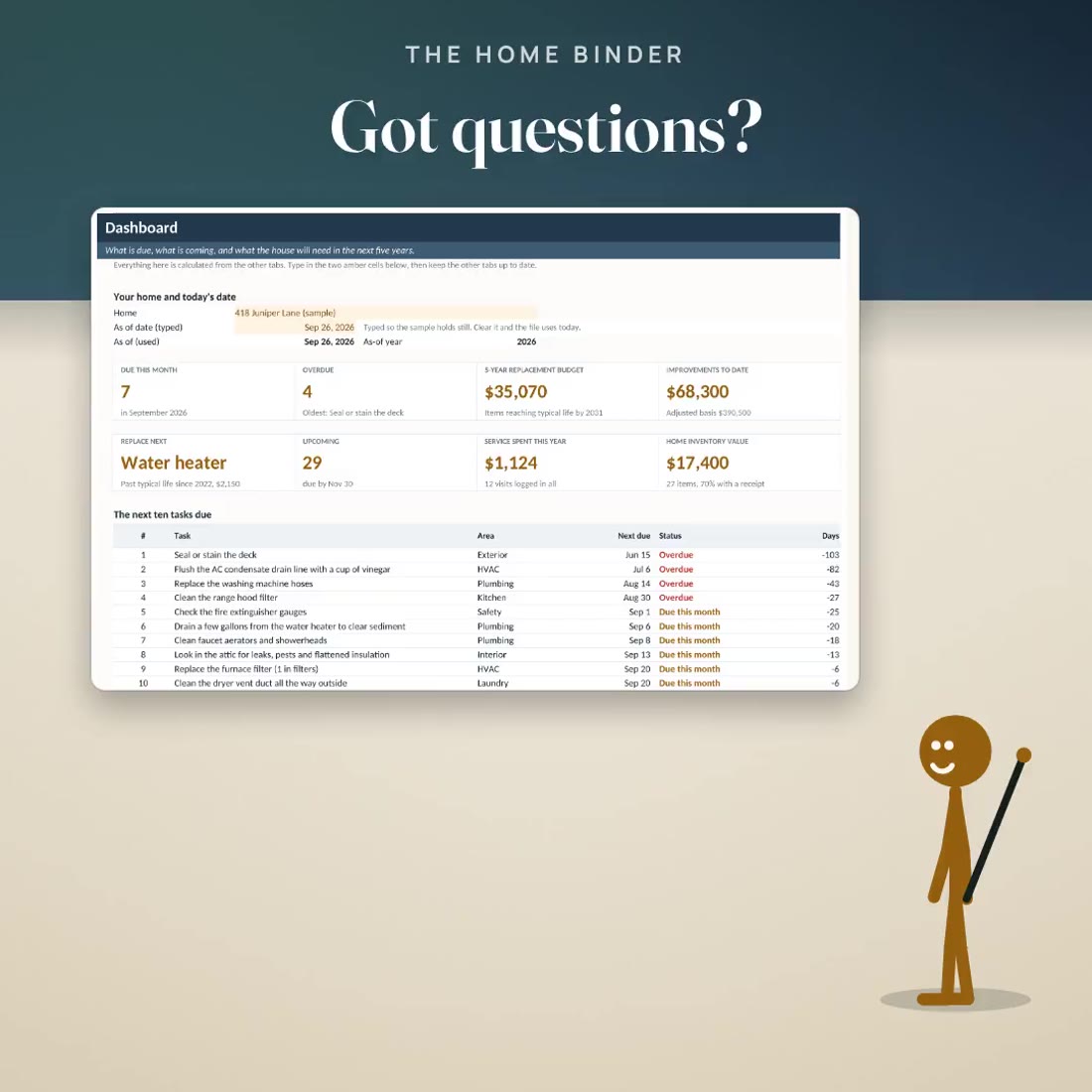
- The Home Maintenance Tracker: 55 pre-filled tasks with next due dates and a status, and a Dashboard with what is due this month, what is overdue and the next ten tasks
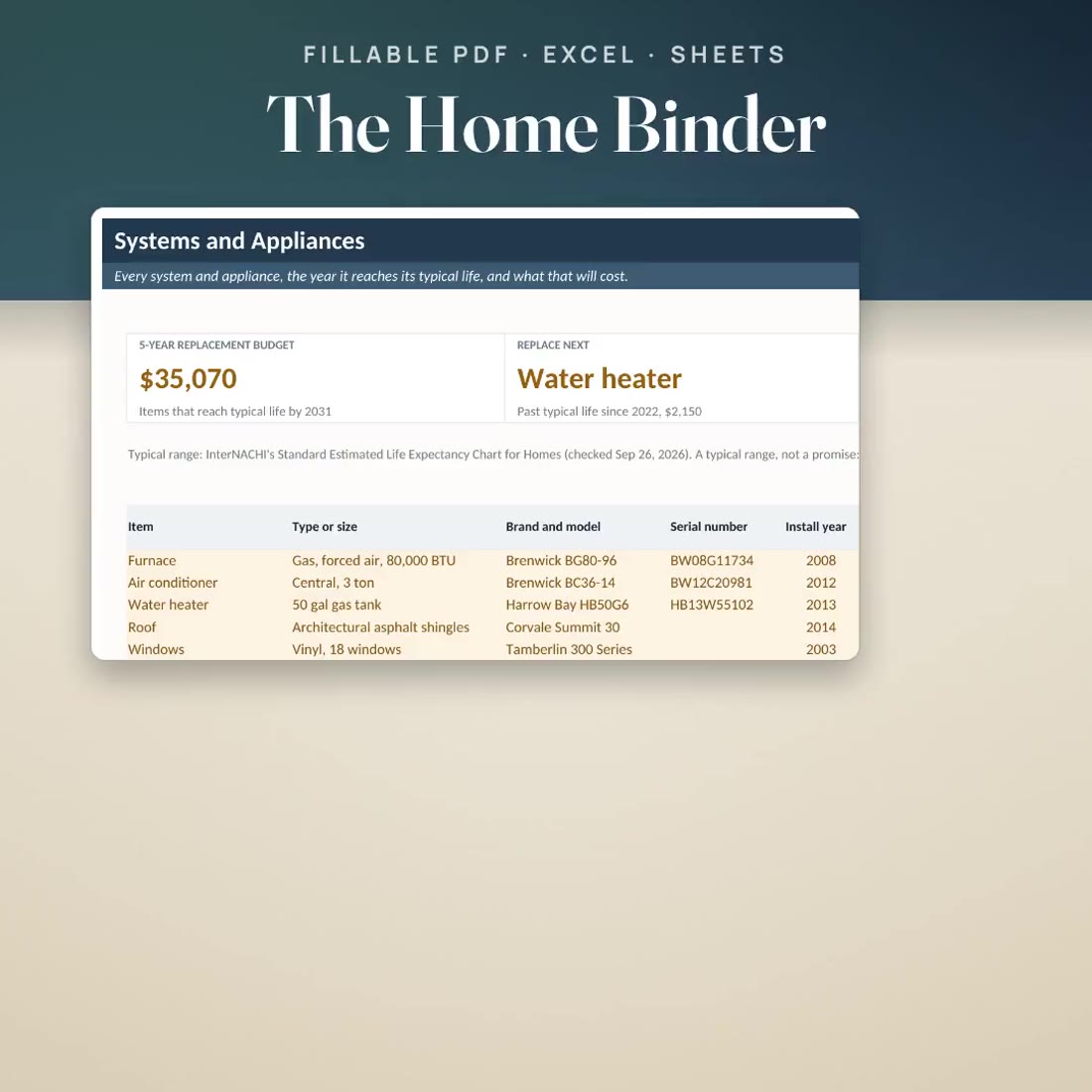
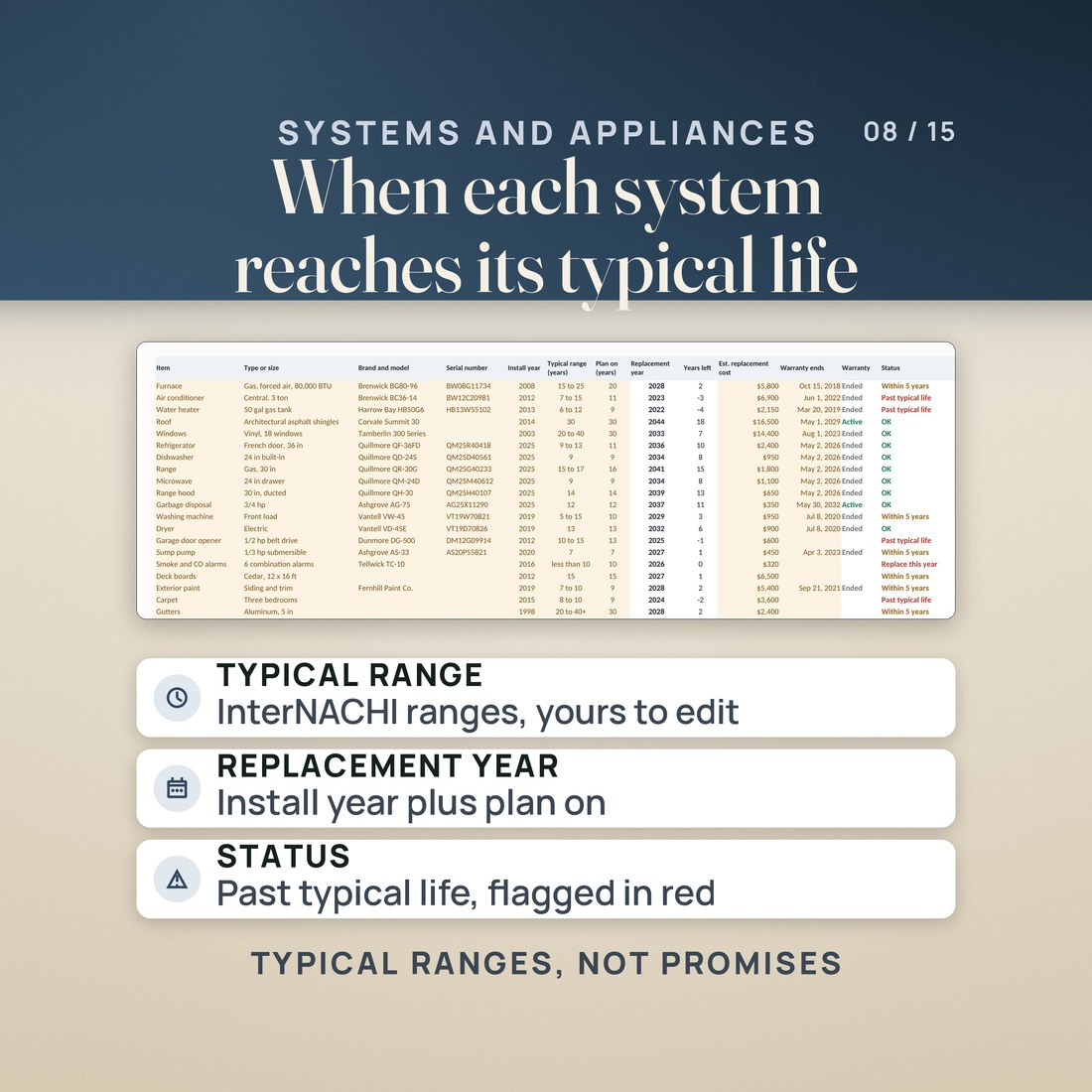
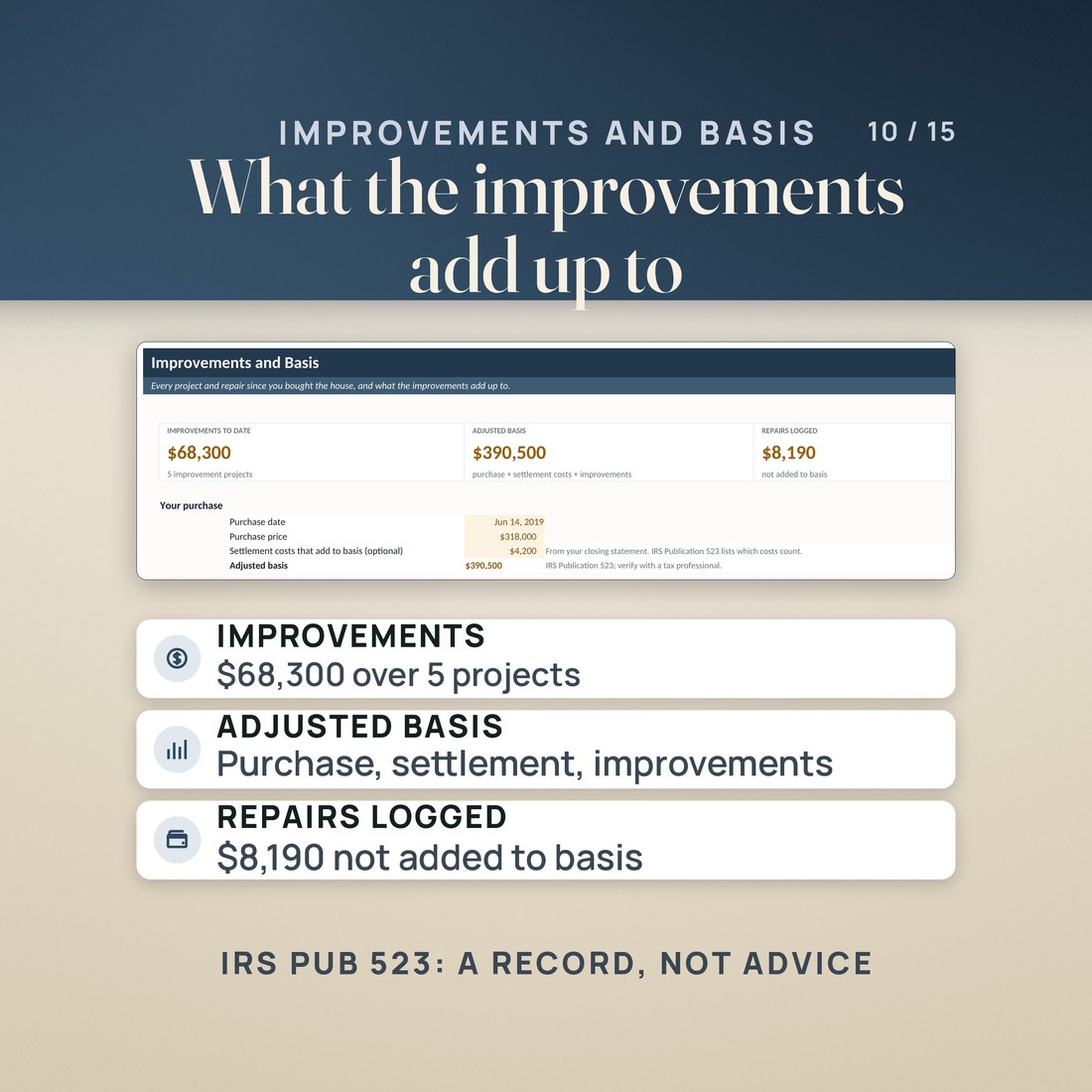
- Systems and Appliances with typical lifespans as editable amber cells, a 5-year replacement budget, what to replace next, and Improvements and Basis for the adjusted cost basis
Overview
Everything about the house in one binder, and a tracker that knows what is due this month and what the next five years will cost.
The renovation is done. Where does everything it left behind go?
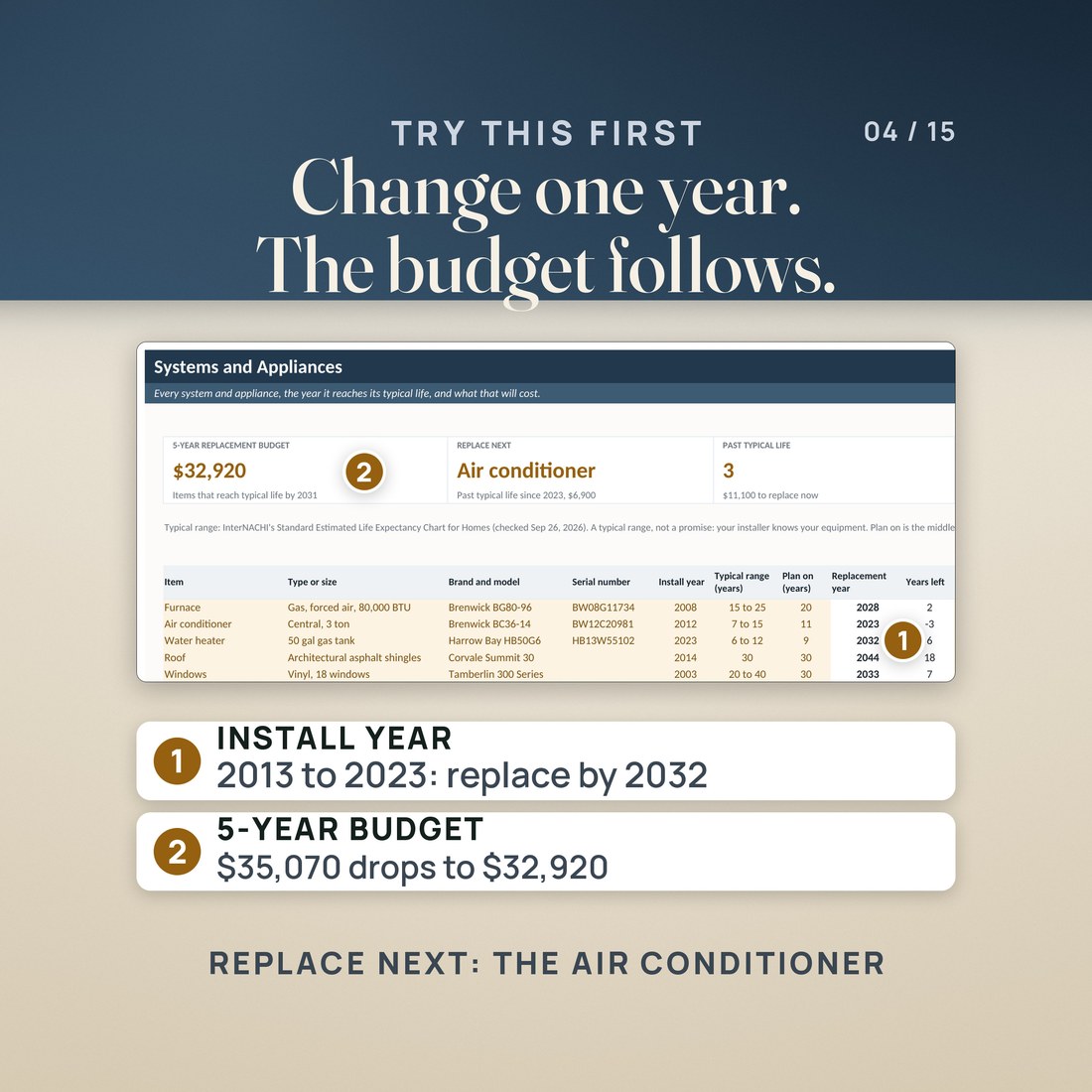
The paint colors, the new appliances and their warranties, who did the work and what it cost, and a plan to keep the rest of the house in shape. This binder is the house's own record: if you ran the project with the Home Renovation Budget, its final costs land in the Improvements log here; if you never did, every page works on its own. The tracker does the math. In the invented sample house, a 1998 three-bedroom bought in 2019, the 5-YEAR REPLACEMENT BUDGET reads $35,070 and the water heater, installed in 2013, is first: past its typical life since 2022. Say it was replaced in 2023 and its replacement year moves to 2032, out of the five-year window, and the budget reads $32,920.
What's Included
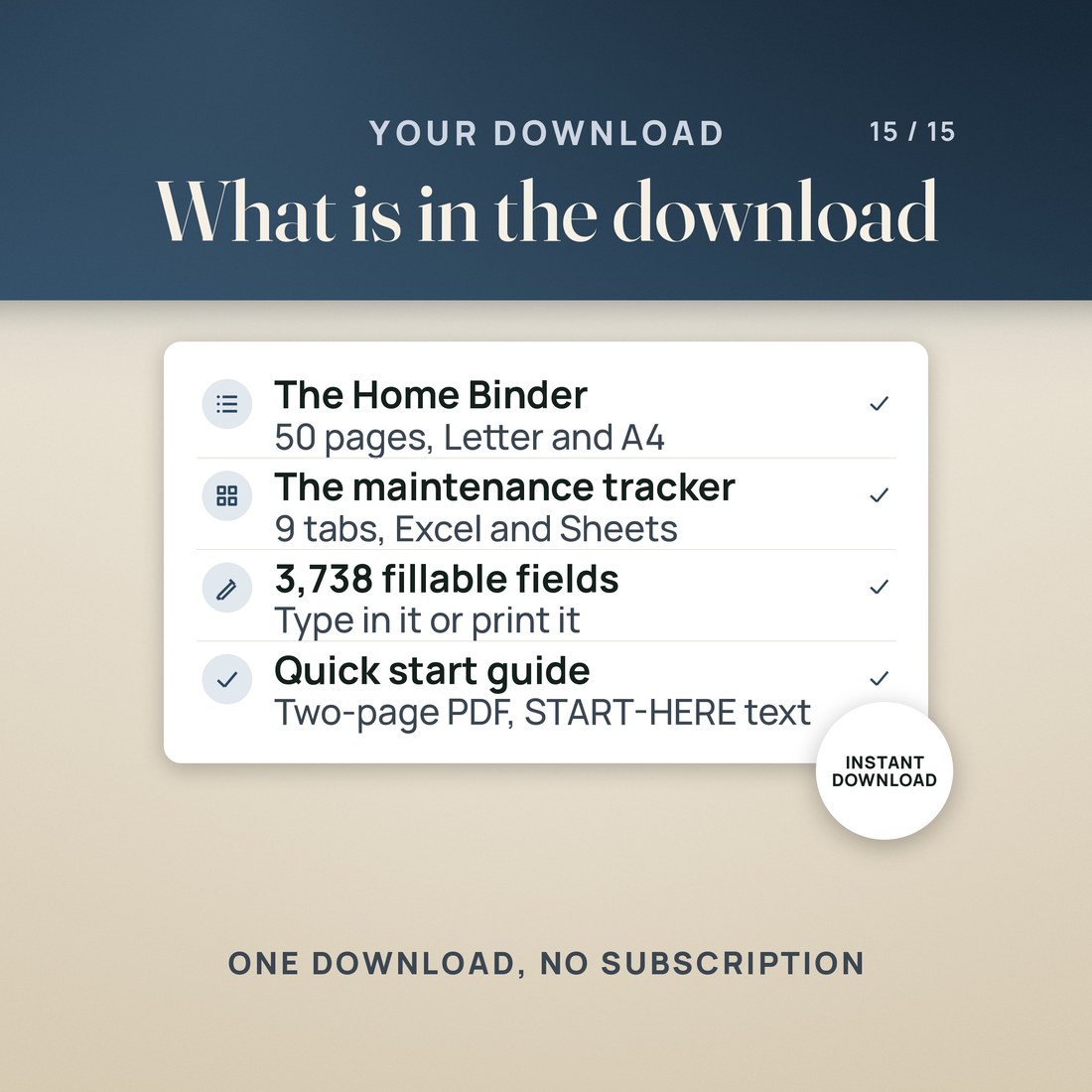
One ZIP, 8 files:
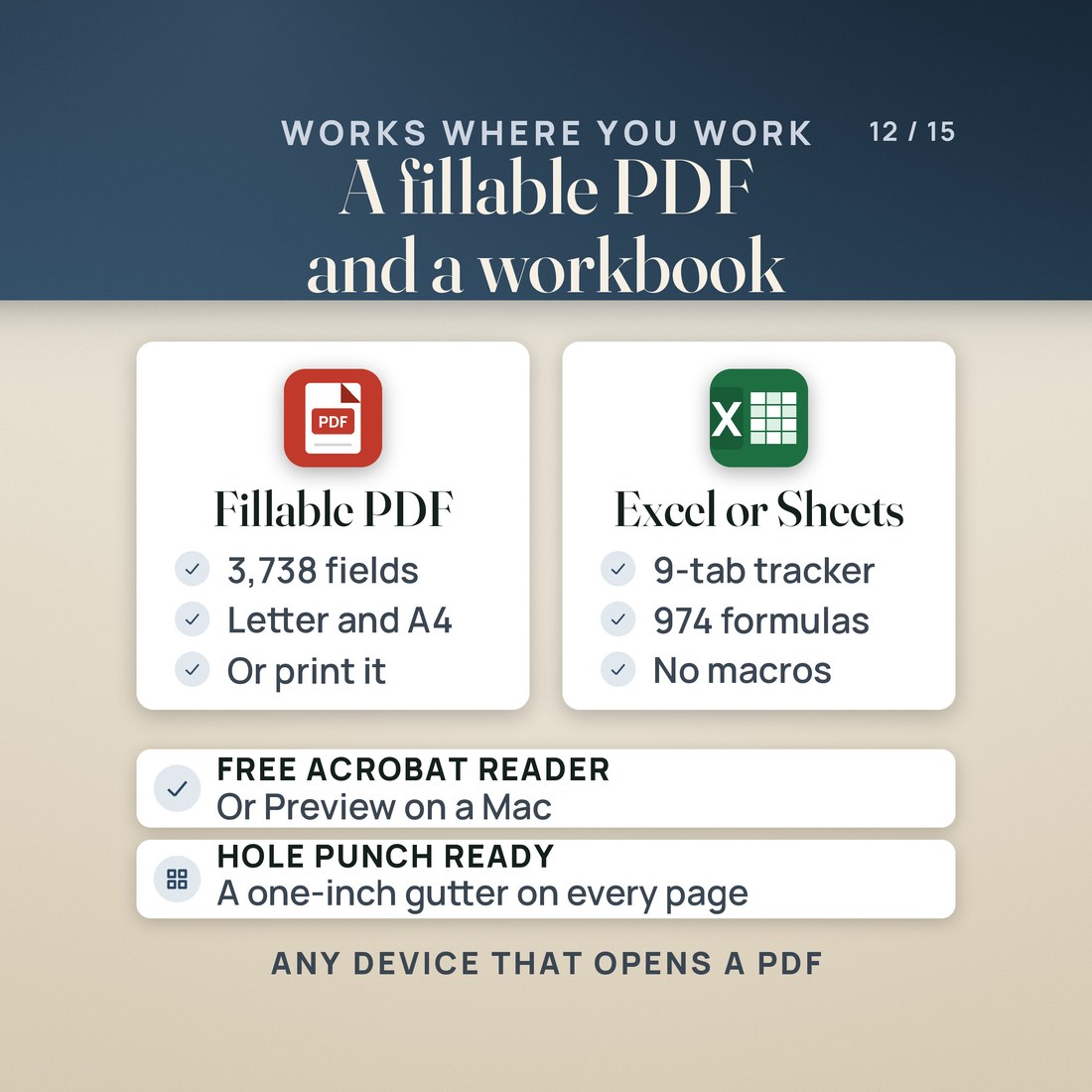
- The Home Maintenance Binder as a fillable PDF on US Letter and on A4: 50 pages each, ten tabbed sections, 2,998 text boxes and 740 checkboxes
- The Home Maintenance Tracker, Colorful edition, with nine tabs: Start Here, Dashboard, Maintenance Schedule, Systems and Appliances, Improvements and Basis, Service Log, Paint and Finishes, Home Inventory and Help; the same workbook in the Editorial palette, and a zip holding the Colorful, Light and Dark editions
- A worked sample house already typed into the tracker, so nothing opens blank, with every name and figure invented for the example; the binder ships blank
- A PDF with the Google Sheets copy link, a two page Quick-Start PDF and a START-HERE file that names every file
Key Benefits
Why this one
Where the water and gas shutoffs and the breaker panel are, who insures the house, every improvement and who did it, the paint colors room by room, every appliance's model and serial, and what you own, room by room.
Eleven shared boxes, such as the address, the owners and the shutoff and panel locations, fill every page that asks for them. Fill the binder on screen in a PDF app, or print it and write by hand.
Type when you last did each of the 55 tasks and the tracker dates the next one, marks it Overdue, Due this month, Upcoming or OK, and lists the next ten on the Dashboard.
Each system's replacement year comes from its install year and a typical lifespan you can change. The 5-YEAR REPLACEMENT BUDGET adds up what reaches its typical life in the window, and REPLACE NEXT names the first item.
Copy each finished project's final cost onto Improvements and Basis. Only rows marked Improvement count toward the adjusted basis, labeled with IRS Publication 523; it is a record, not tax advice.
Who It's For
Built for
- A homeowner who has finished a renovation and wants the costs, contractors, colors and warranties it left behind in one place
- A Home Renovation Budget user whose final costs now belong in an improvements log
- A new homeowner who wants the shutoffs and the breaker panel written down and a maintenance routine from the first month
- Anyone who wants to know which system reaches its typical life next and what the next five years of replacements will cost
How It Works
Up and running in minutes
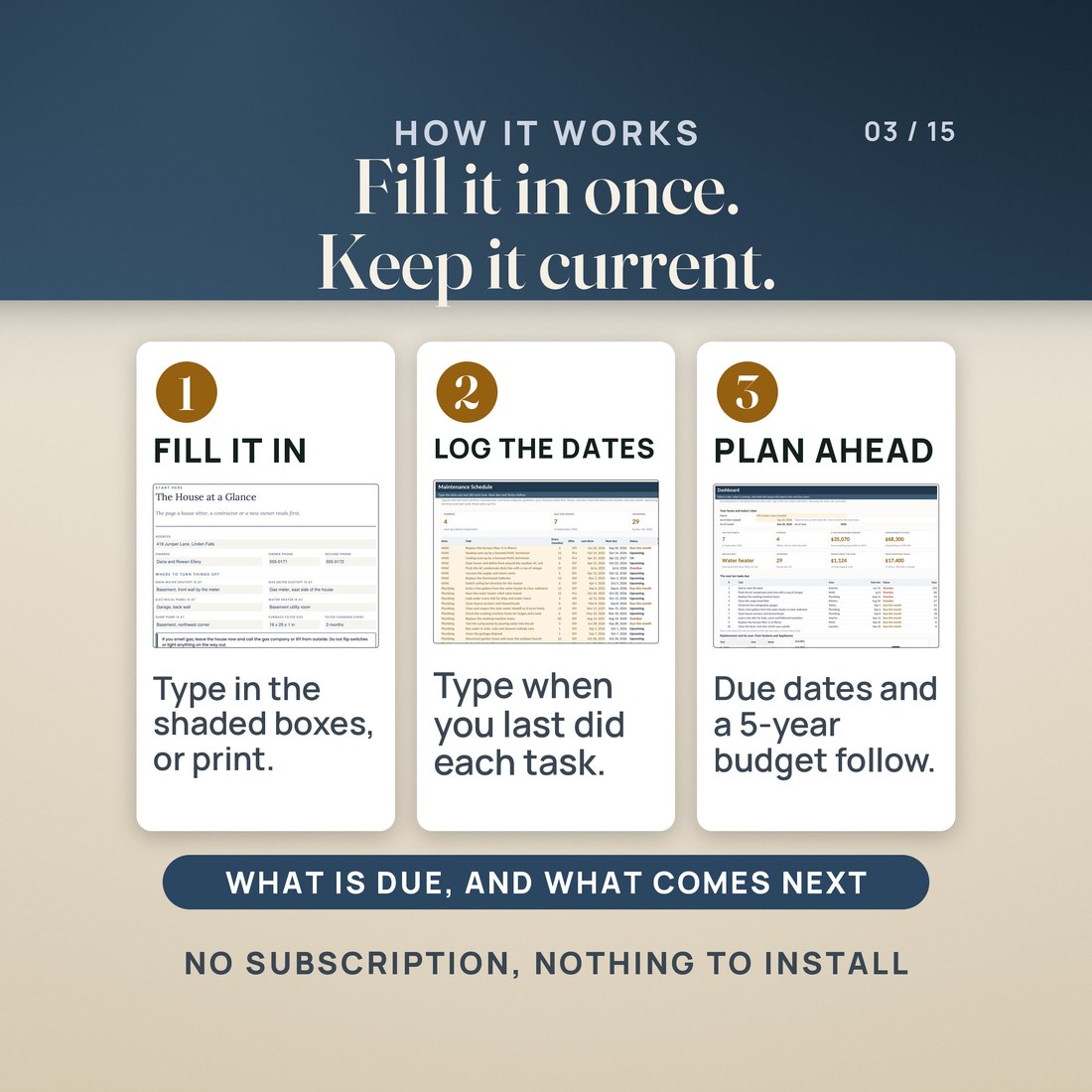
Open the Letter or A4 binder in a PDF app that fills forms and start with The House at a Glance and the shutoffs page, or print it and write by hand.
On the tracker's Systems and Appliances tab, type each install year and a replacement cost. The replacement years and the 5-year budget follow.
On Maintenance Schedule, type when you last did each task. Next due and Status follow, and the Dashboard lists the next ten.
Copy each finished project's final actual cost to Improvements and Basis as an Improvement row, and onto the binder's Improvements log. File the receipts behind the tab.
Why It's Different
Not another template
Most home binders are printable pages, and most maintenance spreadsheets are a task list. This is both, built for each other: a 50 page fillable binder on Letter and A4 for everything about the house, and a tracker that dates every task, knows when each system reaches its typical life, puts a dollar figure on the next five years, and keeps the improvements that add to your cost basis. It picks up where a renovation leaves off, and it works on its own for a house with no renovation behind it.
Delivery & Compatibility
Instant, and it opens in what you already use
As soon as your order is complete you get instant access to download the ZIP: the fillable binder on US Letter and A4, the Home Maintenance Tracker in four color editions, the Google Sheets copy link, a two page Quick-Start PDF and a START-HERE file. Start with the Quick-Start guide and the free video walkthrough. Nothing ships and nothing installs.
One ZIP, instant download. The binder fills in a PDF app that fills forms: the free Adobe Acrobat Reader on a computer, iPad, tablet or phone, Preview on a Mac, or most tablet PDF apps. Not every browser viewer saves what you type, so download the file first. Print it on US Letter or A4 at Actual Size. The tracker opens in Excel 2016 or later, or in Google Sheets through the copy link. No Canva, no macros, no account and nothing to install.
FAQ
Questions, answered
What format is this?
The binder as a fillable PDF on US Letter and on A4 (50 pages each), and one workbook (.xlsx) in four color editions, with a quick-start PDF, a START-HERE file and the Google Sheets copy PDF. 8 files in one ZIP.
Can I fill it on my iPad?
Yes, in a PDF app that fills forms, such as the free Adobe Acrobat Reader. Most tablet PDF apps fill forms too. Some browser viewers do not keep what you type, so download the file first.
Can I print it?
Yes. Print the Letter file on US Letter paper or the A4 file on A4 at Actual Size. The left inch of every page is left clear for a hole punch, and no page has a full-page color background.
Do I need Excel?
No. Open ACCESS-YOUR-TEMPLATE.pdf and click Make a copy to use the tracker in Google Sheets. It also opens in Excel 2016 or later.
Where do the lifespans come from?
InterNACHI's Standard Estimated Life Expectancy Chart for Homes. They are typical ranges, not promises: your installer knows your equipment, so every one is an editable amber cell.
Is the cost basis tax advice?
No. Improvements and Basis follows IRS Publication 523 and is a record of what you spent: verify with a tax professional.
Improvements and cost basis follow IRS Publication 523; this is a record, not tax advice, so verify with a tax professional. Lifespans come from InterNACHI's published chart and are typical ranges, not promises; replacement costs are your own estimates in today's dollars. The checklists are looks, cleans and tests: hire a licensed pro for gas, electrical and roof work. The binder has no photo boxes, and a fillable PDF cannot add pages, so print extra room or log pages if you need more. The Service Log does not update the Maintenance Schedule. The binder ships blank; the tracker's sample house, its owners, companies, brands, models, serial numbers and figures were invented for the example. The four color editions are separate files. Digital product; because the files are delivered instantly, all sales are final.