 ▶
▶




 ▶
▶Trucking Owner-Operator System
The books, the fuel tax, the settlements, the dates and the cost of a mile. One download.
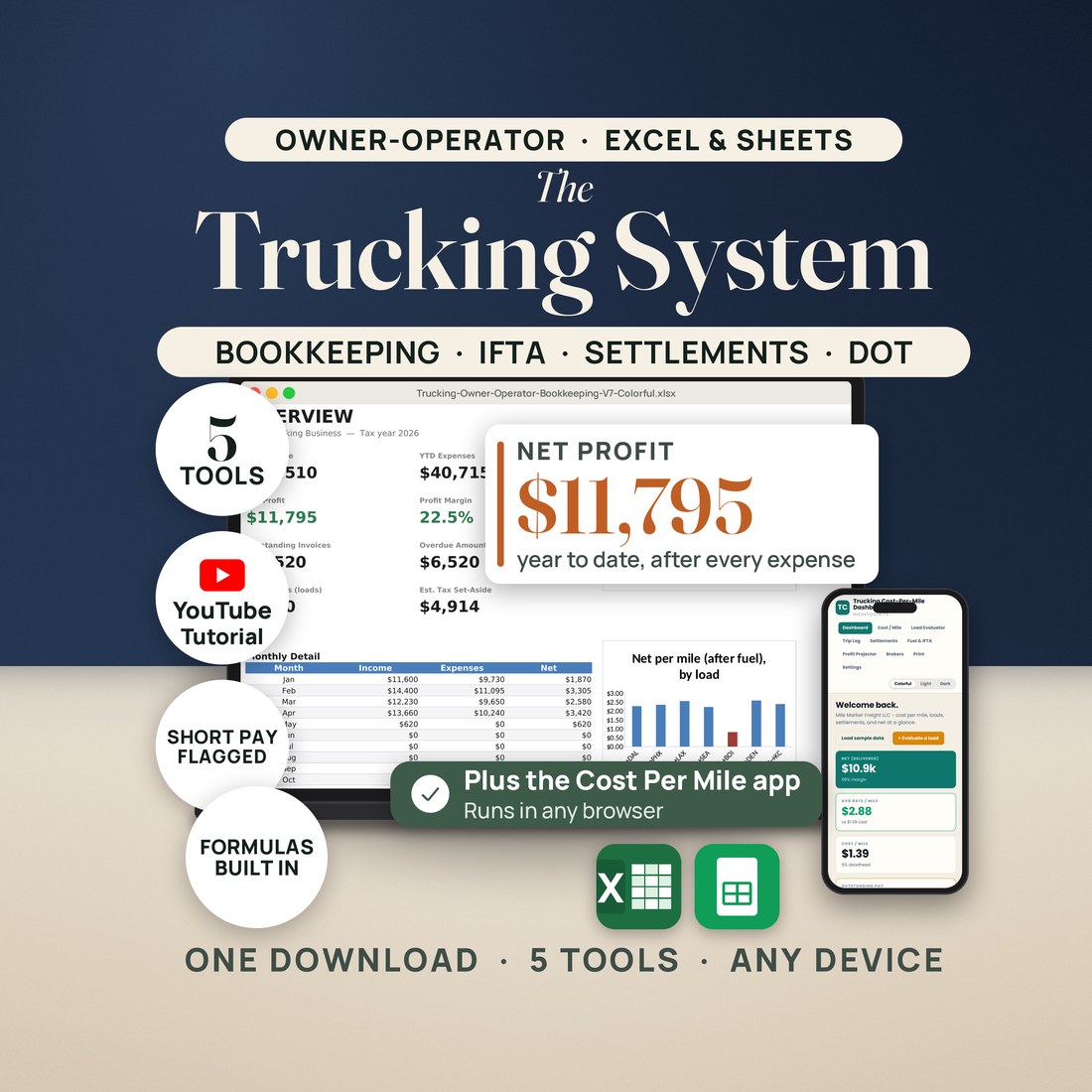
5.0shop rating · 6 Etsy reviewsAn owner-operator's paperwork comes in five piles: the books, the fuel tax, the settlement statements, the dates that can put a truck out of service, and the number nobody tells you until you work it out yourself, which is what a mile actually costs you. The System is one tool for each pile.
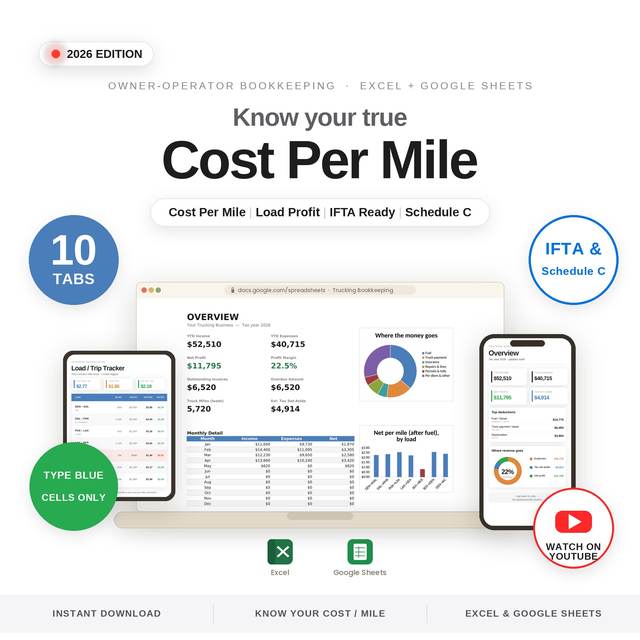
- Trucking Owner-Operator Bookkeeping (10 tabs): income, expenses, loads, a P&L by month and a Schedule C tax summary
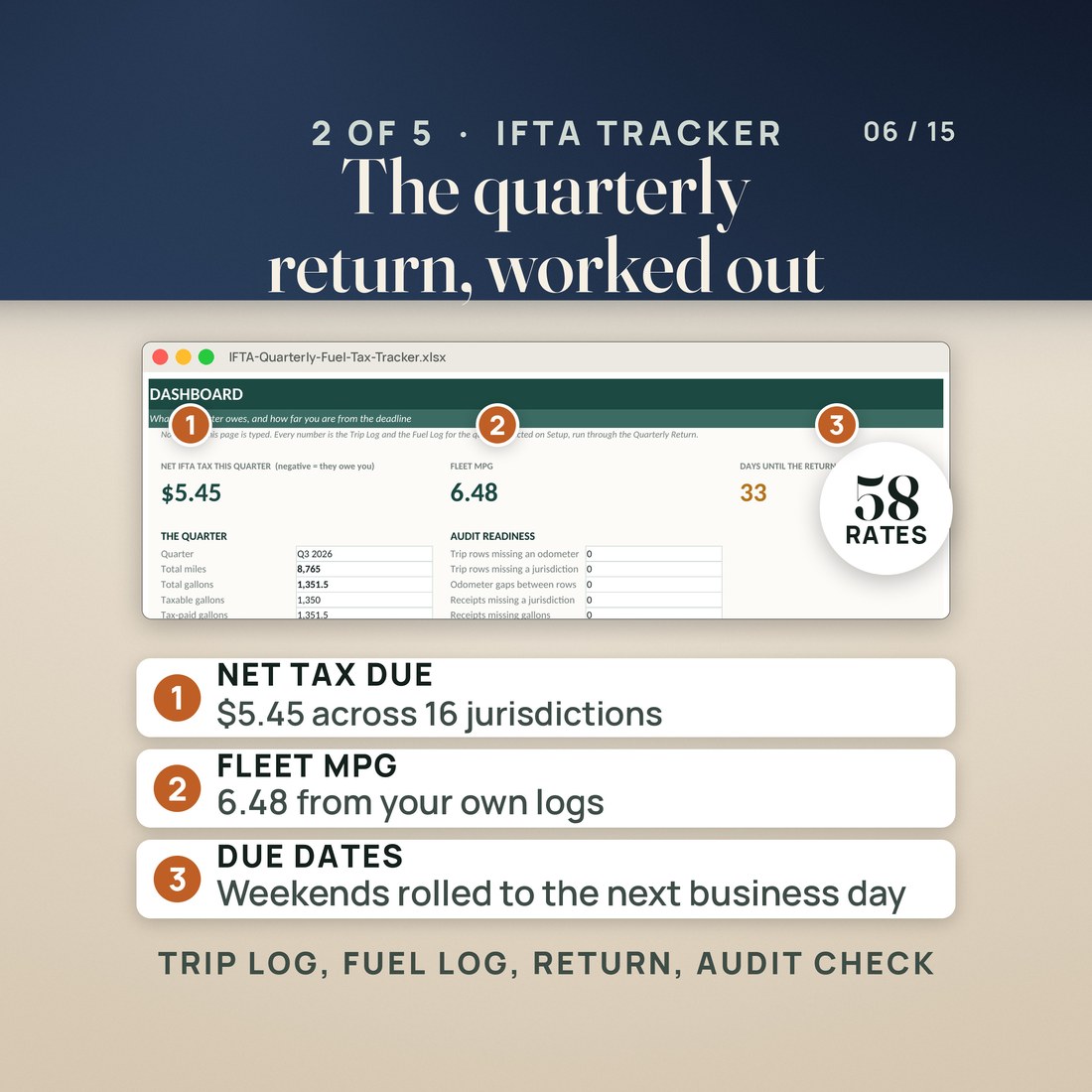
- IFTA Quarterly Fuel Tax Tracker (9 tabs): the return for all 58 jurisdictions with the KY and VA surcharges
- Owner-Operator Settlement and Driver Pay Tracker (9 tabs): seven pay methods and a short-pay flag
- Truck Maintenance and DOT Expiry Log (9 tabs): every date that can park a truck on one red-amber-OK board
- Trucking Cost Per Mile Dashboard App (10 views): your all-in cost per mile, a load evaluator and a profit projector
Overview
The books, the fuel tax, the settlements, the dates and the cost of a mile. One download.
An owner-operator's paperwork comes in five piles: the books, the fuel tax, the settlement statements, the dates that can put a truck out of service, and the number nobody tells you until you work it out yourself, which is what a mile actually costs you. The System is one tool for each pile.
Four are Excel and Google Sheets workbooks; the fifth is a browser app you open from a single file. Each is complete on its own and each is sold separately in this store. In the shipped samples the books show $52,510 in, $40,715 out, $11,795 net year to date and $4,914 to set aside for tax; the IFTA return works out to $5.45 due across 16 jurisdictions on 8,765 miles; settlement statement 5 comes up $412.30 short; the Expiry Board shows 4 red and 4 amber dates; and the app holds a true all-in cost of $1.39 a mile.
What's Included
Four workbooks and the app, in one ZIP:
- One ZIP with five folders, one per tool, and a START-HERE file that tells you which to open first
- 18 workbooks in all: the books in Colorful, Light and Dark, and the IFTA, settlement and DOT trackers in five editions each (the main file plus Editorial, Colorful, Light and Dark)
- The Cost Per Mile Dashboard App as a single .html file that runs in any browser, offline too, with an install note that puts it on a phone or laptop home screen
- A Start Here tab in every spreadsheet, a README and quick-start guide with the app, and a worked sample in every tool
- Links to the five narrated video tutorials, one per tool
Key Benefits
Why this one
Income, expenses and mileage logs with dropdowns for the categories a trucking CPA asks for, a Load Tracker that turns every load into rate per mile, net per mile and profit against your own cost per mile, a Profit and Loss by month, and a Tax Summary that maps every category to its Schedule C line, with DOT per diem deducted at 80% and a set-aside estimate for self-employment and income tax.
One row per state line in the Trip Log, one row per receipt in the Fuel Log, and the Quarterly Return computes for all 58 IFTA jurisdictions, with the Kentucky and Virginia surcharges and an Audit Check that counts the things an auditor counts. Diesel rates ship for the quarter noted on the Tax Rates tab; update them each quarter from your rate matrix.
Log the load as agreed, type the settlement as printed, and the variance column flags a short statement. Seven pay methods (percent of linehaul, percent of gross, per practical mile, per HHG mile, per load, hourly, owner drives), a deductions ledger, escrow and reserves, and the number that matters: what you actually kept per mile, $0.643 in the sample.
Medical cards, Form 2290, MCS-150, annual inspections, registrations, IRP and UCR on one Expiry Board with red, amber and OK status, plus a Filing Calendar, a PM schedule by miles and months, a maintenance log and a DVIR and defects log. Sample: $12,695 of maintenance over 116,870 miles, $0.109 a mile.
Set your fixed and variable costs once in the app and it holds your true all-in cost per mile: $1.39 in the sample, $0.90 variable plus $0.38 fixed. The Load Evaluator checks a rate against that cost before you accept, and the Profit Projector turns weekly loads into an annual net.
The settlement tracker's seven pay methods cover leased-on drivers and owners who drive; the DOT log holds up to eight units and eight drivers; the books and the IFTA tracker do not care whose authority the truck runs under.
Who It's For
Built for
- Owner-operators with their own authority
- Leased-on owner-operators reading a settlement statement every week
- Small fleets of one to eight trucks and the person in the office who keeps the files straight
- Anyone who has been quoted a rate and does not know, to the cent, what a mile costs them
How It Works
Up and running in minutes
The START-HERE file says so. Type your categories once, log the loads and the fuel, and read net profit and the tax set-aside on the Overview.
The IFTA tracker takes one row per receipt and one row per state line, and the quarterly return is worked out for you.
Against the load you agreed to, and read the variance column. Short pay shows up the day the statement does.
Type the issue date once; the board adds the cycle and counts down, amber and then red.
One .html file, any browser. Your true cost per mile appears, and every load can be checked against it before you say yes.
Why It's Different
Not another template
Bought one at a time in this store, the five tools come to $107.88. The System puts all five in one download for $29.97, and every figure in the listing images and the two short films was read from a real render of the shipped files. Tax figures are planning estimates, not tax advice.
Delivery & Compatibility
Instant, and it opens in what you already use
As soon as your order is complete you get instant access to download the ZIP: five folders, one per tool, with a START-HERE file that tells you which to open first. IFTA returns are due October 31 and January 31; the tracker is ready the night you download it.
One ZIP, instant download, 18 workbooks in four spreadsheet folders plus the Cost Per Mile app as a single .html file. The spreadsheets use portable formulas only — no macros, no add-ons, no account — and open in Microsoft Excel (2016 or later, Mac or PC) and Google Sheets. The app runs in any modern browser (Chrome, Edge, Safari, Firefox) with no install and no login; your data stays on your device.
FAQ
Questions, answered
Do I need all five?
Each is its own file. Start with the books; open the IFTA tracker when the quarter closes, the settlement tracker when the first statement arrives, and the DOT log the day you have a date to put on it.
Is the app a download?
Yes. One .html file that opens in any browser, offline too, with no account and no subscription. The included install note puts it on a phone or laptop home screen like an app.
Lease-on or my own authority?
Both. Seven pay methods are built into the settlement tracker, including percent of linehaul, percent of gross, per practical mile, per HHG mile, per load, hourly and owner drives.
Google Sheets?
Yes, for the four spreadsheets: upload each .xlsx to Drive and open it with Sheets. The app needs no Sheets at all, only a browser.
For personal and single-business use. Record-keeping and planning tools that calculate from the numbers you enter; not tax, legal or compliance advice. Schedule C mappings, per diem and set-aside figures are planning estimates — confirm them with your tax professional. IFTA diesel rates ship for the quarter noted on the Tax Rates tab and must be updated each quarter from your jurisdiction's rate matrix. Every tool ships with a worked sample; delete the sample rows and type your own.