 ▶
 ▶
AI Companion for the Paycheck Budget
Already own the Paycheck Budget? Let your AI do the typing.
5.0shop rating · 8 Etsy reviewsYou have the Paycheck Budget Spreadsheet. The part that wears people down is typing in every purchase.
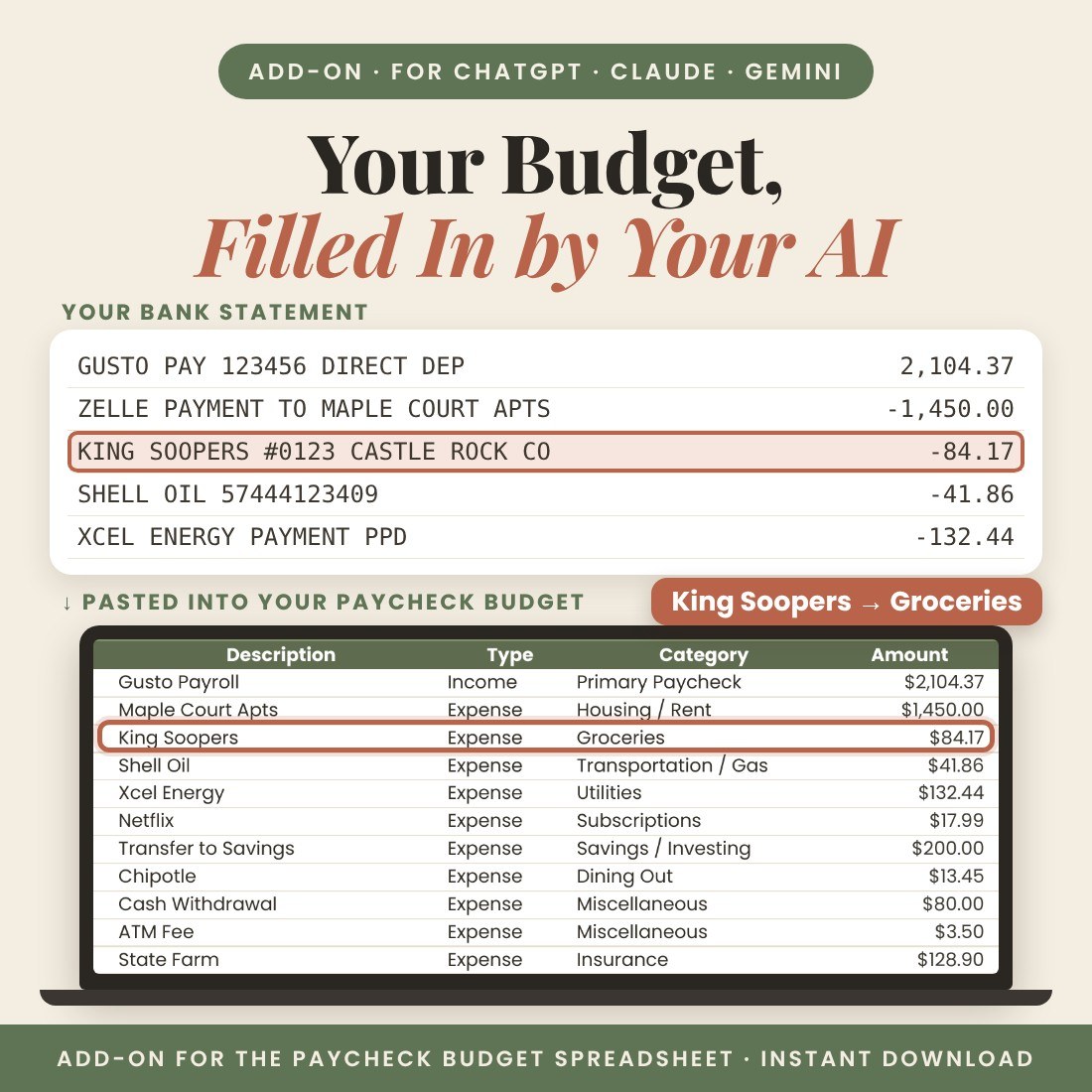
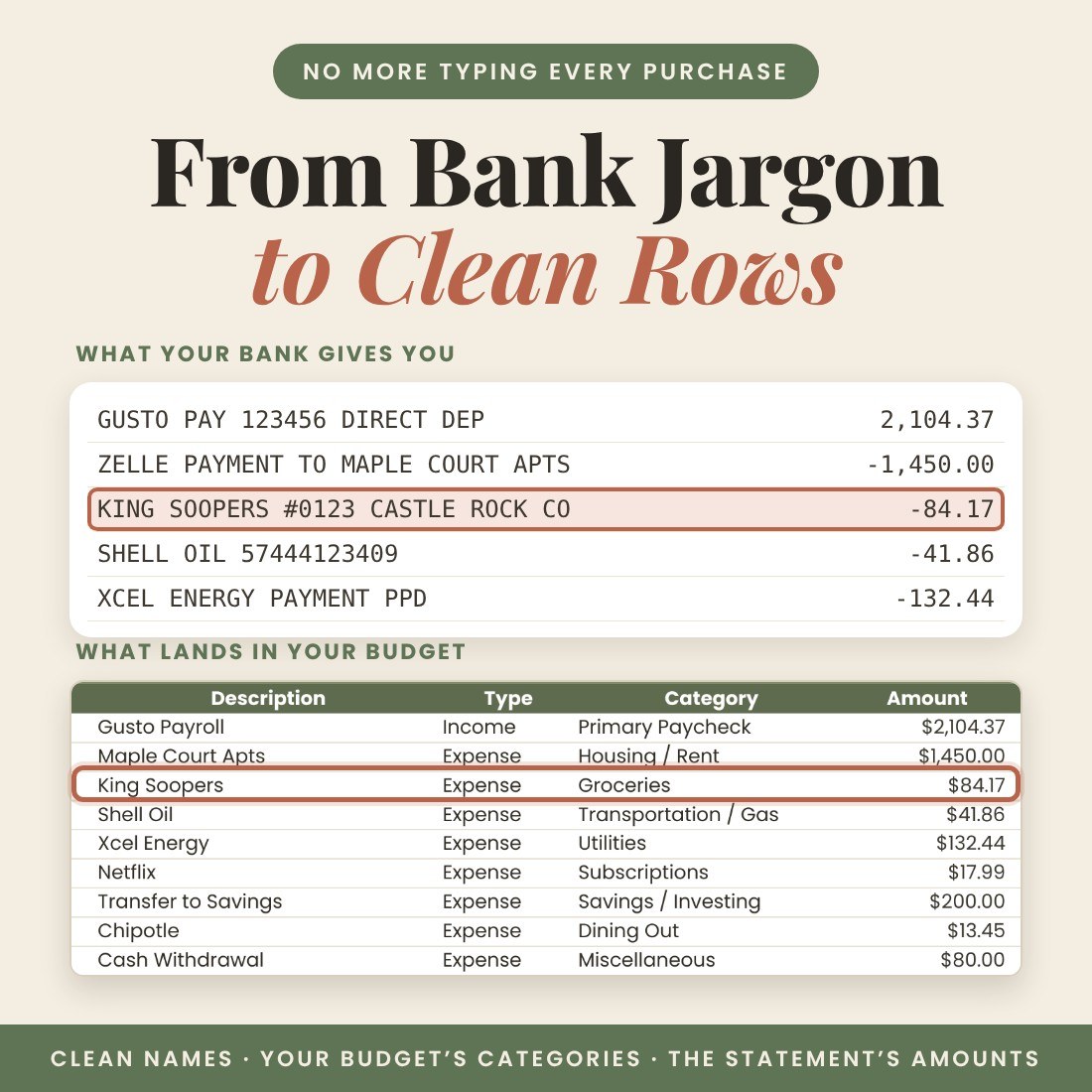
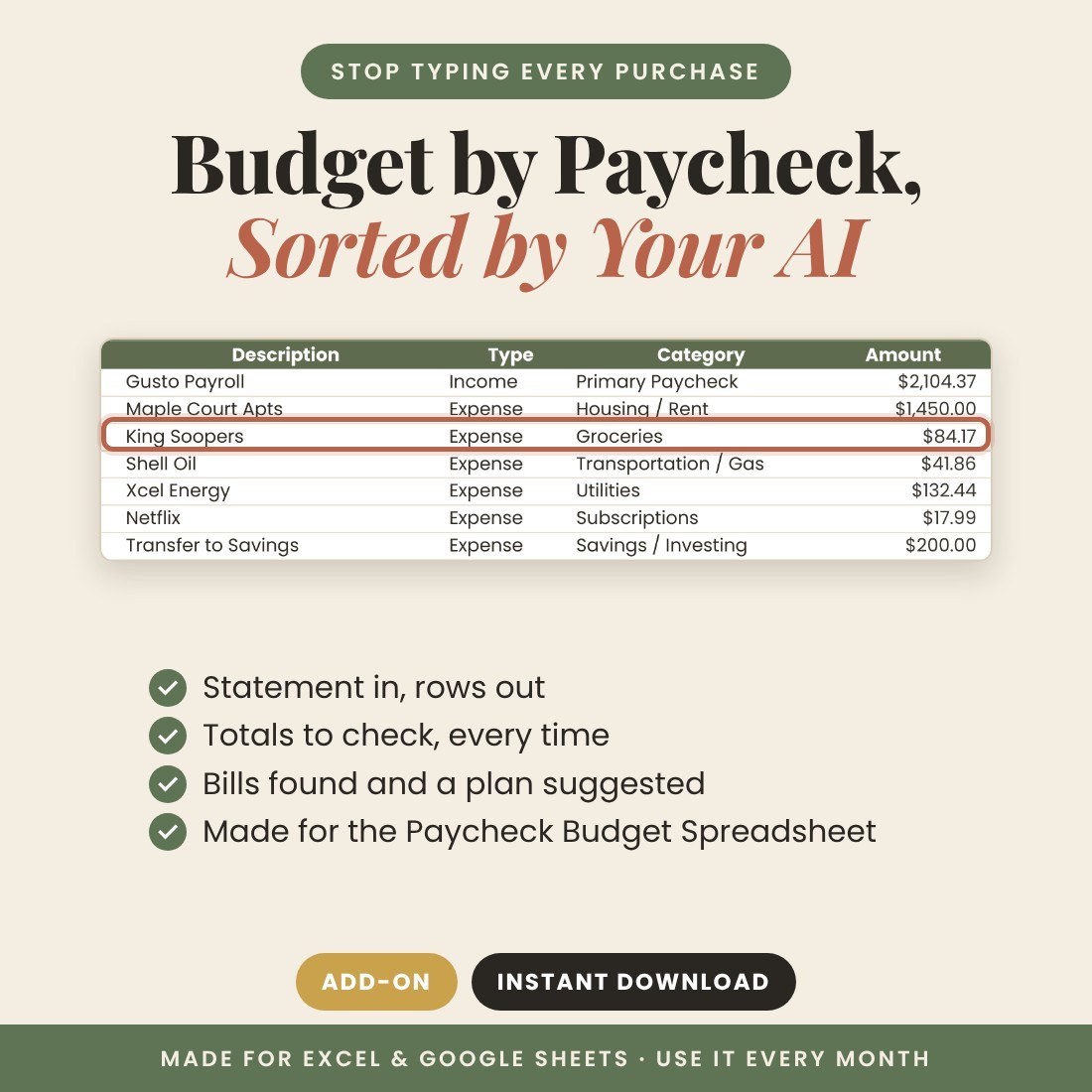
- Sort a statement: every line becomes a row for the Transactions tab, in the workbook’s own categories
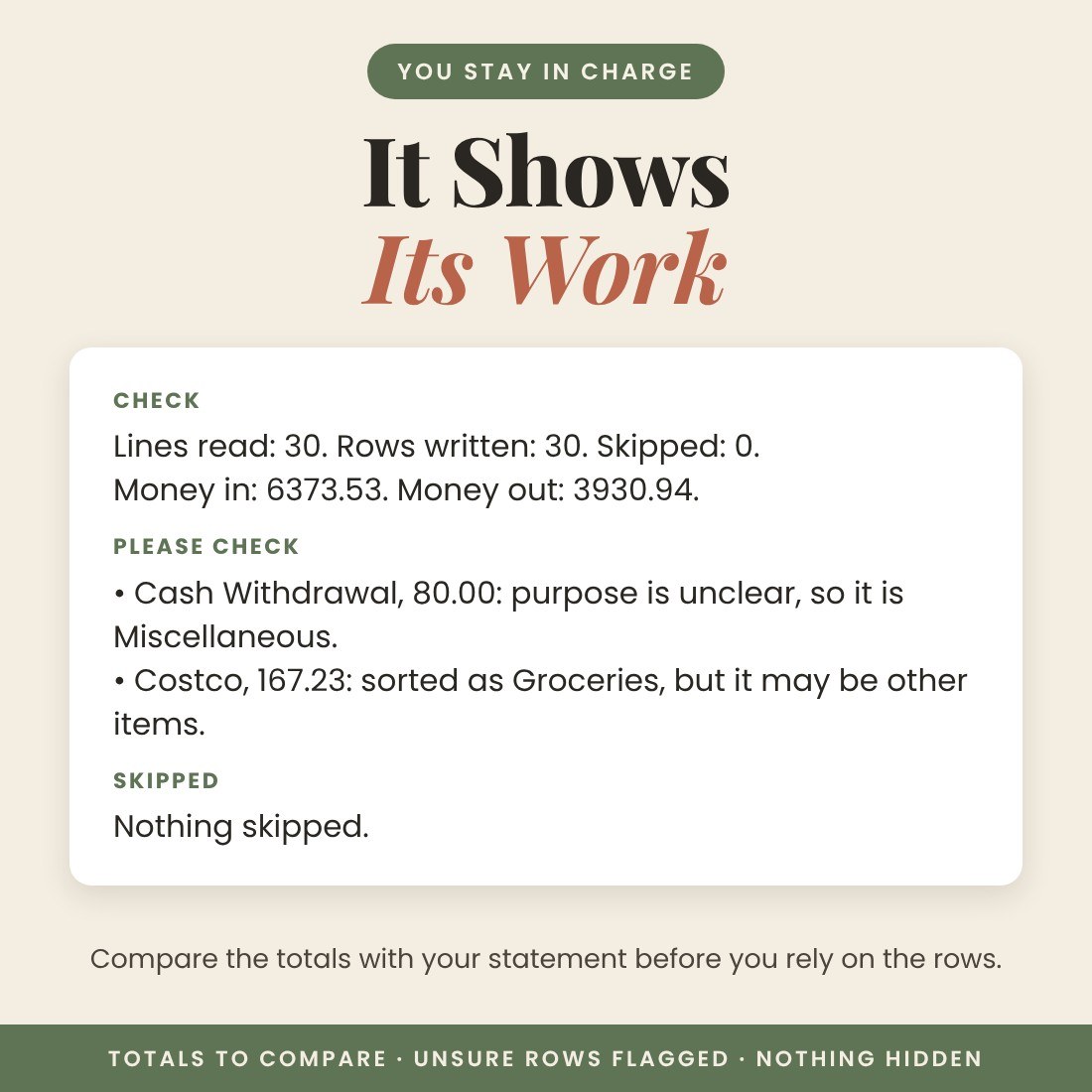
- Check totals after every sort: lines read, rows written, money in and money out
- A Please Check list of anything the AI was unsure about, so nothing is guessed silently
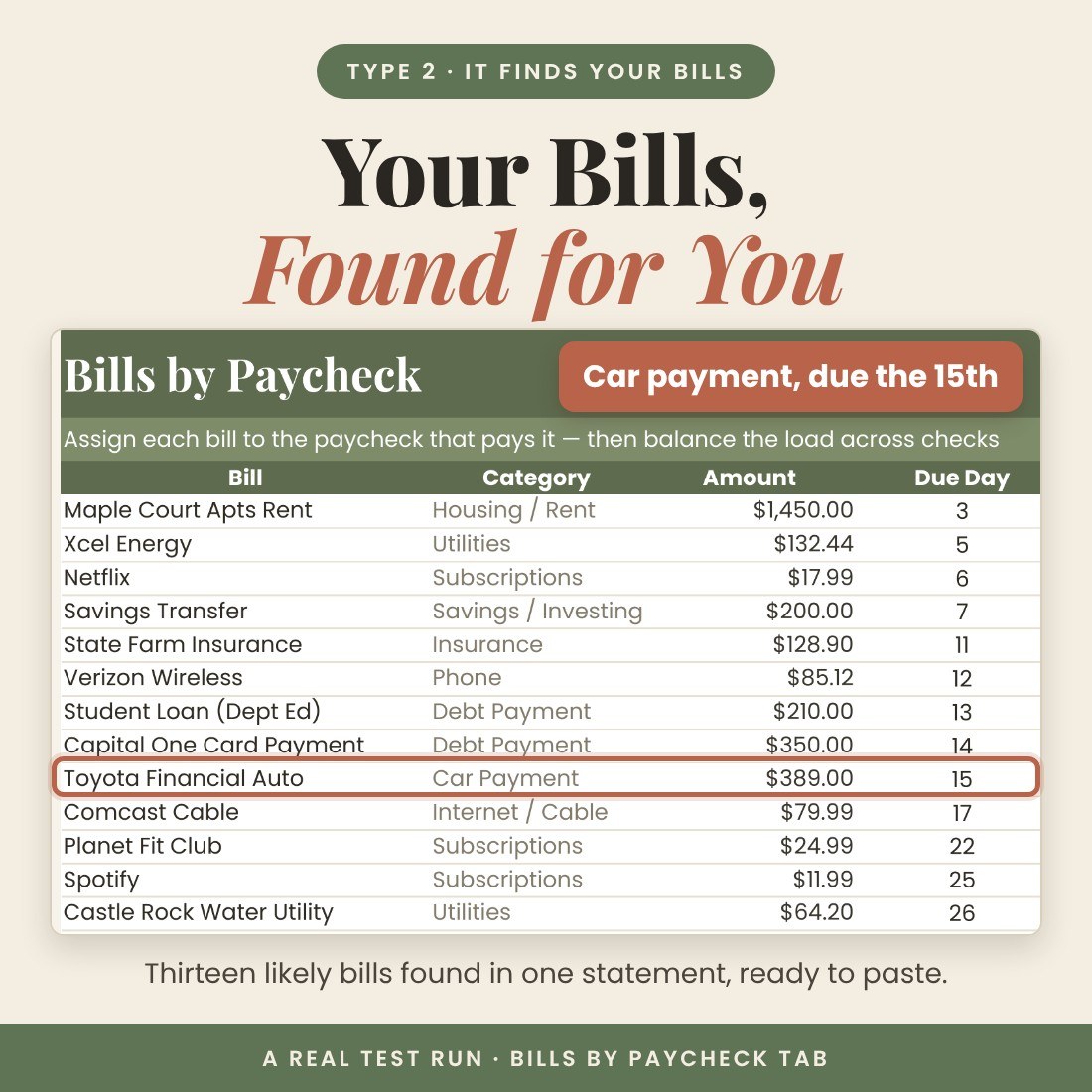
- Find your bills: charges that repeat each month, ready for the Bills by Paycheck tab
- Suggest a plan: per-paycheck numbers for the Spending Tracker, from your own past spending
- Works with ChatGPT, Claude and Gemini, by attaching the file or pasting it in
- Built for the Paycheck Budget Spreadsheet’s own tabs, columns and category names
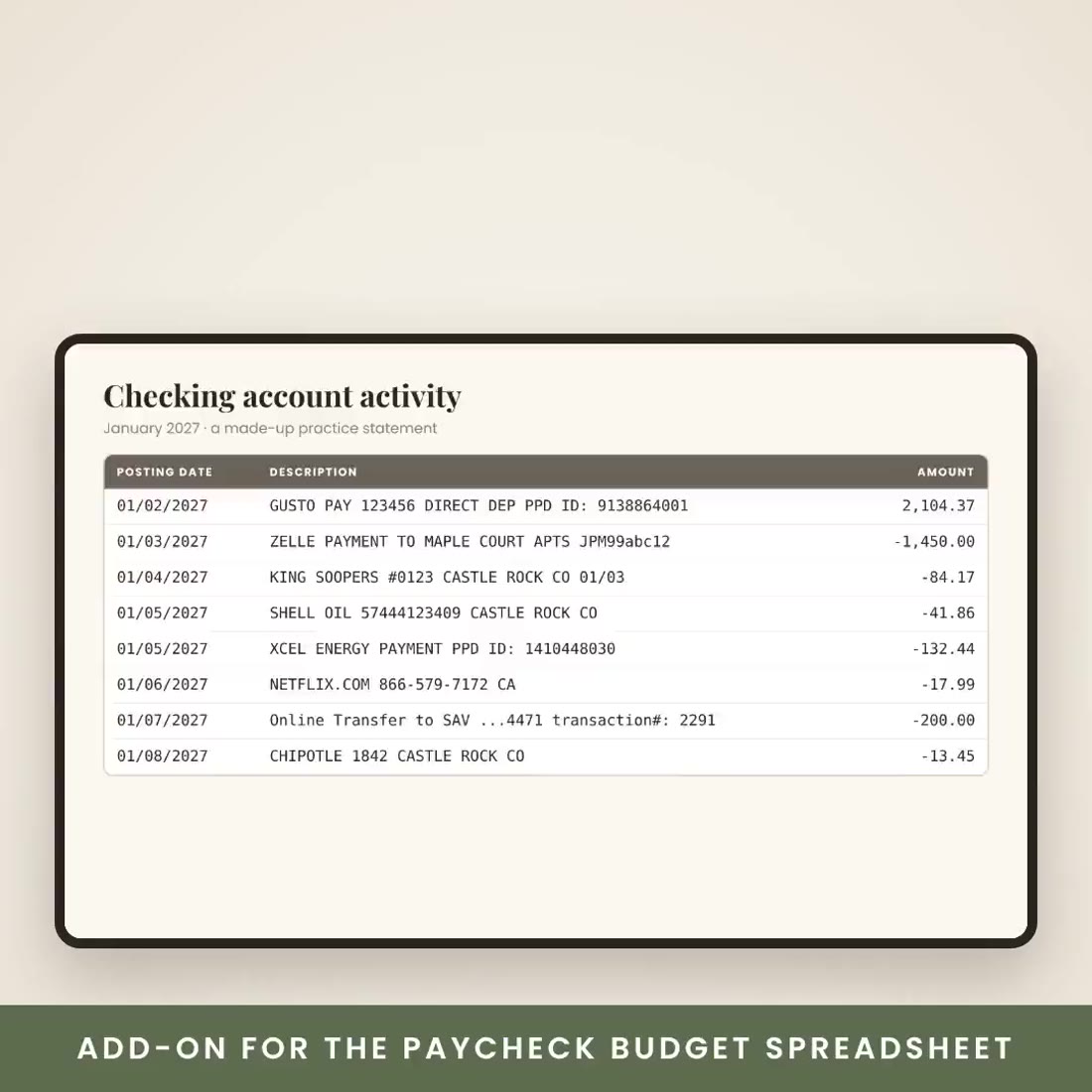
- A made-up practice statement to try it with first
Overview
Already own the Paycheck Budget? Let your AI do the typing.
You have the Paycheck Budget Spreadsheet. The part that wears people down is typing in every purchase.
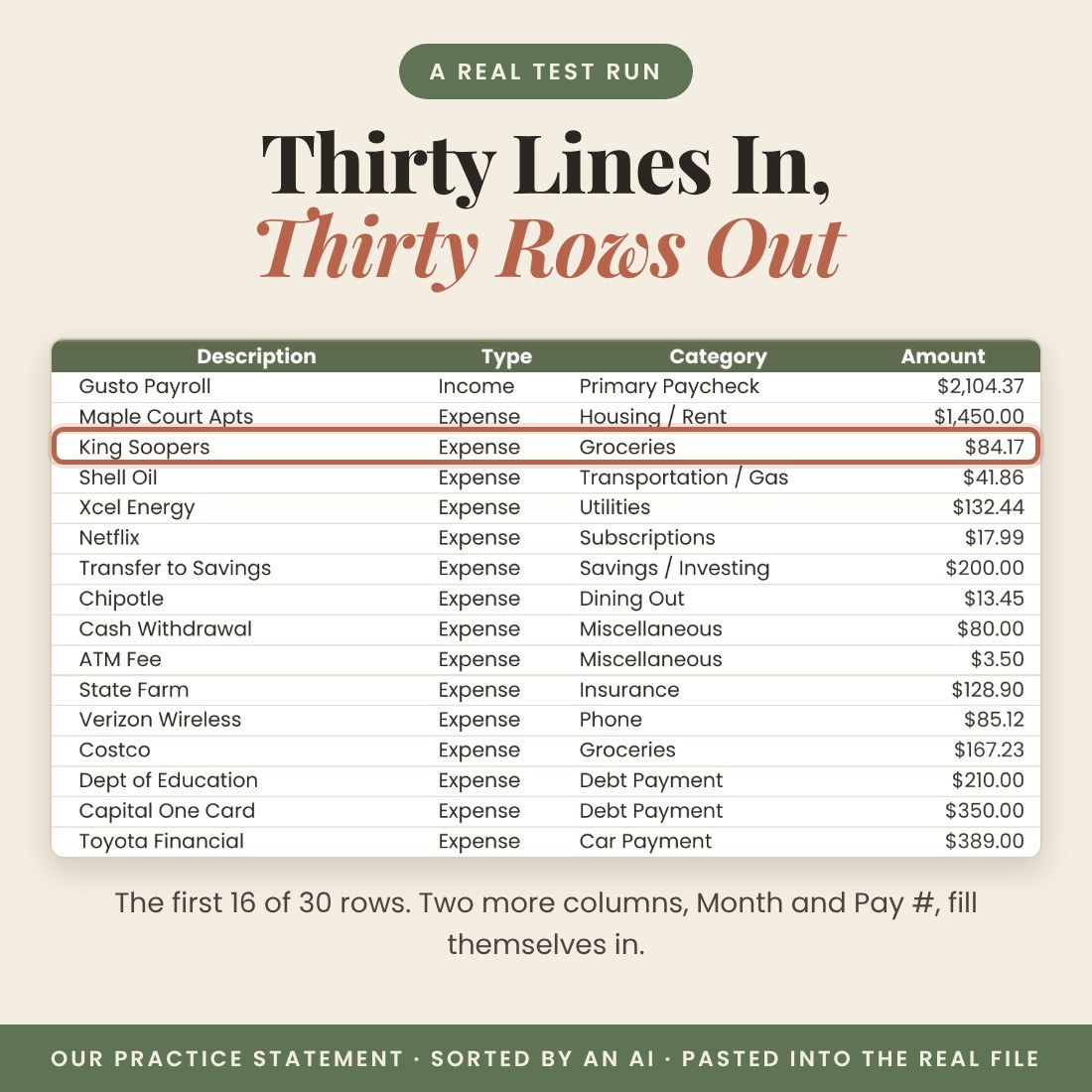
The AI Companion is one small instruction file that teaches the AI assistant you already use how your Paycheck Budget is laid out. Start a chat, give it the companion and a bank or card statement, and it hands back one row per transaction, with the date, account, a clean description, Income or Expense, the right category and the amount. Copy the rows, click the first empty row of the Transactions tab and paste. The workbook tags each row with its pay period and updates the dashboard. This is an add-on: it needs the Paycheck Budget Spreadsheet by NicheToolkits, which is not included.
What's Included
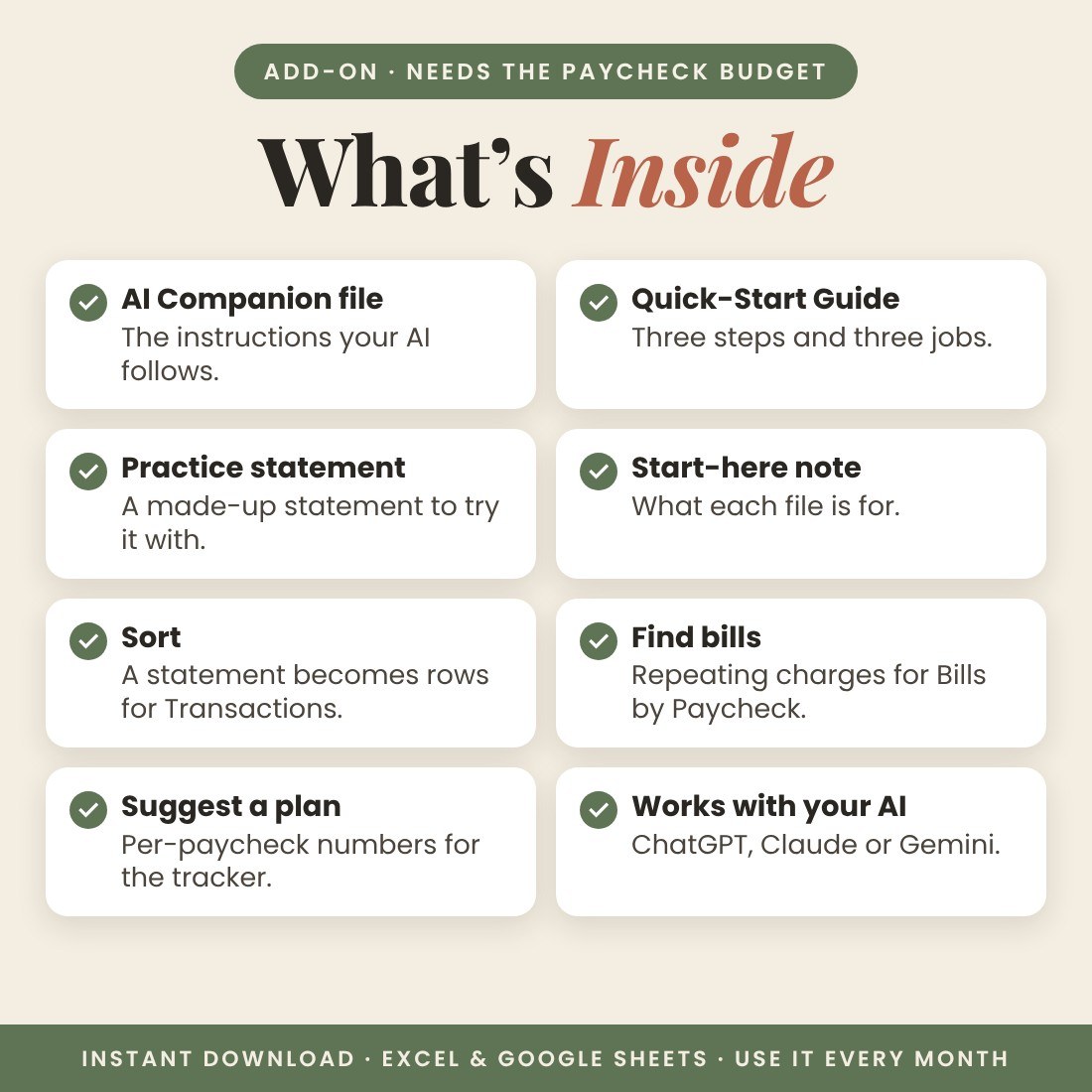
One ZIP, four files and a license note:
- The AI Companion instruction file (.txt)
- A two-page Quick-Start Guide (PDF)
- A made-up practice statement (.csv) to try it with
- A start-here note
Key Benefits
Why this one
A month of transactions goes in with one paste.
Rows arrive in the spreadsheet’s own category names, so the dropdowns and totals work.
Every sort ends with totals to compare and a list of rows to look at.
No new app and no bank login. You choose the AI and what you share.
Let it find your bills and suggest a starting plan from your last statements.
Who It's For
Built for
- People who own the Paycheck Budget Spreadsheet and are behind on entering transactions
- People who already use ChatGPT, Claude or Gemini and want it to do the data entry
- Couples budgeting two incomes in the Couples Edition
- Anyone who would rather not link a bank account to a budgeting app
How It Works
Up and running in minutes
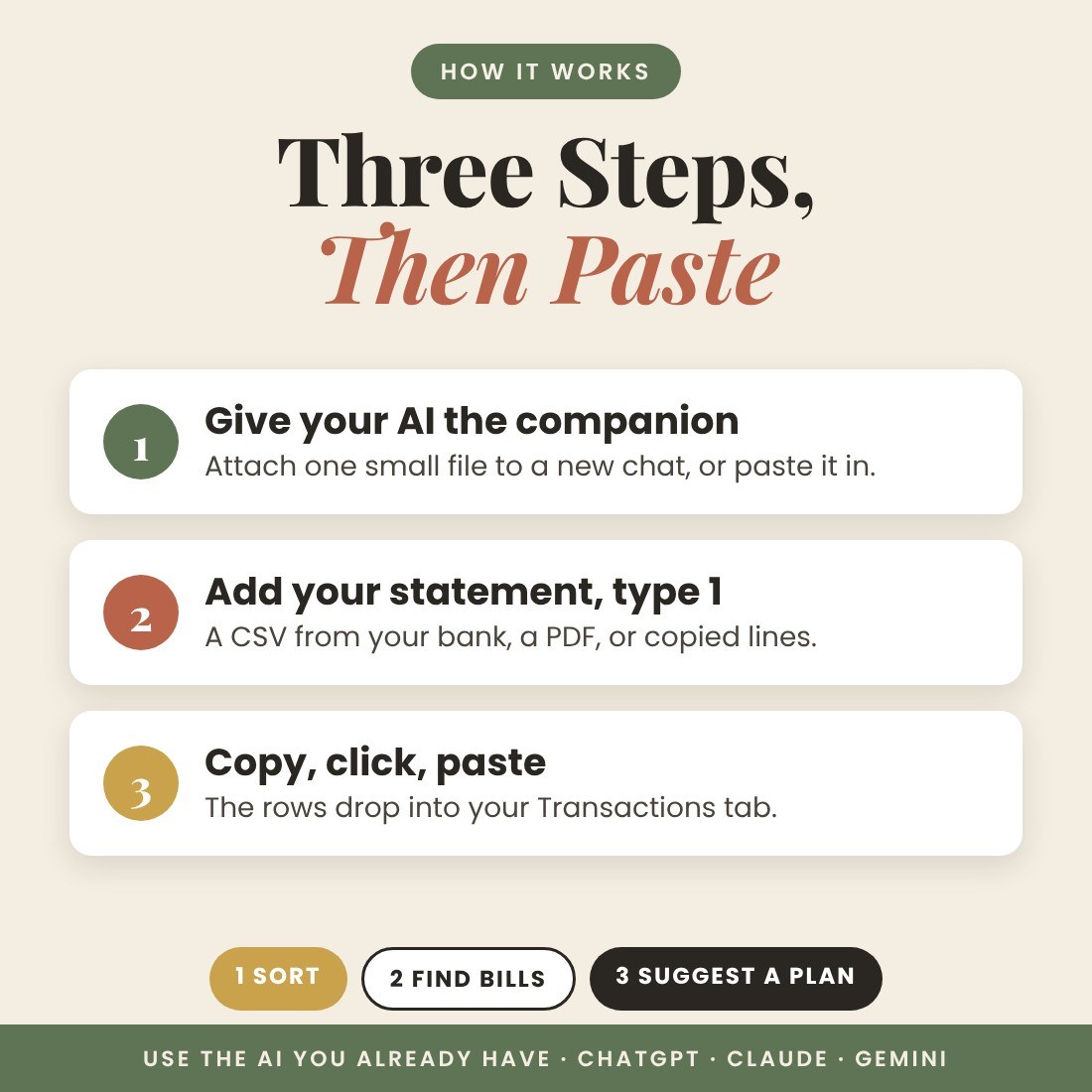
Attach the companion file to a new chat, or paste it in.
A CSV download from your bank works best. A PDF or copied lines work too.
Paste the rows into the first empty row of the Transactions tab.
Compare the AI’s money in and money out with your statement, and fix anything it flagged.
Why It's Different
Not another template
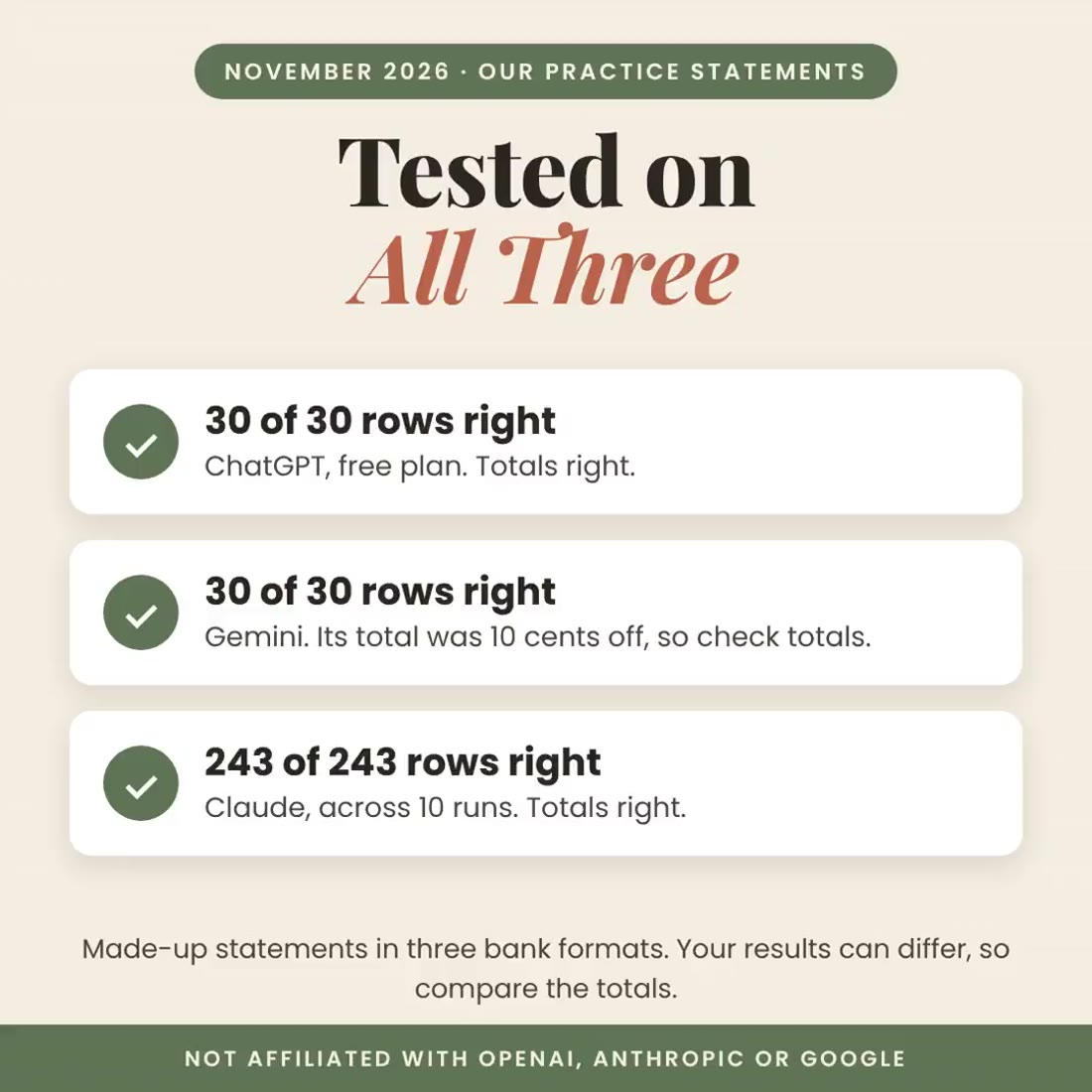
Prompt packs give you questions to ask an AI and leave the answers in the chat. This companion is written for one spreadsheet: the Paycheck Budget’s exact tabs, columns and category names, so what the AI hands back pastes straight in. It was tested on ChatGPT, Gemini and Claude in November 2026, and it shows its totals every time so you can check its work.
Delivery & Compatibility
Instant, and it opens in what you already use
As soon as your order is complete you get instant access to download one ZIP: the companion file, its Quick-Start Guide, a practice statement and a start-here note. Nothing ships and nothing installs.
This is an add-on for the Paycheck Budget Spreadsheet by NicheToolkits; the spreadsheet is not included. It needs an AI chat assistant that accepts a file or pasted text, such as ChatGPT, Claude or Gemini; you use your own account with that service. The Transactions tab holds 396 rows; for a full year of every purchase, ask the AI for combined rows. No subscription from us and nothing to install.
FAQ
Questions, answered
Which AI does it work with?
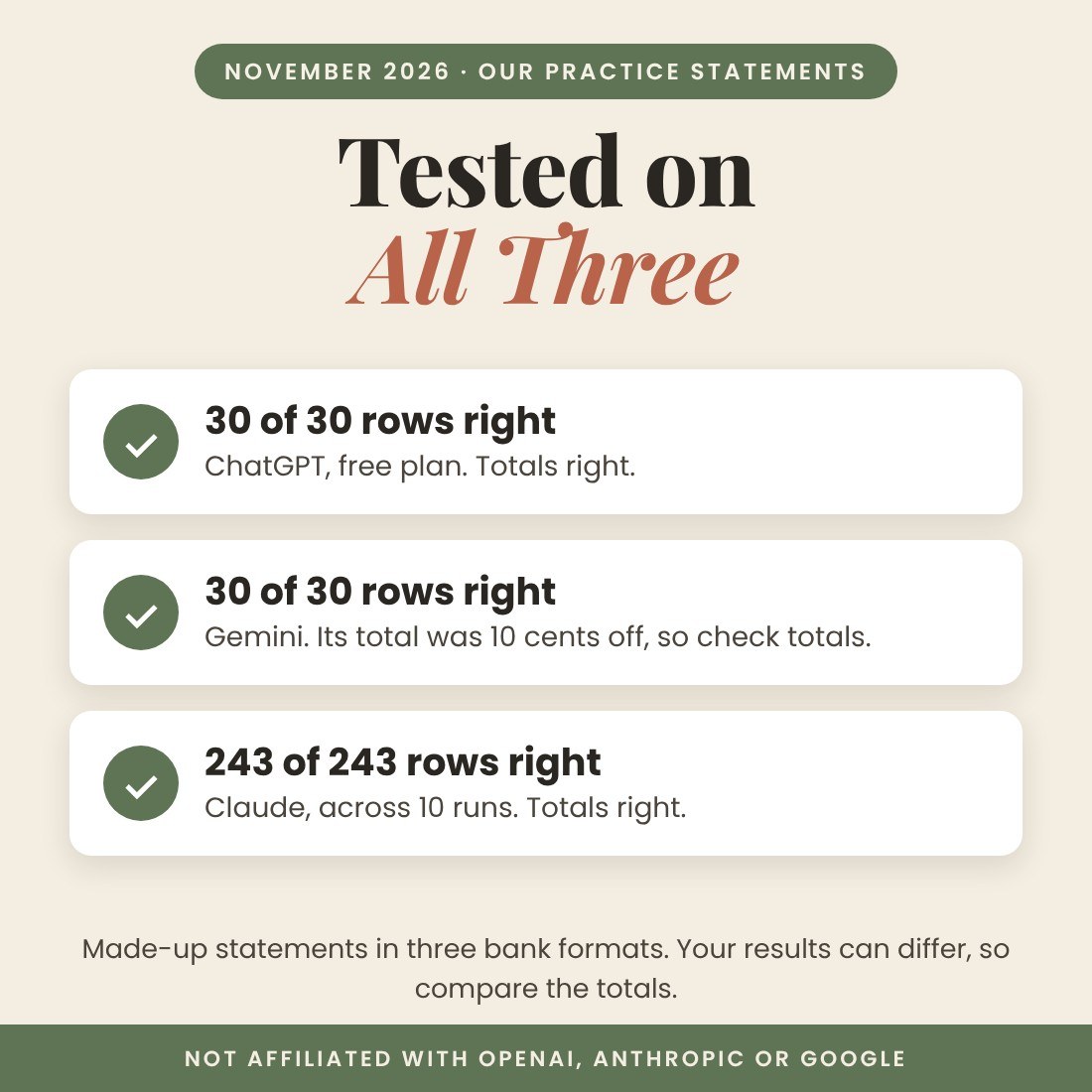
It was tested in November 2026 on ChatGPT (free plan), Gemini and Claude, using made-up statements. Any AI chat assistant that accepts a file or pasted text should be able to follow it.
Is it accurate?
In our tests every row and amount came through right, and one assistant’s summary total was 10 cents off. AI assistants can misread a line or add wrong, which is why every sort ends with totals for you to compare with your statement.
Is my bank statement safe?
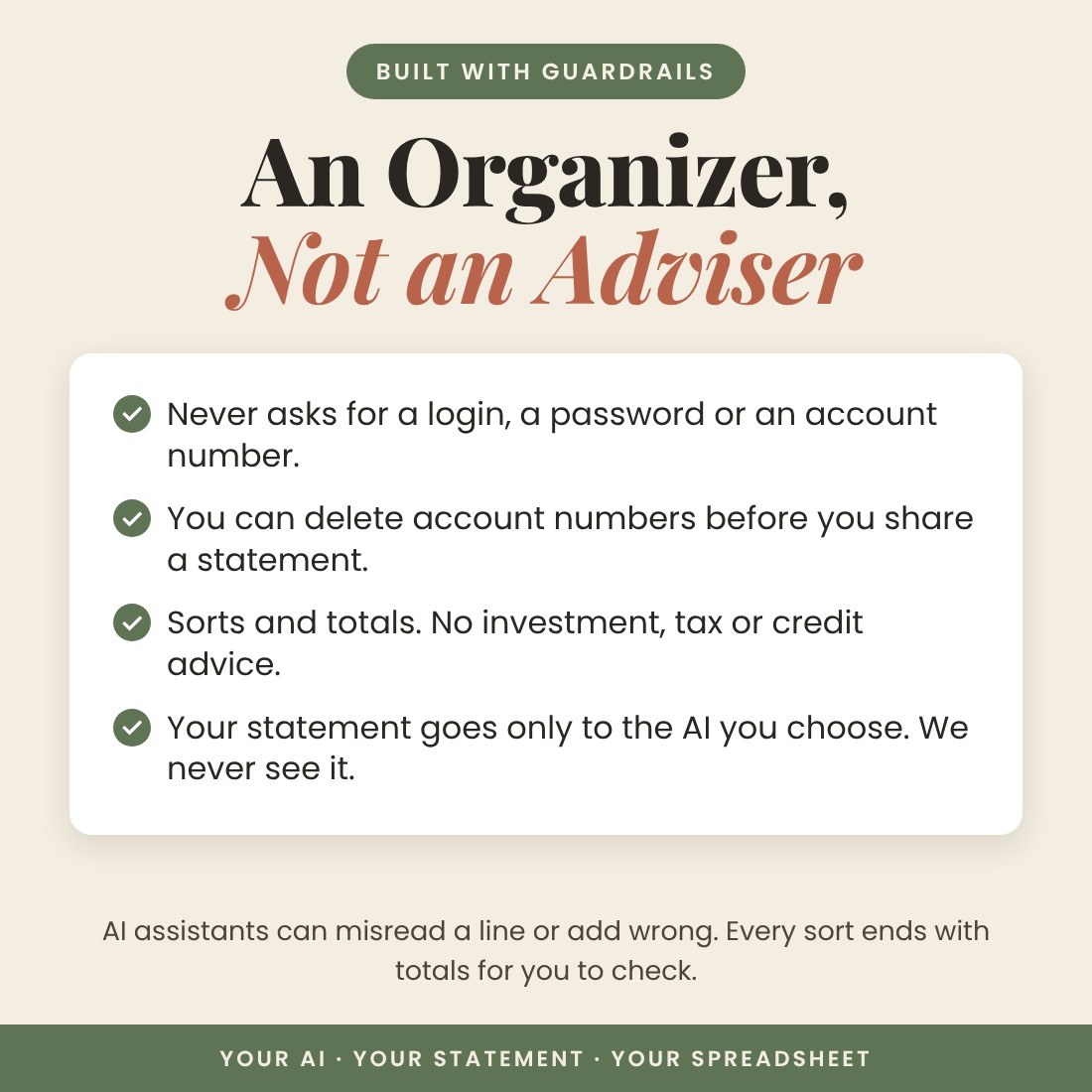
Your statement goes only to the AI service you choose, under that service’s privacy terms. We never see it. The companion never asks for a login or an account number, and you can delete account numbers before you share a statement.
Does it connect to my bank?
No. You download a statement from your bank yourself, as a CSV or PDF, or copy the lines, and give it to your AI.
Does it give financial advice?
No. It sorts and totals your transactions for the spreadsheet. It does not give investment, tax, credit or legal advice.
Is there a video?
Yes. A short narrated explainer is on the NicheToolkits channel at https://youtu.be/q9TB_zfgF4c. It walks through the three steps on the practice statement.
Do I need the Paycheck Budget Spreadsheet?
Yes. This add-on is written for that spreadsheet and does not include it. The two are also sold together for $17.97: Paycheck Budget + AI Companion.
Will it work with a different budget spreadsheet?
No. The rows and categories are made for the Paycheck Budget Spreadsheet by NicheToolkits.
Is this a physical product?
No. It is an instant digital download. Nothing is shipped.
ChatGPT, Claude and Gemini are trademarks of their owners; this product is not affiliated with or endorsed by OpenAI, Anthropic or Google. The AI Companion is an organizer for the Paycheck Budget Spreadsheet, not a financial adviser. Test results are from our own made-up statements; your results can differ. For personal use; no resale or redistribution. Digital product, so nothing ships, and because the files are delivered instantly, all sales are final. AI DISCLOSURE: This item was created with the help of AI tools. NicheToolkits uses AI to help design the files, write the listing and make the listing photos and videos.