 ▶
▶

 ▶
▶Renovation Planner, Foldable Edition
Close your phone and see one number: what is left in your budget. Open it and see every room, every cost, every bid and every payment.
5.0shop rating · 5 Etsy reviewsSee all iPhone Duo apps →How much is really left in your renovation budget?
- Tracks what is left: your budget plus a contingency, minus every cost and every approved change
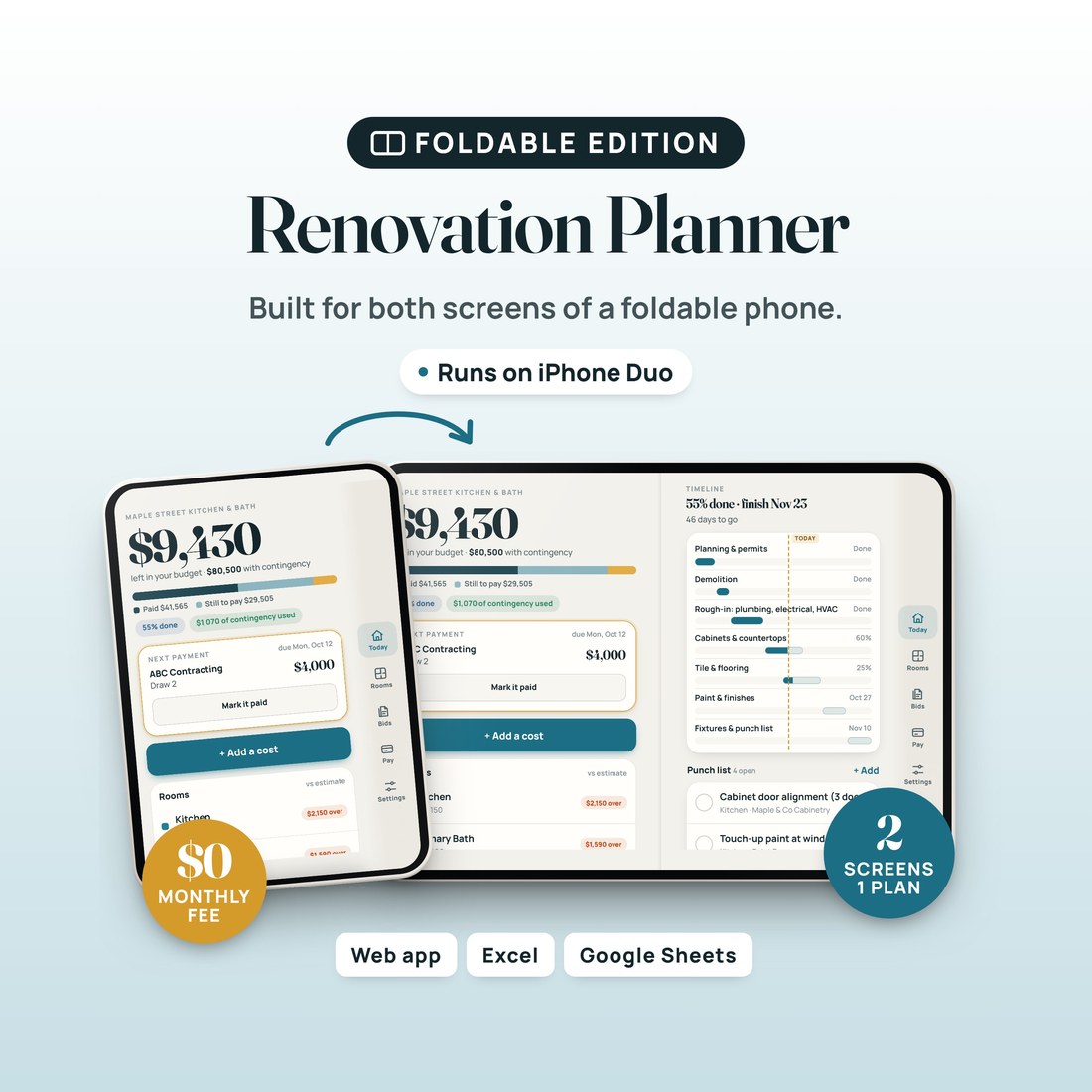
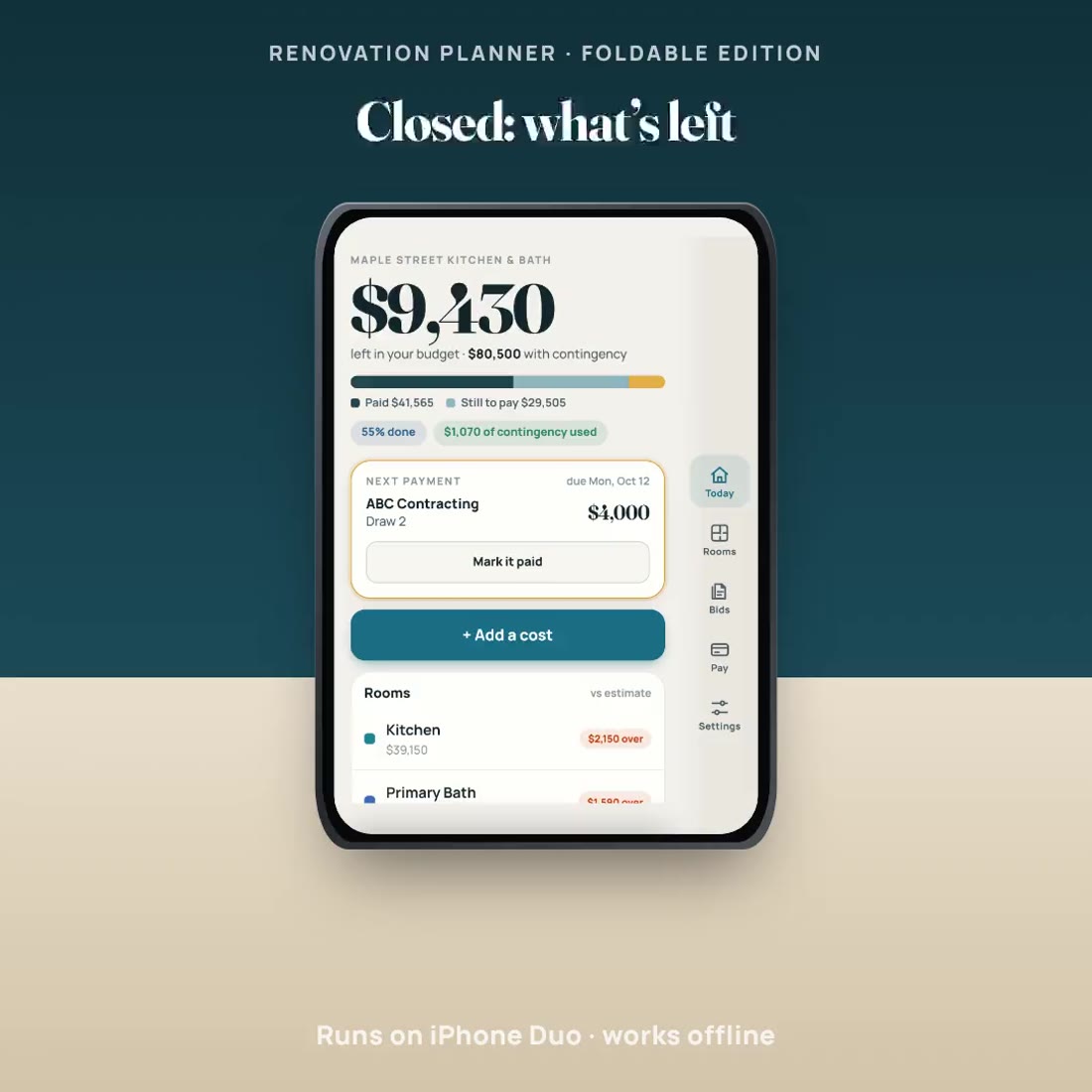
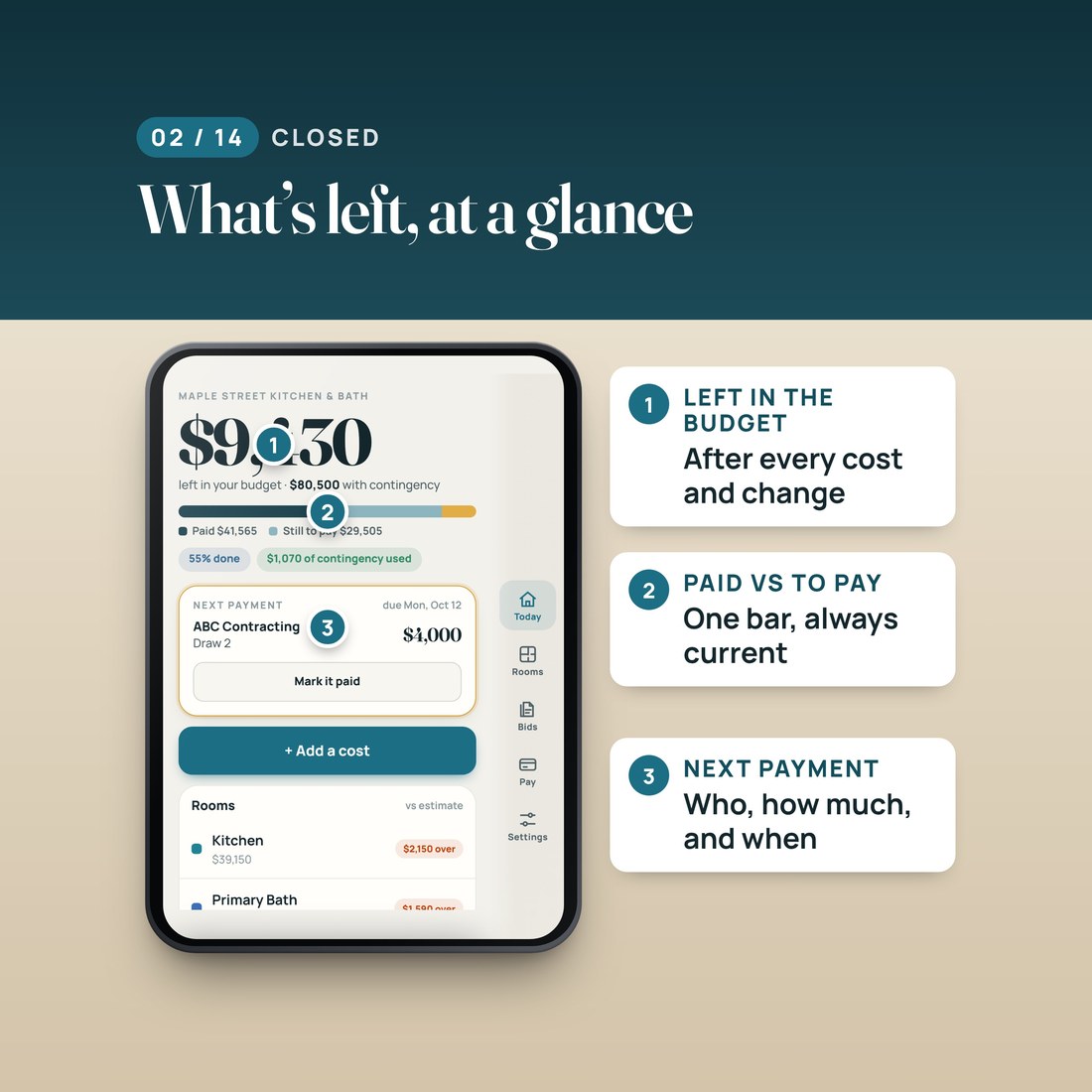
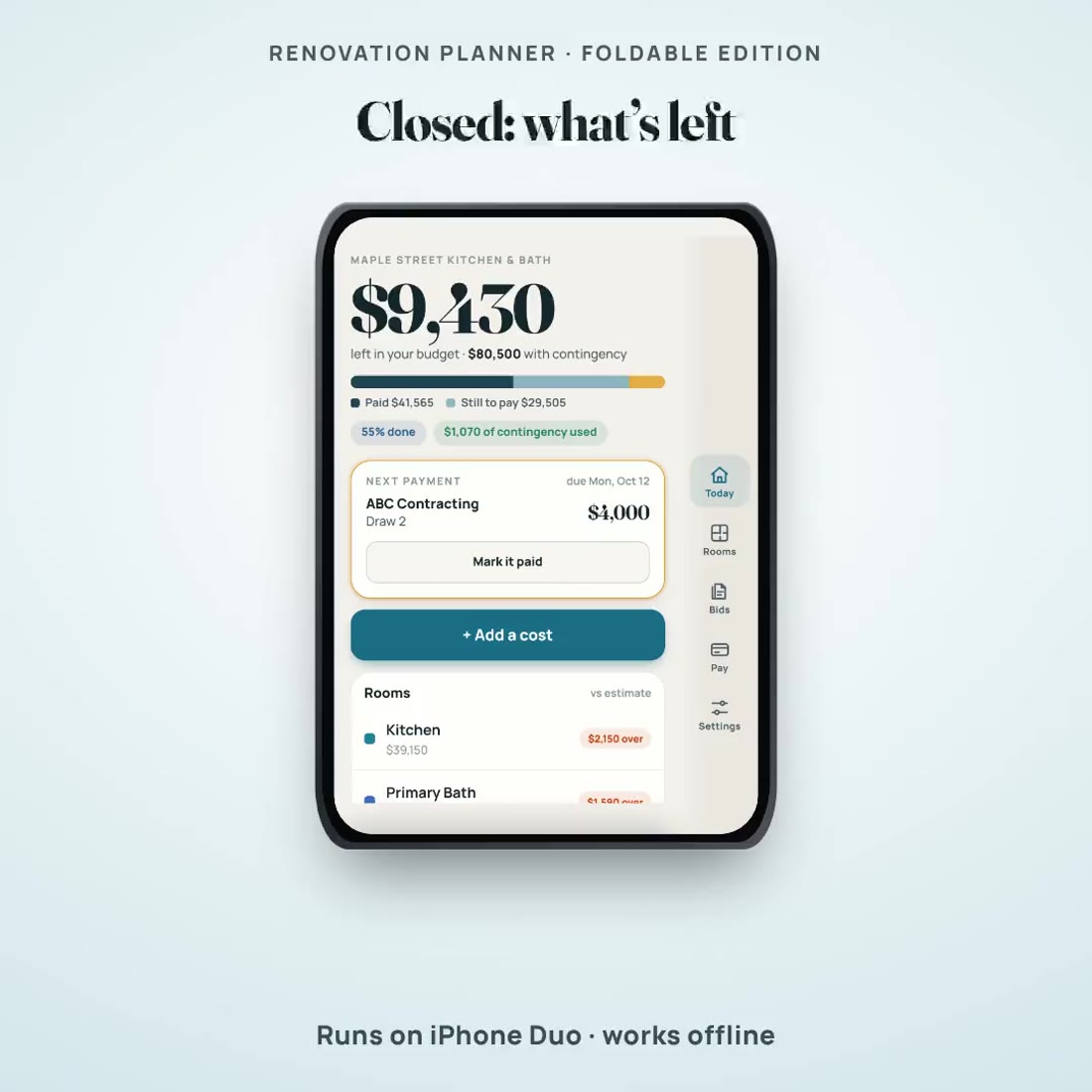
- A cover screen made for a glance: what is left, paid against still to pay, and the next payment
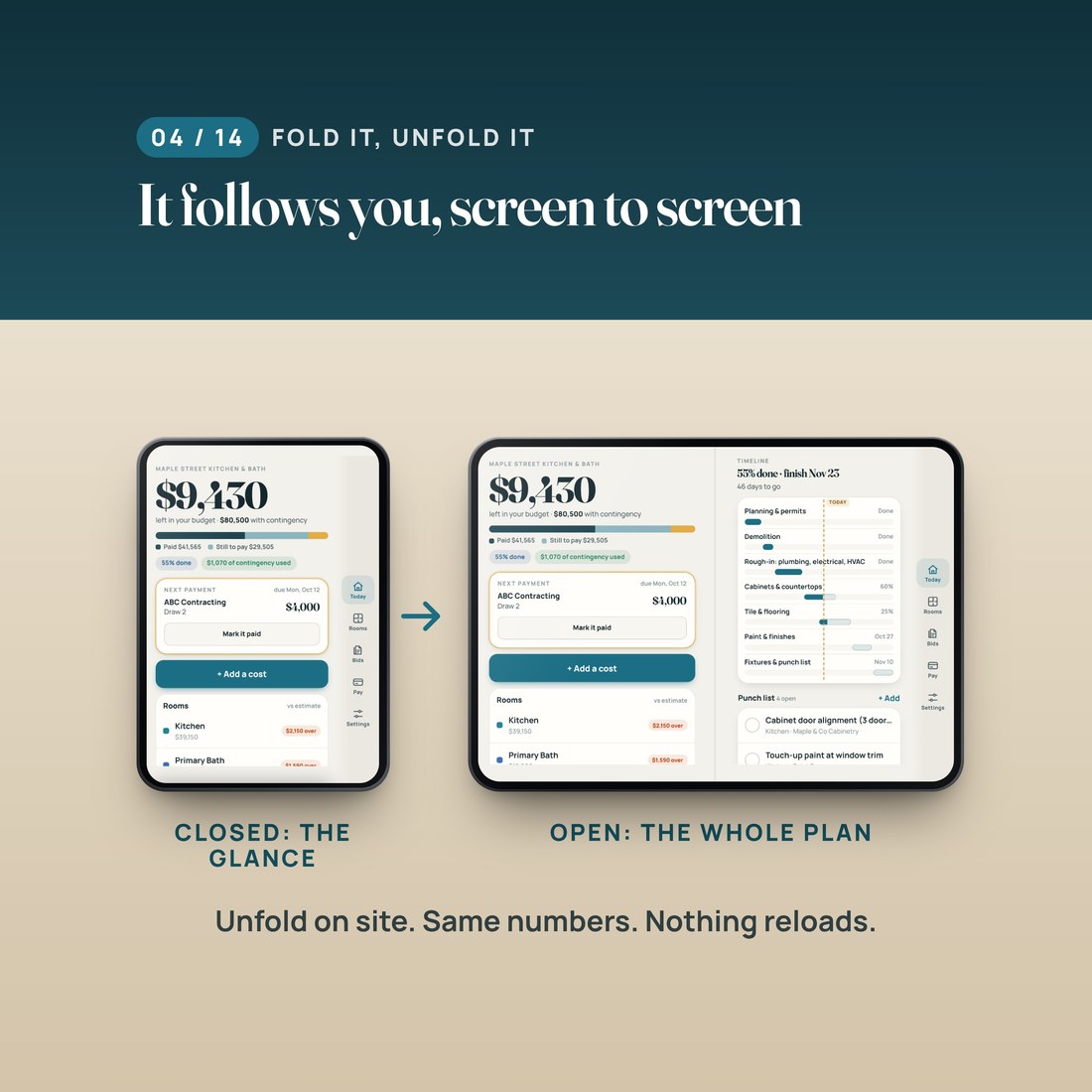
- An inner screen with two pages side by side: today on the left, your rooms or the timeline on the right
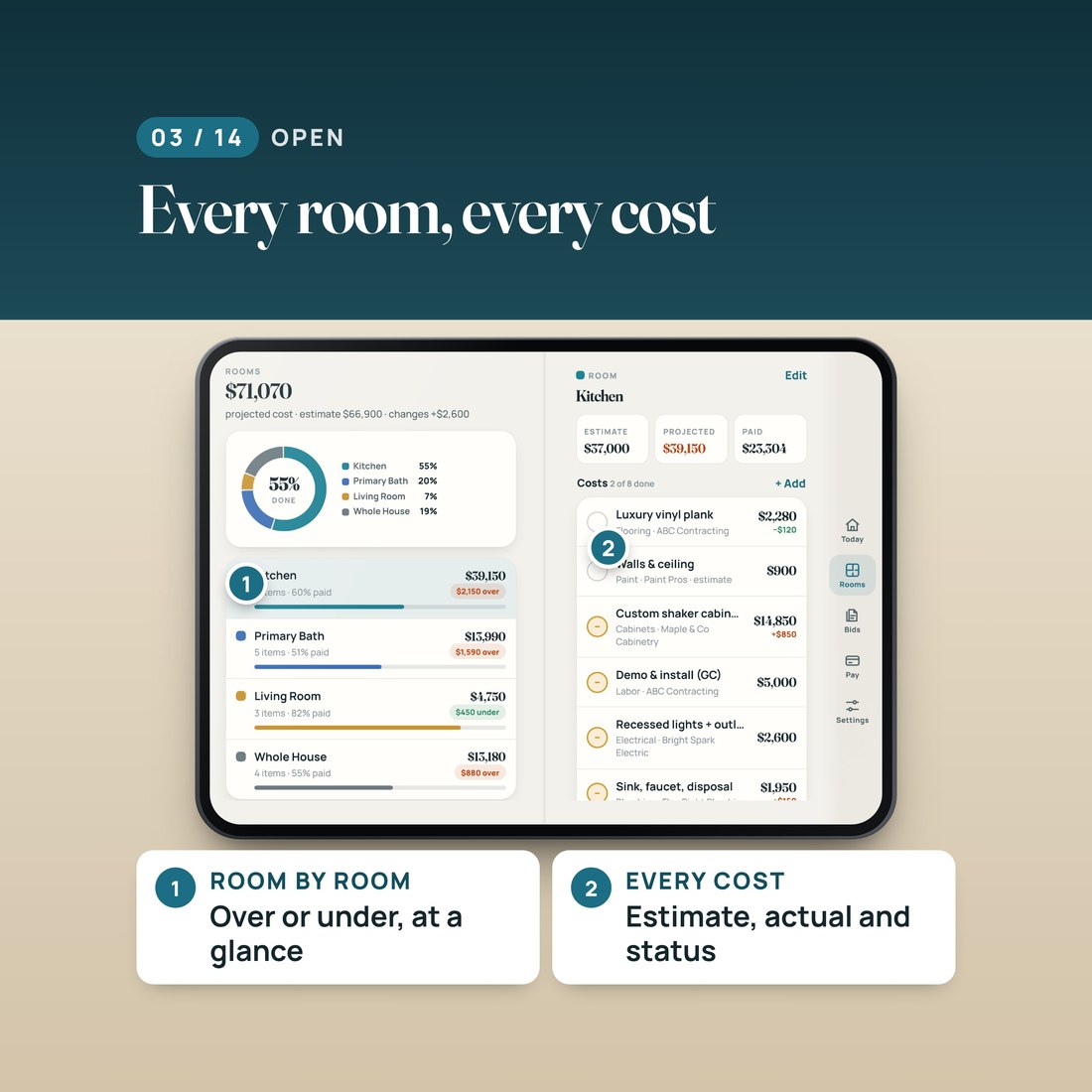
- Room by room: an estimate and a real price for every cost, with each room marked over or under
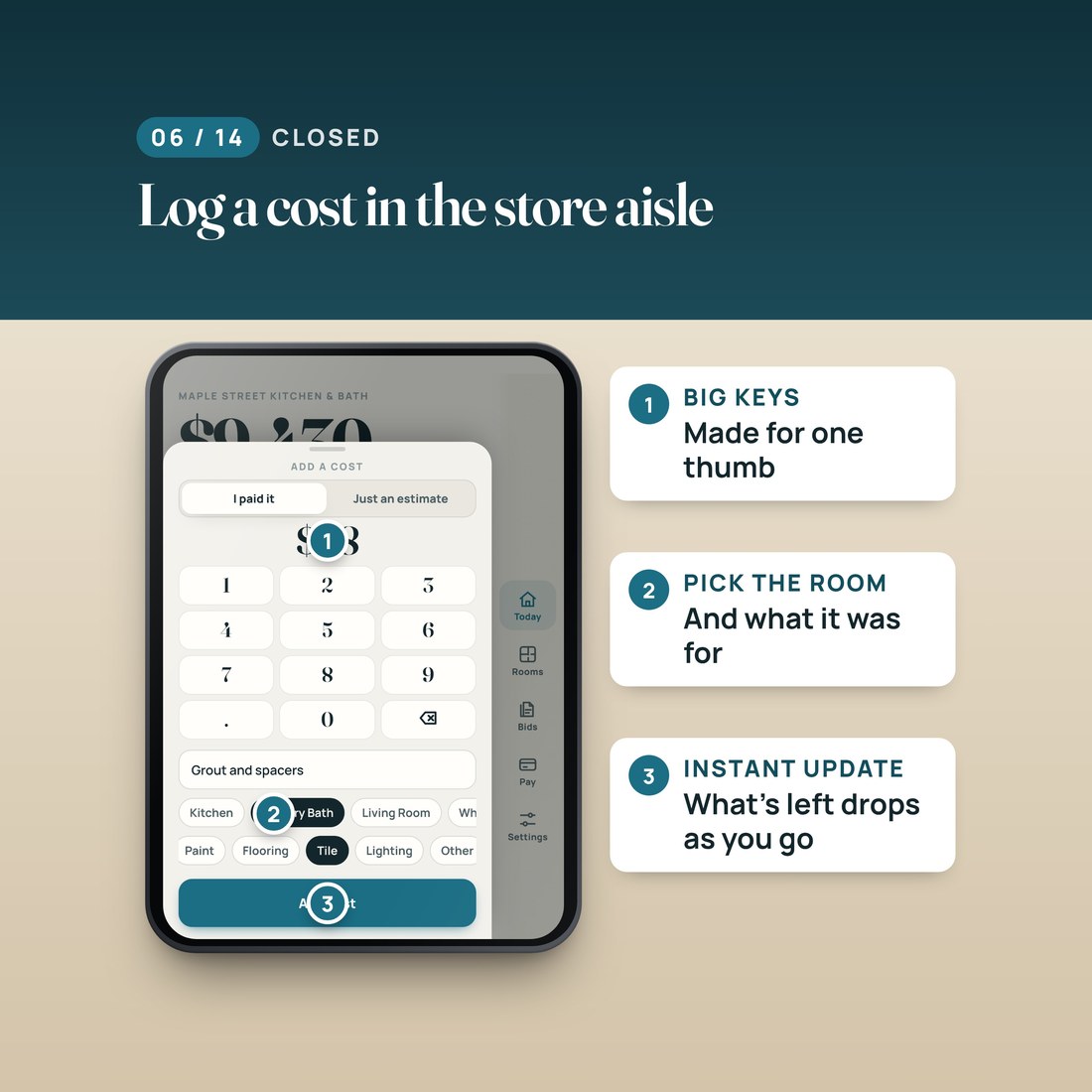
- Logs a cost in two taps, right in the store aisle, and what is left updates on the spot
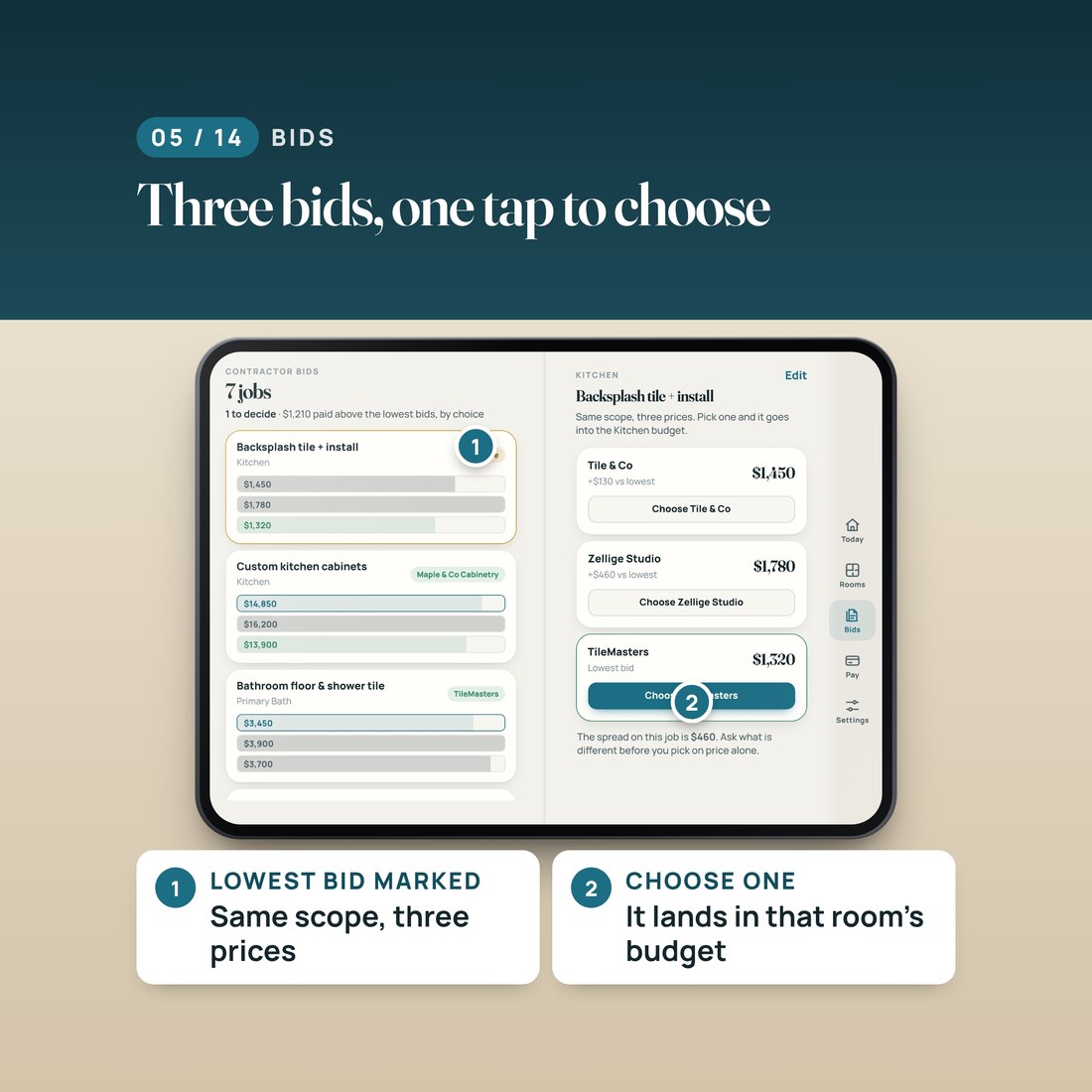
- Compares contractor bids: the lowest marked, the spread shown, and the bid you choose lands in that room's budget
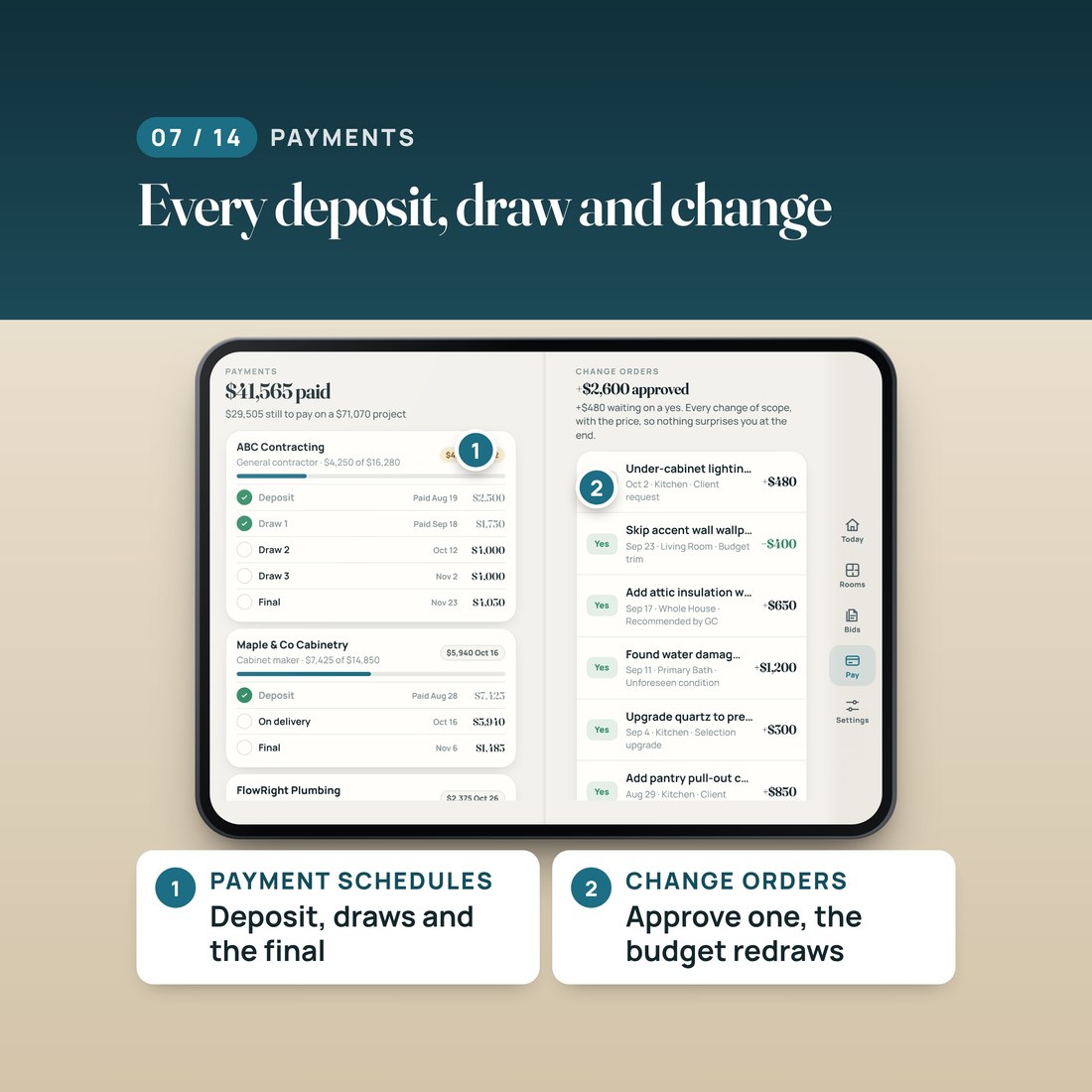
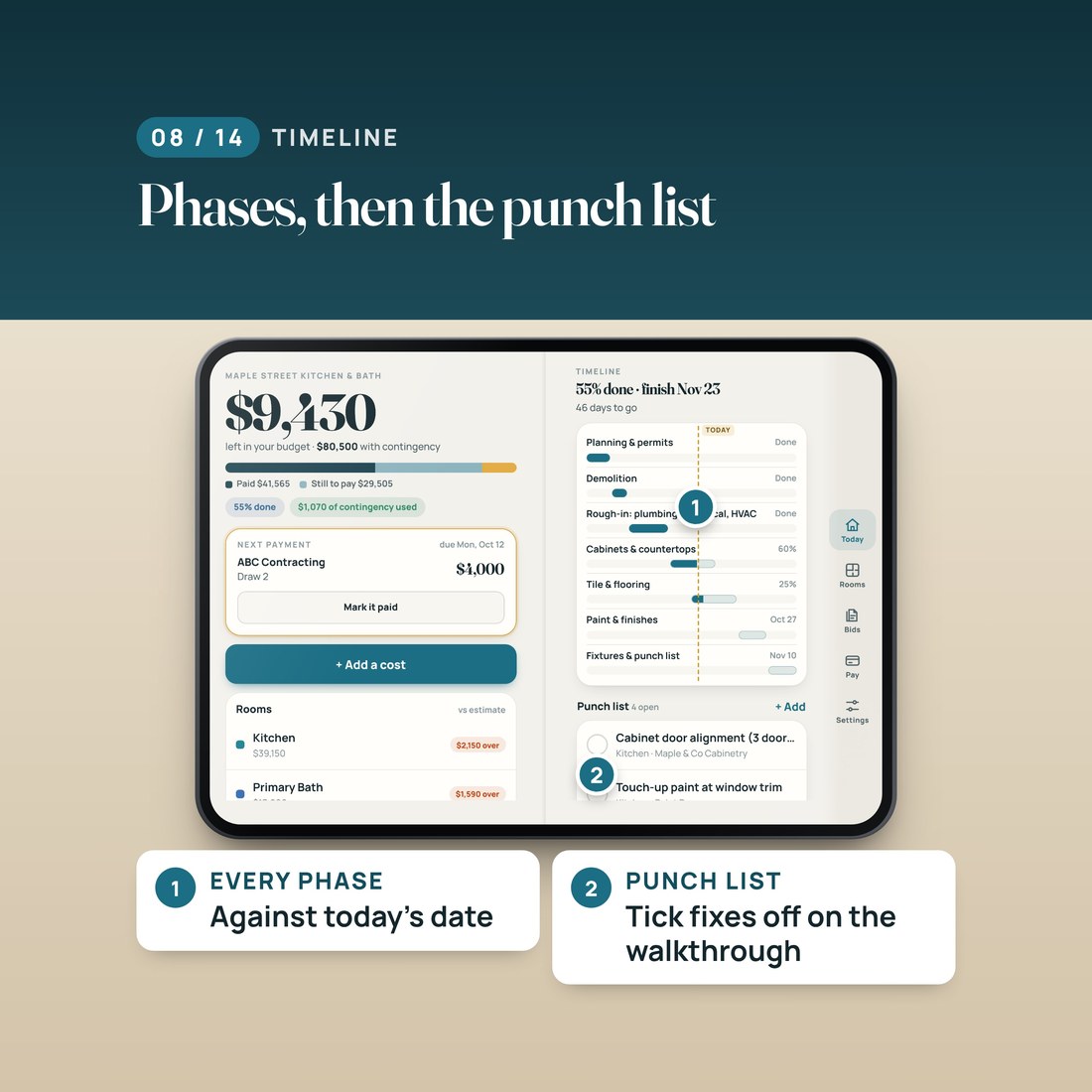
- Payment schedules for every contractor, change orders, a phase timeline and a punch list
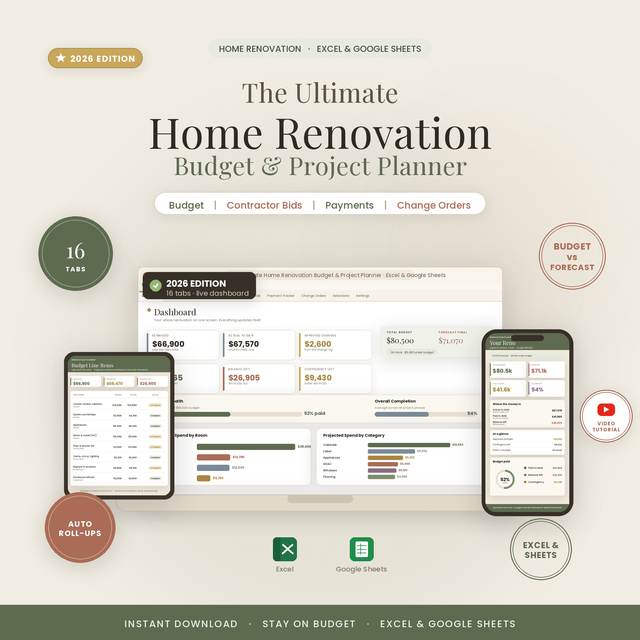
- Includes the Ultimate Home Renovation Budget and Project Planner spreadsheet for Excel and Google Sheets, with three bonus themes
Overview
Close your phone and see one number: what is left in your budget. Open it and see every room, every cost, every bid and every payment.
How much is really left in your renovation budget?
Renovation Planner tracks one number with one rule: what is left is your budget, minus every cost and every approved change, and a cost counts at its estimate until the real price comes in. In the worked example, Maple Street Kitchen and Bath has a $70,000 budget and a 15 percent contingency, so $80,500 to spend. Custom cabinets were estimated at $14,000 and came in at $14,850, and the app marks them $850 over. The cover screen reads $9,430 left, with $41,565 paid and the next payment, ABC Contracting draw 2 for $4,000, due Monday. Log $48 of grout and spacers in the store aisle and what is left drops to $9,382 on the spot. Open the phone and the kitchen shows $2,150 over its estimate, and three backsplash bids sit side by side, $460 apart. Choose one and it lands in the kitchen budget.
What's Included
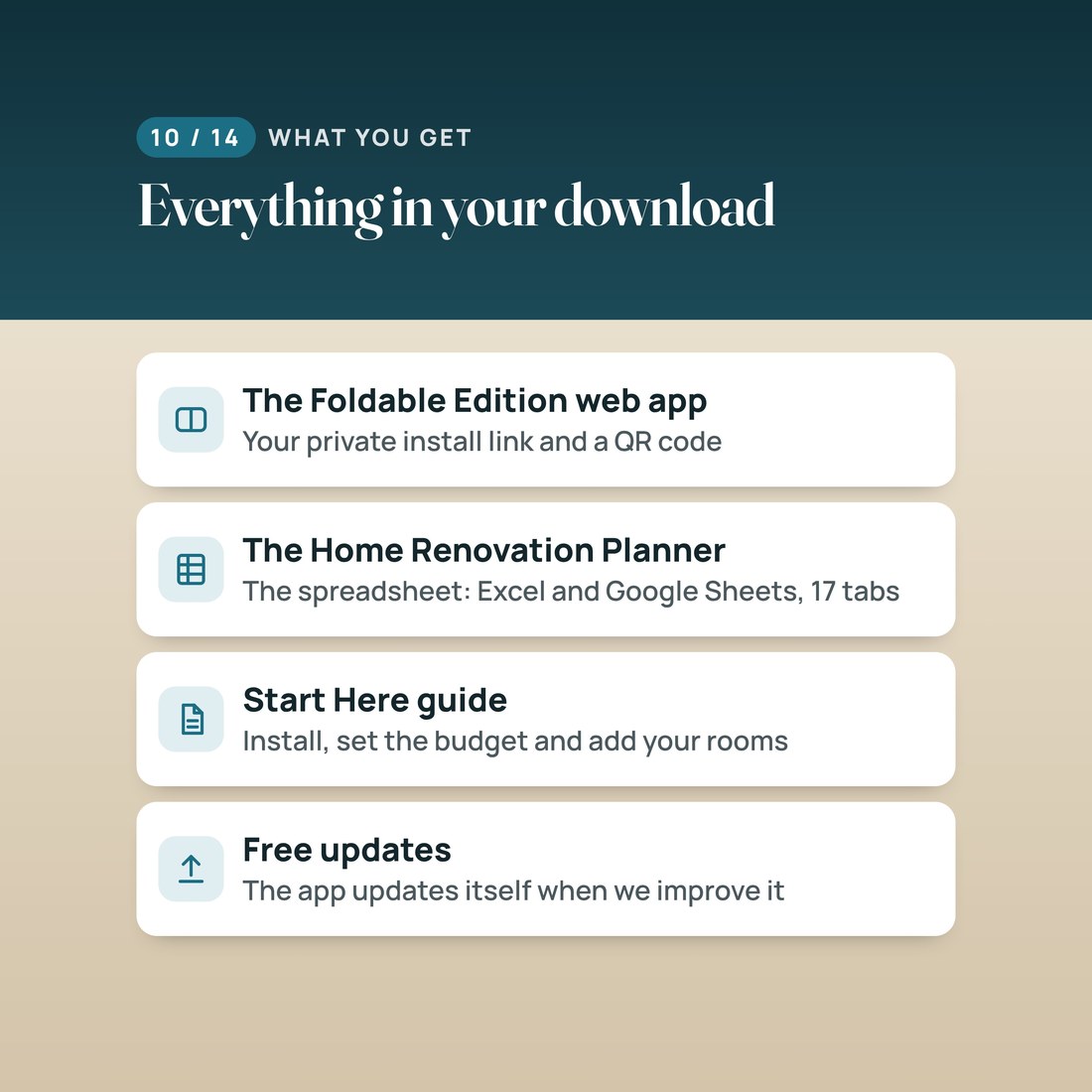
One ZIP: the web app, the spreadsheet and a Start Here guide
- START-HERE.pdf: your private install link and a QR code, the install steps and your first ten minutes, step by step
- INSTALL-AS-AN-APP.txt: the same link and install steps in plain text, with the link to the free video walkthrough
- Home-Renovation-Planner-Spreadsheet: the spreadsheet for Excel and Google Sheets, three bonus themes and a README
- LICENSE.txt: the personal-use terms
Key Benefits
Why this one
Close the phone and the cover screen shows what is left in your budget, what you have paid and the next payment due. In the example: $9,430 left, $41,565 paid and a $4,000 draw due Monday.
A cost counts at its estimate until the real price comes in, and every approved change order is included. Mark a payment paid and what is left does not move, because the cost was already counted.
Three prices for the same job, the lowest marked and the spread shown. Choose one and it lands in that room's budget.
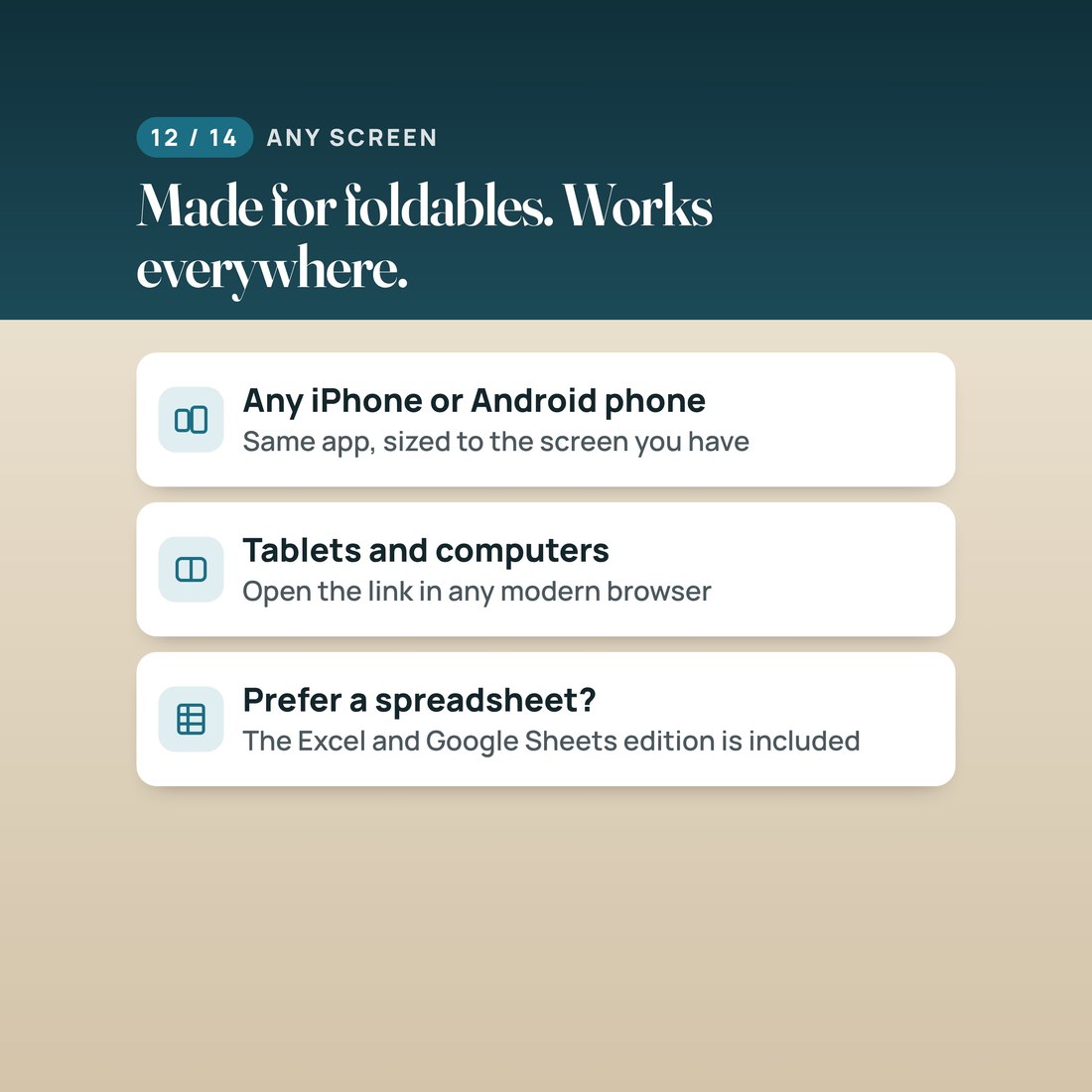
On a big foldable inner screen the app shows today and the timeline, or your rooms and a room's costs, side by side. Fold or unfold any time; nothing reloads. Any other phone, tablet or computer gets the same app, sized to its screen.
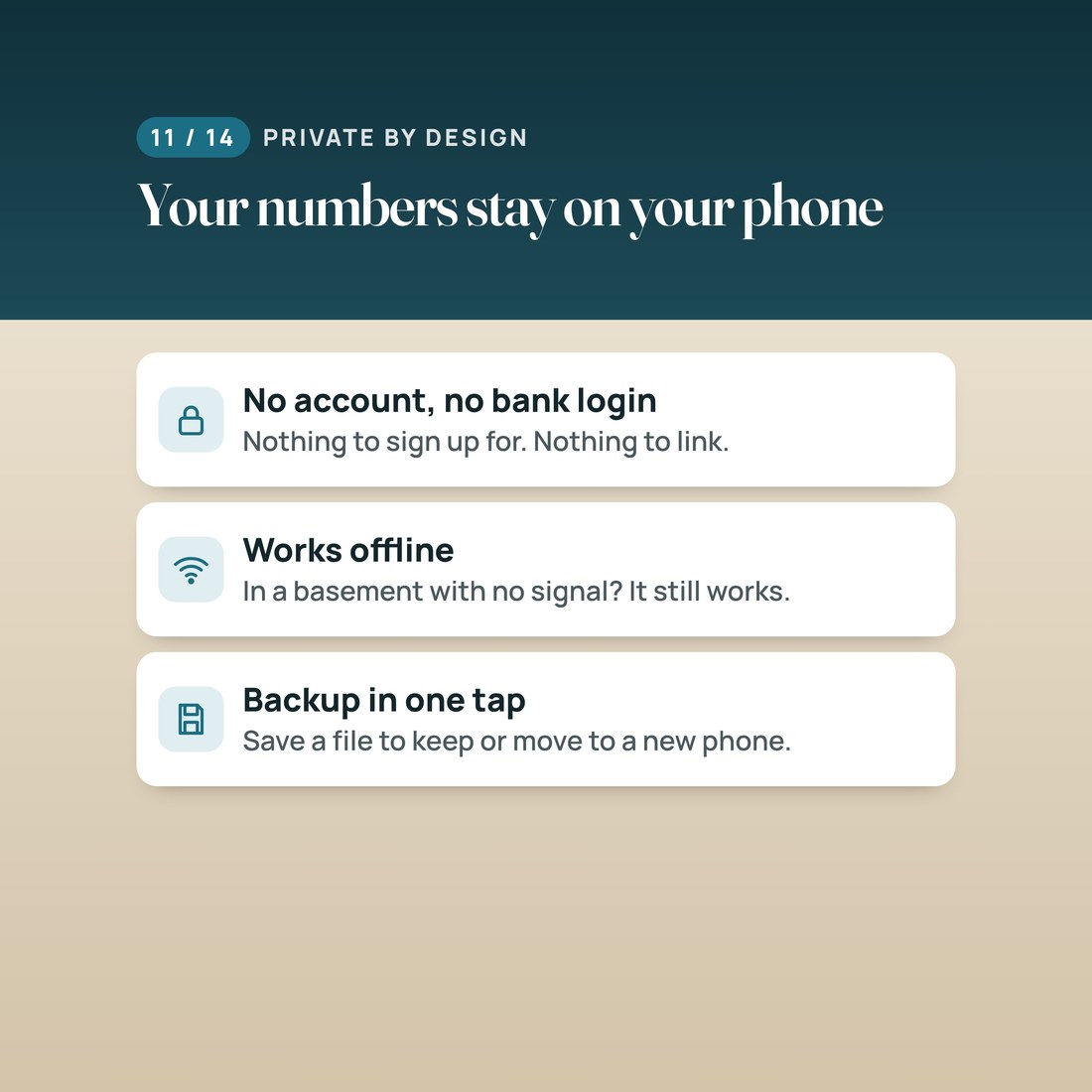
No account, no bank login and no subscription. Your numbers are saved only on your device, the app works offline even in a basement with no signal, and a backup file is one tap away.
Who It's For
Built for
- A homeowner planning a kitchen, bath or whole-house renovation who wants to know what is really left
- Anyone juggling contractor bids, deposits, draws and change orders
- A DIY renovator who buys supplies as they go and wants to log each cost in the store aisle
- A new owner of a big foldable phone who wants a renovation budget that uses both pages of the inner screen
How It Works
Up and running in minutes
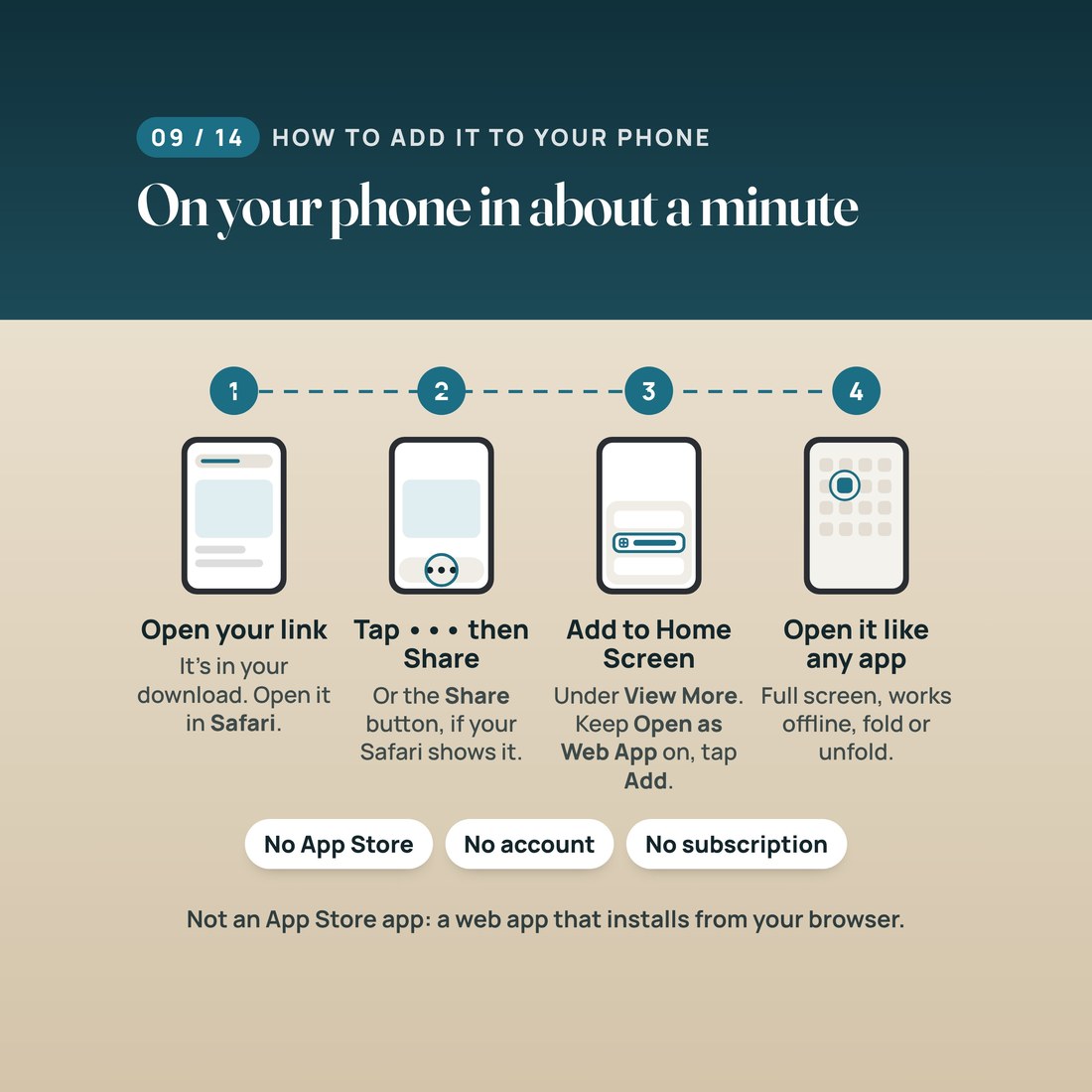
Open START-HERE.pdf and tap your private install link. In Safari, tap the Page Menu button (the three dots), then Share, then View More, then Add to Home Screen. Leave Open as Web App on and tap Add.
Name the project, set your budget and a contingency, add your rooms, then add each cost with its estimate.
Close the phone to see what is left and the next payment. Log a cost in two taps, and mark a payment paid when it goes out.
Unfold to compare bids, approve change orders and check the timeline, and save a backup file once a month.
Why It's Different
Not another template
Most renovation apps want an account and a monthly fee, and most renovation spreadsheets are awkward on a phone in a store aisle. This one is a web app you keep: no subscription, no account, nothing linked, and it works offline. It is laid out for two screens: closed, one number you can trust; open, two pages side by side. And it counts every cost once, at its estimate until the real price comes in, with every approved change included, so what is left is never a surprise at the end. The Excel and Google Sheets spreadsheet comes with it for the days you would rather plan on a computer.
Delivery & Compatibility
Instant, and it opens in what you already use
As soon as your order is complete you can download the ZIP. Open START-HERE.pdf, tap your private install link or scan the QR code, and add the app to your Home Screen from Safari in about a minute. This is a web app that installs from Safari; it is not an App Store app. The free video walkthrough shows every step, and nothing ships.
Runs in Safari on iPhone Duo (iOS 27.1), tested in Apple's iPhone Duo simulator. Also runs on other iPhone models, iPad, Android phones in Chrome and computer browsers (Chrome, Edge and Safari). It works offline after the first open. The spreadsheet opens in Excel or Google Sheets. No account, no bank login and no subscription.
FAQ
Questions, answered
Is this an App Store app?
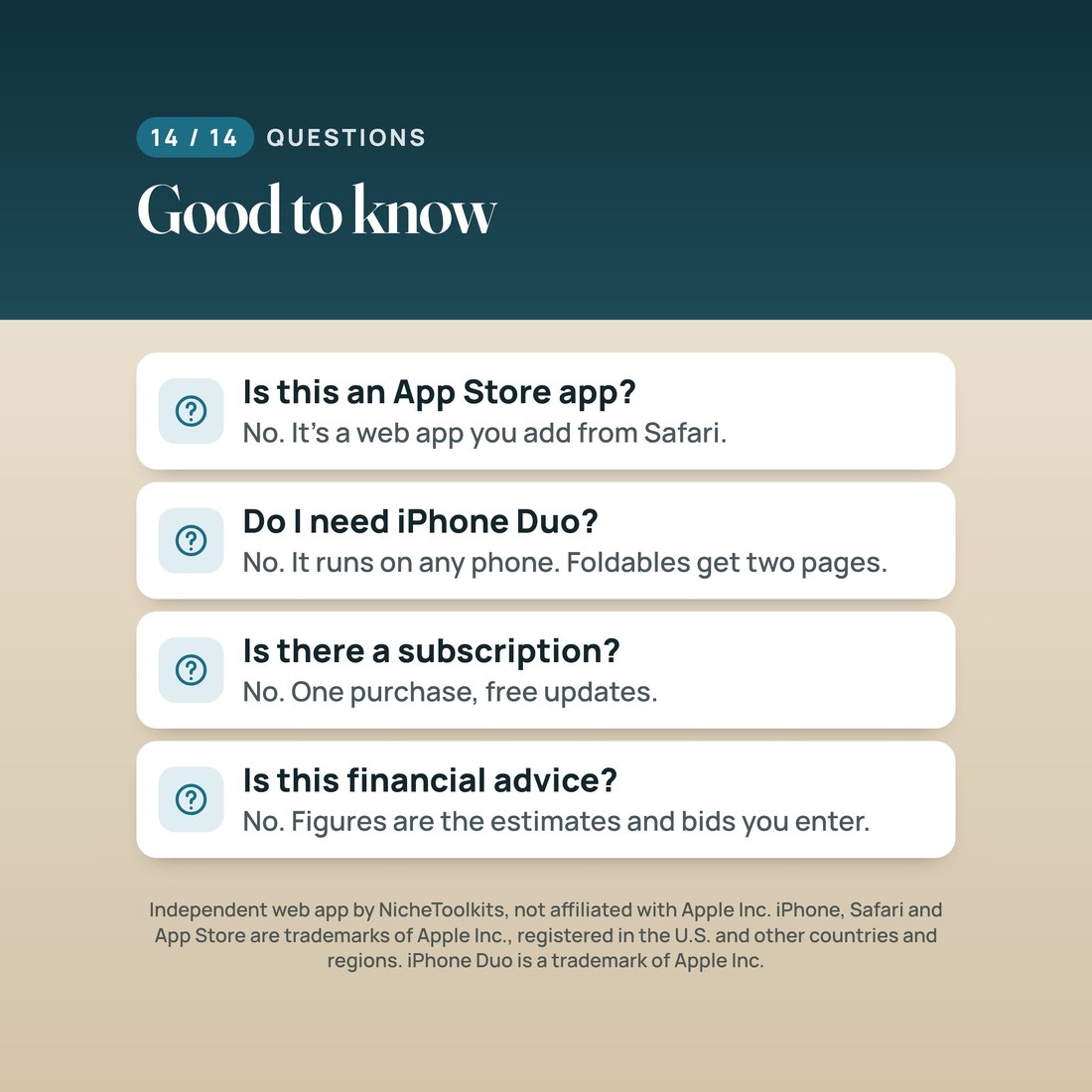
No. It is a web app that installs from Safari with Add to Home Screen, then opens from your Home Screen like any other app. There is nothing to download from an app store.
Do I need a foldable phone?
No. A big foldable inner screen gets the two-page layout, and any other iPhone, Android phone, iPad or computer gets the same app, sized to its screen. The Excel and Google Sheets spreadsheet is included too.
Does it connect to my bank?
No. You type your budget, costs, bids and payments. There is no account, no bank login and no cloud sync.
Where is my data stored?
Only on your device, in the web app's storage. We never receive it. Deleting the web app or clearing Safari website data erases your entries, so save a backup file now and then; the same file moves your project to a new phone.
Can I track several contractors?
Yes. Each contractor gets a payment schedule with its deposit, draws and final payment, and the next payment due is always on the cover screen.
Will it get updates?
Yes. The app updates itself when we improve it, and your entries stay on your device.
For planning and information only; not financial, legal or construction advice. The figures shown are a worked example, and the app's figures are the estimates, bids and payments you enter. The kitchen-table photo is an AI-generated illustration; the app screen in it is a real screenshot of this product. For personal use: please do not share your install link or resell the files. Digital product; because the files are delivered instantly, all sales are final. Independent web app by NicheToolkits, not affiliated with, sponsored, or approved by Apple Inc. iPhone, Safari and App Store are trademarks of Apple Inc., registered in the U.S. and other countries and regions. iPhone Duo is a trademark of Apple Inc.