 ▶
▶
 ▶
▶Clinical and Supervision Hours Tracker
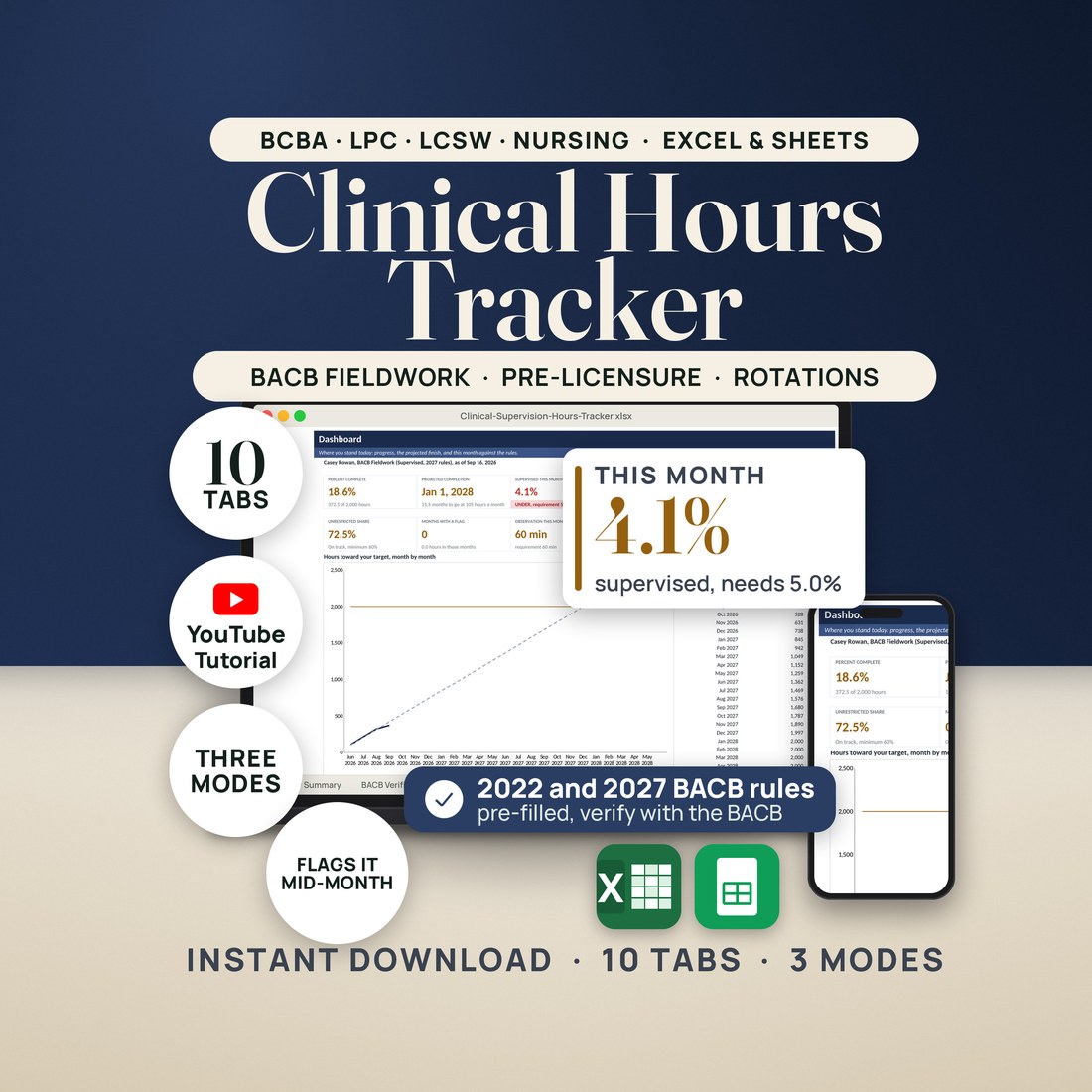
Log a session, and the month's supervision percentage, its PASS or FLAG and your projected finish move while you type. Excel and Google Sheets.
It is the last week of the month, and you are not sure the supervised hours add up to the rule.
- Three modes in one workbook: BACB Fieldwork, Pre-Licensure and Clinical Rotations, plus a CEU tracker
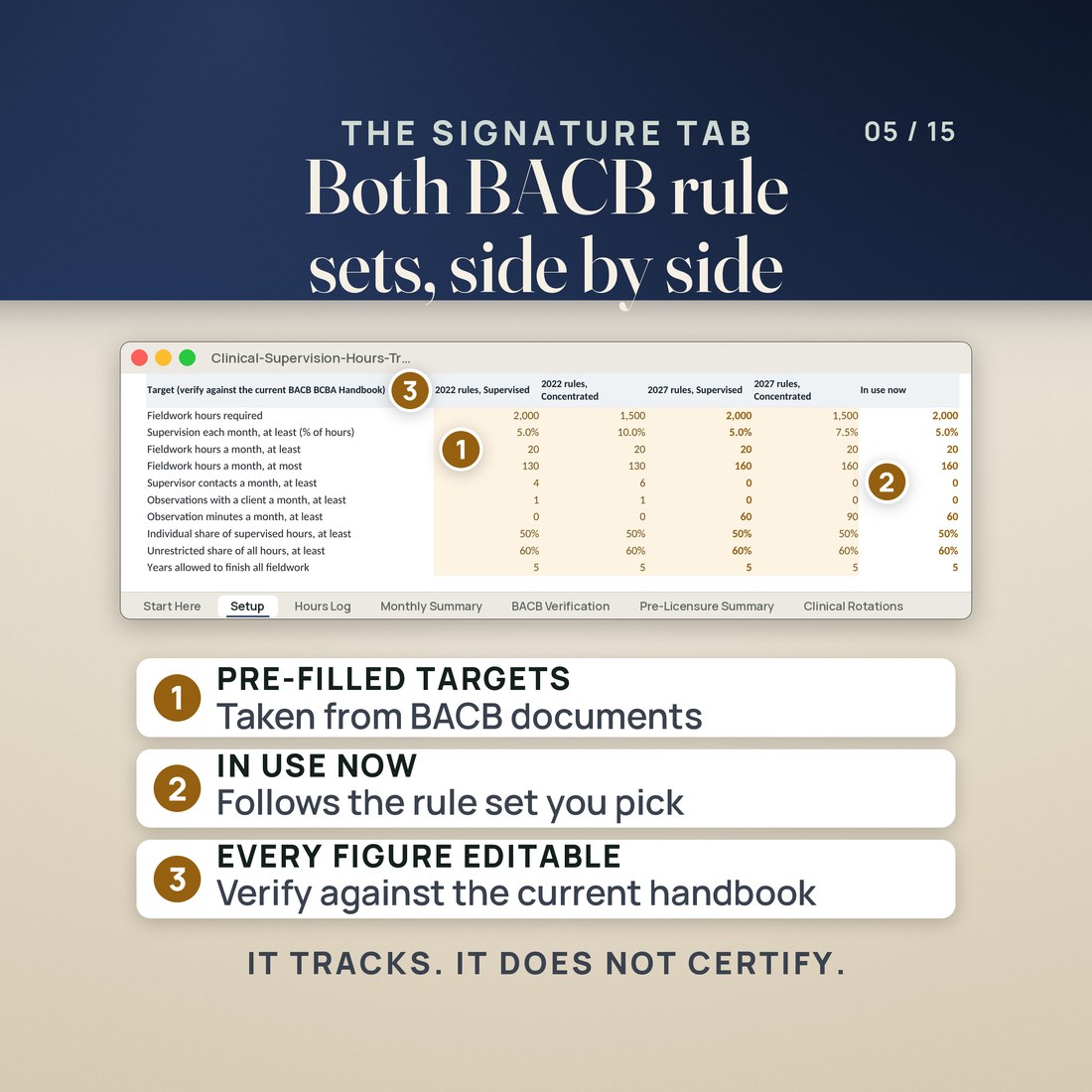
- The 2022 and 2027 BACB rules side by side: 40 pre-filled figures from the BCBA Handbook updated 06/2026 and the 2027 BCBA Requirements, each labeled to verify and each an amber cell you can change
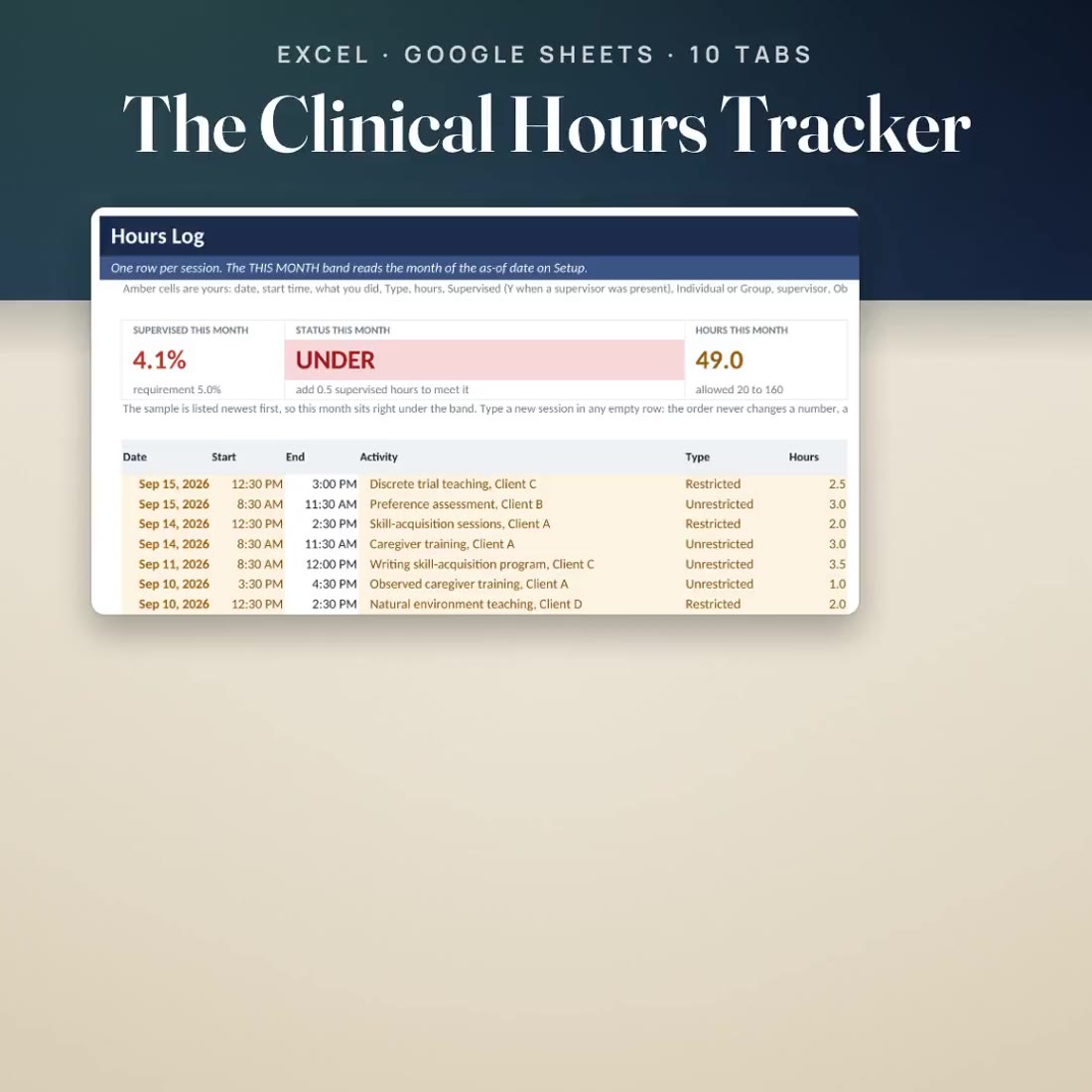
- A THIS MONTH band on the log: the supervision percentage against the rule, UNDER or MET with the hours that would fix it, the hours this month, the projected completion and the observation minutes
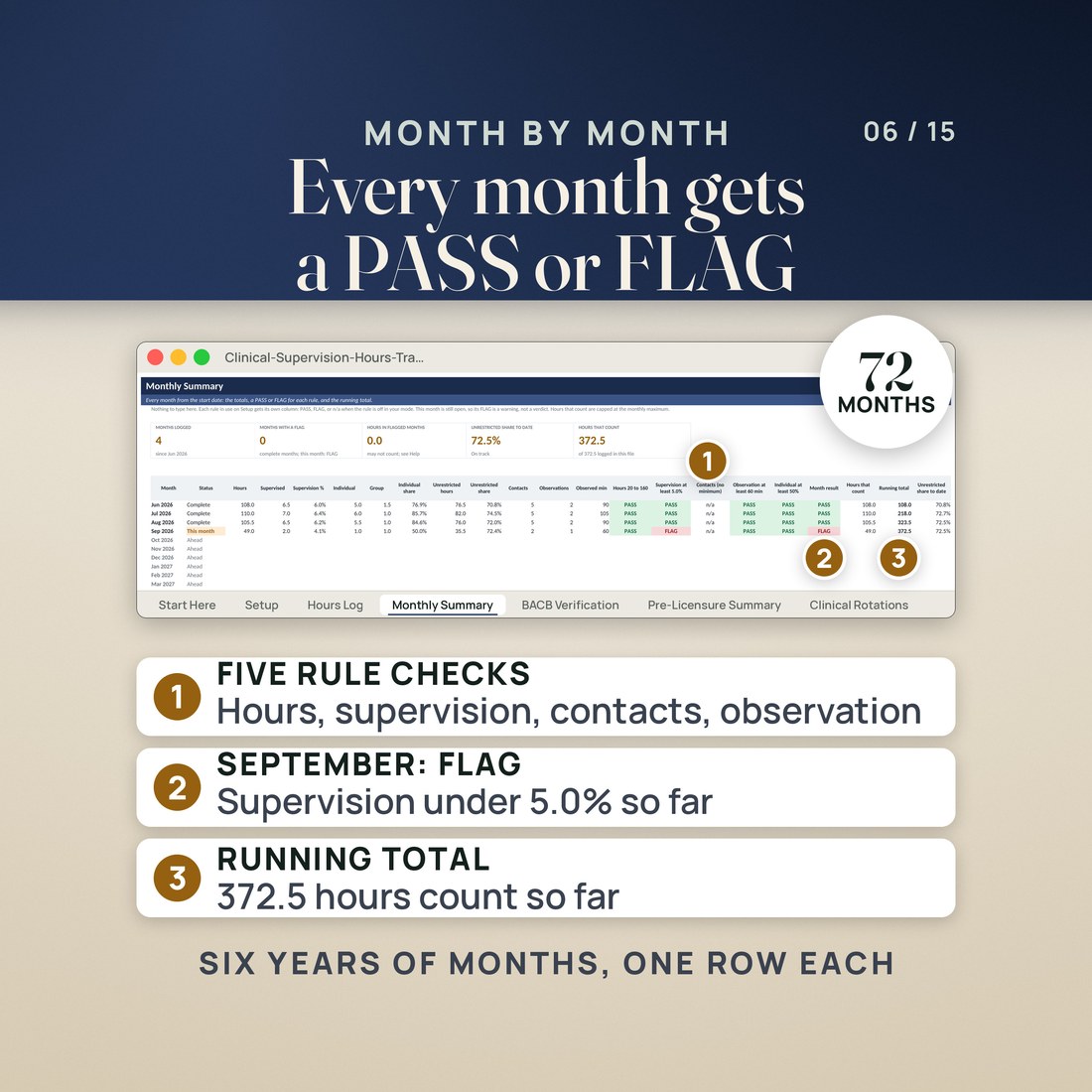
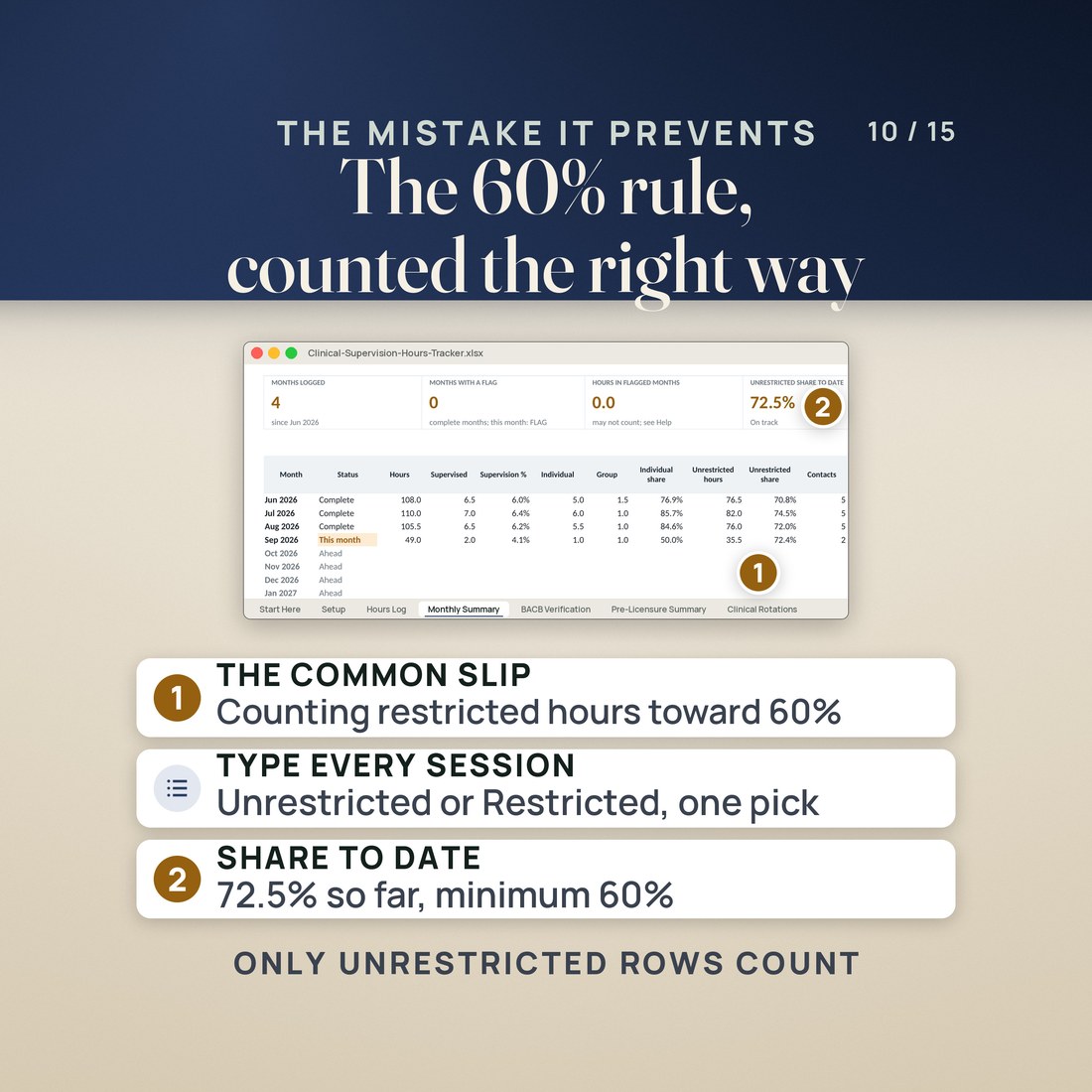
- Monthly Summary gives every month a PASS or FLAG for hours in range, supervision, contacts, observation and the individual share, with the hours that count and a running total
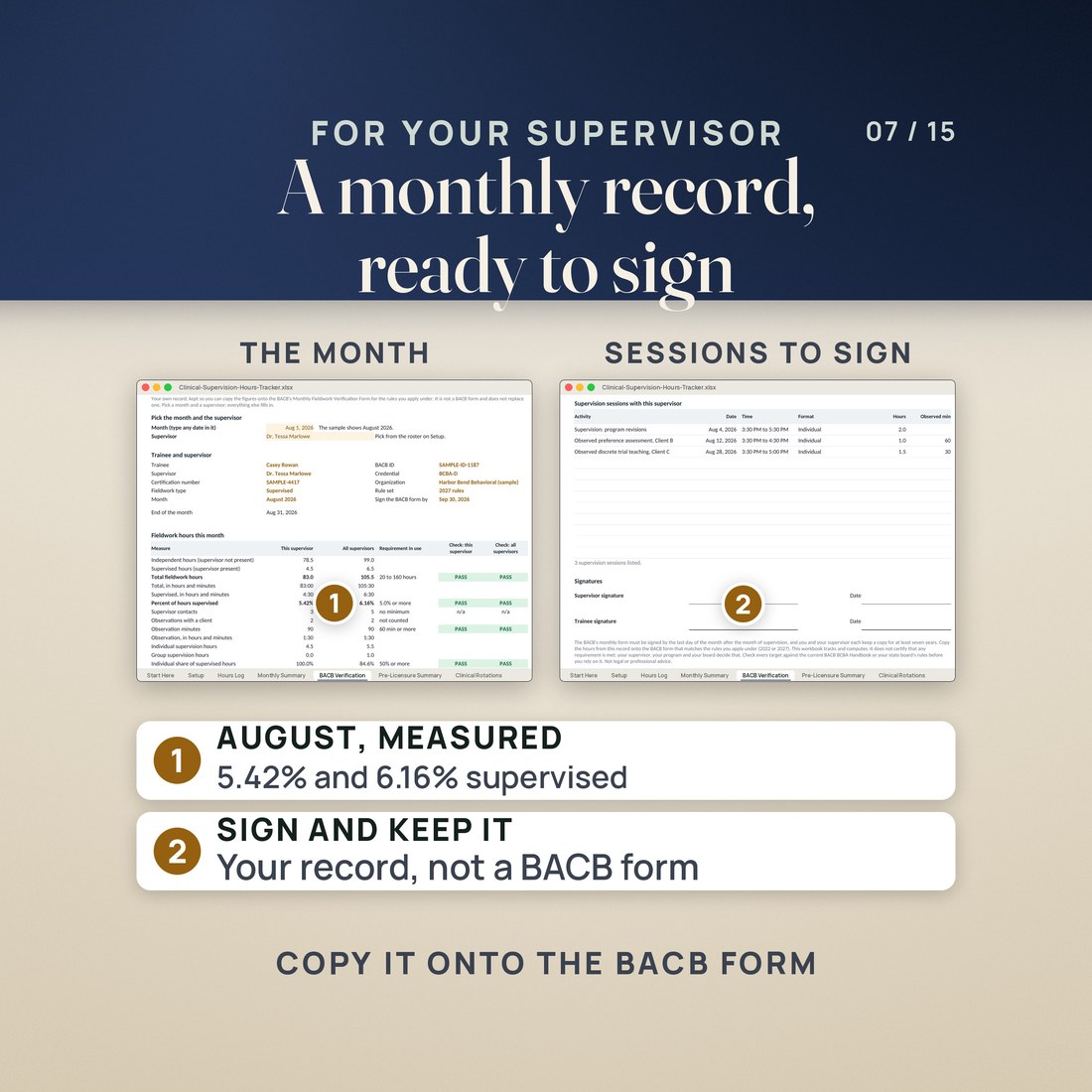
- A BACB Verification tab that prints one month for one supervisor on a single page, as your own record to copy onto the BACB's Monthly Fieldwork Verification Form
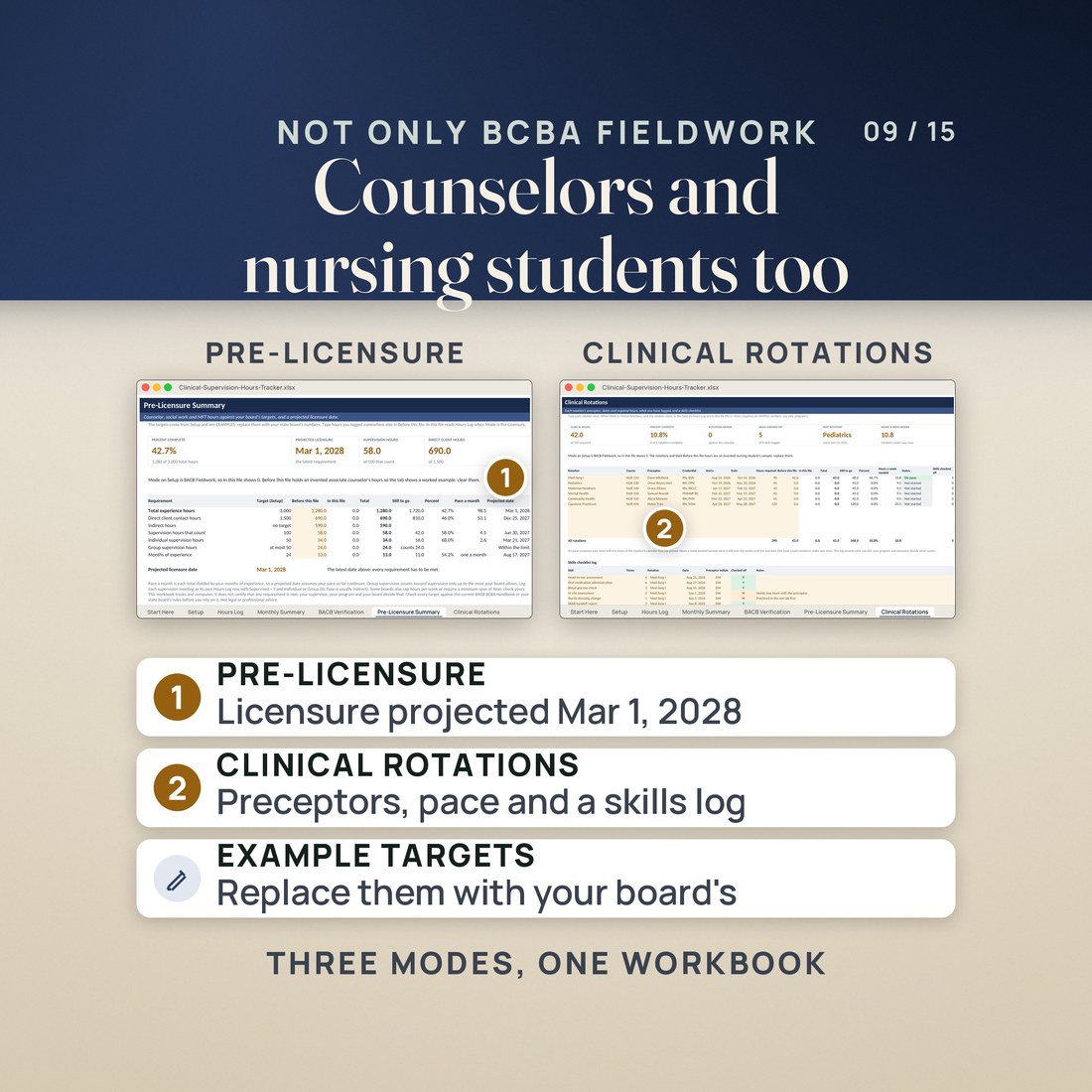
- Pre-Licensure mode for counselors, social workers and marriage and family therapists: direct and indirect hours, individual and group supervision, and a projected licensure date
- 8,441 formulas and room for 2,000 sessions over 72 months, 10 supervisors, 12 rotations, 100 skills and 200 CEU entries
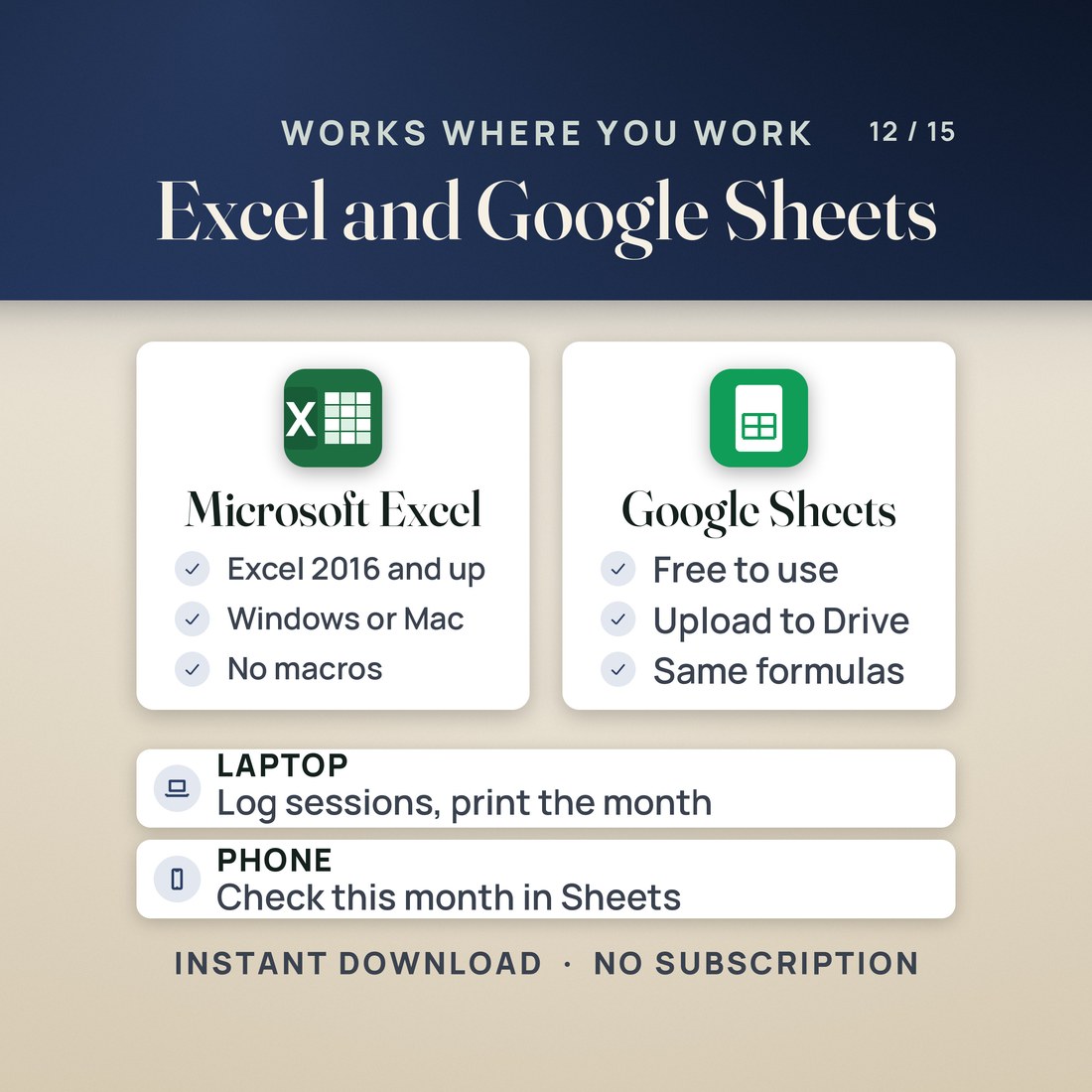
- Excel 2016 or later and Google Sheets, four color editions, no macros and nothing to install
Overview
Log a session, and the month's supervision percentage, its PASS or FLAG and your projected finish move while you type. Excel and Google Sheets.
It is the last week of the month, and you are not sure the supervised hours add up to the rule.
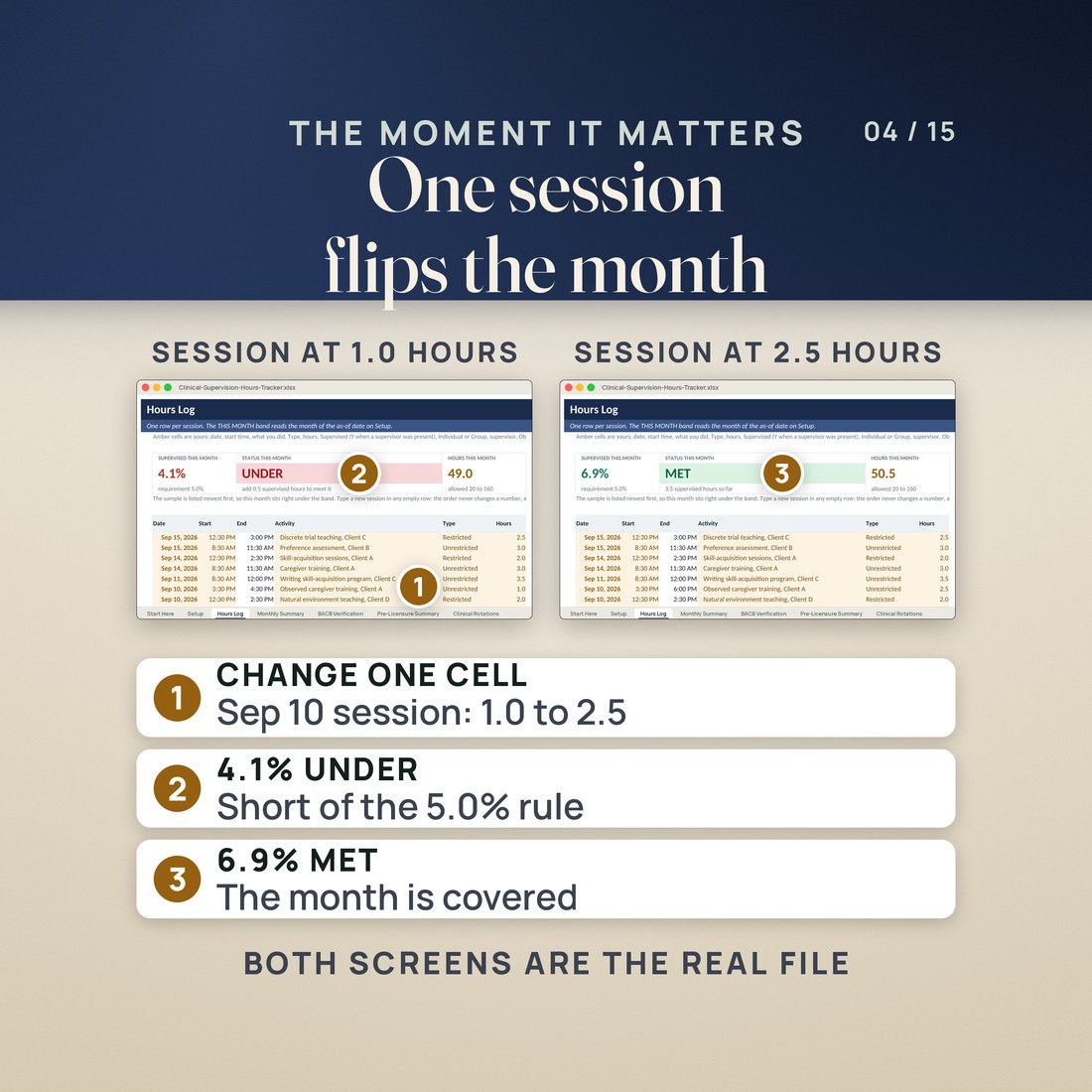
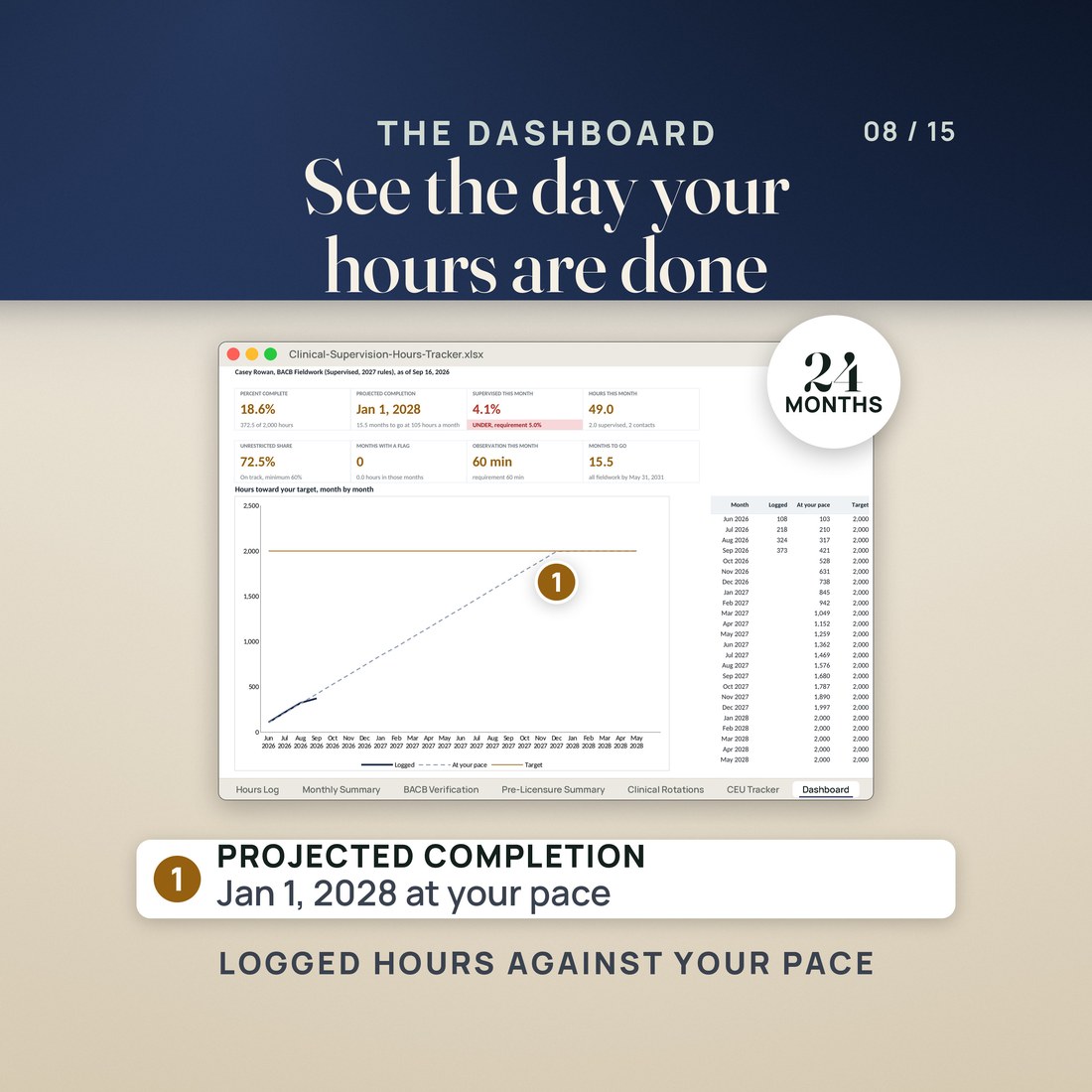
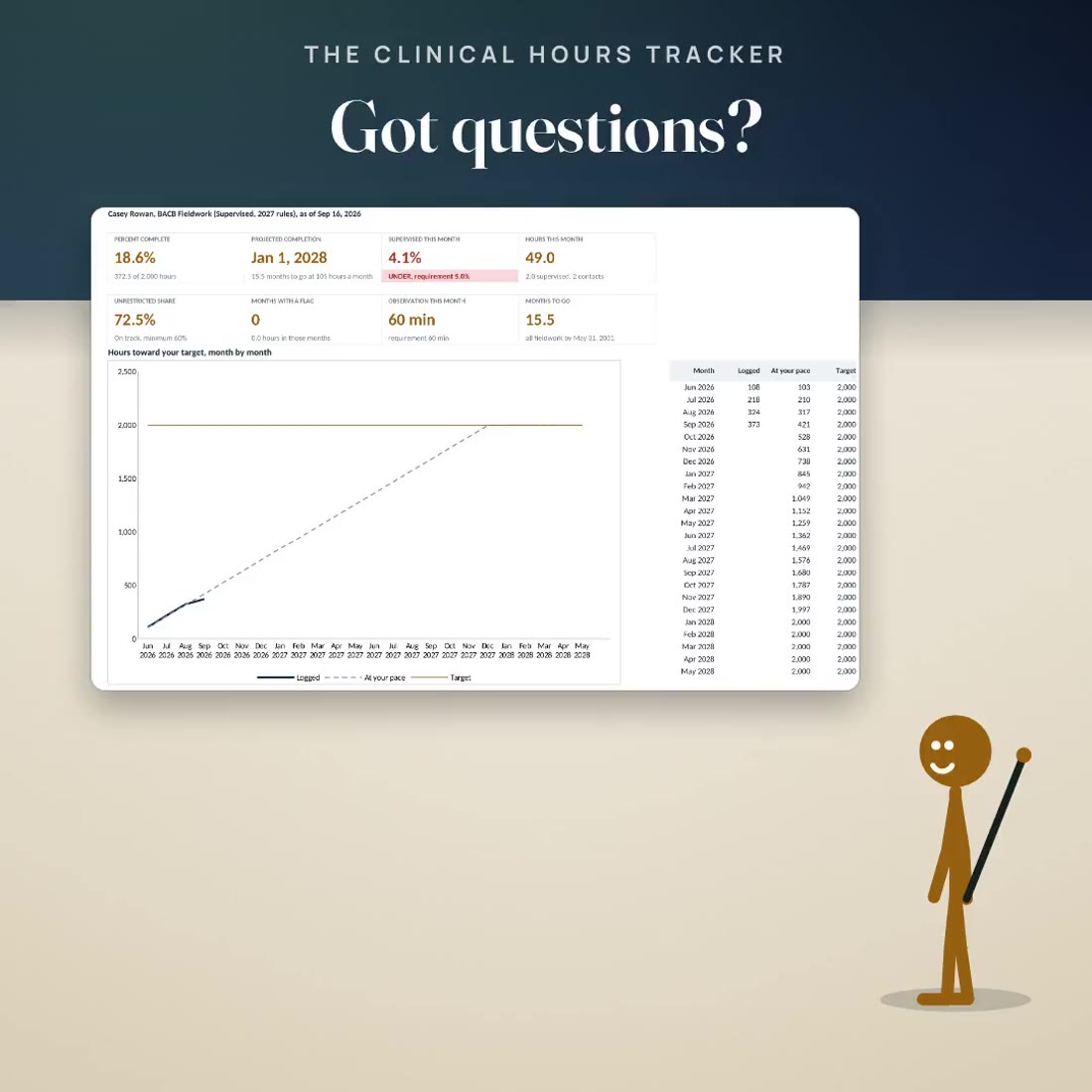
This workbook checks while you log. In the invented sample, Casey Rowan has 49.0 hours this month and 2.0 of them supervised, so SUPERVISED THIS MONTH reads 4.1% against the 5% rule, UNDER, with the fix written beside it. Change one supervision session from 1.0 to 2.5 hours and it reads 6.9%, MET, and the projected completion moves from Jan 1, 2028 to Dec 30, 2027.
What's Included
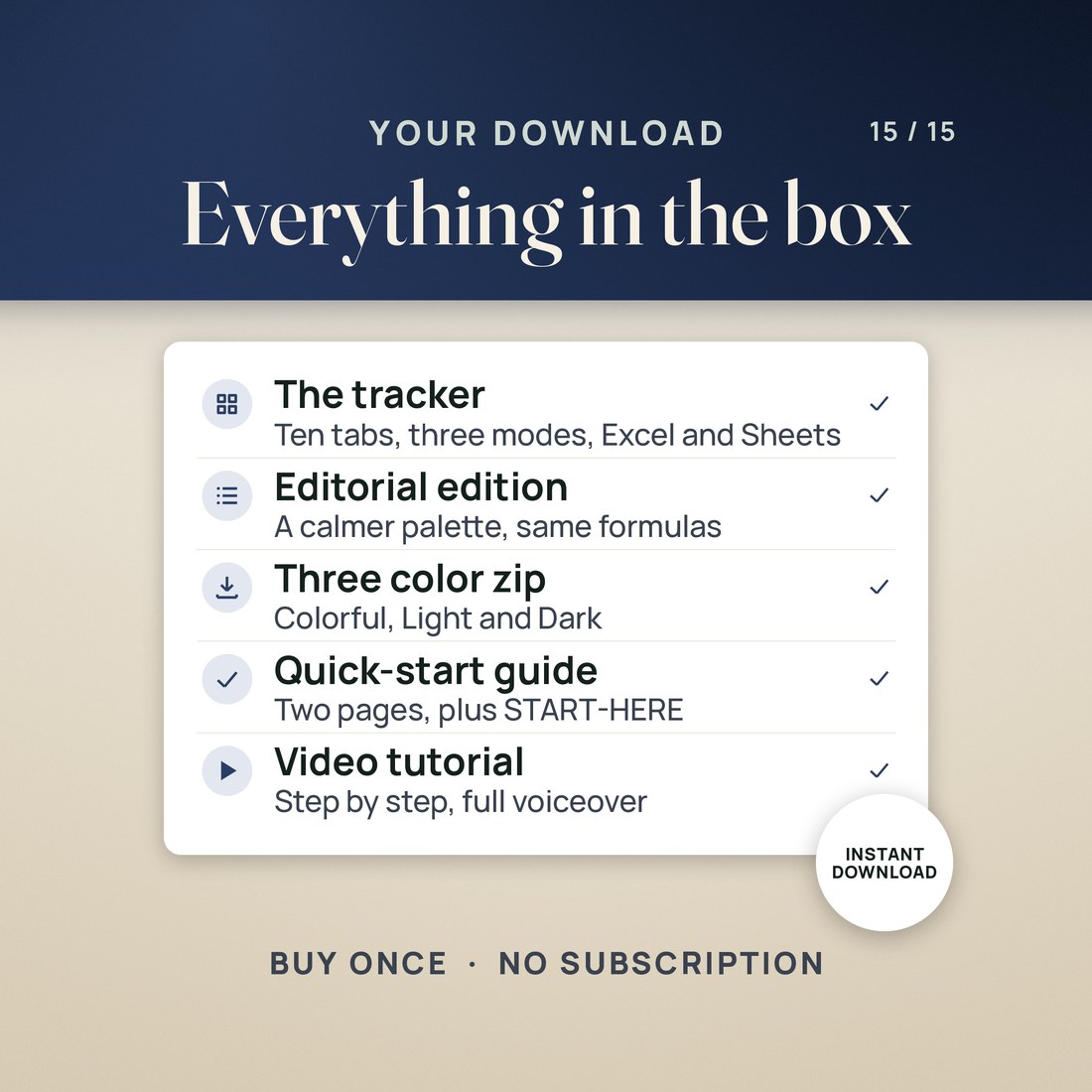
One ZIP, 6 files:
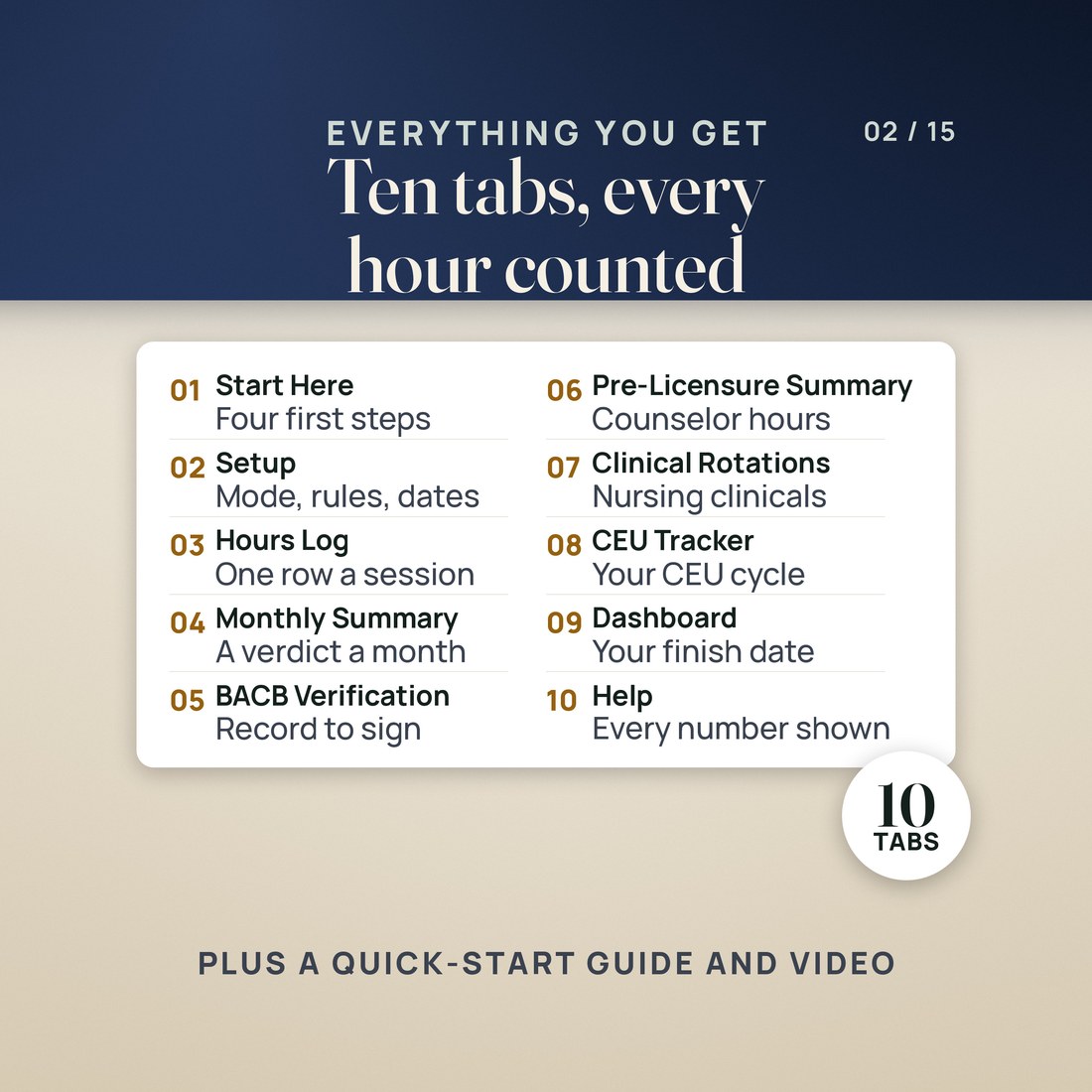
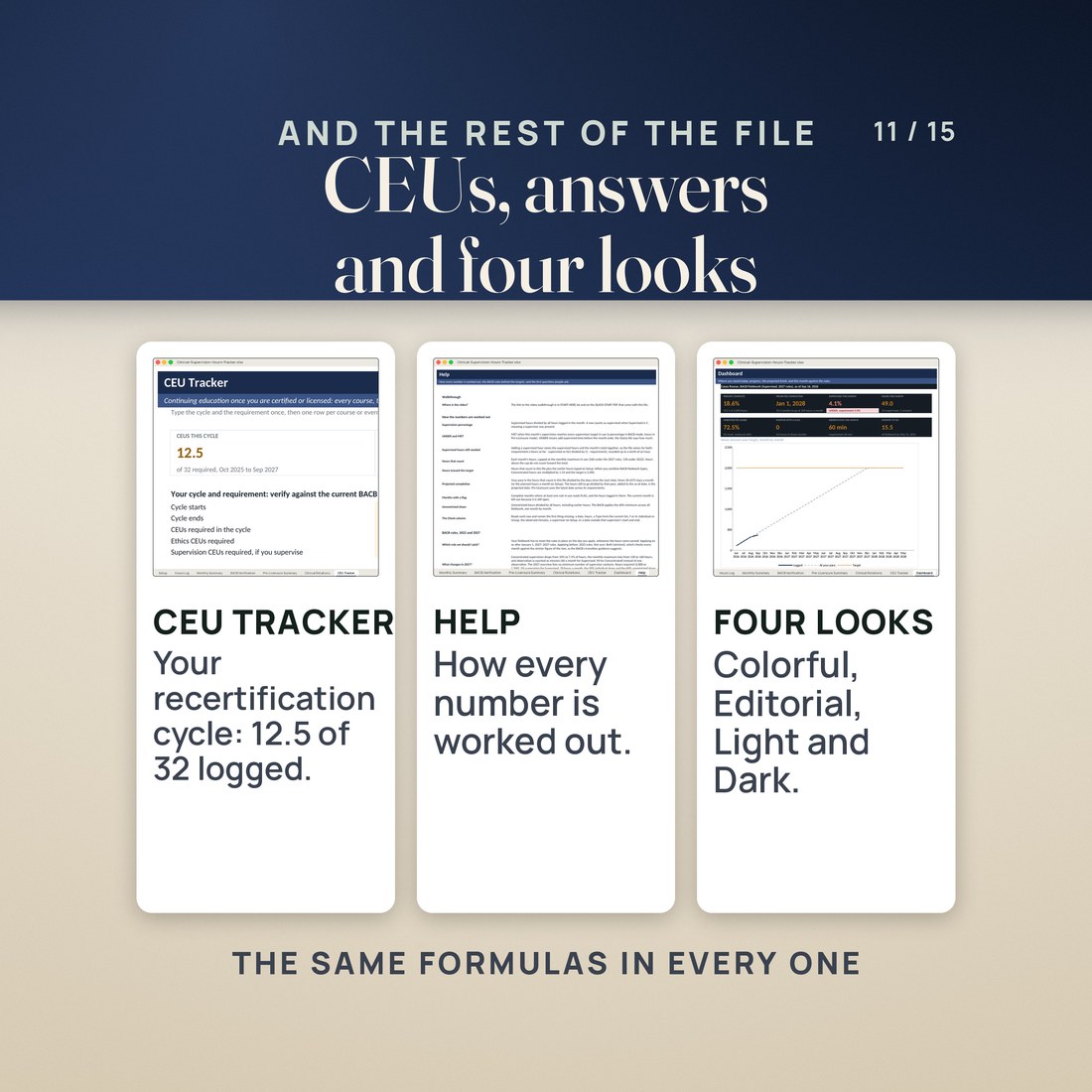
- The Clinical and Supervision Hours Tracker workbook, Colorful edition, with ten tabs: Start Here, Setup, Hours Log, Monthly Summary, BACB Verification, Pre-Licensure Summary, Clinical Rotations, CEU Tracker, Dashboard and Help
- The same workbook in the Editorial palette, and a zip holding the Colorful, Light and Dark editions
- A PDF with the Google Sheets copy link
- A two page Quick-Start PDF and a START-HERE file with the three modes, how the monthly check works and where the BACB figures come from
Key Benefits
Why this one
Supervision percentage is supervised hours divided by all hours in the month, checked against the rule in use. When a month is under, the status tile says how many supervised hours would bring it to MET.
From January 1, 2027, Concentrated supervision is 7.5% instead of 10%, the monthly maximum is 160 hours instead of 130, and observation is counted in minutes. Pick the 2027 rules, the 2022 rules or both, and the checks follow.
The projected completion is the hours still to go at your pace since the start date, or at the planned hours a month you type, with the months to go and the five-year window beside it.
BACB Verification pulls a month and a supervisor onto one printable page: independent and supervised hours, the percentage, contacts, observation minutes, individual and group hours, every session and the signature lines.
Pre-Licensure mode counts direct and indirect hours and supervision toward a projected licensure date, Clinical Rotations tracks rotations, preceptors and skills, and the CEU tracker keeps a two-year cycle.
Who It's For
Built for
- A BCBA candidate logging supervised or concentrated fieldwork who wants each month checked against the 2022 or 2027 BACB rules
- A counselor, social worker or marriage and family therapist in training counting hours and supervision toward licensure
- A nursing student or clinical trainee tracking rotation hours, preceptors and skills
- A certificant who wants CEUs by category against a two-year cycle
How It Works
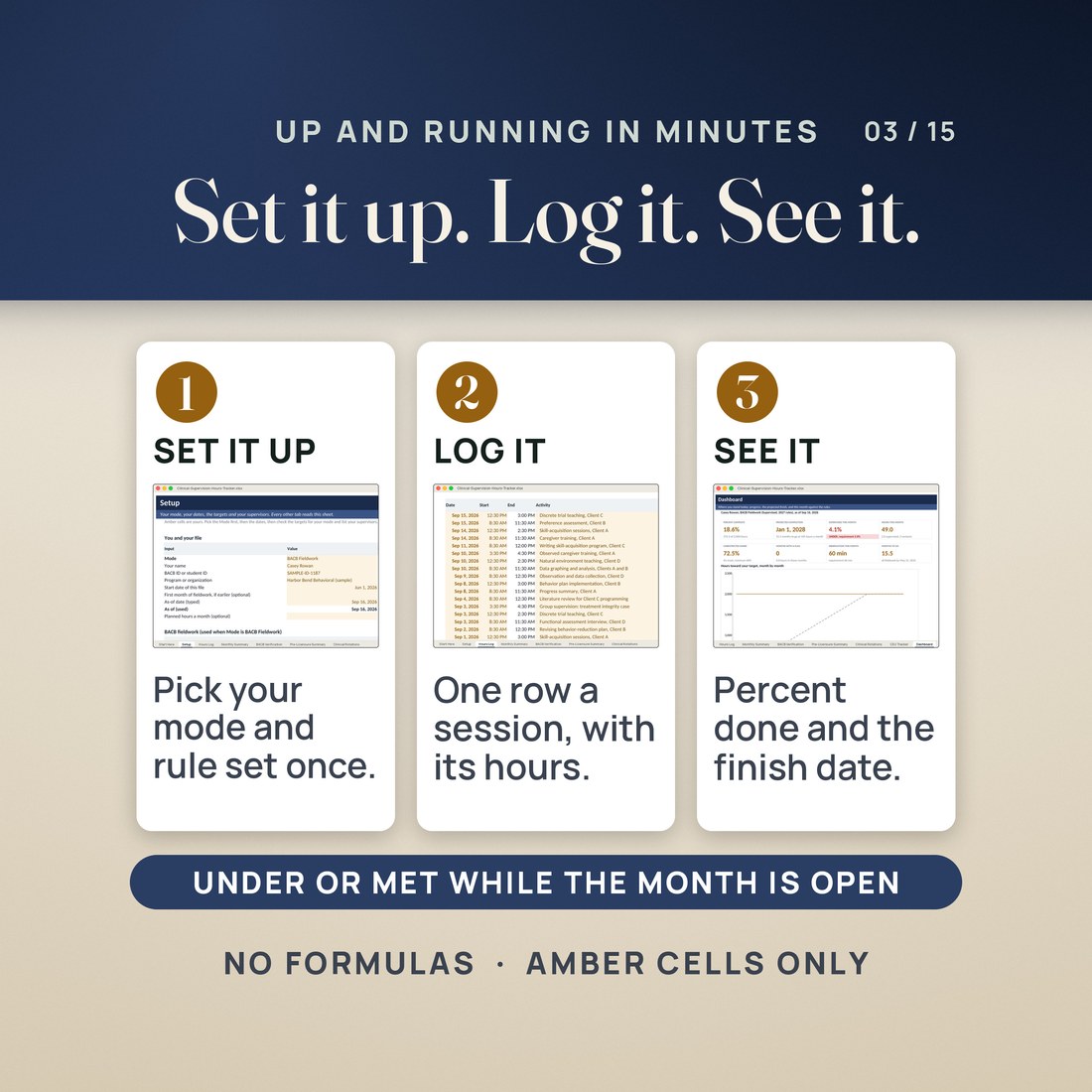
Up and running in minutes
On Setup, choose BACB Fieldwork, Pre-Licensure or Clinical Rotations, the rule set and the fieldwork type, and type your start date and supervisors.
One row per session: date, start time, activity, type, hours, supervised, individual or group, supervisor, observed minutes and site. The Check column names anything missing.
The THIS MONTH band shows the supervision percentage, UNDER or MET, and the projected completion, and Monthly Summary gives every month its PASS or FLAG.
Pick a month and a supervisor on BACB Verification and print the page to copy onto the BACB's form.
Why It's Different
Not another template
Most hours trackers are a log with a total at the bottom, often built for one spreadsheet app. This one knows the rule. It checks every month against the supervision, observation, hour and individual-share requirements in use, shows the 2022 and 2027 BACB rules side by side, says how many supervised hours would fix an UNDER month before the month ends, and projects the finish date from your own pace. It is built for Excel and Google Sheets, it covers the counselor and nursing paths as well as BACB fieldwork, and it says plainly what it is: a tracker that computes, not a certificate of compliance.
Delivery & Compatibility
Instant, and it opens in what you already use
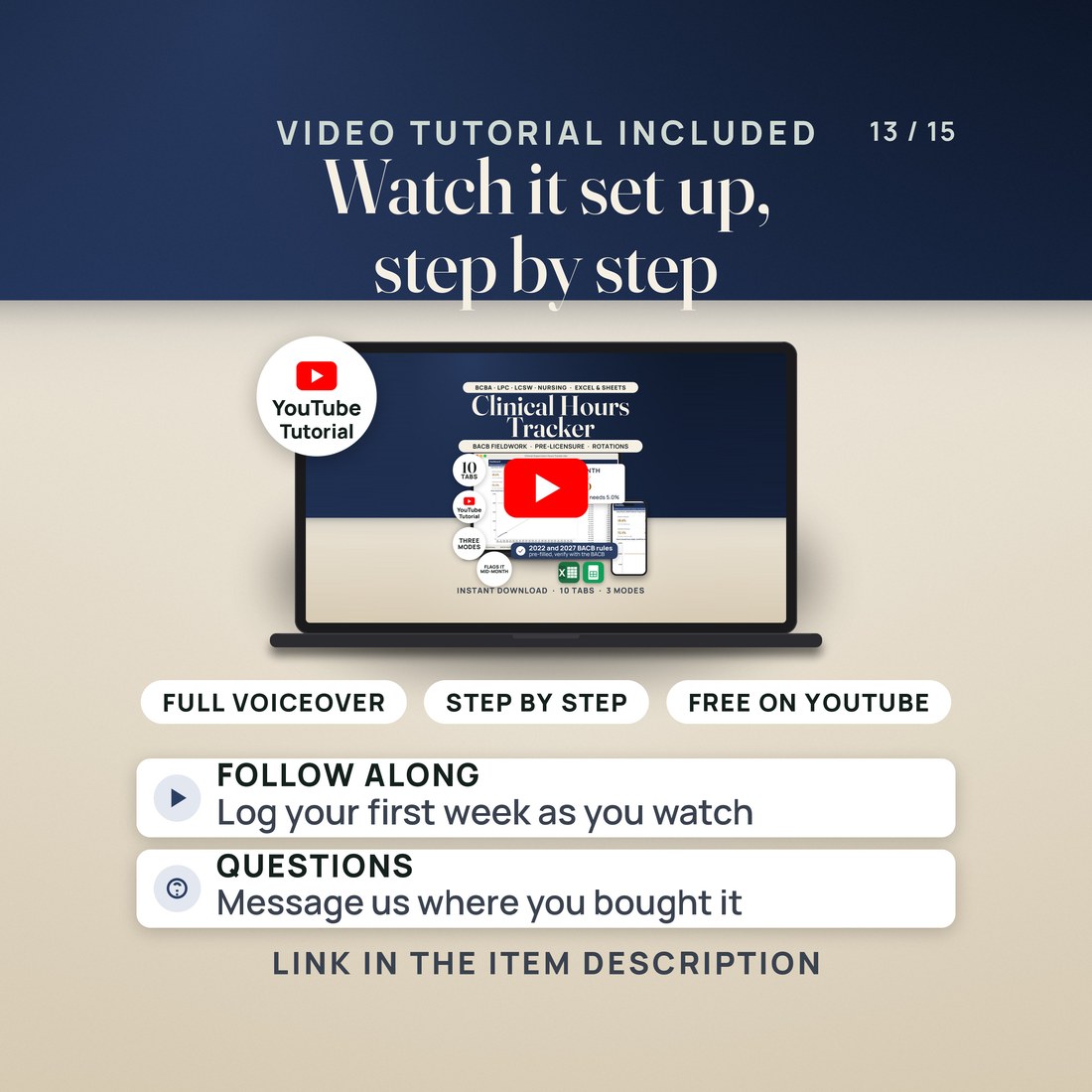
As soon as your order is complete you get instant access to download the ZIP: the workbook in four color editions, the Google Sheets copy link, a two page Quick-Start PDF and a START-HERE file. Start with the Quick-Start guide and the free video walkthrough. Nothing ships and nothing installs.
One ZIP, instant download. The workbook opens in Excel 2016 or later on Windows or Mac, and in Google Sheets through the copy link or by uploading the .xlsx. Every formula result ships saved, so the sample shows before anything recalculates. No macros, no account, no subscription and nothing to install. Keep client names out of the file and use codes.
FAQ
Questions, answered
What format is this?
One workbook (.xlsx) in four color editions (Colorful, Editorial, Light and Dark), with a quick-start PDF, a START-HERE file and the Google Sheets access PDF. 6 files in one ZIP, yours the moment payment clears.
Does it work in Excel or only in Google Sheets?
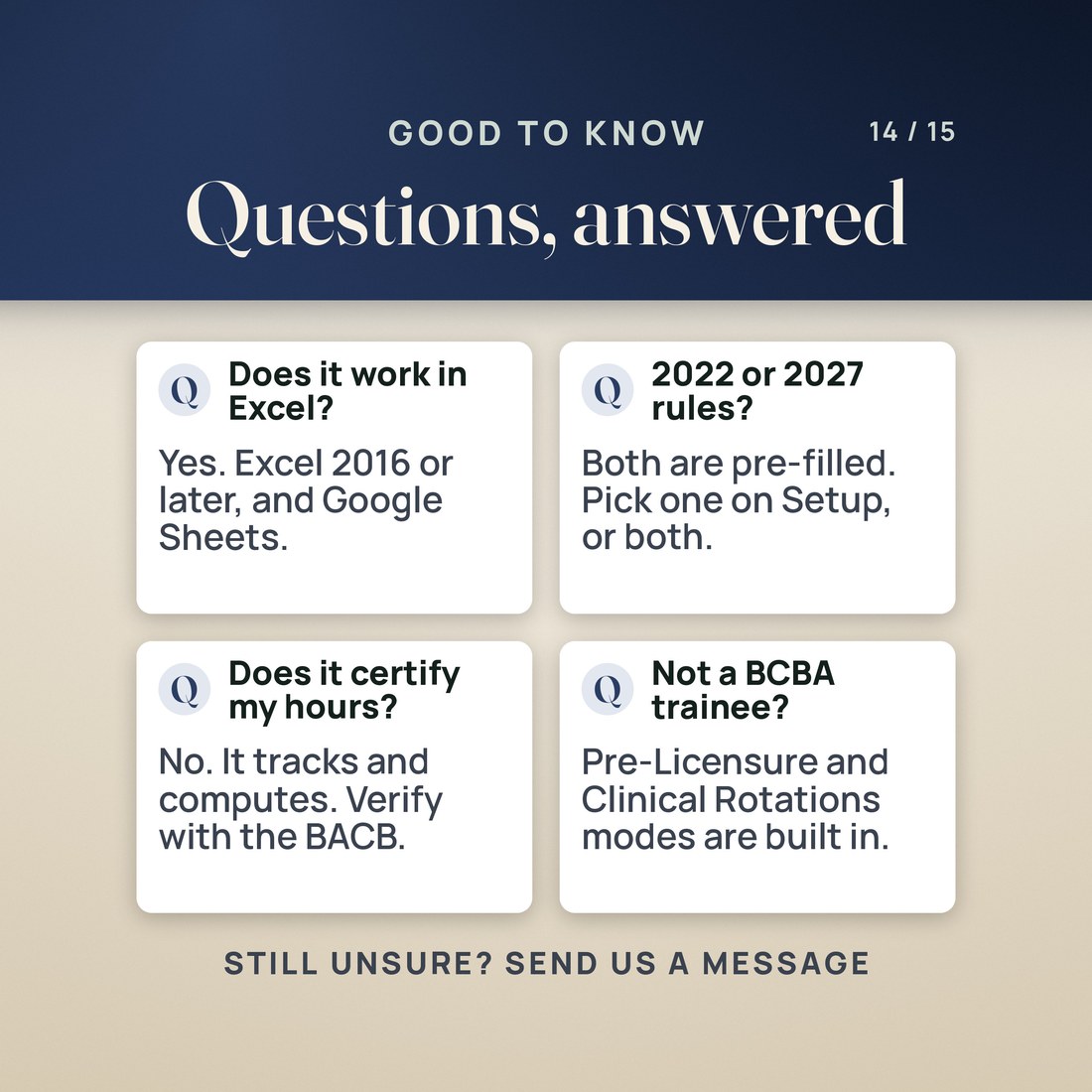
Both. Open the .xlsx in Excel 2016 or later, or open the Google Sheets copy link and click Make a copy. The workbook is built only from functions both support, with no macros.
Which BACB rules does it use?
Both sets. The 2027 rules apply to anyone applying on or after January 1, 2027 and the 2022 rules to anyone applying before; pick one, or Both (strictest) if you are not sure. Every figure is pre-filled from the BCBA Handbook updated 06/2026 and the 2027 BCBA Requirements, and is yours to verify and change.
What does it compute?
Each month's hours, supervised hours and supervision percentage against the rule in use, a PASS or FLAG for every monthly rule, the hours that count, the running total and percent complete, the unrestricted share, months to go and a projected completion date; plus pre-licensure totals with a projected licensure date, rotation pace and skills, and CEU totals by category.
Is BACB Verification the BACB's form?
No. It is your own monthly record, laid out to copy onto the BACB's Monthly Fieldwork Verification Form. It does not replace that form.
Does it certify my hours?
No. It tracks and computes. Verify requirements with the BACB or your state board: it does not certify compliance, and your supervisor, your program and your board decide.
This workbook tracks and computes. Verify requirements with the BACB or your state board: it does not certify compliance, and it is not legal or professional advice. BACB Verification is your own record to copy onto the BACB's Monthly Fieldwork Verification Form, not that form. The BACB figures were pre-filled from the BCBA Handbook (updated 06/2026) and the 2027 BCBA Requirements and are labeled to verify against the current handbook; the 2027 contact minimum is set to 0 because the 2027 overview lists none. Monthly Summary checks all supervisors together as one organization, and the handbook's month-adjustment rules are described, not calculated. Pre-Licensure targets are examples, not any state's rules, and the projection uses your pace since the start date. Casey Rowan, Dr. Tessa Marlowe, Luis Okafor, Harbor Bend Behavioral and every figure in the sample were invented for the example. Digital product; because the files are delivered instantly, all sales are final.