 ▶
▶
 ▶
▶Mortgage Payoff Spreadsheet
Type the extra you can send from each paycheck and watch the month the house is paid off move while you type.
Your paychecks are under control. The biggest bill left is the house, and the question now is what a little extra from each paycheck would do to it.
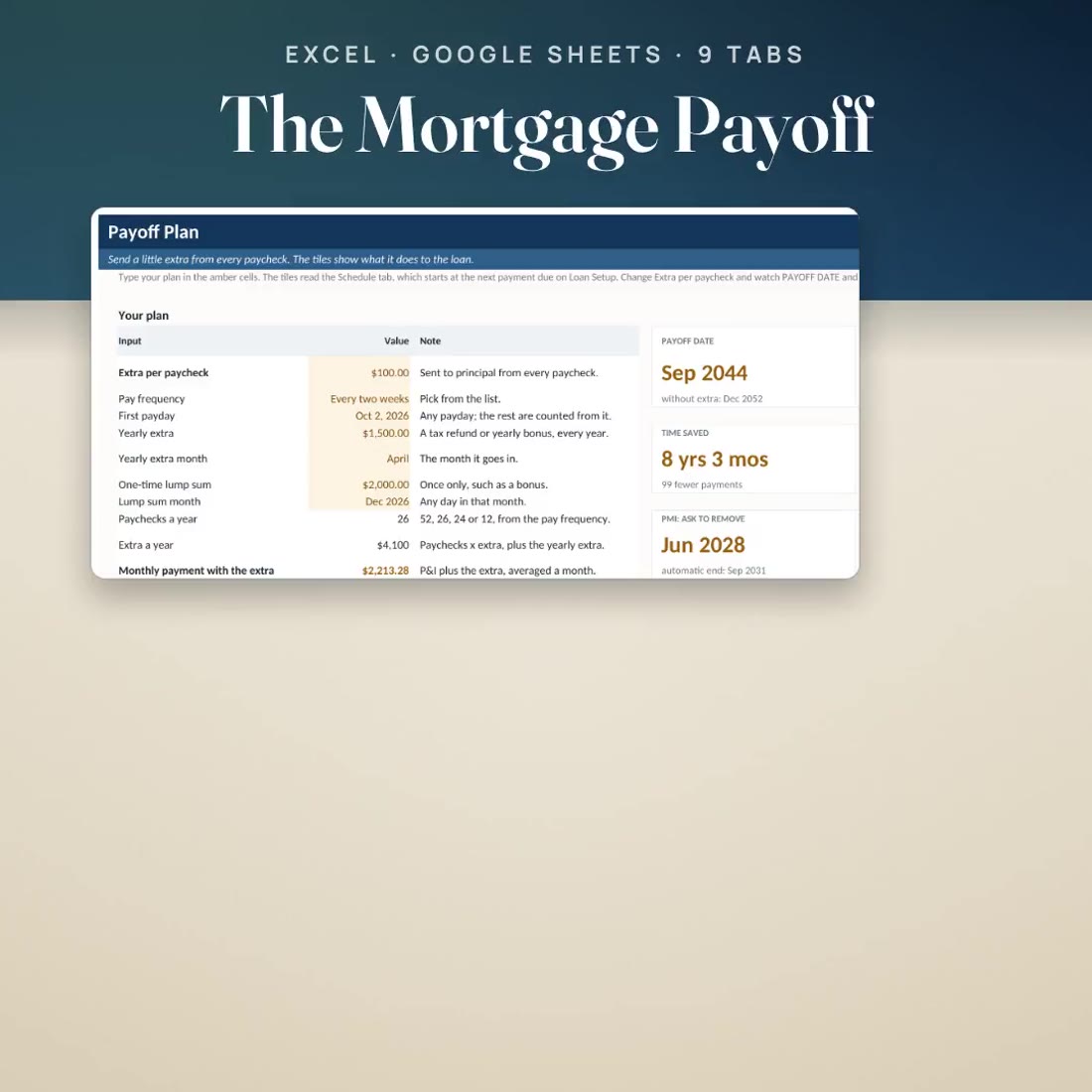
- Extra per paycheck, pay frequency (weekly, every two weeks, twice a month or monthly), a yearly extra such as a tax refund and a one-time lump sum, all on one Payoff Plan tab
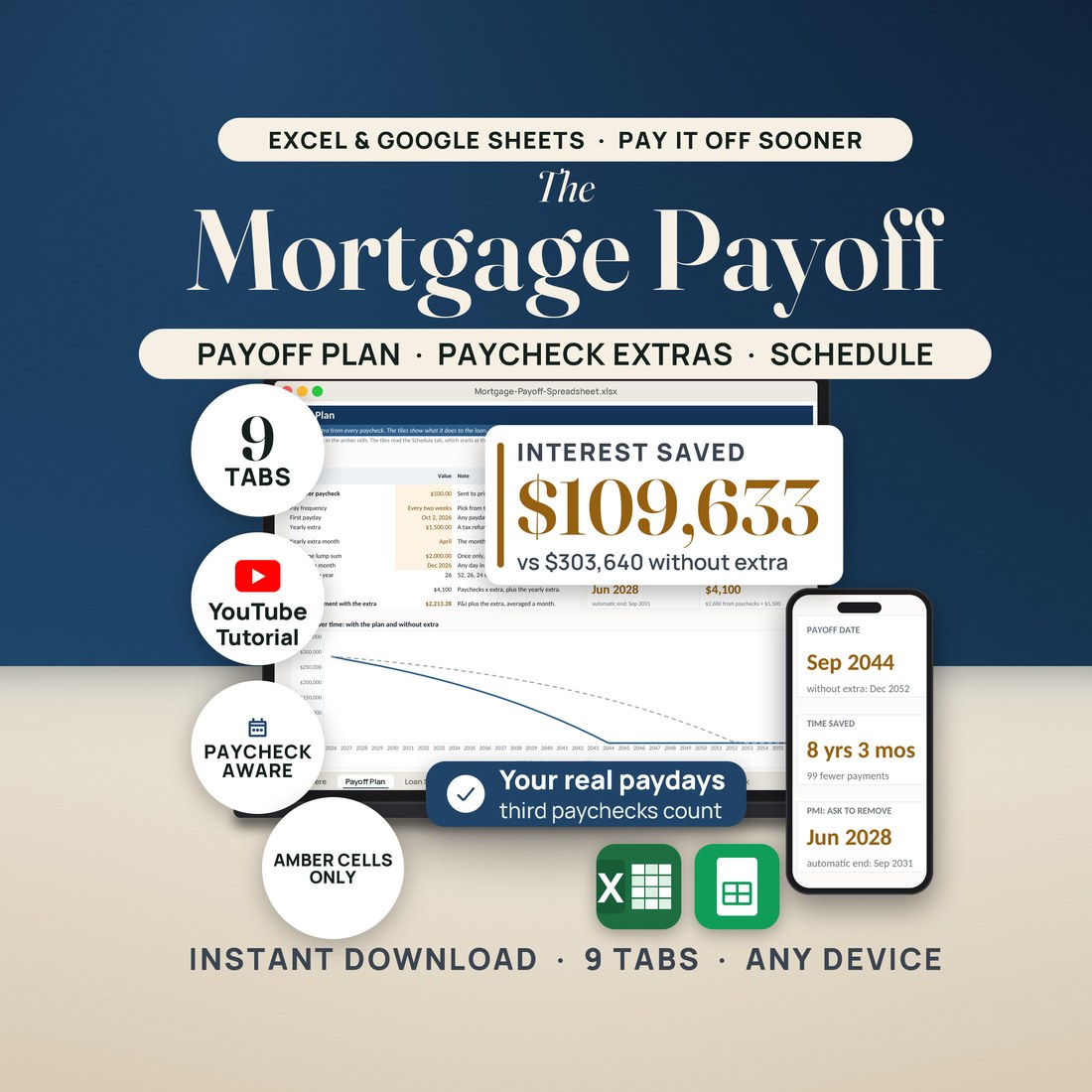
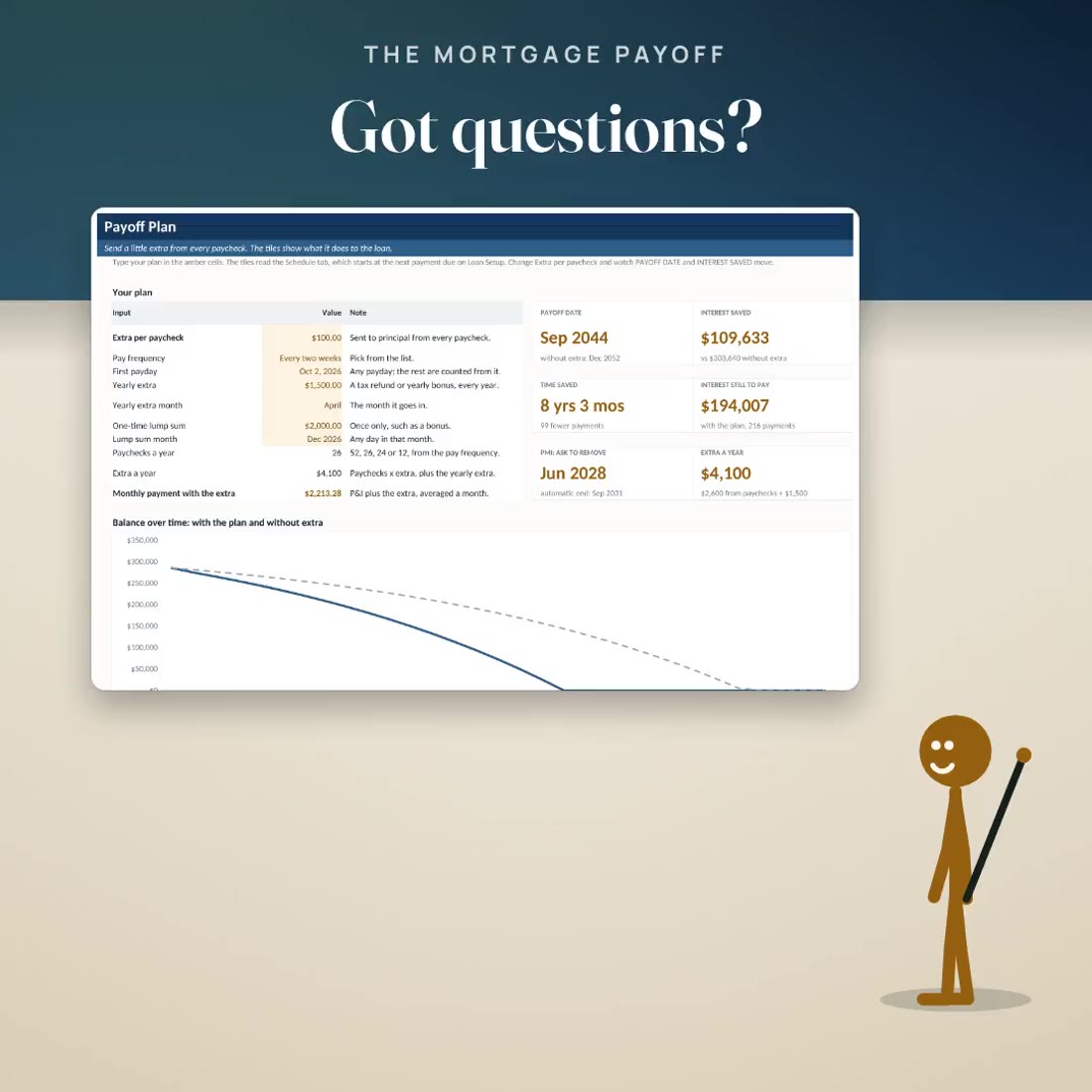
- Six tiles beside the inputs that move as you type: PAYOFF DATE, INTEREST SAVED, TIME SAVED, INTEREST STILL TO PAY, when you can ask to remove PMI, and your extra a year
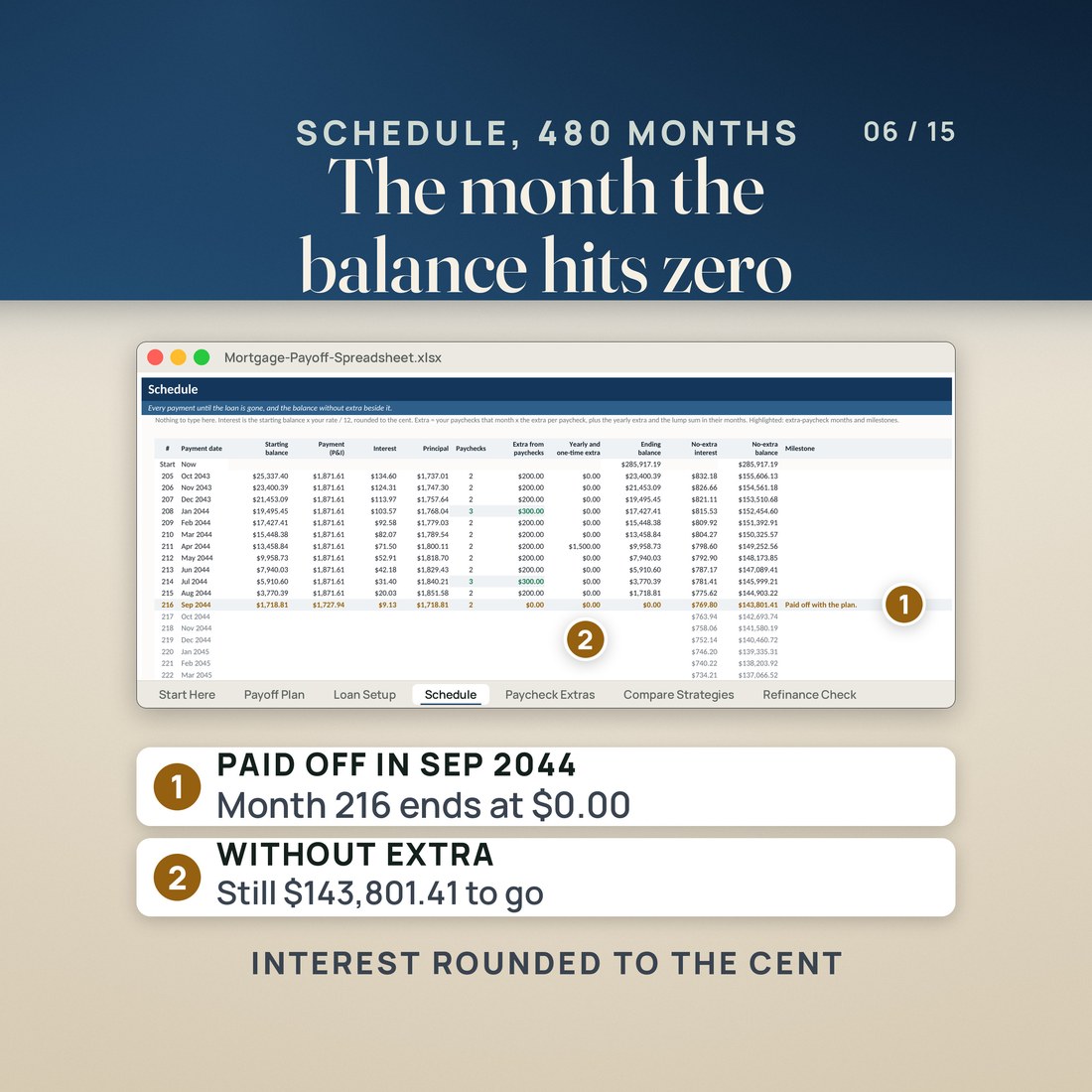
- A 480 month schedule from your next payment, interest rounded to the cent like a statement, with the no-extra balance beside it and the milestones marked
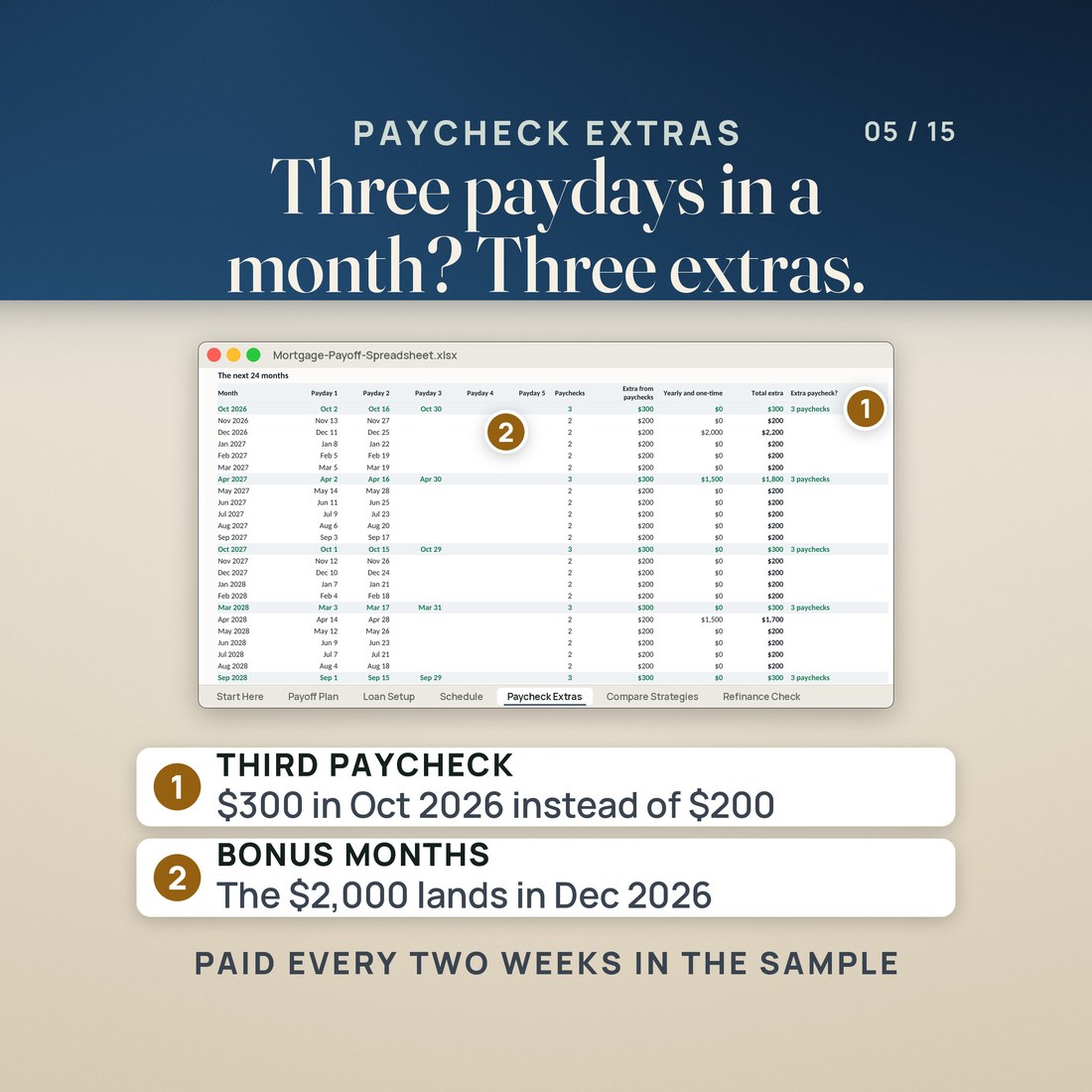
- Your real paydays counted month by month, with the three-paycheck months highlighted: the extra goes in three times that month
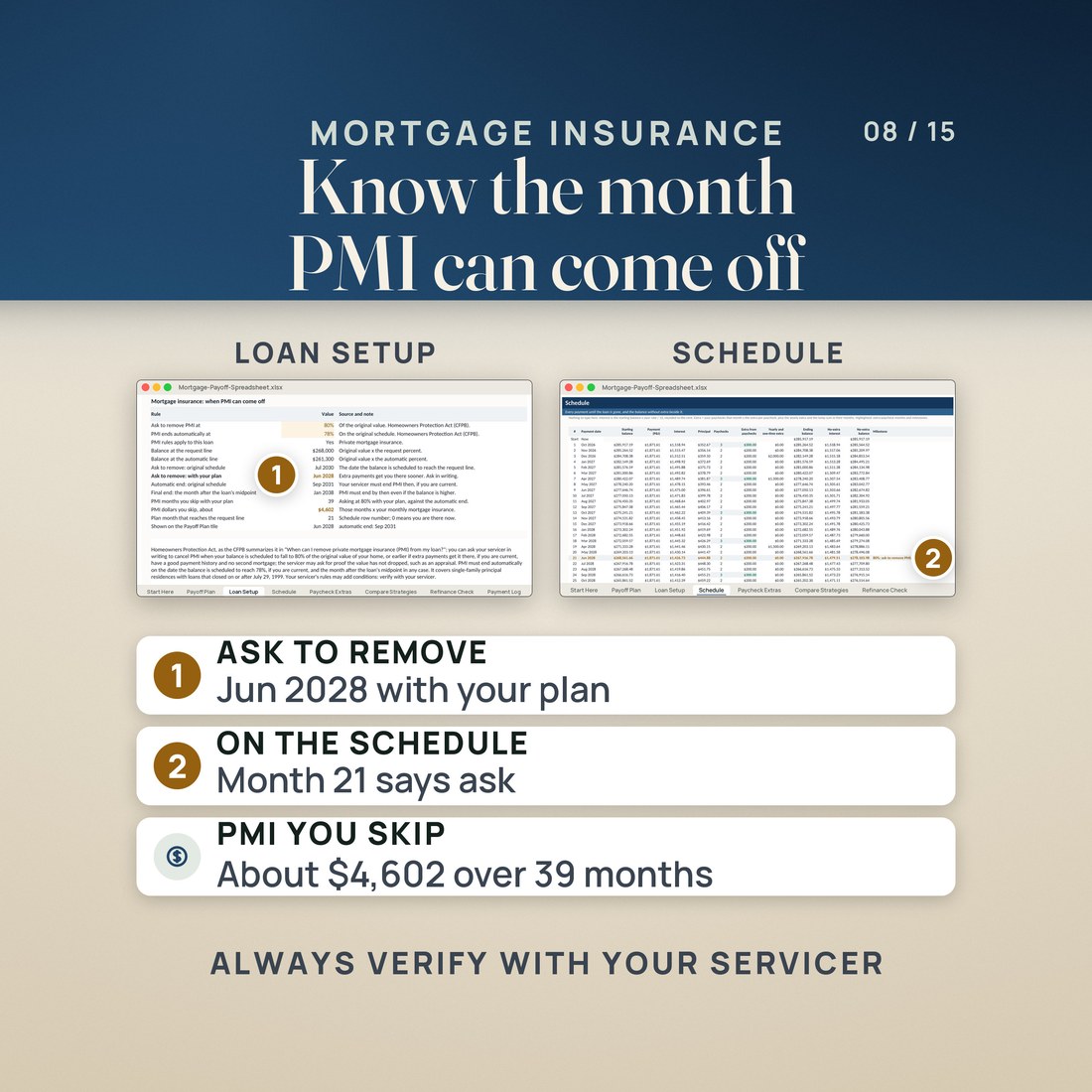
- The PMI dates under the Homeowners Protection Act: when you can ask to remove PMI at 80% with your extra, and the automatic end at 78% on the original schedule
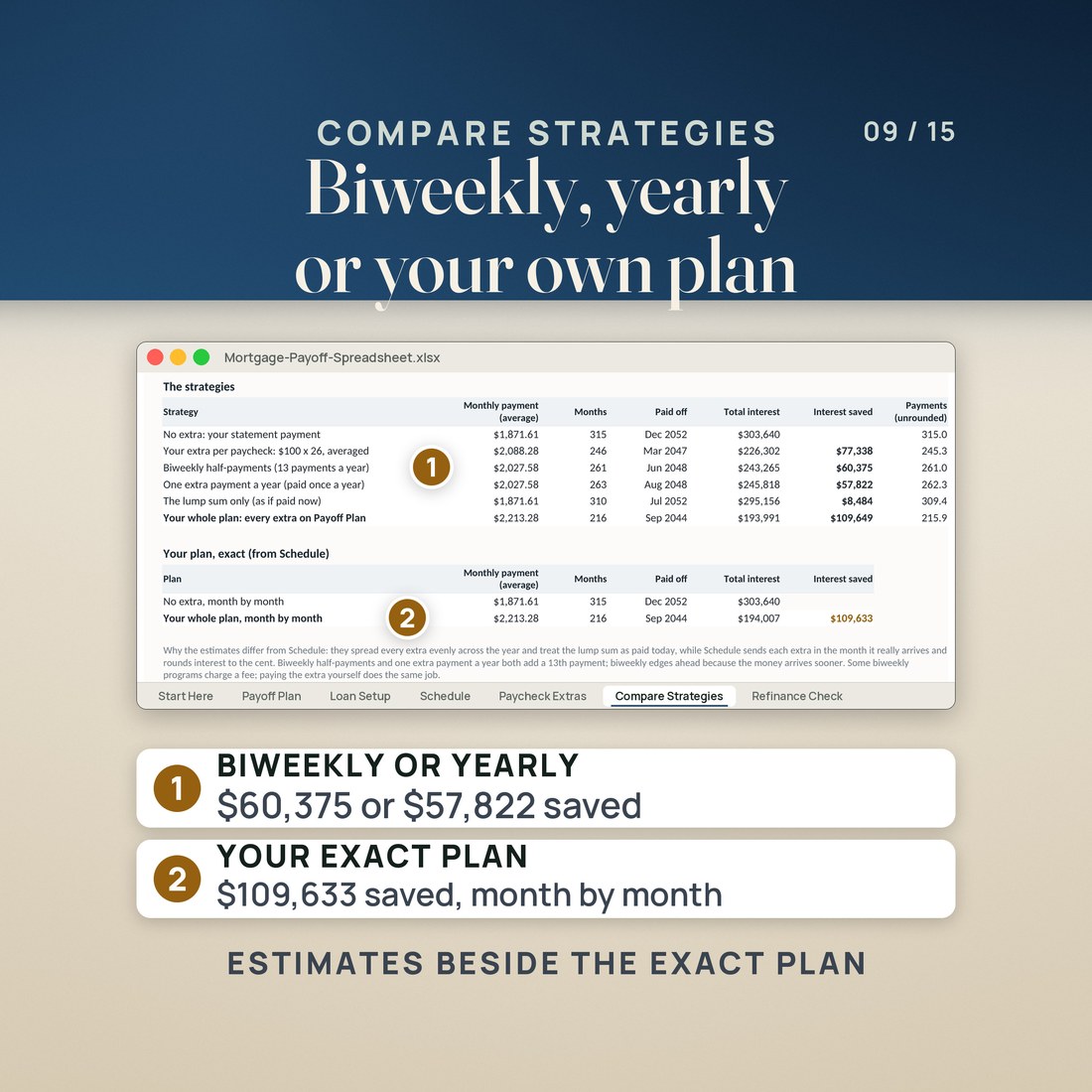
- Compare Strategies: no extra, your extra per paycheck, biweekly half-payments, one extra payment a year, the lump sum only and your whole plan, side by side
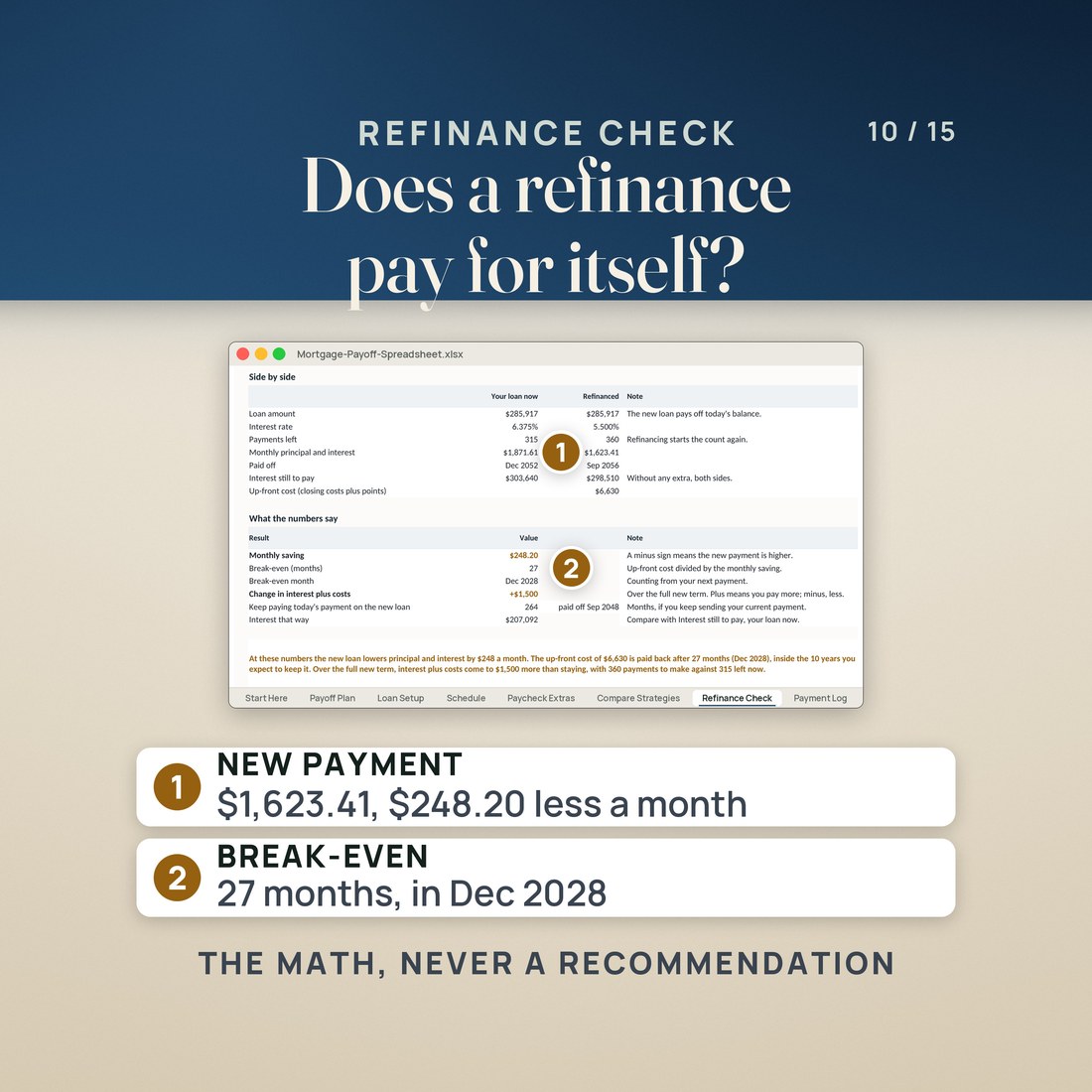
- Refinance Check: the new payment, the up-front cost, the break-even month and the interest, against the loan you have
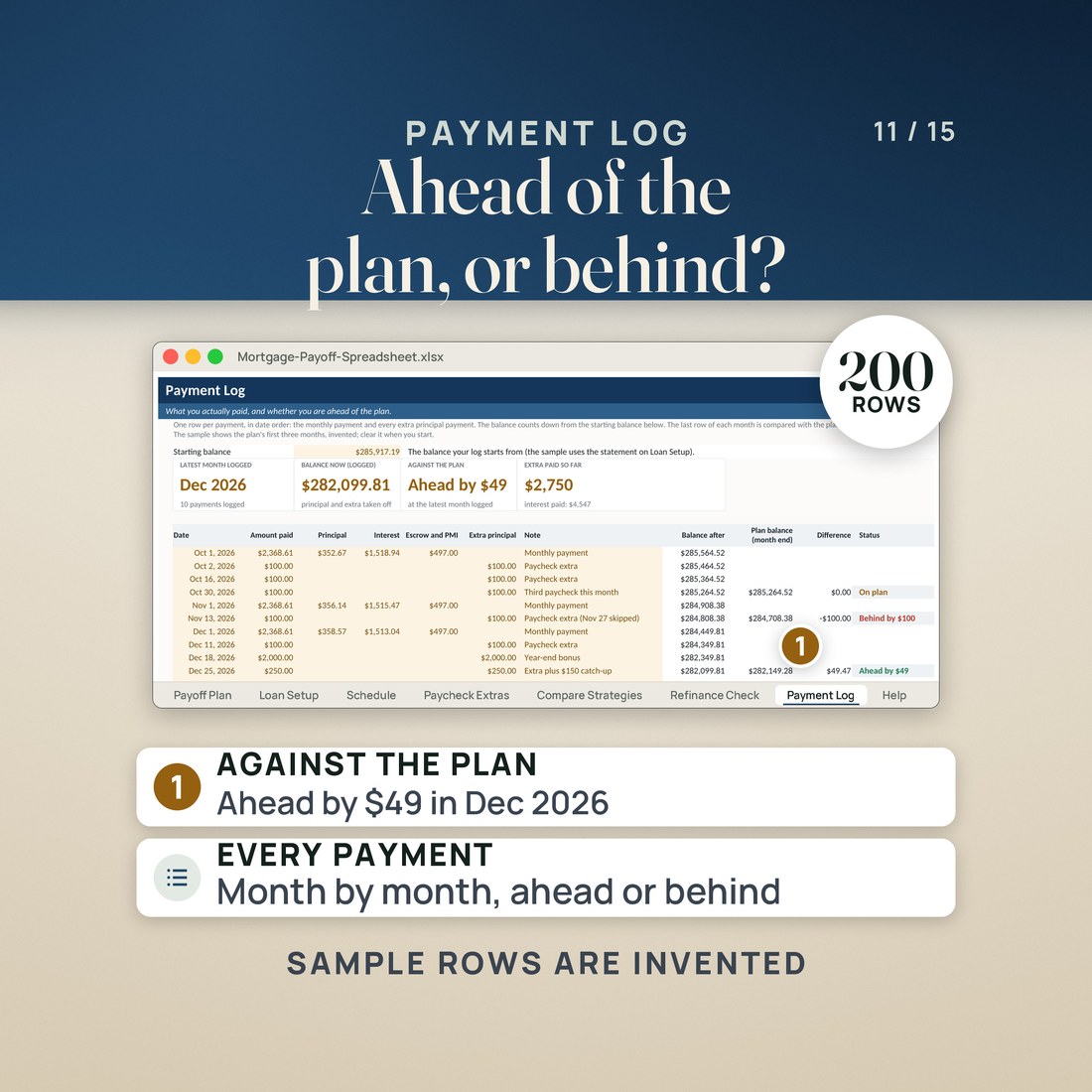
- A Payment Log that reads ahead, on plan or behind each month, and a payment check that tells you if a statement figure is off
Overview
Type the extra you can send from each paycheck and watch the month the house is paid off move while you type.
Your paychecks are under control. The biggest bill left is the house, and the question now is what a little extra from each paycheck would do to it.
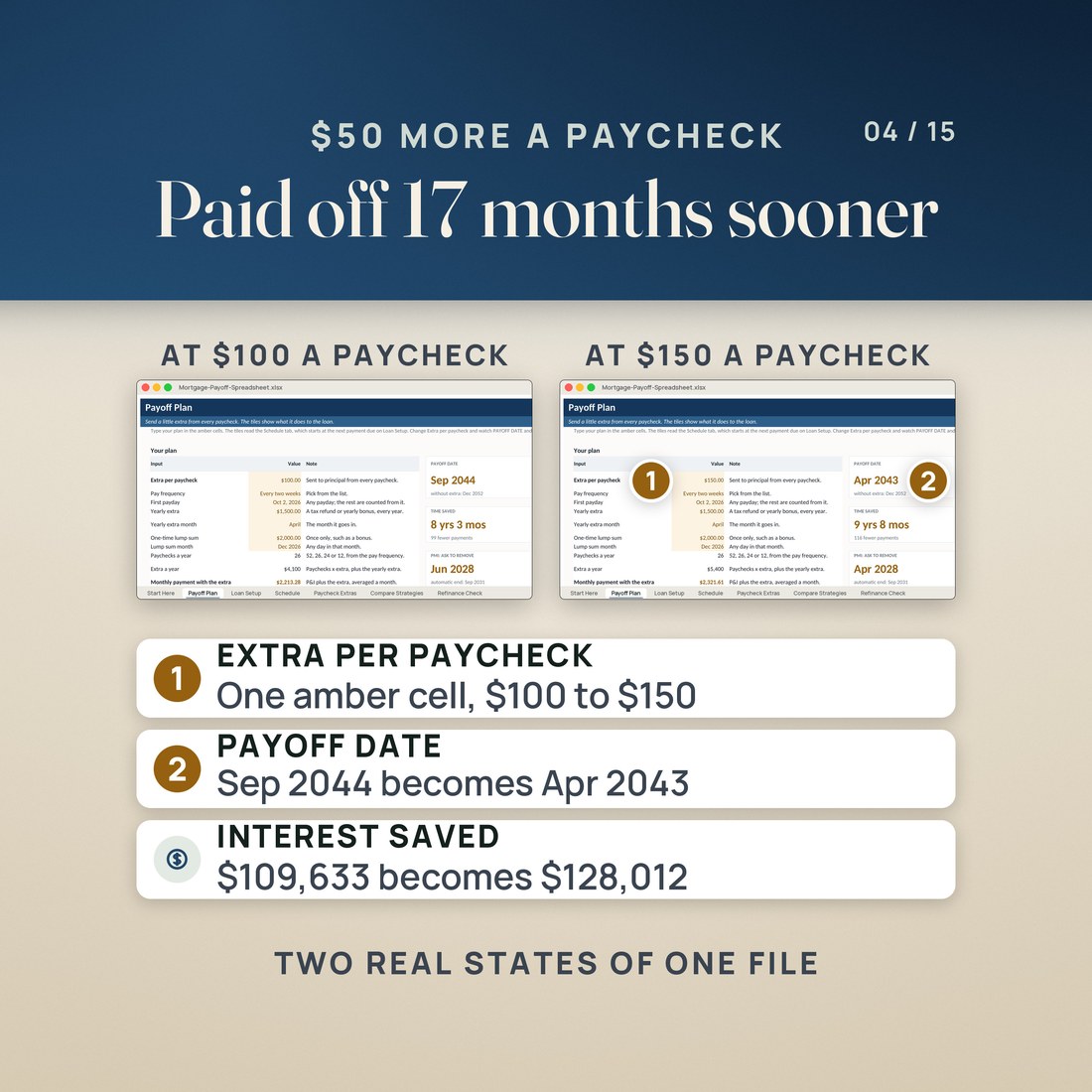
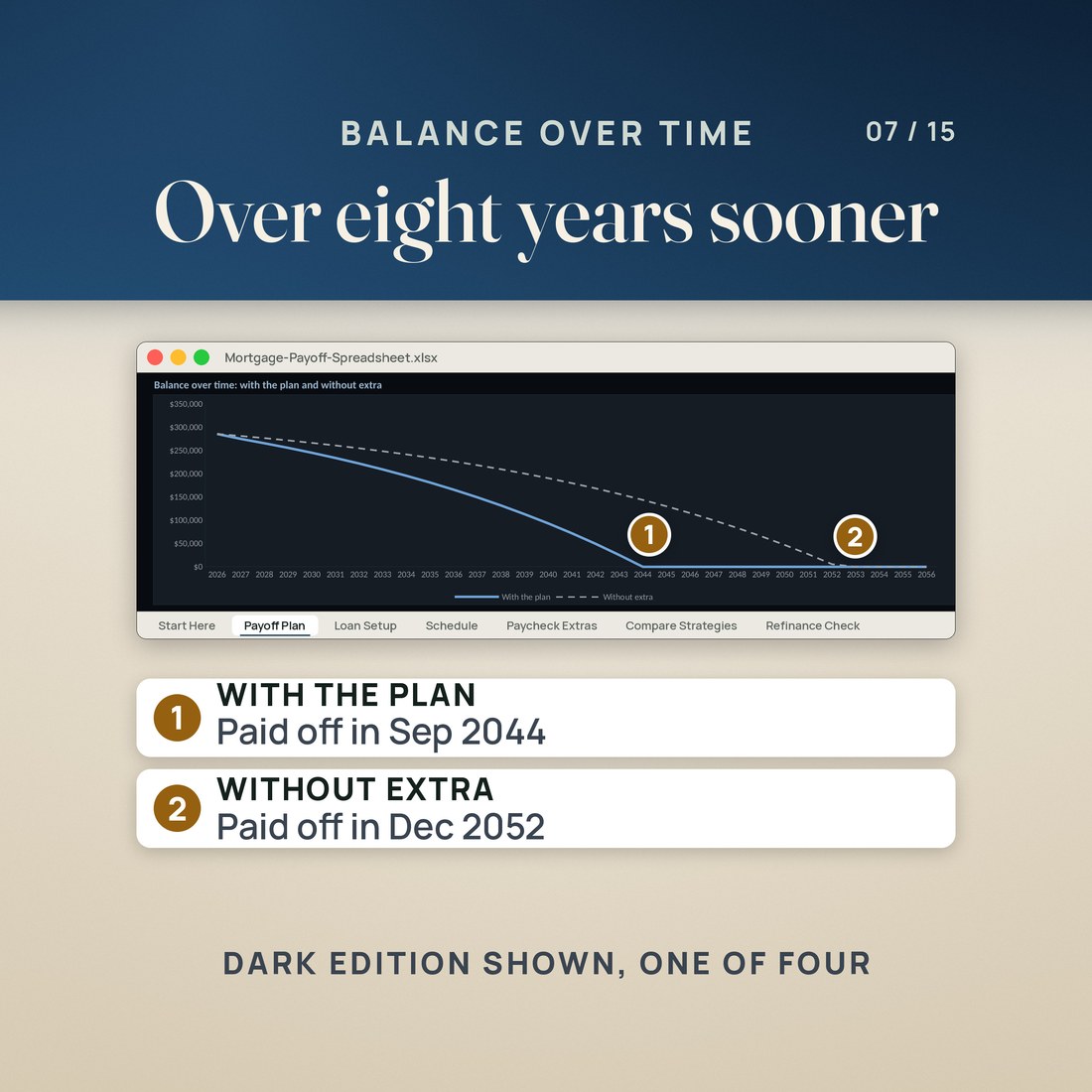
If you budget by paycheck with the Paycheck Budget, send a little from each one to the house: the extra you set aside goes in one cell here, with your pay frequency and one payday, and the three-paycheck months are counted for you. If you never used it, all this needs is your mortgage statement. In the invented sample, a $300,000 loan at 6.375% has $285,917.19 left and would be paid off in Dec 2052. Send $100 from every paycheck, paid every two weeks, plus a $1,500 tax refund each April and a one-time $2,000 bonus, and it is paid off in Sep 2044, 8 years 3 months sooner, with $109,633 less interest. Make it $150 a paycheck and the payoff moves to Apr 2043 and the interest saved to $128,012.
What's Included
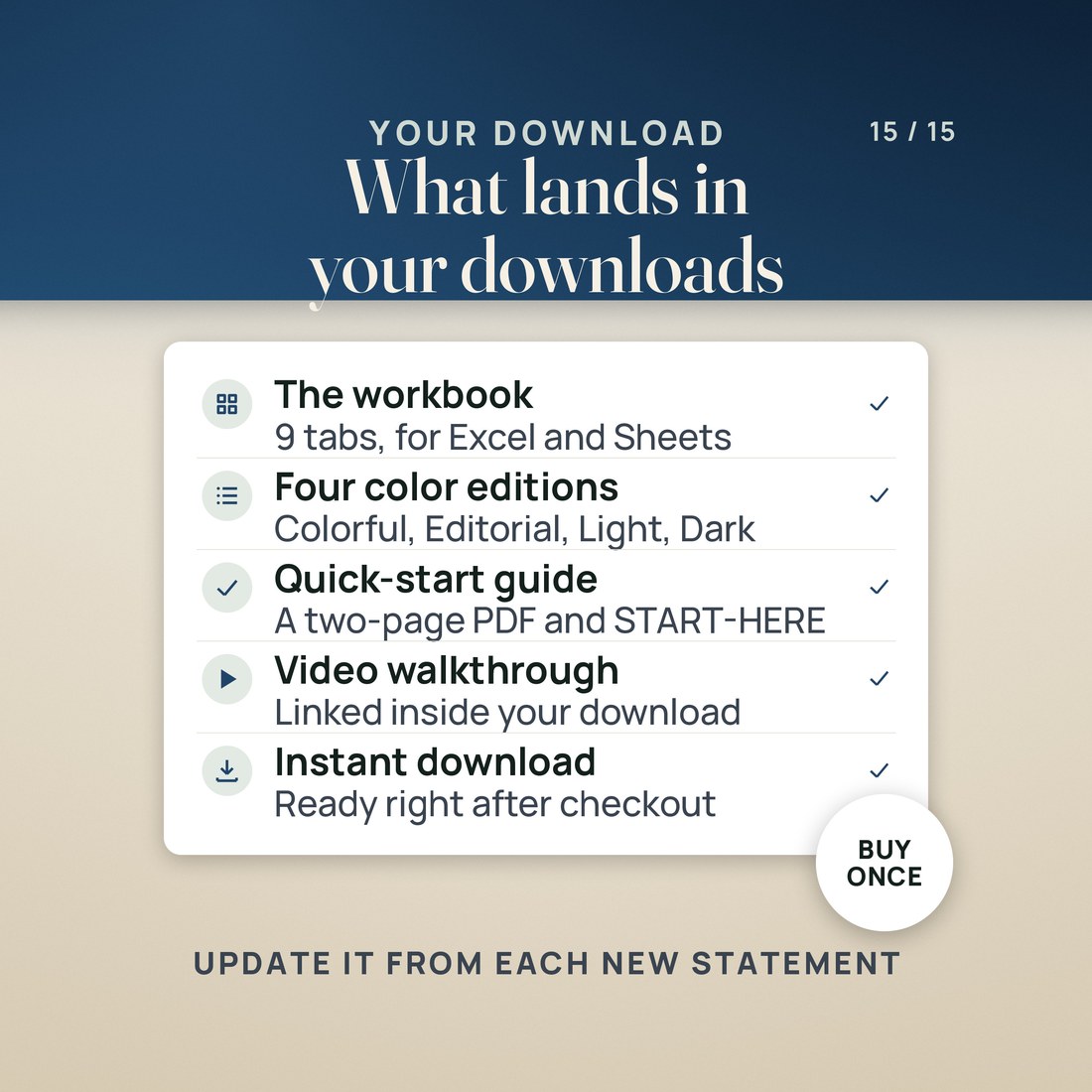
One ZIP, 6 files:
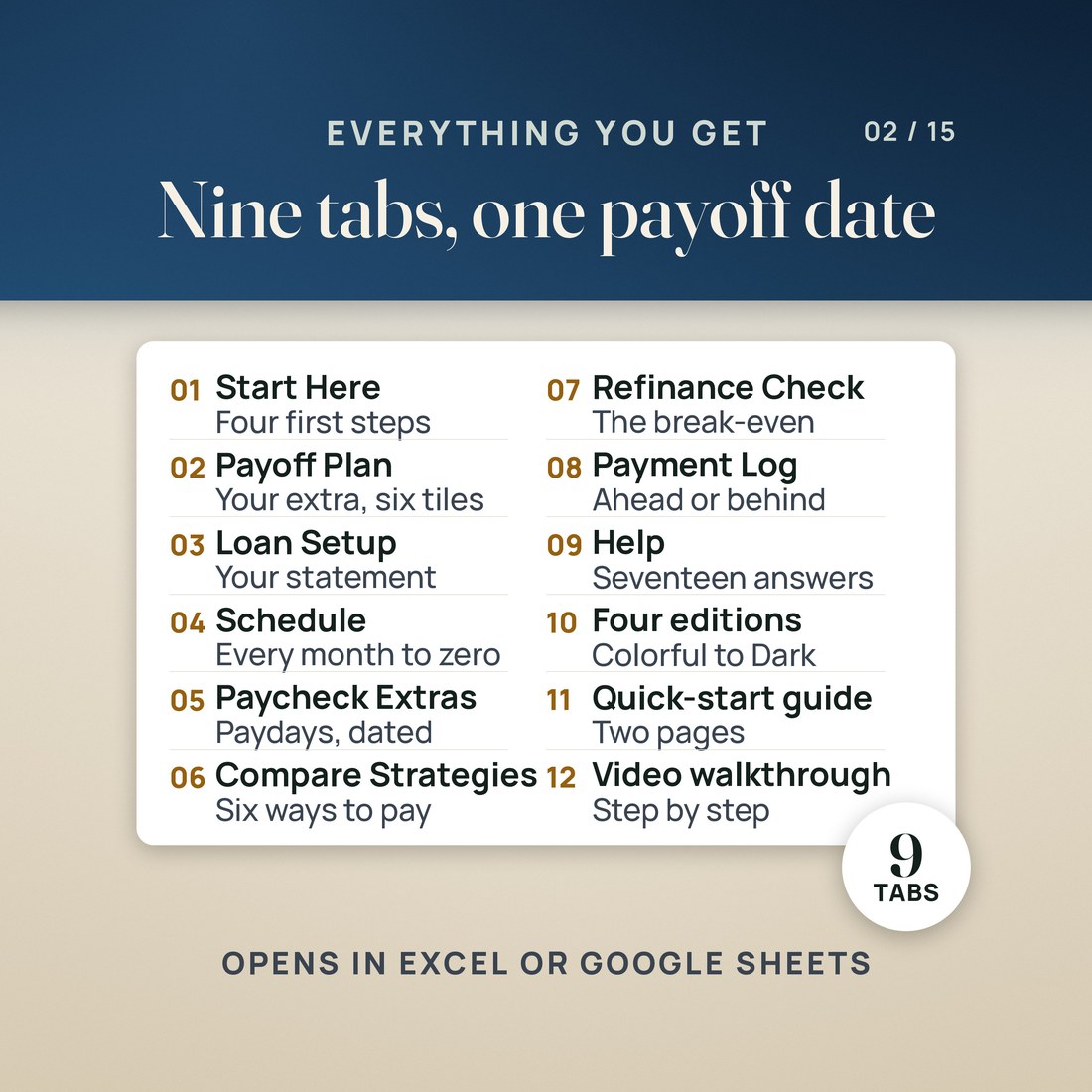
- One ZIP holding the Mortgage Payoff Spreadsheet as a single .xlsx workbook in four color editions: Colorful and Editorial loose, Light and Dark inside a small 3color zip beside them
- Nine tabs: Start Here, Payoff Plan, Loan Setup, Schedule, Paycheck Extras, Compare Strategies, Refinance Check, Payment Log and Help
- A worked sample loan already typed in, so nothing opens blank, with every name and figure invented for the example
- A PDF with the Google Sheets copy link, a two page Quick-Start PDF and a START-HERE file that explains how the payoff is worked out
Key Benefits
Why this one
Payoff Plan answers in two tiles: the month the house is paid off with your plan and without it, and the interest you skip. Change the extra per paycheck and both move while you type.
Type one payday and how often you are paid. The file counts the real paydays in every month, highlights the three-paycheck months, and sends the extra in each time a paycheck arrives.
It works out the month your balance reaches 80% of the original value with your extra, when you can ask in writing to remove PMI, and the month PMI ends on its own at 78% on the original schedule.
Biweekly half-payments, one extra payment a year, a lump sum and your whole plan are compared as estimates, and a refinance offer is costed with its break-even month, against the loan you already have.
It is a fixed-rate, month-by-month model: no adjustable-rate resets, daily-interest servicing, escrow changes or fees. It does arithmetic on the numbers you type and is not lending advice.
Who It's For
Built for
- A homeowner paid weekly, every two weeks or twice a month who has the bills under control and wants to send a set amount from each paycheck to principal
- A Paycheck Budget user whose next step is the mortgage, sending a little from each paycheck to the house
- Someone paying PMI who wants the month they can ask to have it removed, with their extra payments counted
- Someone weighing biweekly payments, one extra payment a year, a lump sum or a refinance offer, who wants the numbers side by side
How It Works
Up and running in minutes
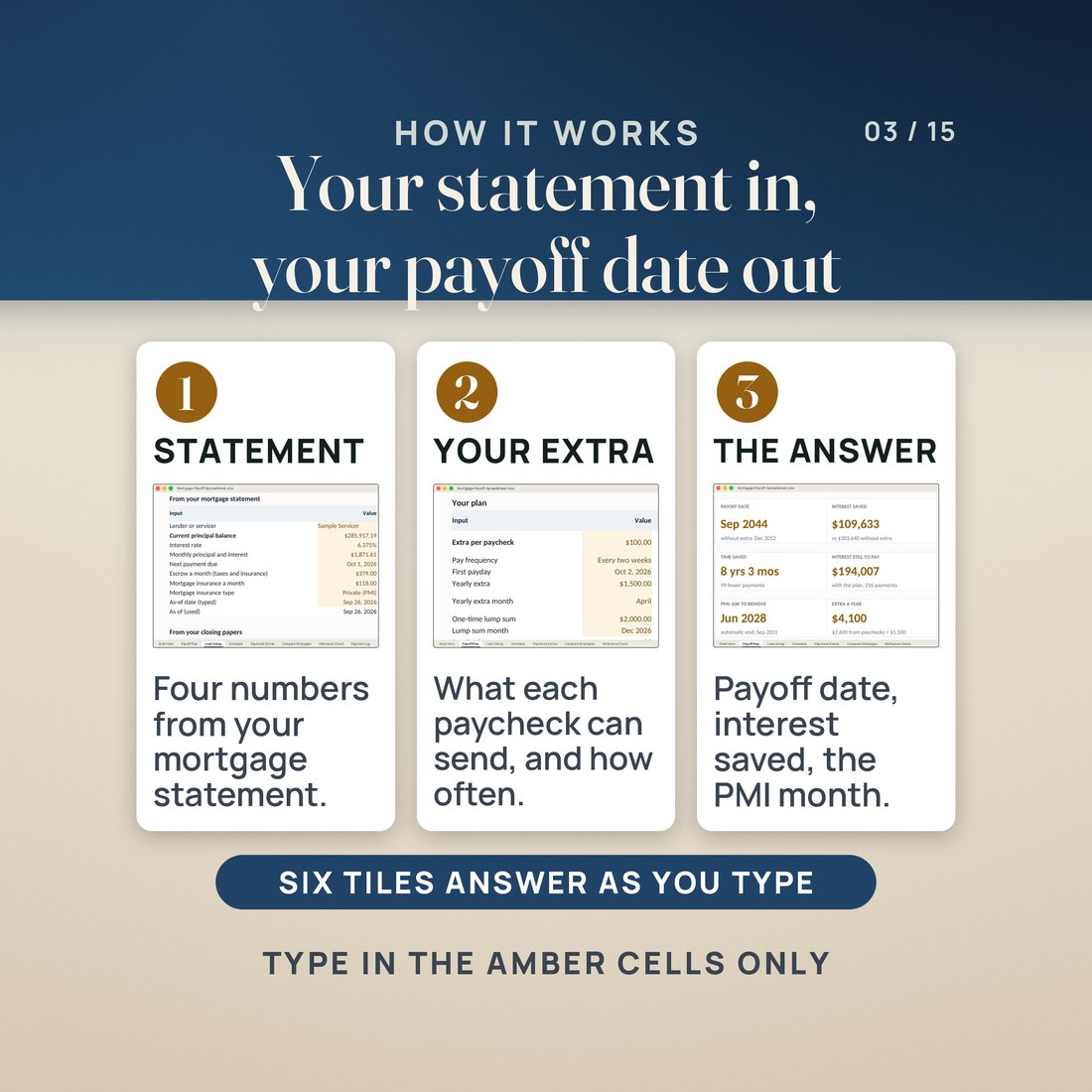
On Loan Setup, type your current principal balance, interest rate, monthly principal and interest and next payment due, then four numbers from your closing papers. The payment check reads Matches when they agree.
On Payoff Plan, type the extra you can send from each paycheck, how often you are paid and one payday, plus any yearly extra such as a tax refund and any one-time lump sum.
The tiles show the payoff date, interest saved, time saved and the PMI dates. Schedule lists every payment until the loan is gone, and Paycheck Extras dates your paydays for 24 months.
Log what you actually pay on Payment Log to see whether you are ahead, on plan or behind, and use Compare Strategies and Refinance Check for the what-ifs.
Why It's Different
Not another template
Most mortgage payoff spreadsheets ask for one extra amount a month. This one works the way you are paid: it counts your real paydays, finds the three-paycheck months, and sends the extra in each time a paycheck arrives, month by month for up to 480 months with interest to the cent. It also dates the PMI milestones with your extra counted, compares the common strategies side by side, and costs a refinance offer, all from one statement and one payday.
Delivery & Compatibility
Instant, and it opens in what you already use
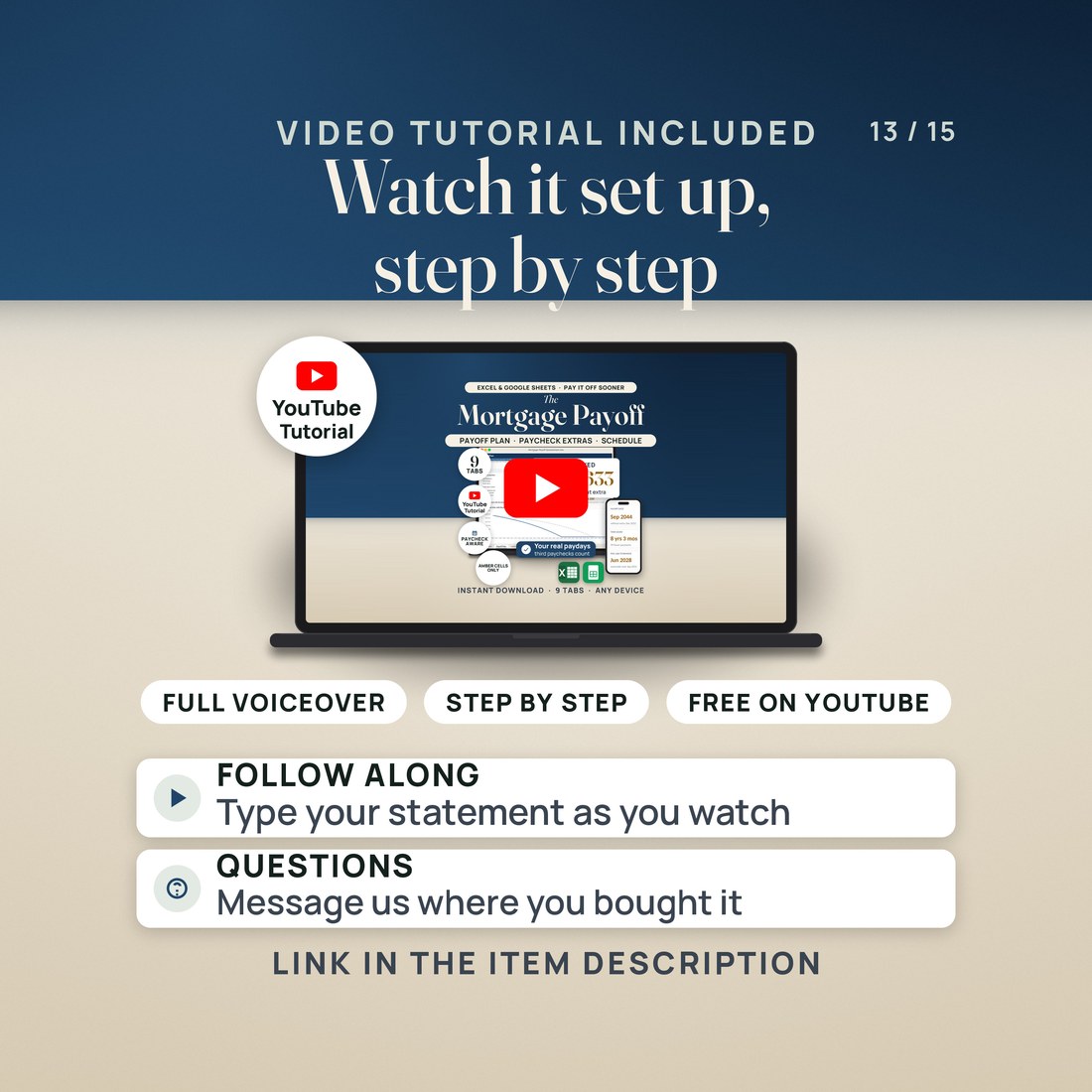
As soon as your order is complete you get instant access to download the ZIP: the workbook in four color editions, the Google Sheets copy link, a two page Quick-Start PDF and a START-HERE file. Start with the Quick-Start guide and the free video walkthrough. Nothing ships and nothing installs.
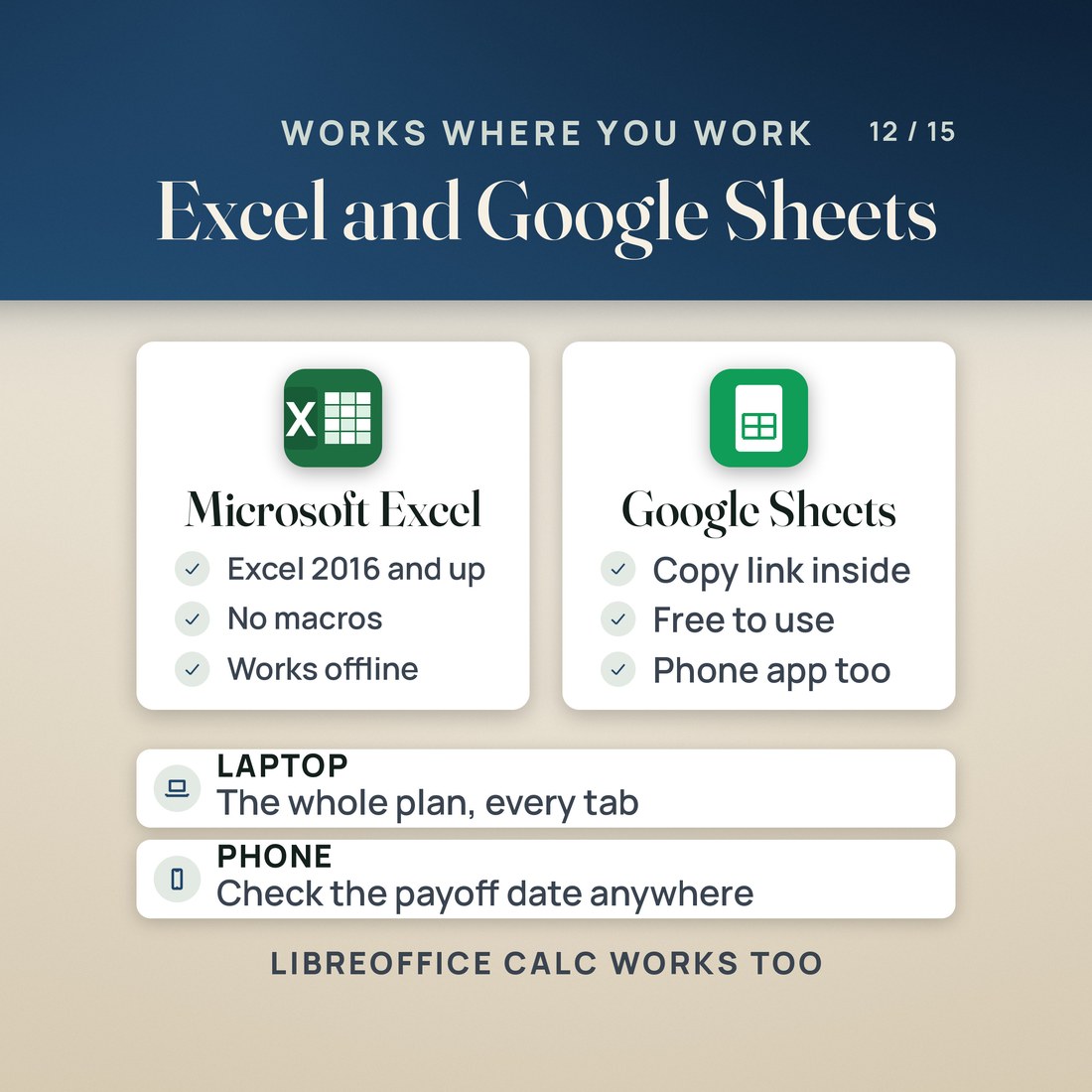
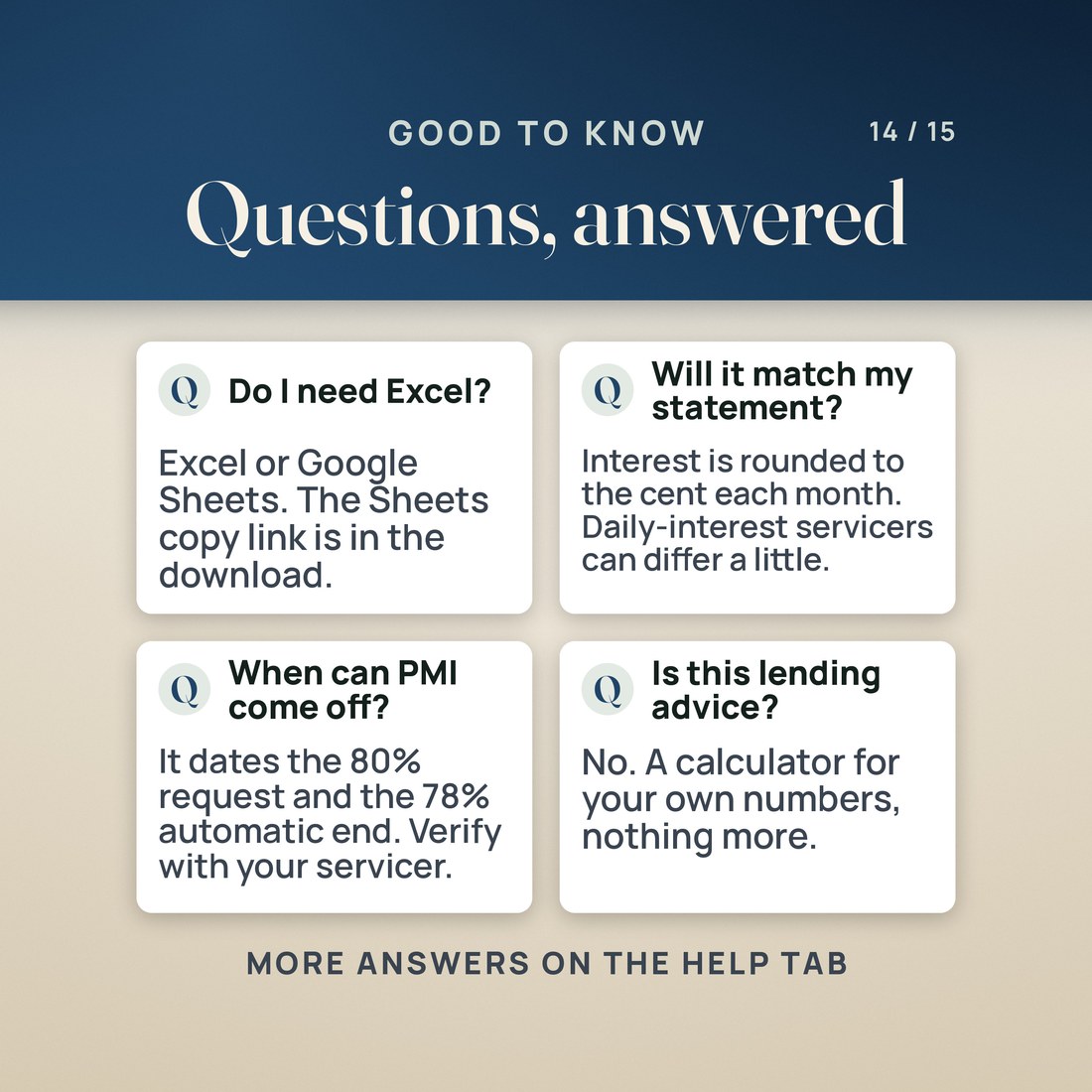
One ZIP, instant download. Built for Excel 2016 or later and tested in LibreOffice Calc; for Google Sheets, open ACCESS-YOUR-TEMPLATE.pdf and click Make a copy. On a phone or tablet, use the Google Sheets or Excel app. Apple Numbers opens the file but drops some formatting. No macros, no add-ons, no account and no subscription.
FAQ
Questions, answered
What format is this?
One workbook (.xlsx) in four color editions, Colorful, Editorial, Light and Dark, with a quick-start PDF, a START-HERE file and the Google Sheets copy PDF. 6 files in one ZIP.
What do I need to open it?
Excel 2016 or later, or Google Sheets through the copy link, on a computer or through the Excel or Sheets app on a phone or tablet. There are no macros and nothing to install.
Where do I put a bonus or a tax refund?
A refund or bonus that comes every year goes in Yearly extra on Payoff Plan, with its month. A one-time bonus goes in One-time lump sum, with its month.
What does it work out?
Your payoff date with the plan and without extra, the interest saved, the time saved, the interest still to pay, every payment for up to 480 months, your paydays for the next 24 months, the PMI dates, six strategies compared, a refinance offer's payment, break-even and interest, and whether your real payments are ahead of the plan.
Are the PMI dates exact?
They follow the Homeowners Protection Act as the CFPB summarizes it: ask in writing at 80% of the original value, automatic at 78% on the original schedule. Your servicer may add conditions such as an appraisal, and FHA mortgage insurance works differently. Verify with your servicer.
Is this lending advice?
No. It is a fixed-rate model doing arithmetic on the numbers you type: estimates, not lending advice. Tell your servicer each extra payment is for principal, and check the next statement.
Estimates, not lending advice. This is a fixed-rate, month-by-month model: daily-interest servicing, adjustable-rate resets, escrow changes, fees, prepayment penalties and recasts are not modeled, so a statement can differ by a few dollars. PMI dates follow the Homeowners Protection Act as the CFPB summarizes it; your servicer's rules may add conditions, FHA mortgage insurance works differently, and you should verify with your servicer. Compare Strategies figures are estimates; Schedule is the exact month by month. Interest saved compares your plan with no extra from the next payment on. The sample loan, its servicer and its payments were invented for the example, and its saving includes a $1,500 yearly refund and a $2,000 one-time bonus as well as the $100 a paycheck. The four color editions are separate files. Digital product; because the files are delivered instantly, all sales are final.