 ▶
▶
 ▶
▶Landlord and Rental Property System
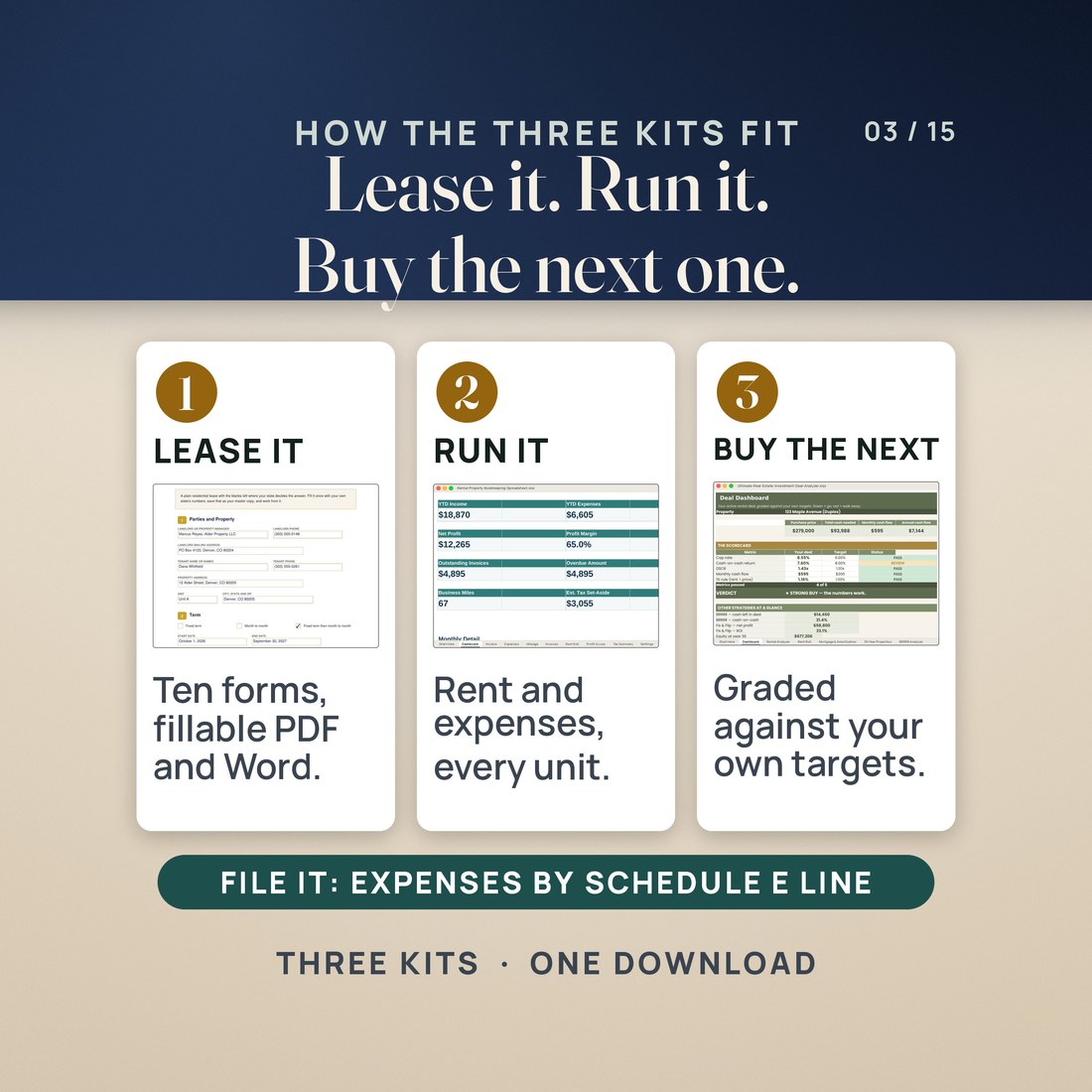
Lease it, run it, file it, then check the numbers on the next one. Three landlord kits in one download.
What does a landlord need between a signed lease and a filed Schedule E, and does the next property add up?
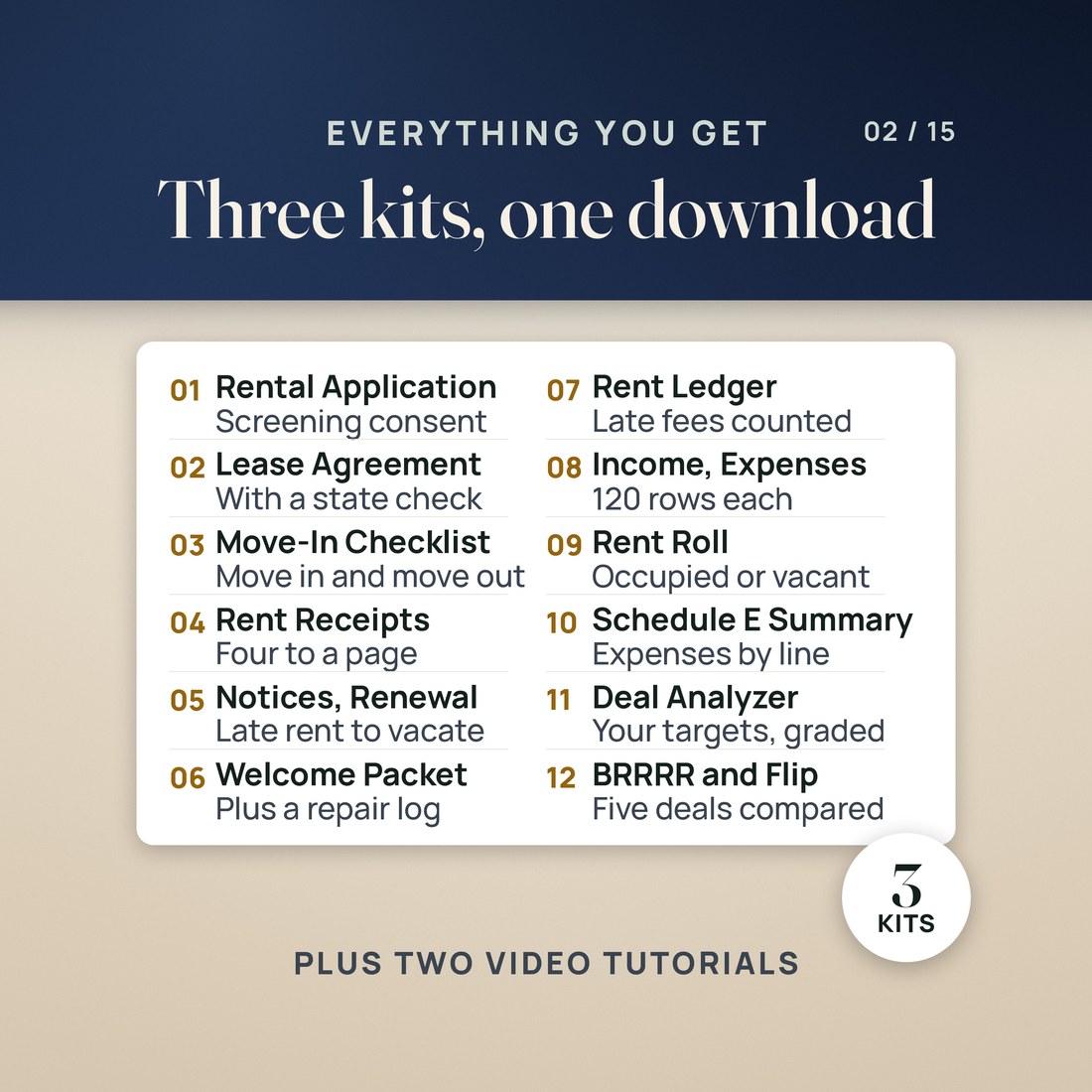
- Landlord Forms: ten landlord documents, each as a fillable PDF and as an editable Word file, with 719 fillable fields across 29 pages
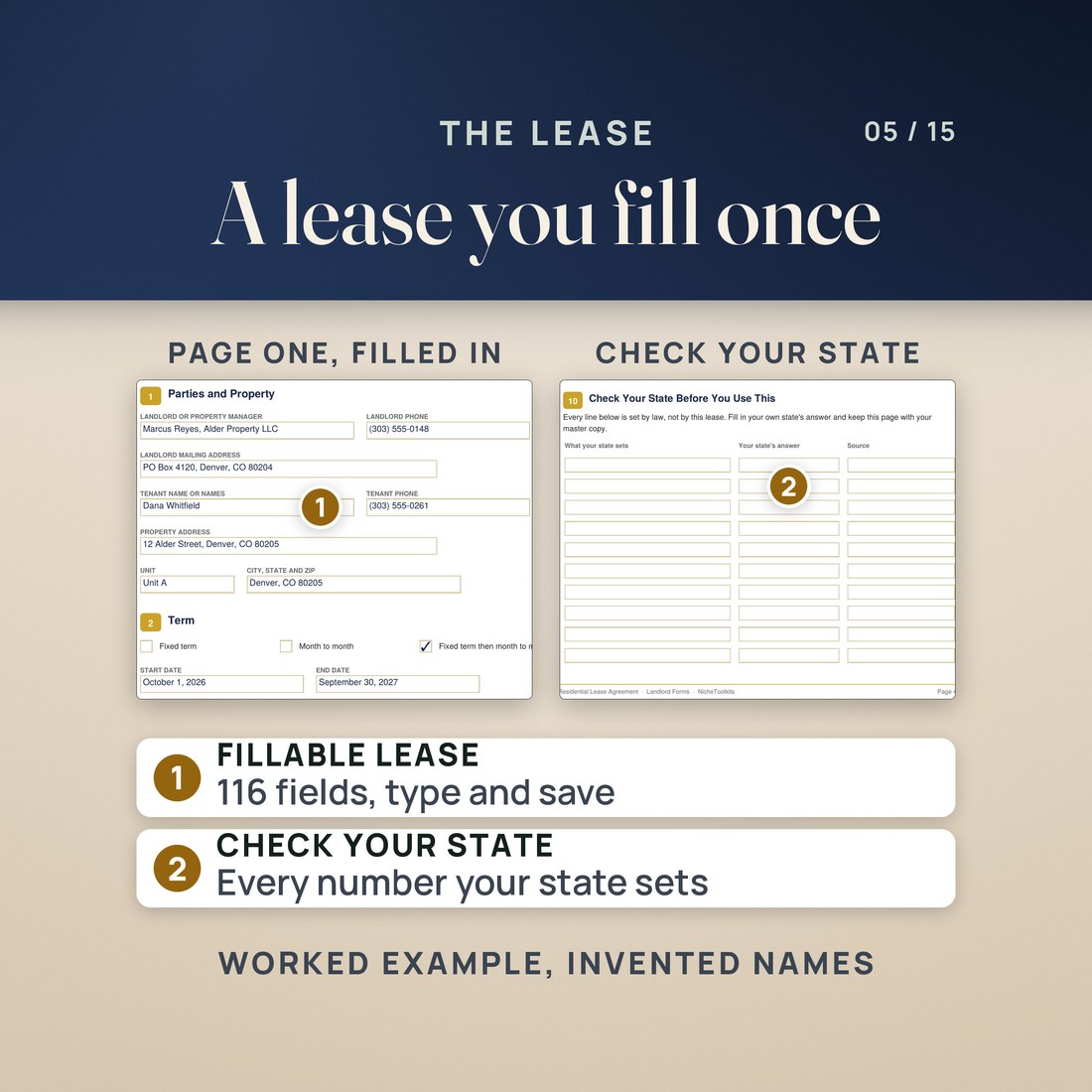
- A residential lease with 116 fillable fields and a Check Your State page that lists every number your state sets
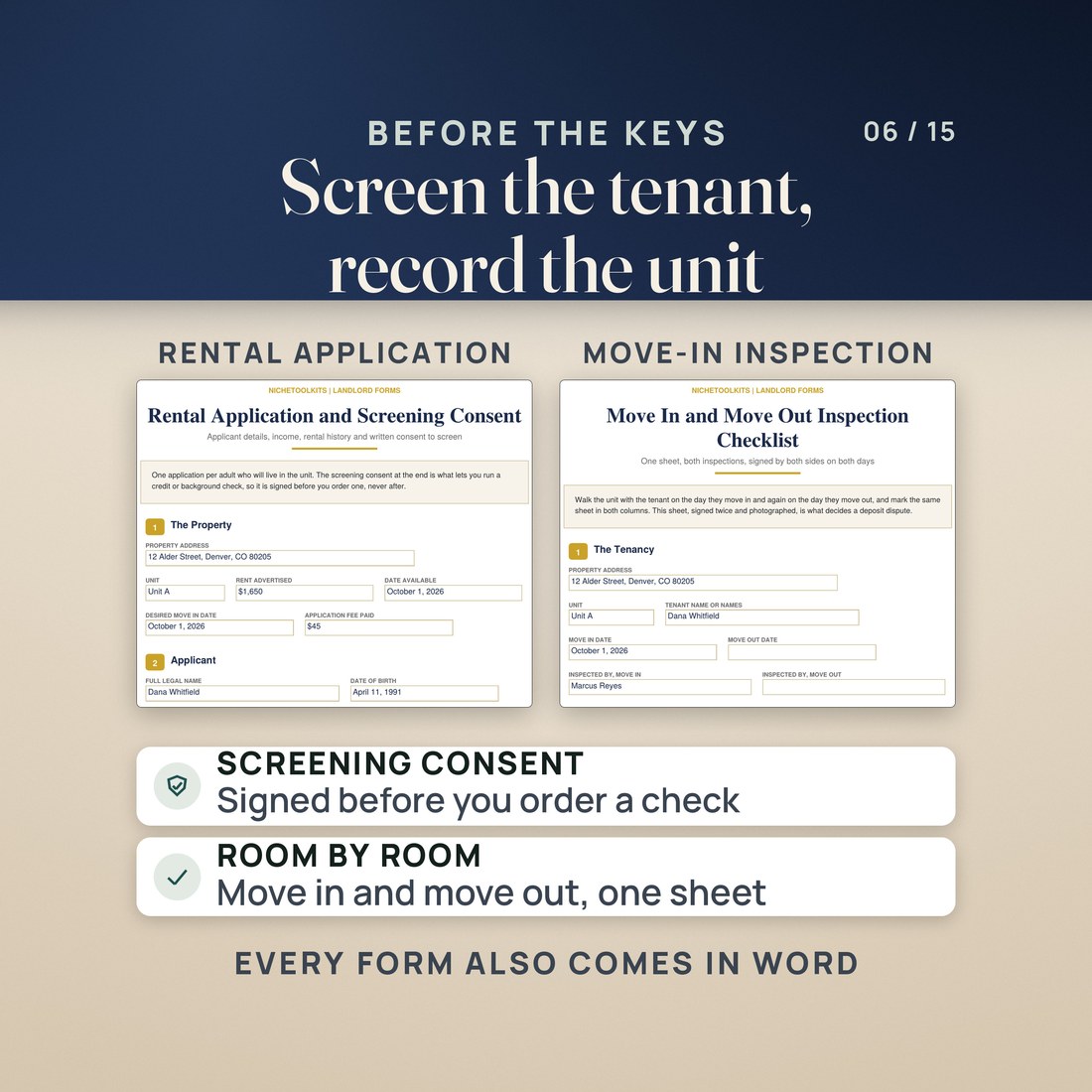
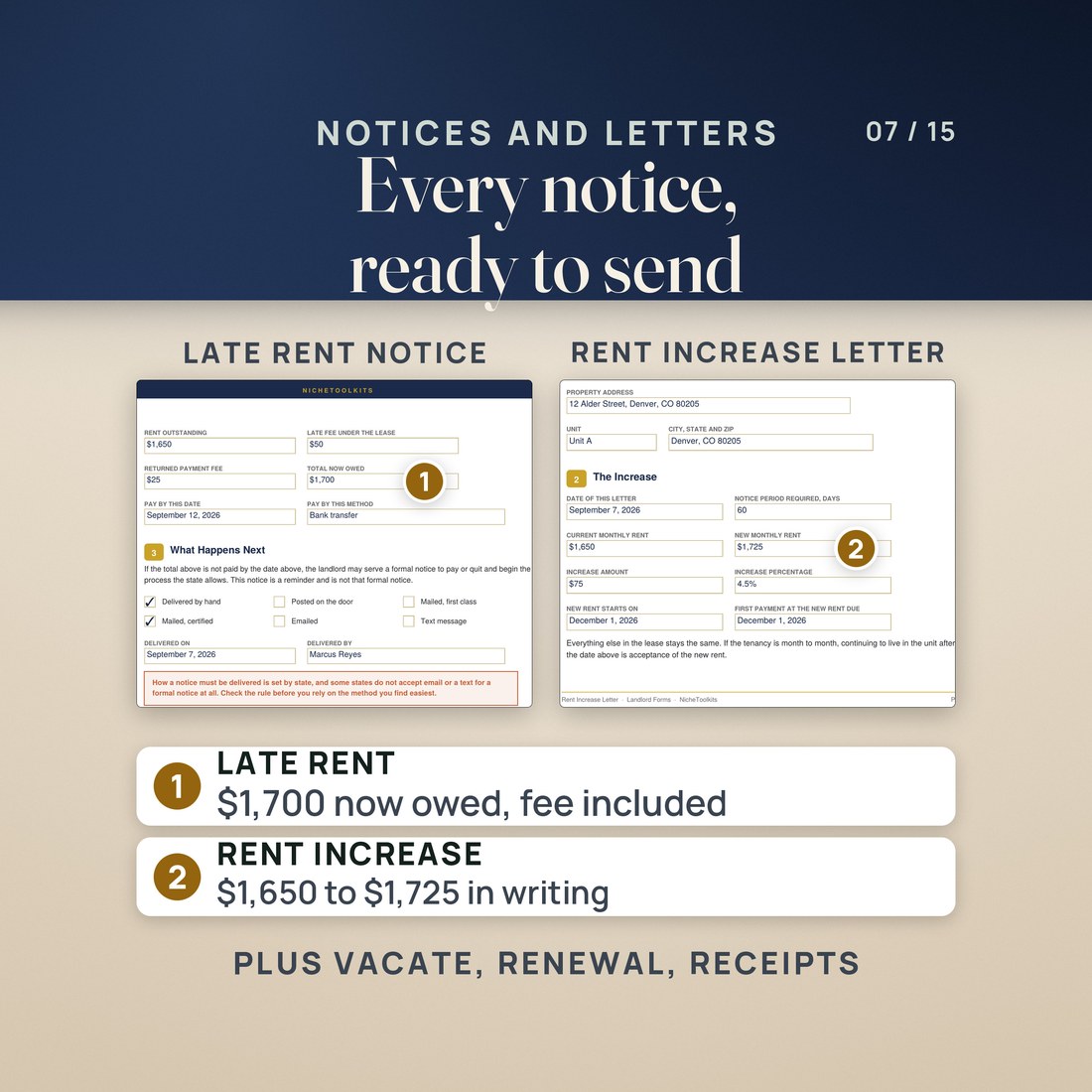
- The rental application with screening consent, a move-in and move-out inspection checklist, rent receipts, a late rent notice, a rent increase letter, a notice to vacate and a lease renewal
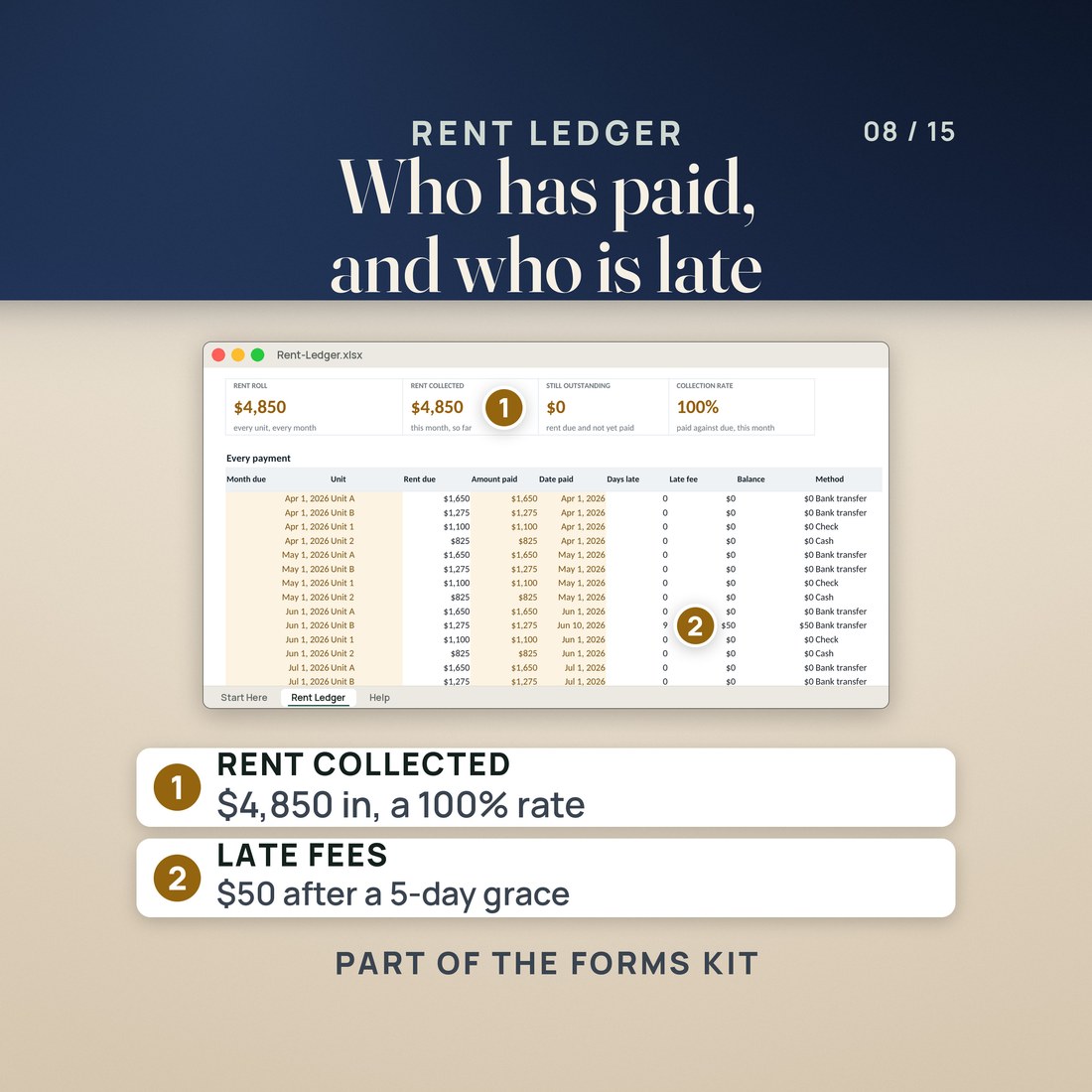
- A Rent Ledger workbook in four color editions that works out the days late, the late fee, the balance and the month's collection rate
- Rental Property Bookkeeping: a 10 tab workbook with Income, Expenses, Mileage and Invoices ledgers of 120 ready rows each
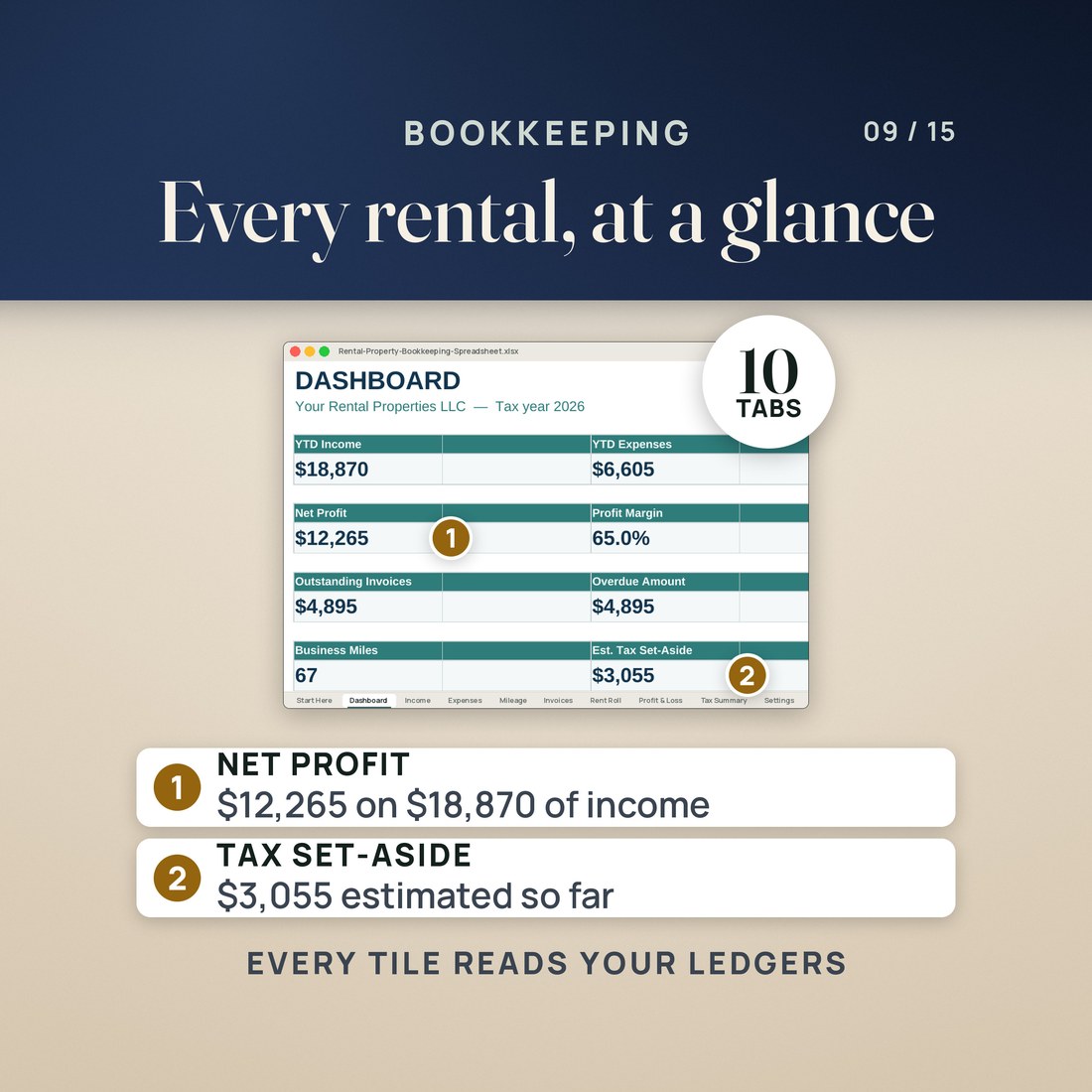
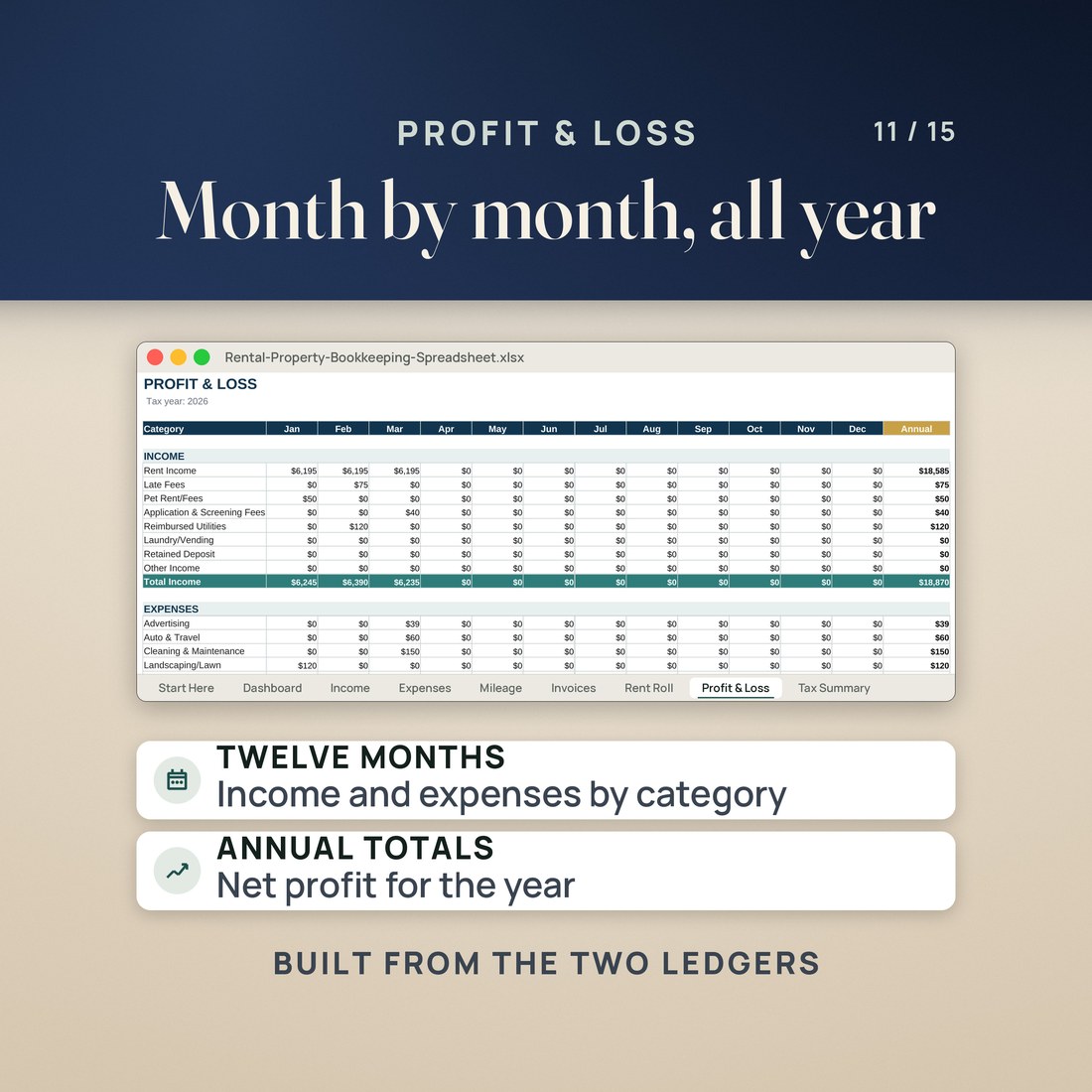
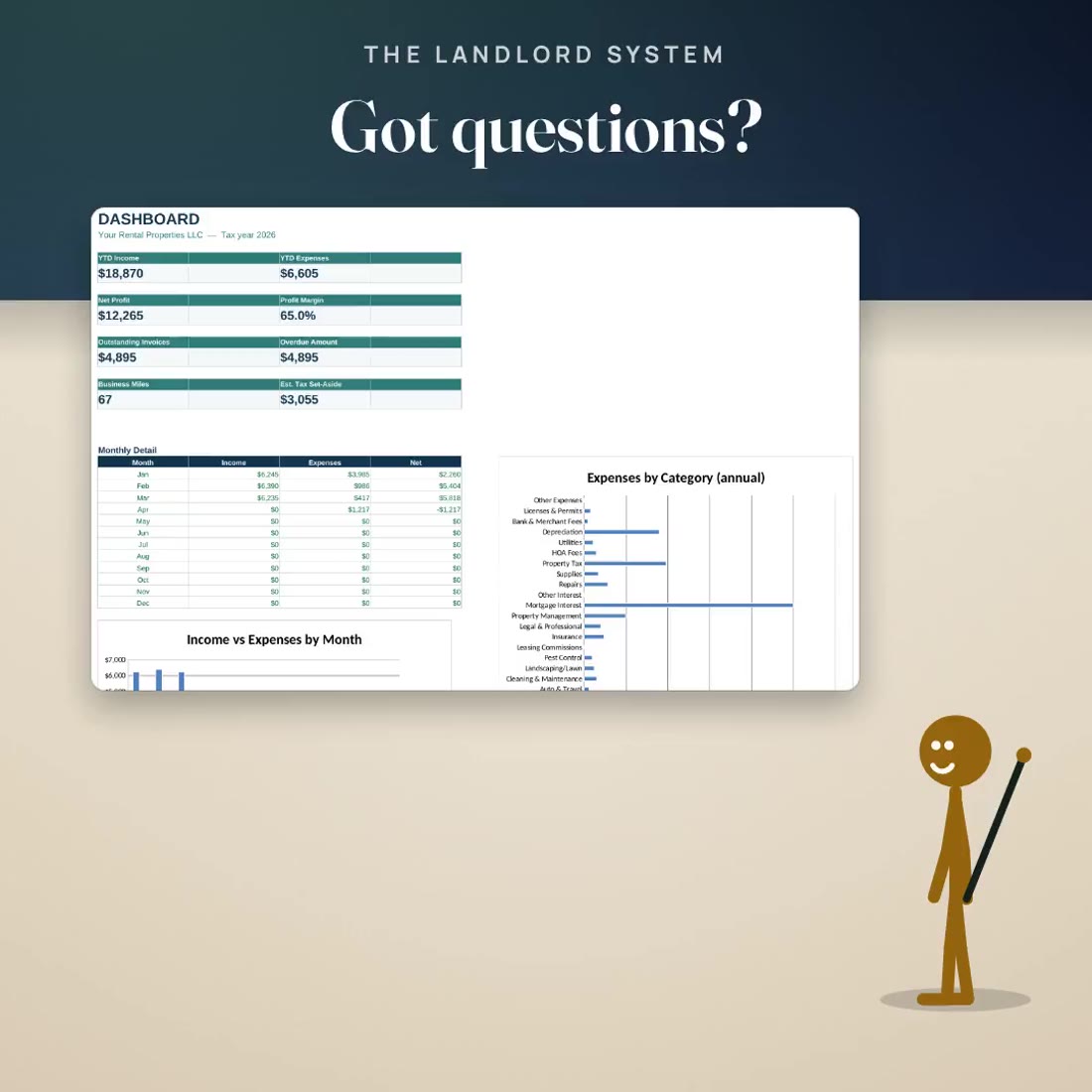
- A Rent Roll of every unit and tenant, a month by month Profit and Loss, and a Dashboard that reads every tile from the ledgers
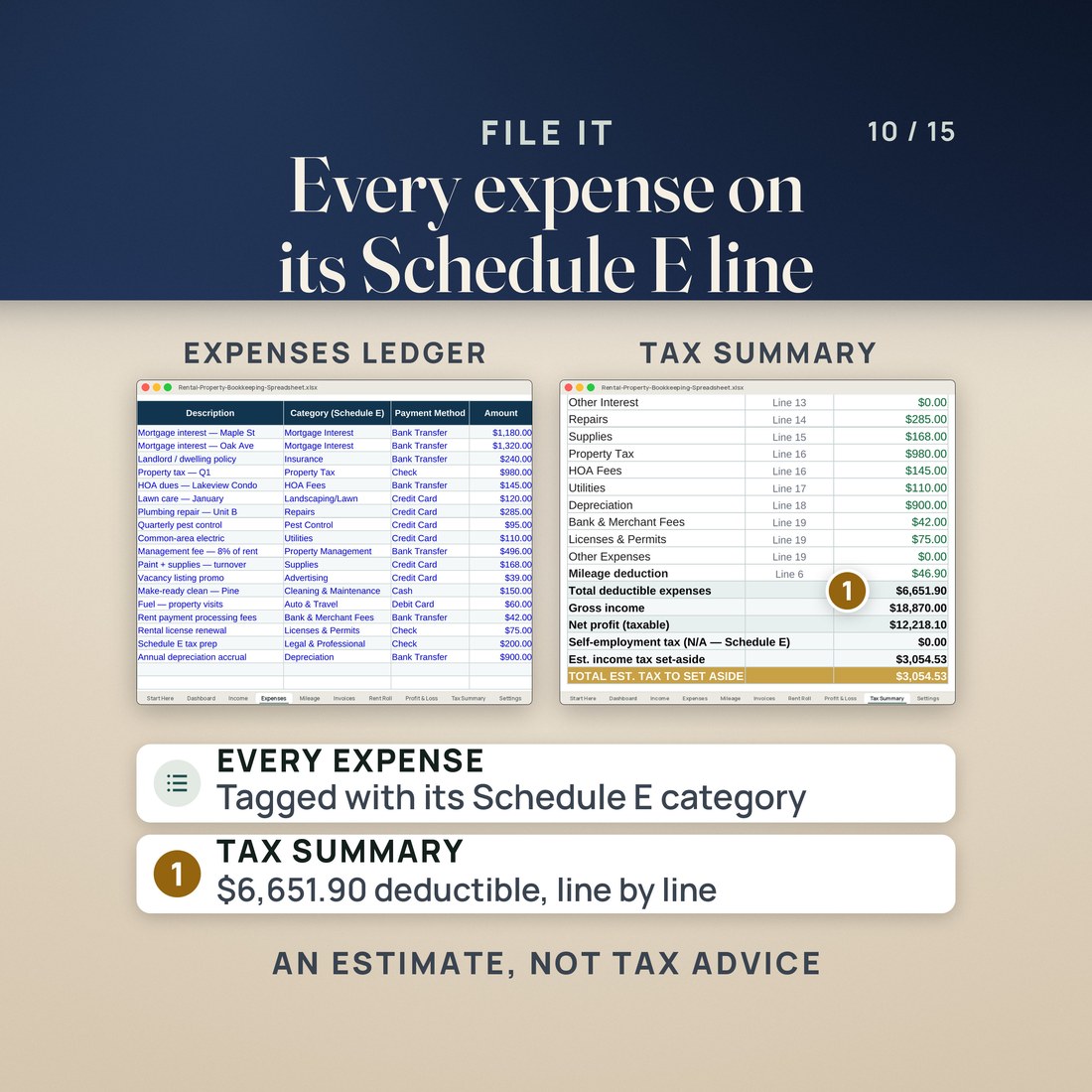
- A Tax Summary that groups the year's expenses by Schedule E line, with the mileage deduction and an income tax set-aside estimate
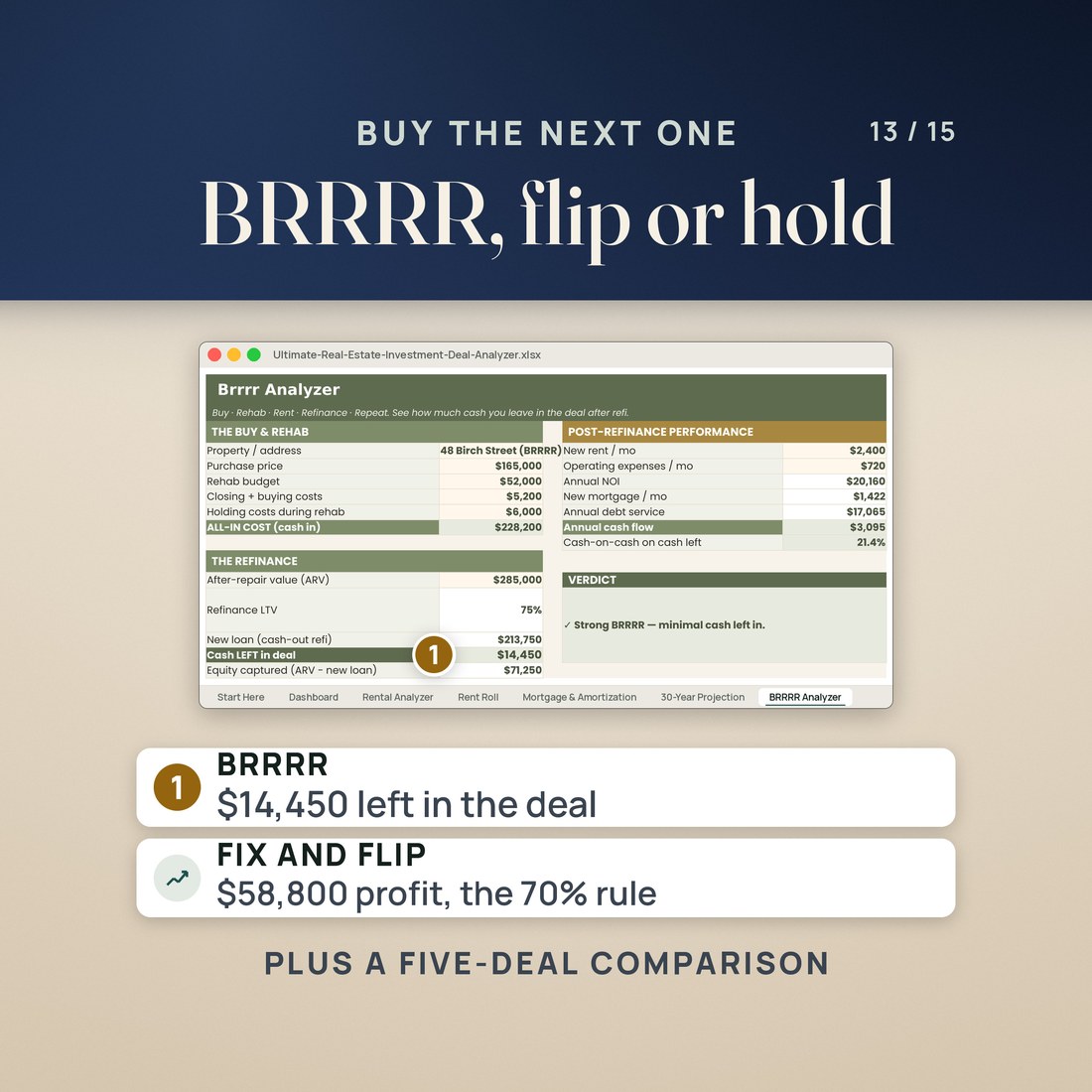
- Real Estate Deal Analyzer: a 13 tab workbook that grades a property against your own targets, with BRRRR and fix and flip analyzers and a five deal comparison
Overview
Lease it, run it, file it, then check the numbers on the next one. Three landlord kits in one download.
What does a landlord need between a signed lease and a filed Schedule E, and does the next property add up?
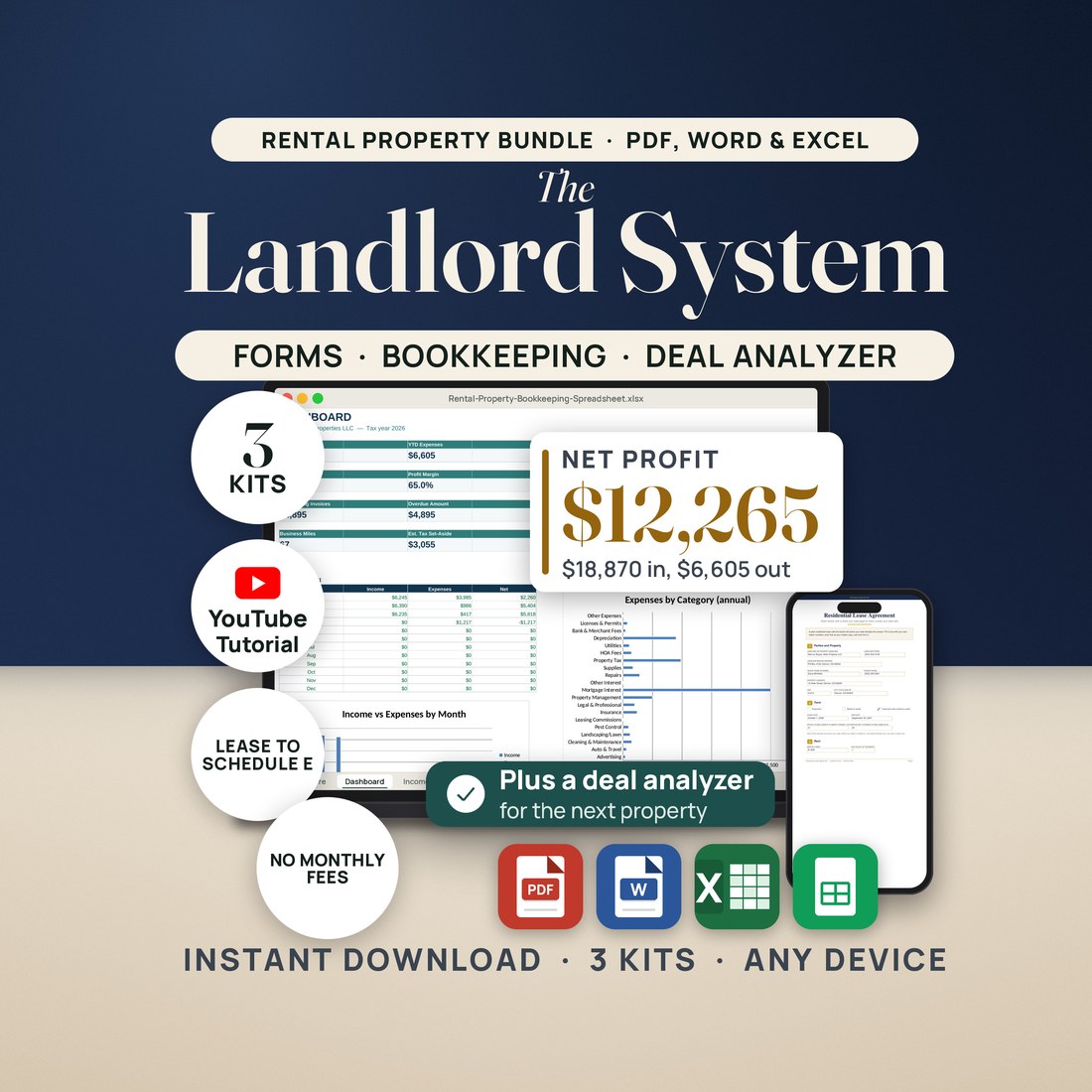
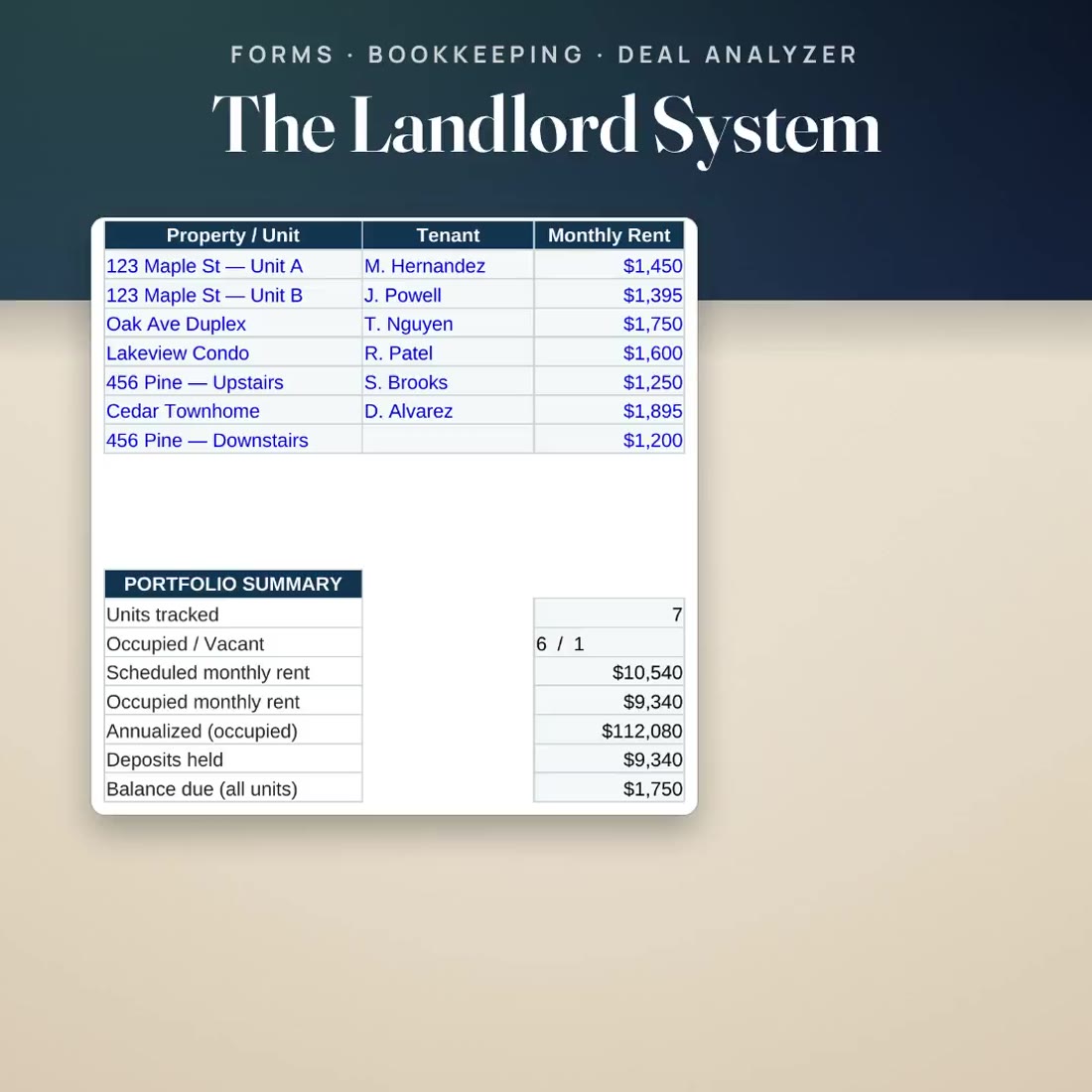
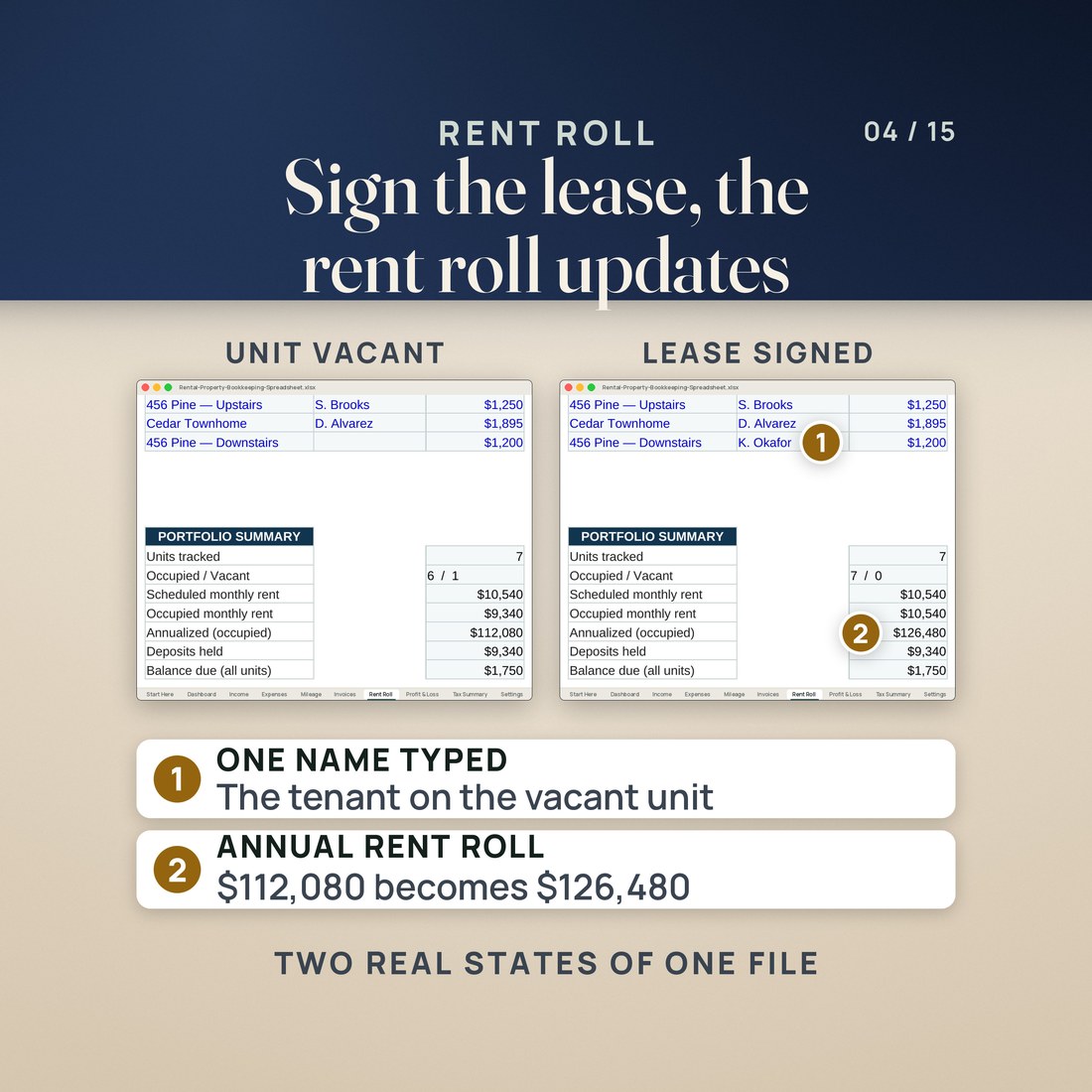
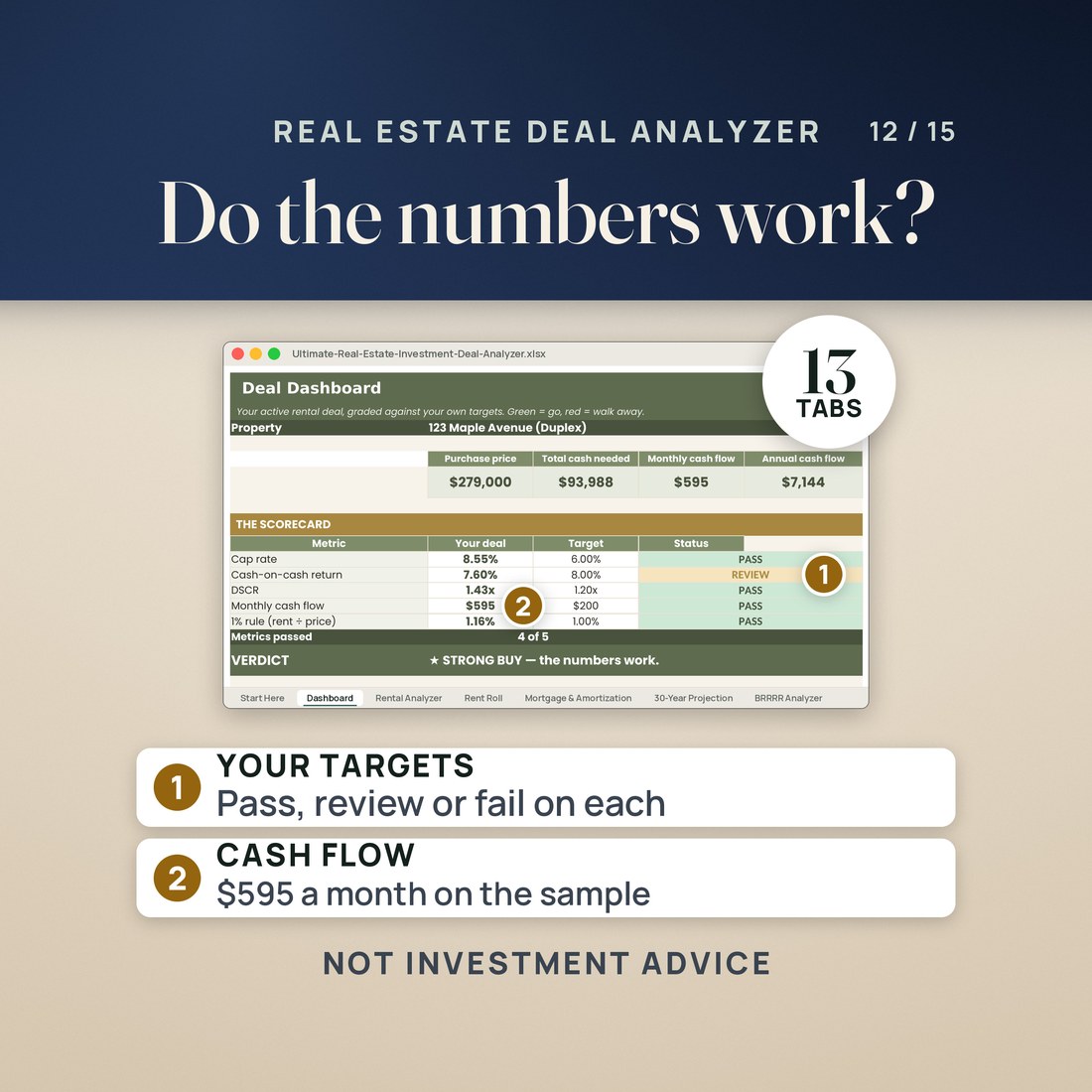
Most landlords keep the lease in one folder, the rent in another and the tax numbers in a shoebox. This bundle gives each job its own kit, in the order you meet them. The forms kit covers the paperwork from the rental application to the notice to vacate. The bookkeeping workbook keeps the year: its sample has seven invented units with one vacant, and typing a tenant's name on the vacant unit's row takes the annual rent roll from $112,080 to $126,480, while the Dashboard reads $18,870 of income, $6,605 of expenses and $12,265 of net profit. The deal analyzer checks the next property: the sample duplex at a $279,000 purchase price shows $595 a month of cash flow and passes 4 of 5 targets.
What's Included
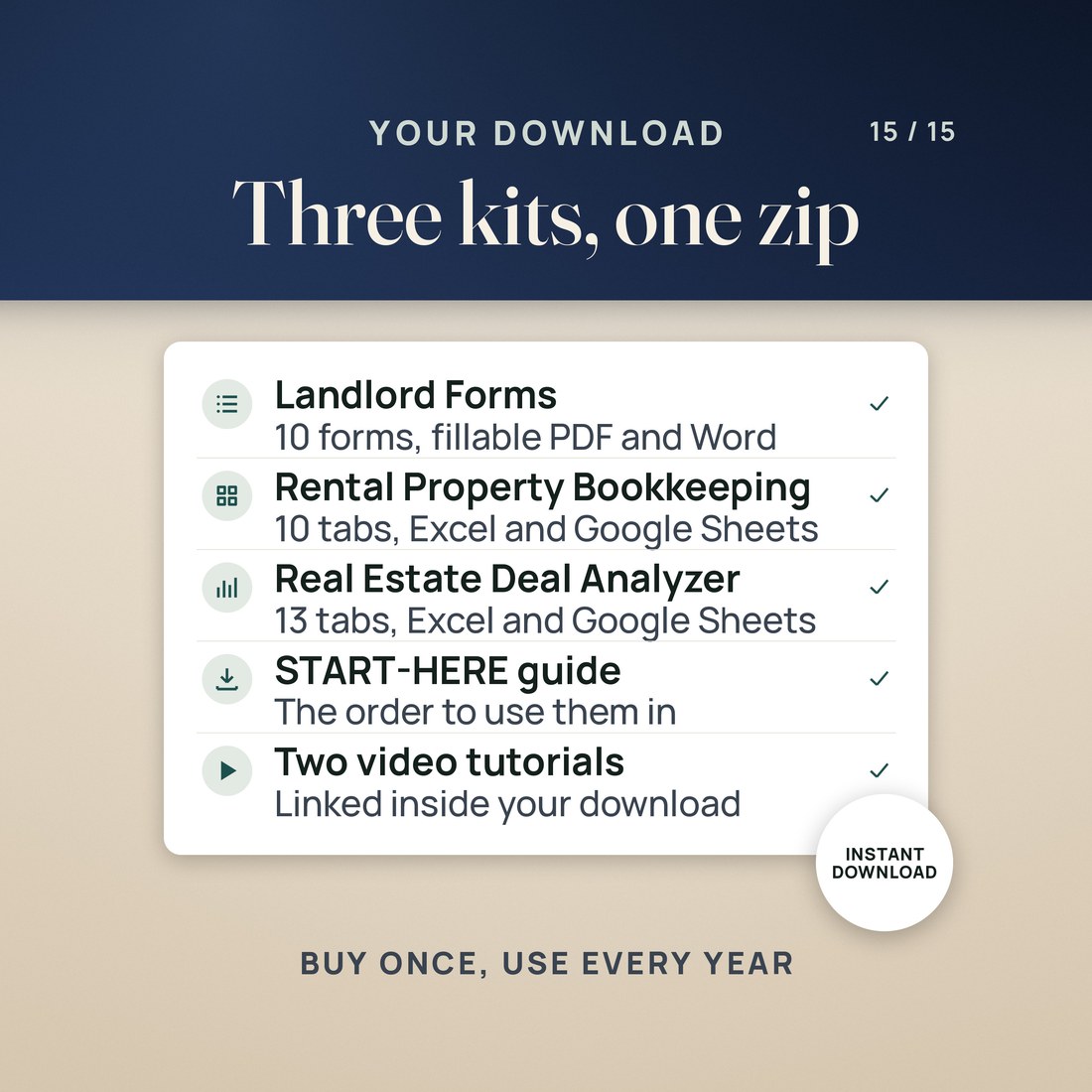
One ZIP, three kits, 30 files:
- 1-Landlord-Forms-Bundle: the ten forms as fillable PDFs and as Word files, the Rent Ledger workbook in four color editions, a two page QUICK-START PDF and a START-HERE file
- 2-Rental-Property-Bookkeeping: the bookkeeping workbook for Excel and Google Sheets, opening on an invented sample year you type over
- 3-Real-Estate-Deal-Analyzer: the deal analyzer workbook with an invented sample duplex, a README and a PDF with a Google Sheets copy link
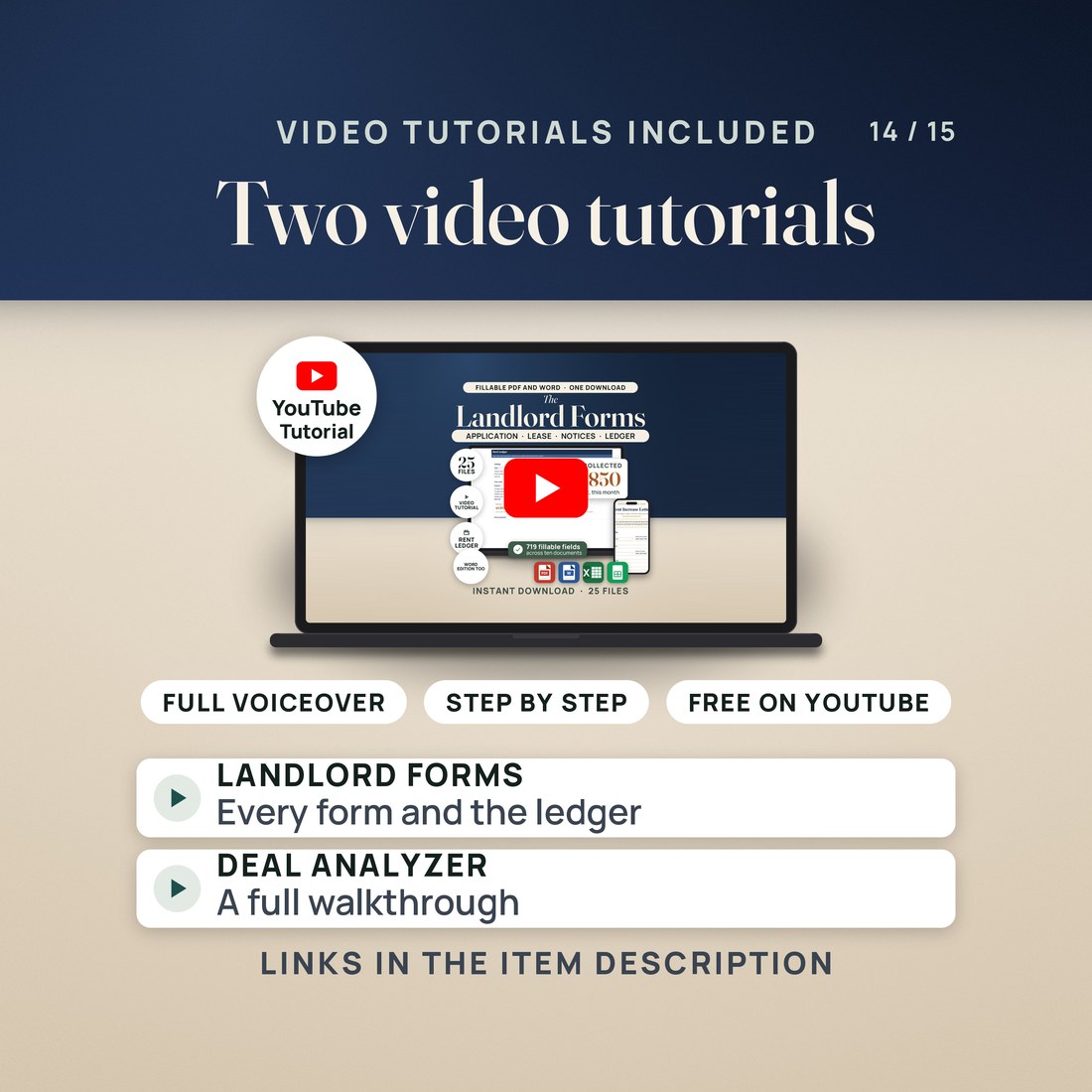
- A START-HERE file for the bundle with the order to use the three kits in and the links to the two free video tutorials
Key Benefits
Why this one
The application with screening consent, the lease and the move-in checklist are ready before the first tenant calls. Fill the Check Your State page first, then save a master copy of each form with your name and property already in it.
Add the tenant the day the lease is signed. In the sample, one name typed on the vacant unit's row takes the annual rent roll from $112,080 to $126,480.
Tag each expense with its Schedule E category as you log it, and the Tax Summary totals the year line by line: $6,651.90 of deductible expenses in the sample, with the mileage deduction included.
Type a property into the deal analyzer and read the Dashboard against your own targets. The sample duplex shows an 8.55% cap rate and a 1.43 DSCR, and passes 4 of 5 targets.
No subscription, no account and nothing to install. The workbooks open in Excel 2016 or later and in Google Sheets, and the forms in Acrobat Reader, Preview or most browsers, and in Word, Pages or Google Docs.
Who It's For
Built for
- A landlord with a few rental units who does the leasing, the rent and the books without a property manager
- A new landlord about to sign a first lease who wants the application, the lease, the checklist and the notices ready
- A landlord who wants the year's expenses sorted by Schedule E line before meeting the tax preparer
- An investor with rentals running who is weighing the next purchase as a long-term rental, a BRRRR or a flip
How It Works
Up and running in minutes
Fill the Check Your State page at the end of the lease from your state's rules first, then the application, the lease and the move-in checklist for the unit. Save a master copy of each form.
Fill in the bookkeeping Settings tab once, add each unit and tenant to the Rent Roll, and log the rent and every expense as it happens. The Dashboard reads net profit from the ledgers.
At tax time the Tax Summary groups the year's expenses by Schedule E line and estimates an income tax set-aside at the rate you set. Take it to your tax preparer.
Type a property into the deal analyzer's Rental Analyzer and read the Dashboard before you make an offer, or run it through the BRRRR and Fix and Flip analyzers.
Why It's Different
Not another template
Most landlord templates are either a stack of forms or a single spreadsheet. This bundle covers the whole cycle in the order you meet it, with each kit doing one job: ten documents with a Word edition of every one so you can reword them, a bookkeeping workbook that sorts the year by Schedule E line, and a deal analyzer that grades a property against targets you set yourself. The three kits are separate files: you type each number into the kit that uses it, and nothing connects to your bank.
Delivery & Compatibility
Instant, and it opens in what you already use
As soon as your order is complete you get instant access to download the ZIP: three kit folders and a START-HERE file that says which to open first. Start with the forms kit and its free video walkthrough. Nothing ships and nothing installs.
One ZIP, instant download. The workbooks open in Excel 2016 or later or in Google Sheets. The fillable forms open in Adobe Acrobat Reader, Preview on a Mac or most browsers, and the Word files in Word, Pages or Google Docs. No macros, no account and nothing to install.
FAQ
Questions, answered
What is in the bundle?
Three kits in one ZIP: the Landlord Forms Bundle (ten forms as fillable PDFs and Word files, plus a Rent Ledger workbook), the Rental Property Bookkeeping workbook (10 tabs) and the Real Estate Deal Analyzer (13 tabs), with a START-HERE file for the bundle.
Will the lease work in my state?
The forms are state neutral. Every number your state sets is left blank on the Check Your State page for you to fill in, and a local attorney should read your lease before you use it.
Do the three kits share numbers?
No. Each kit is its own file, so you type each figure into the kit that uses it. A tenant added to the bookkeeping Rent Roll does not appear in the Rent Ledger, and a deal in the analyzer does not flow into the books.
Does it collect rent or connect to my bank?
No. These are files: you fill in the forms and type the numbers. Nothing collects rent online, screens tenants or links to a bank.
Is the Tax Summary a tax return?
No. The Schedule E grouping and the tax set-aside are planning estimates at the rate you set. Confirm them with a tax professional before you file.
Is the sample data real?
No. Every name, address and figure in the samples is invented. Type over them.
These are business documents and planning tools, not legal, tax or investment advice. Landlord and tenant law varies by state, county and city, so have the lease read for your state before you use it. The tax set-aside is a rough planning figure at the rate you set. Every name, address and figure in the samples is invented. The color editions of the Rent Ledger are separate files. Digital product; because the files are delivered instantly, all sales are final.