 ▶
▶
 ▶
▶Smart Bill Tracker & Bill Calendar
Every bill. Seen coming.
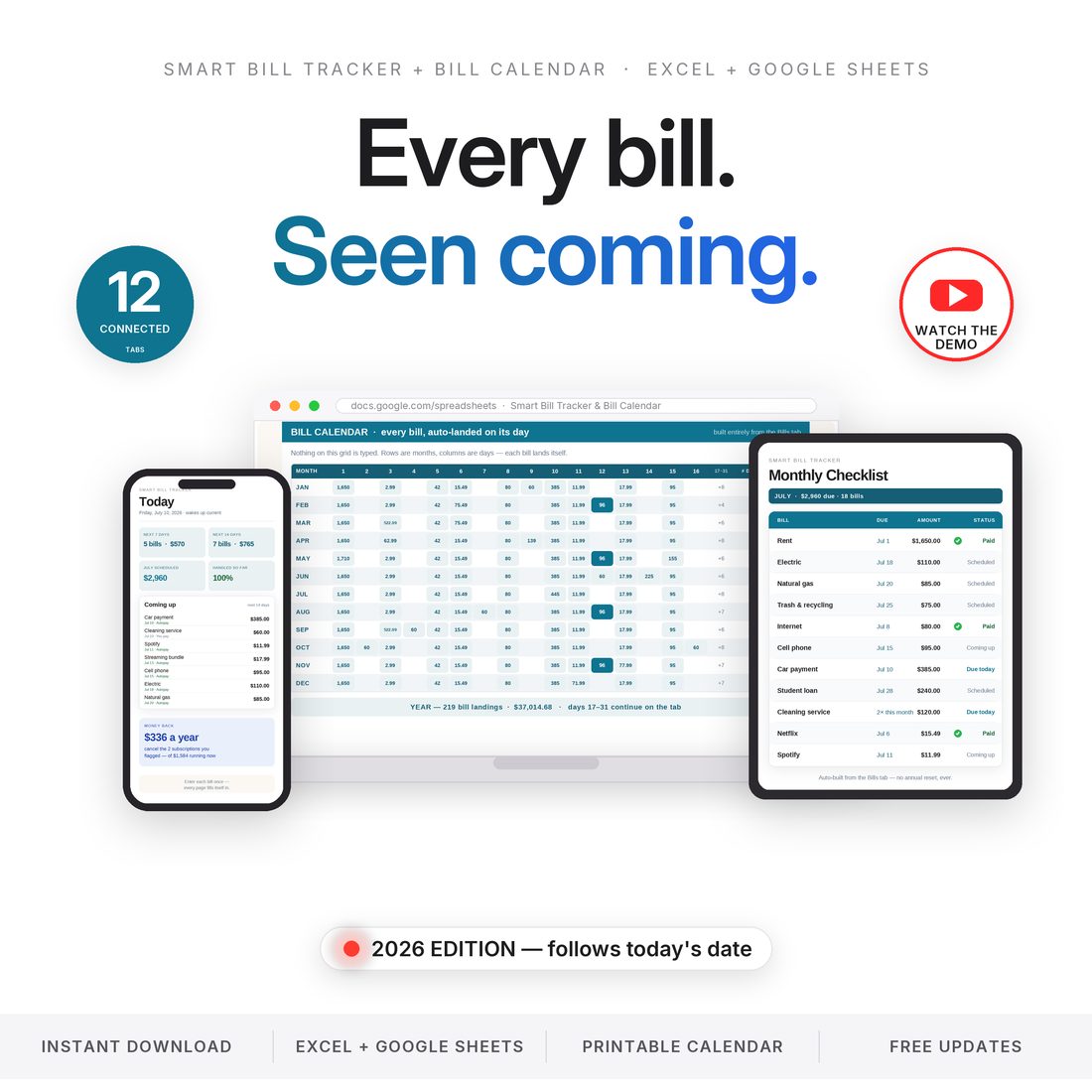
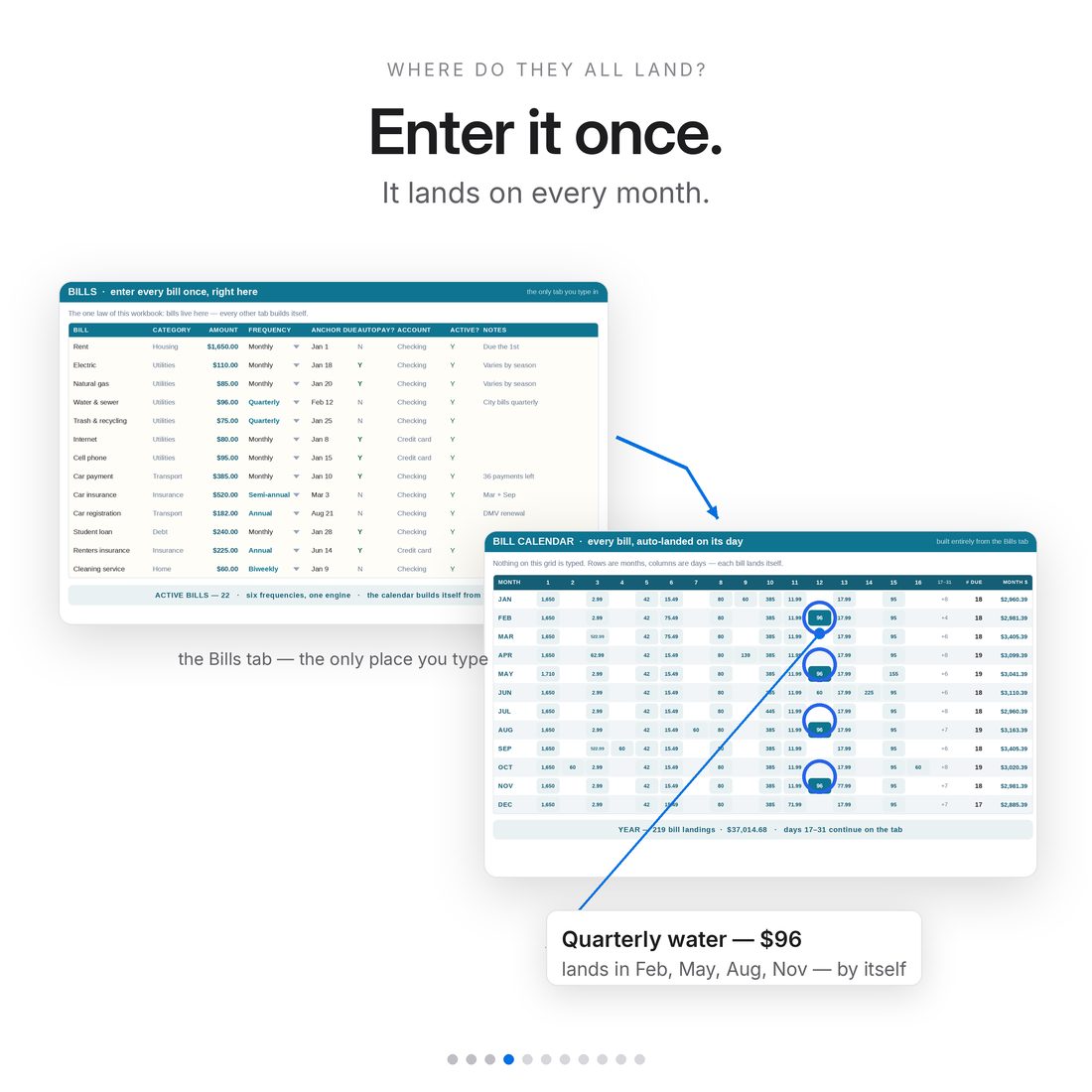
5.0shop rating · 6 Etsy reviewsDue-date dread is really just missing information. This bill tracker runs on one law: enter each bill once — name, amount, frequency, anchor due date — and it lands on every month by itself. Quarterly water finds its four months, annual registration finds its one, and the whole year arranges itself on one calendar grid.
- Enter each bill ONCE — it lands on every month it's really due
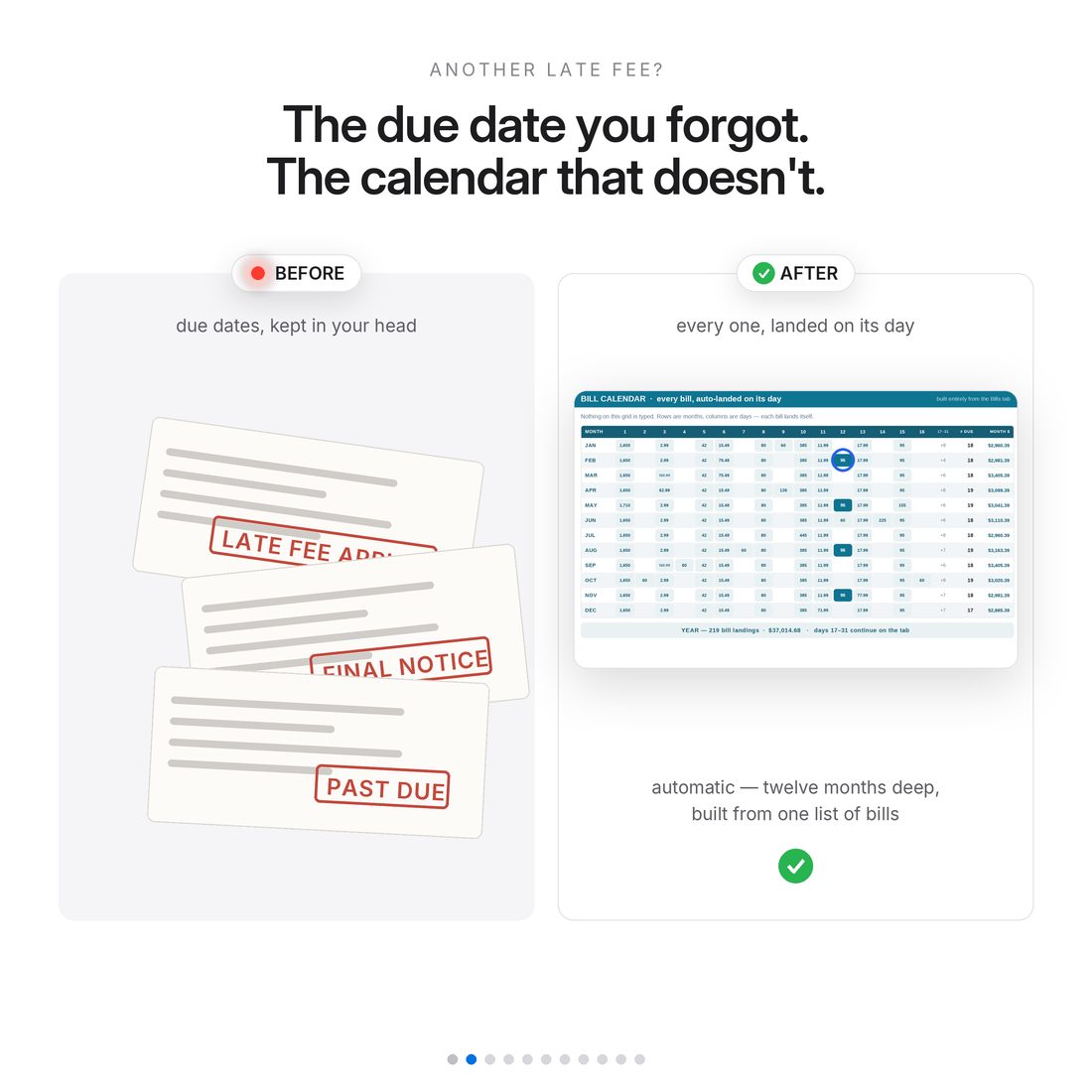
- The Bill Calendar: your whole year on one grid, nothing typed
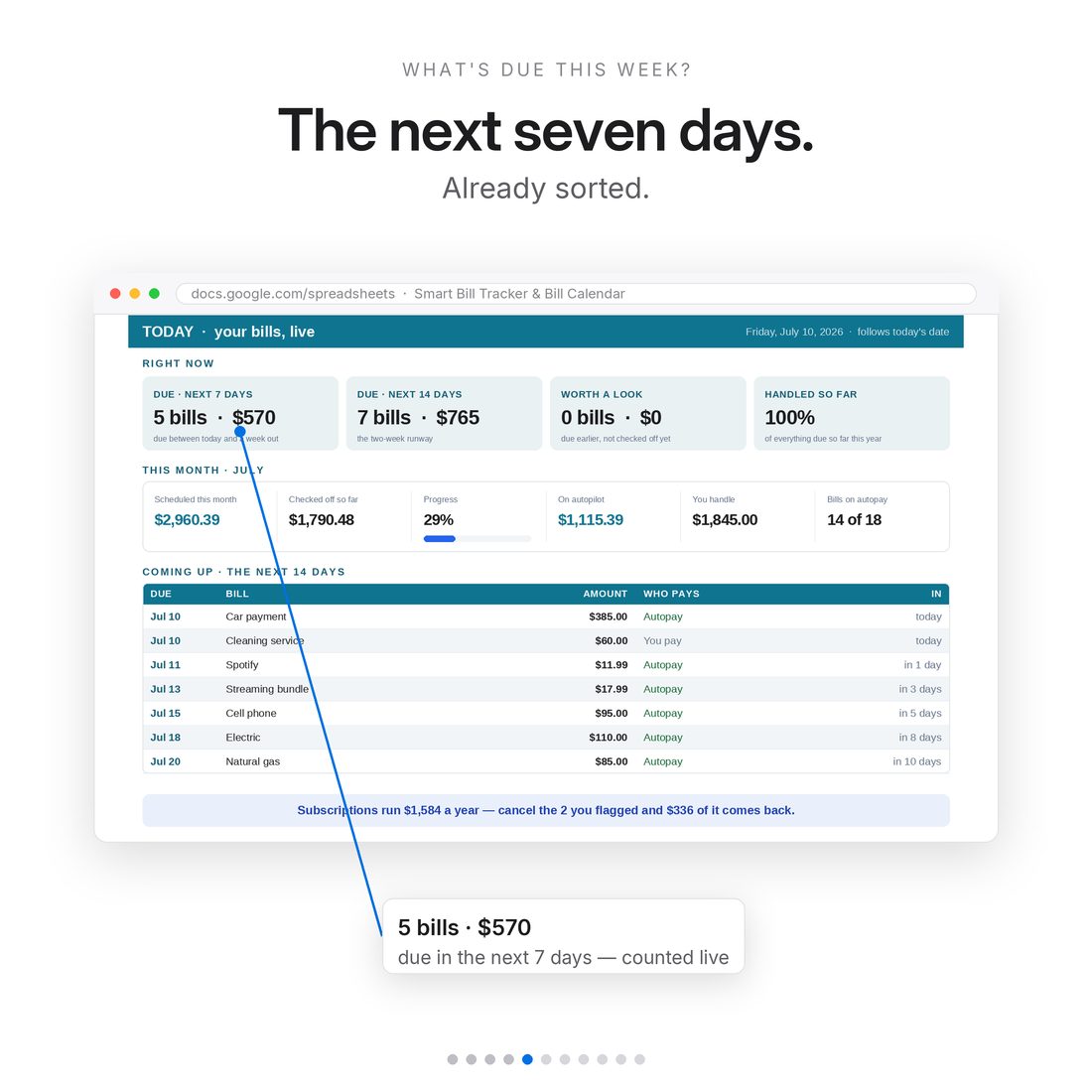
- A Today page that follows your computer's date — due in 7 / 14 days, autopay vs manual
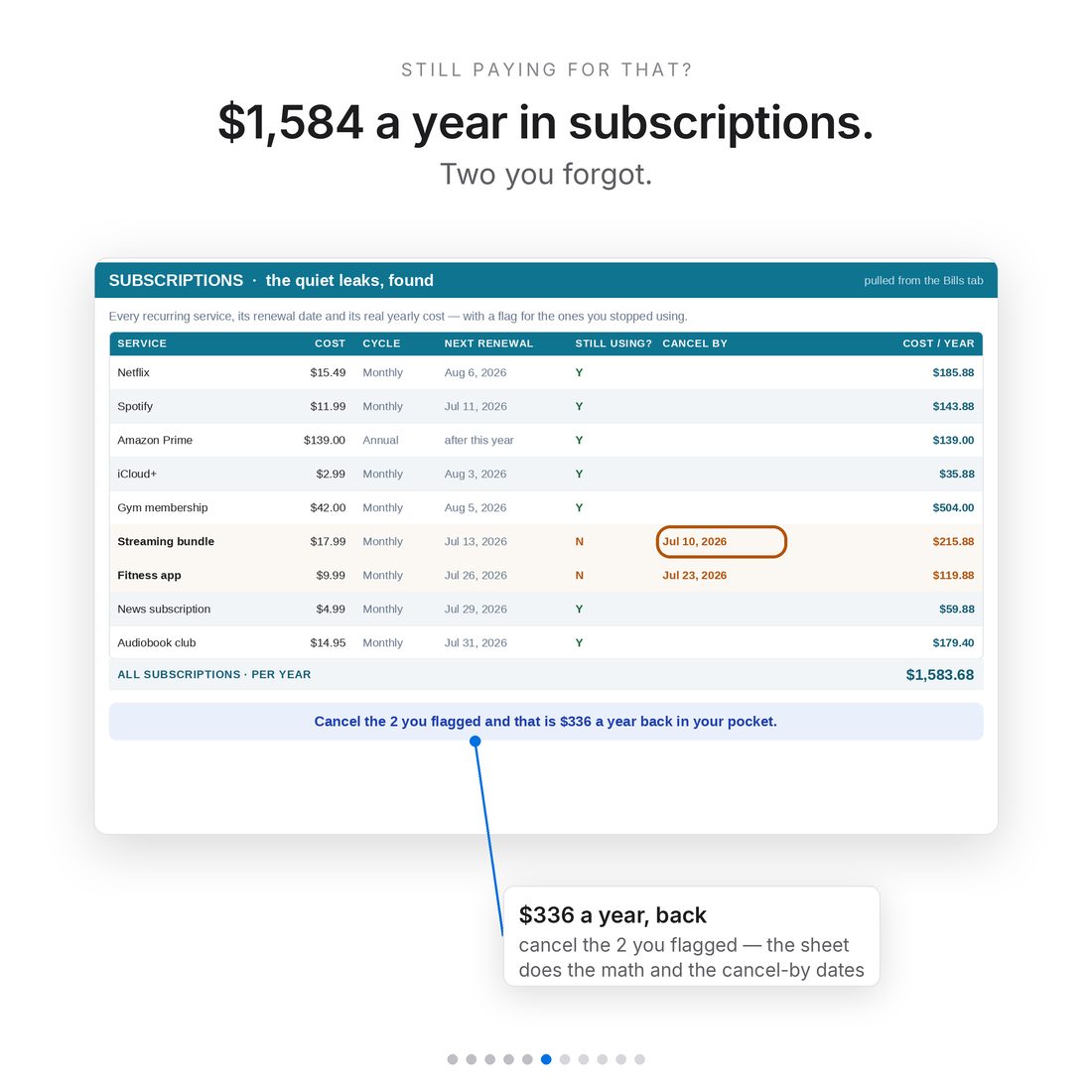
- Subscriptions tab with a cancel-these = $X-a-year-back callout
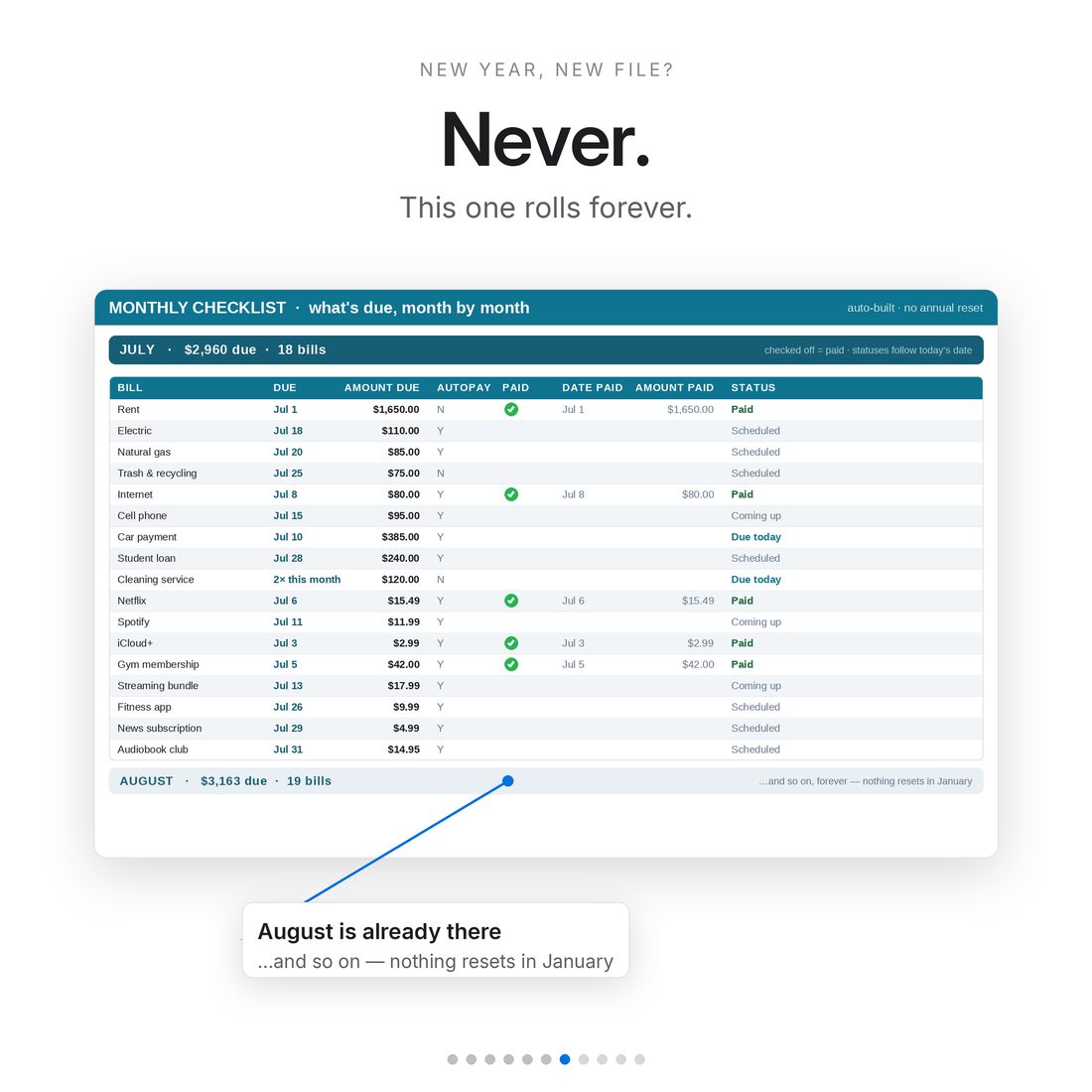
- Six frequencies, one engine — and no annual reset, ever
Overview
Every bill. Seen coming.
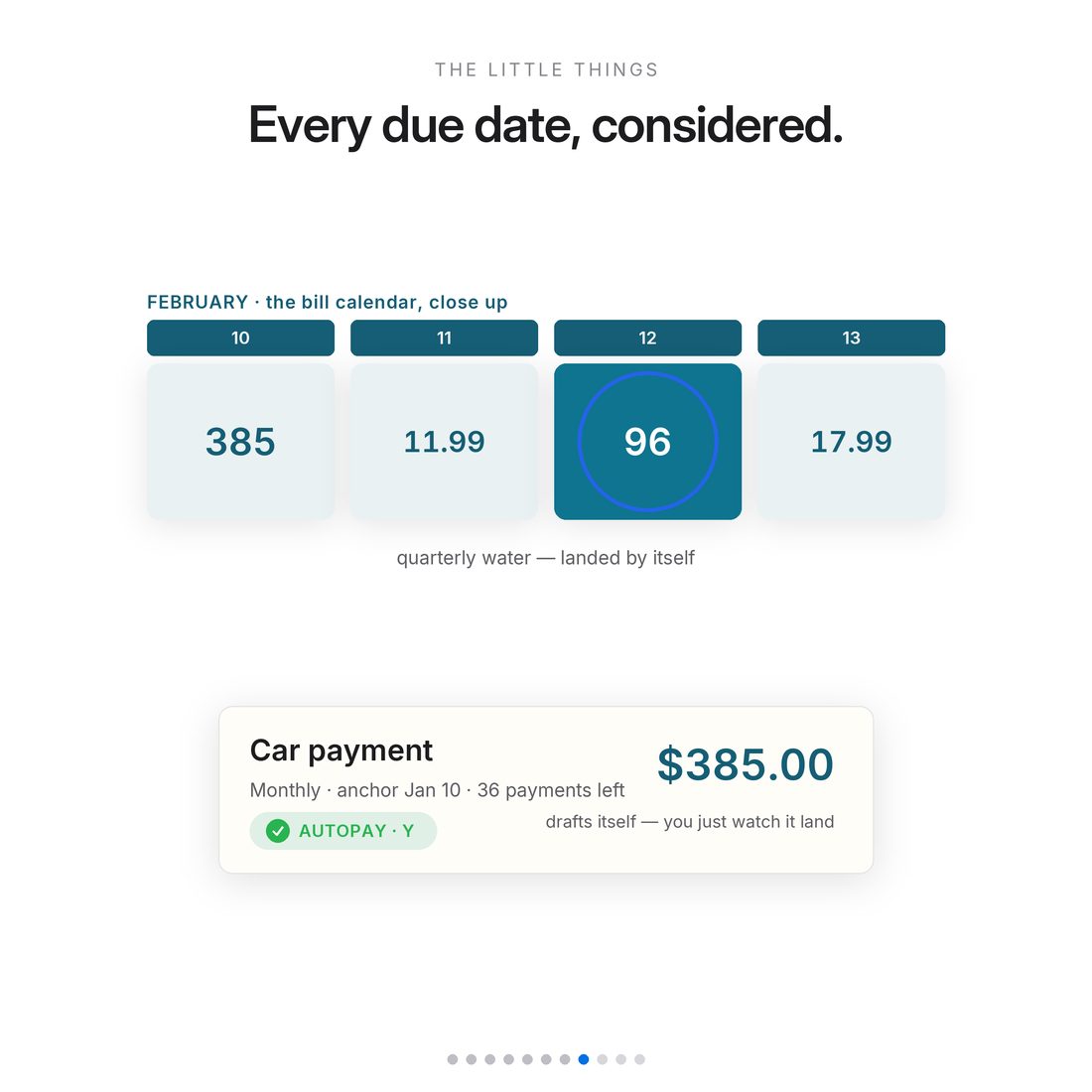
Due-date dread is really just missing information. This bill tracker runs on one law: enter each bill once — name, amount, frequency, anchor due date — and it lands on every month by itself. Quarterly water finds its four months, annual registration finds its one, and the whole year arranges itself on one calendar grid.
Most bill trackers make you retype the same twenty bills twelve times.
What's Included
Inside the toolkit
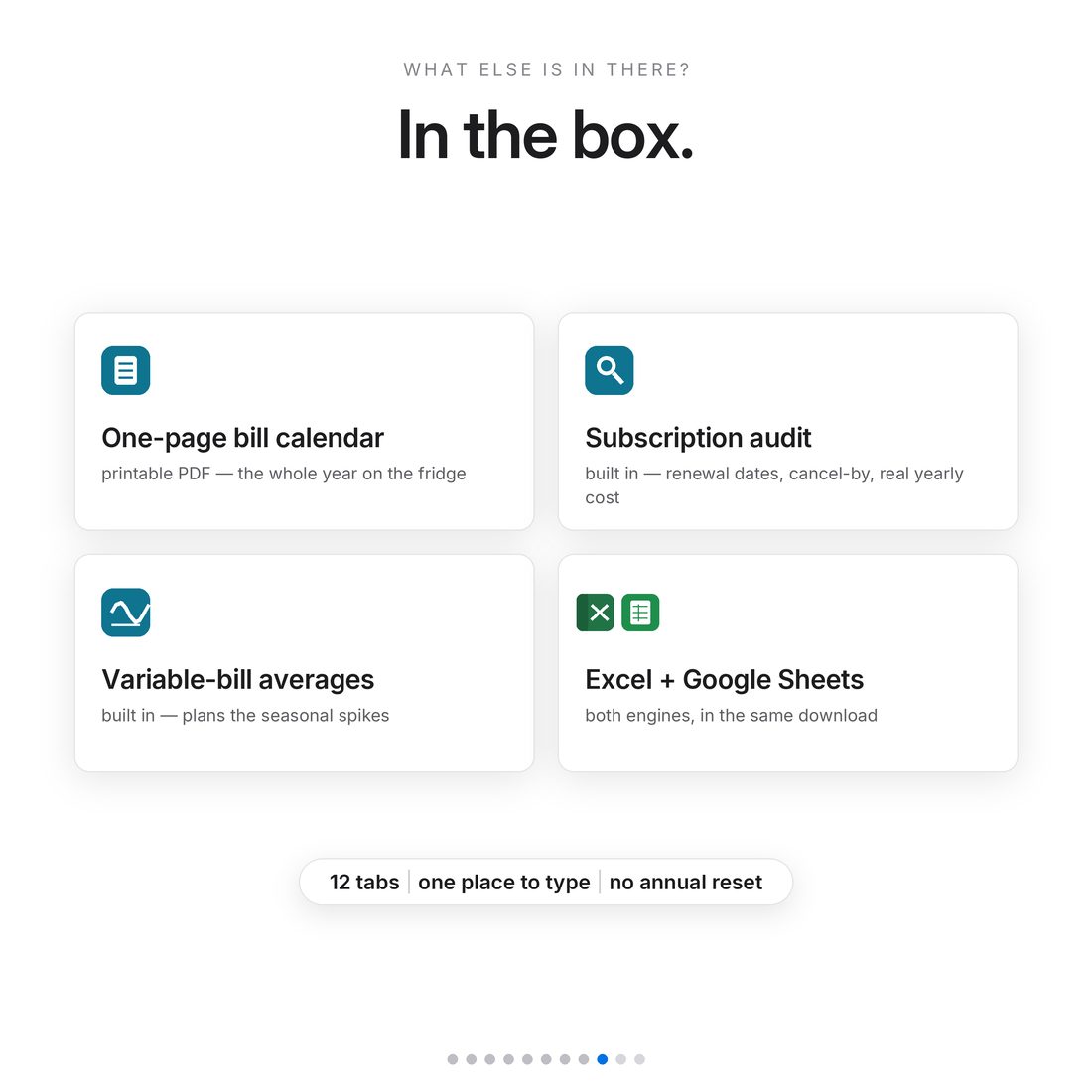
- Smart-Bill-Tracker-NicheToolkits.xlsx — 12 tabs, with a 22-bill sample household pre-loaded
- One-Page-Bill-Calendar.pdf — a printable blank month for the fridge (bonus)
- README.txt — Excel + Google Sheets setup in plain words
- Delivered as one ZIP — instant download
Key Benefits
Why this one
Name, amount, frequency, anchor date — the engine lands it on every month it's due, even the 26 biweekly ones.
Change an amount or a date on the Bills tab and the entire year rearranges itself.
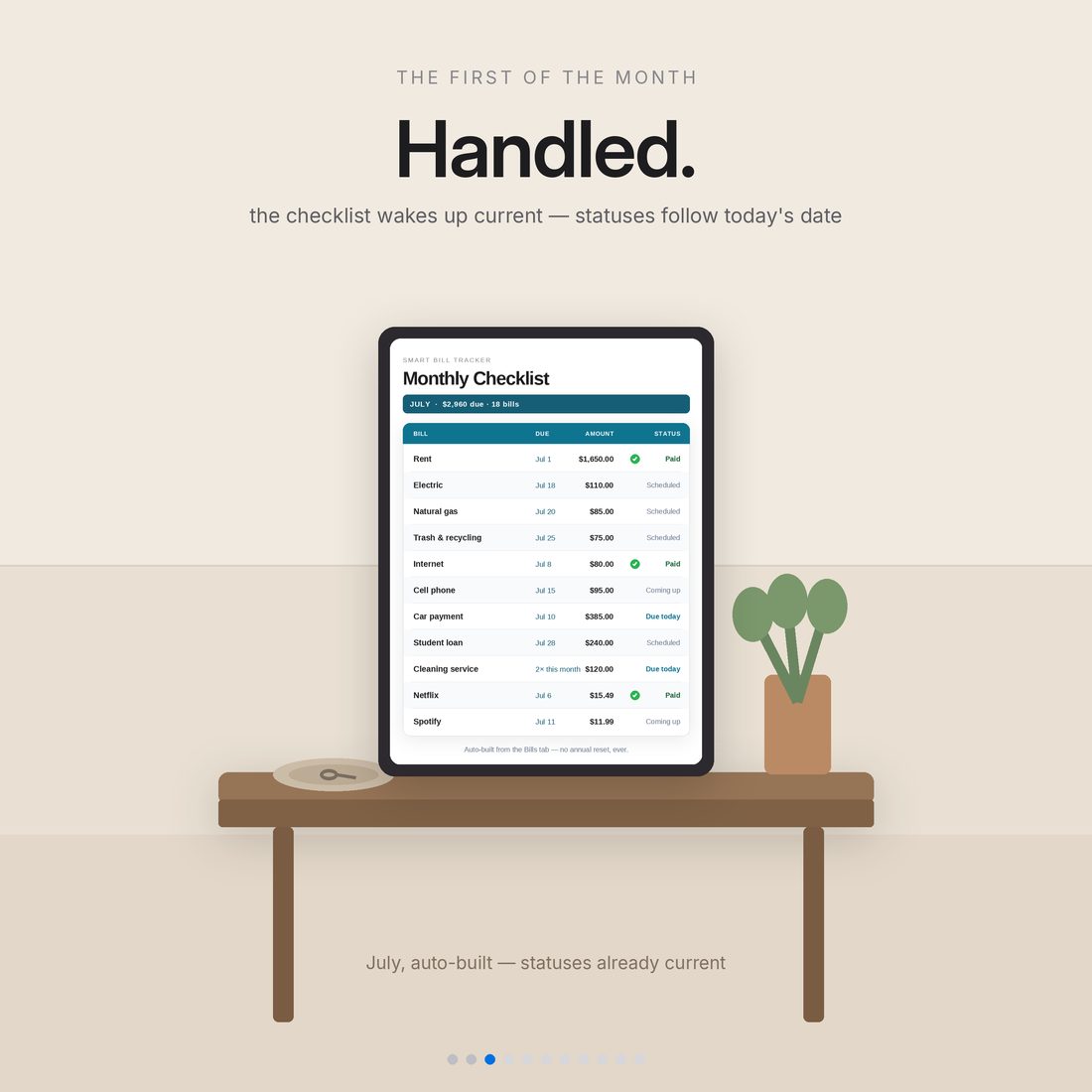
Statuses key off today's date, so the workbook wakes up current every time — no red ink, no shame, just what's next.
The Subscriptions tab totals what canceling the ones you forgot would put back in your pocket.
A bill anchored on the 31st clamps itself to Feb 28 in February and the 30th in April.
Each January you change one year cell and the whole file re-anchors. Nothing to archive.
Who It's For
Built for
- Households juggling a stack of due dates
- Subscription-heavy people who suspect they're leaking money
- Anyone mixing autopay with pay-it-myself bills
- Anyone who's paid a late fee this year
How It Works
Up and running in minutes
Open the .xlsx in Excel, or import into Google Sheets (File → Import → Replace spreadsheet)
Do the 3-minute Start Here setup
Enter each bill once on the Bills tab — name, amount, frequency, anchor due date
Let the Bill Calendar and Monthly Checklist arrange the year; tick the paid column as you go
Open the Today page any day for what's due in the next 7 and 14 days
Why It's Different
Not another template
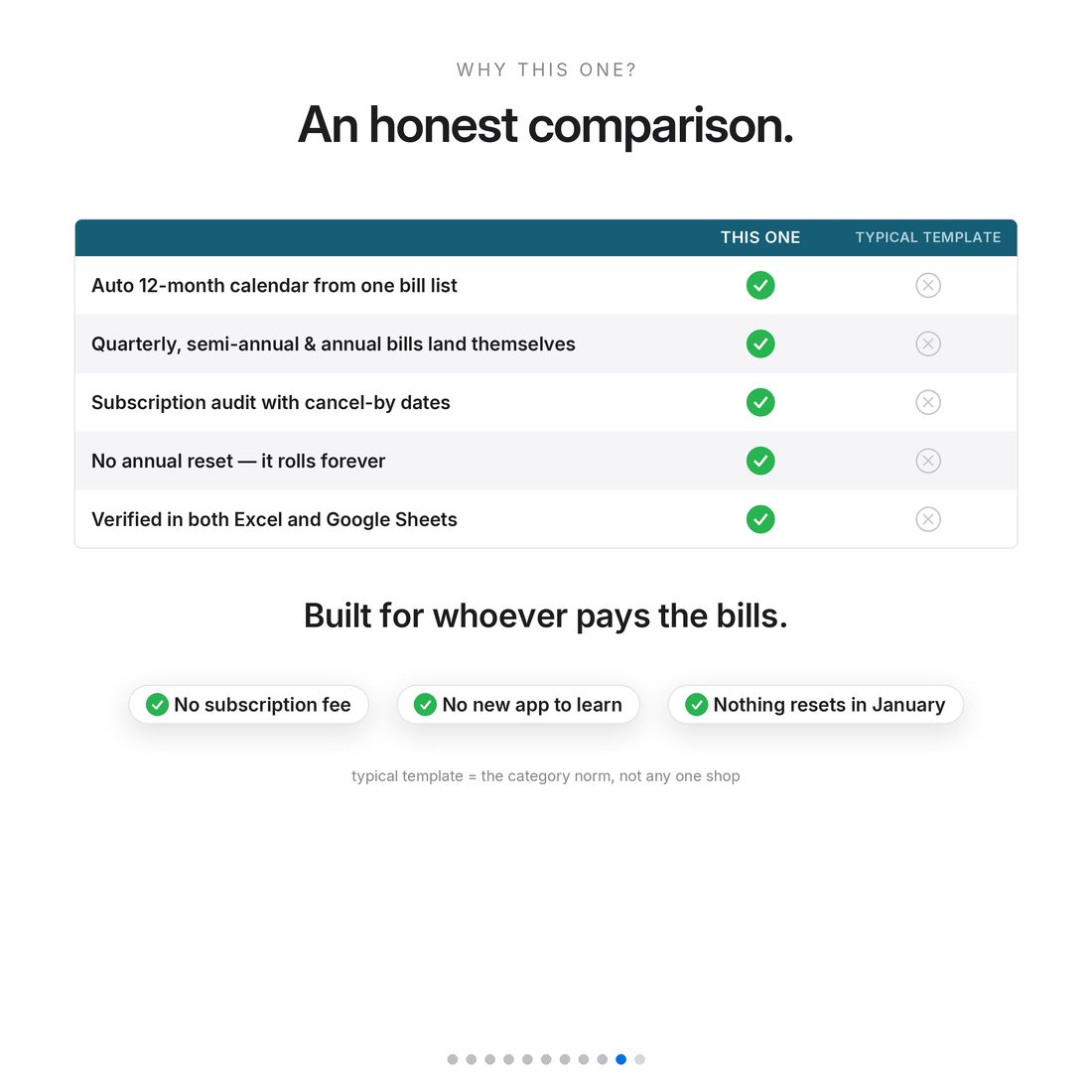
Most bill trackers make you retype the same twenty bills twelve times. This one runs on a single law — enter it once — and the whole year assembles itself: calendar, checklists, history, insights. Six frequencies, one engine. You only ever type in the warm-white cells, and a 22-bill sample household is pre-loaded so every page is alive on day one.
Delivery & Compatibility
Instant, and works with what you use
As soon as your order is complete you get instant access to download your files. Prefer Google Sheets for real-time updates and dropdowns? It's fully optimized. More comfortable in Excel? It works just as well.
Built and tested in the latest Excel (Office 365). On Mac we recommend the Google Sheets version — the template is not compatible with Apple Numbers. Available in English. The template is delivered blank; the images and video show sample data to demonstrate how it looks once filled in.
FAQ
Questions, answered
Does it work in Google Sheets?
Yes. Open the .xlsx in Excel, or in Google Sheets use File → Import → Upload → Replace spreadsheet. Every formula is cross-platform on purpose.
Does it come in different colors?
Yes — every purchase includes three color versions of the spreadsheet: Colorful, Light and Dark. Preview them with the color switch near the top of the page; you receive all three in your download (each works in both Excel and Google Sheets).
What bill frequencies does it handle?
Six: monthly, quarterly, semi-annual, annual, weekly and biweekly — one engine lands them all on the right months.
Do I have to reset it every year?
No. Each January you change one year cell and the whole file re-anchors; statuses key off today's date automatically.
Is anything pre-loaded?
A 22-bill sample household, so every page is alive the moment you open it — type right over it.
Can I get a refund on a digital download?
Because delivery is instant, all sales are final — but message us with any question and we'll help.
For personal use only. © 2026 NicheToolkitHub — no resale or redistribution.